
Pierre ☕️ retweetledi

A shout-out to the awesome peeps at @zoodotdev, for the remarkable AI agent for CAD.
I started noodling around with Zoo's 1.0 release last year, mainly because I was intrigued by their models-as-code paradigm.
Zoo supports the usual GUI layout, but internally it's all code (KCL) that round-trips through the GUI; you can absolutely create models strictly from code - this appeals to me the software guy.
At the time I made a moderately deep dive into it, gave some feedback, but it wasn't really even close to supplanting Fusion 360 for me so I mostly left Zoo on the back burner.
At the time I did not really look at the AI components because I was skeptical for no good reason even though I'm a massive fan of ChatGPT.
With this release they have Zookeeper, a conversational CAD agent, and it's incredibly impressive and tells me that Zoo can fill a use case for me now: parameterized designs.
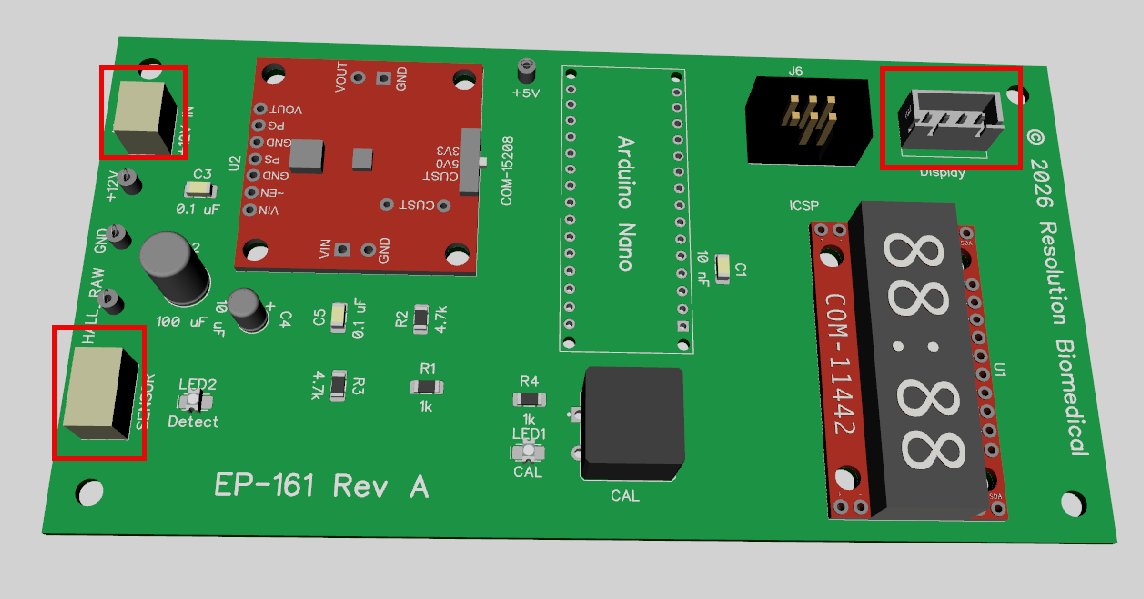
I'm designing a small electronic circuit board in @DipTrace, and I can add 3D models to the parts so I can visualize what the final board looks like.
For this discussion I'm mainly referring to the board-mounted JST-XH connectors: there's a five-pin connector in the upper right that uses a model I found somewhere, but haven't yet set up the 3- and 4-pin versions shown on the left:
There are something like six dozen variants of this connector (through-hole vs SMD, top entry vs side entry, with bosses or not, etc.), and this is where I thought: I'll try the AI agent and knock out the ones I need.
It's remarkable.
My first prompt was incomplete, of course, because I haven't refined my skills at this yet, but we had a real conversation, and I really liked that it was telling me what it was thinking about.
The thing that really got my attention: it knows this is an electrical connector that mounts on a printed circuit board, not just a raw set of X/Y/Z dimensions in CAD.
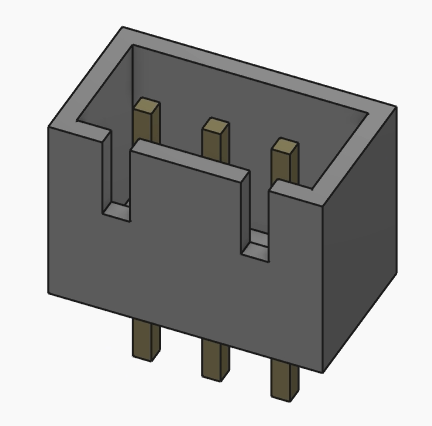
After a few go-rounds, it created a proper 3-pin variant, and it knew that the pins should be brass-colored because they are metal, as well as asking me about the polarity keying features because JST-XH connectors have those: this is domain awareness, and this was the big deal for me.
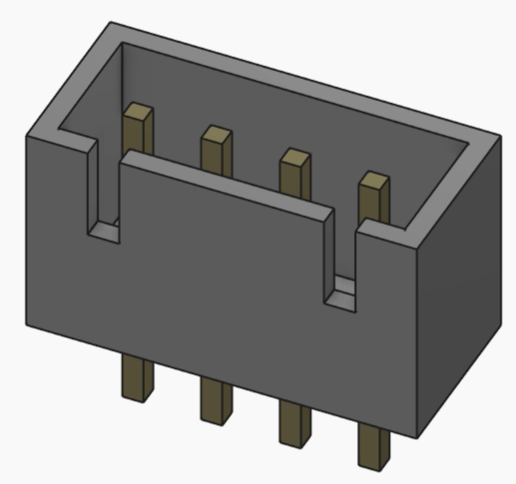
And when I go to the code editor window, I just change a 3 to a 4, and *poof* now I have the four-pin variant:
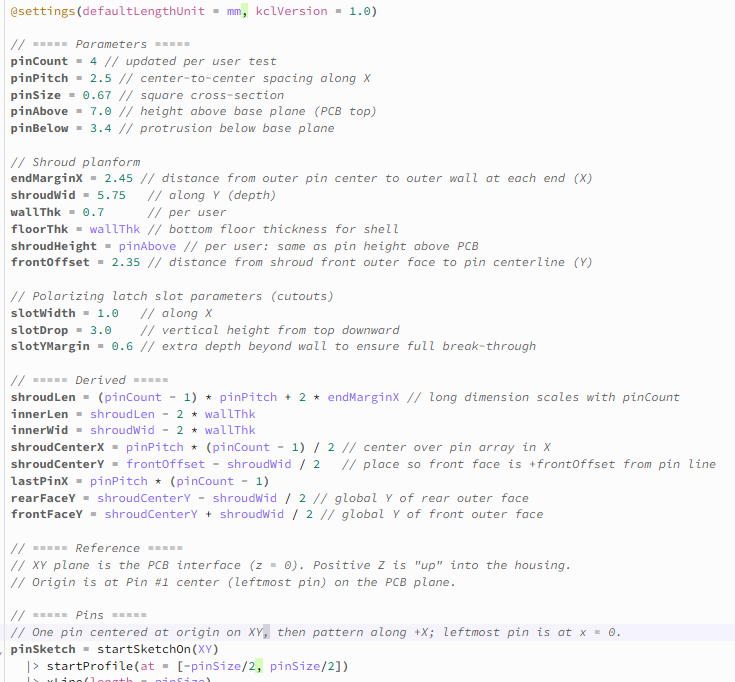
The generated KCL is entirely readable and looks as if I might have written it by hand.
We've all seen code generators with unreadable variable names from a random-number generator (__u_000_13a), but Zookeeper synthesized truly meaningful names and comments - none of these came from me:
It's remarkable.
It did take a bit of reasoning for it to get this far, and I believe I could have knocked out the three-pin version in Fusion faster than in Zoo, though not by much.
But where Zoo shines is the parameterization to generate the whole range of models from 2 pins to 24 pins: this is slam-dunk faster, keep my design in source code, and ensure that they are all internally consistent.
Fusion does come with an add-on for doing full parameterized designs, but it's much more expensive than the base product: yah no.
It also helps that these models are strictly for visualization, I'm not actually fabricating anything so I don't have to get a lot of fine details right, but my Zoo chops will only get better.
I believe they are currently focusing on enterprise implementations, where they will train on a corpus of existing models, and this probably means you can ask: "Create a new part that bolts onto assembly EP-1023 at the lower flange" (or whatever) and it will have some idea what you're talking about.
I've run into a few bumps in the road: the UI did freeze on me, and the exported STEP files don't render in DipTrace (yet), but these are all things that can get sorted out.
I'm excited for the team at Zoo, especially @jessfraz , @jordannoone, @Jenna_Bryant and @adam_chal who I interact with here on Twitter, plus the rest of the animals.
Good work!
Zoo@zoodotdev
Meet Zookeeper, our conversational CAD agent. ✨
English