

Patrick
36K posts

Patrick
@Plambey
Membership @BrowserCompany || prev. Product Specialist @SlackHQ & Product @MomentFeed
Katılım Mayıs 2009
430 Takip Edilen440 Takipçiler

Bu sıradan bir şehir çizimi değil.
Paris. 🗼
10 ay. Tek kişi.
15 milyar piksel.
Sıfır yapay zekâ.
İçine gir. 🧐
panoramic.city/fractalparis/z…

Türkçe
@charlesowo445 @IanYanusko @diabrowser thanks for flagging! we've pushed a fix for this now, the assistant should be behaving as expected again, but let us know if not!
English

@jamesmhaley @browsercompany Apologies, I may have misread “ Force quit, tried the same thing, hung again, this time with ~3gb in use”, that’s saying you couldn’t open Dia task manager even on fresh boot?
English

@Plambey @browsercompany The UI had died and I couldn’t actually click anything - so th above wouldn’t have been an option. Force quit, tried the same thing, hung again, this time with ~3gb in use. Sounds like something running away with some gb’ 😊
English
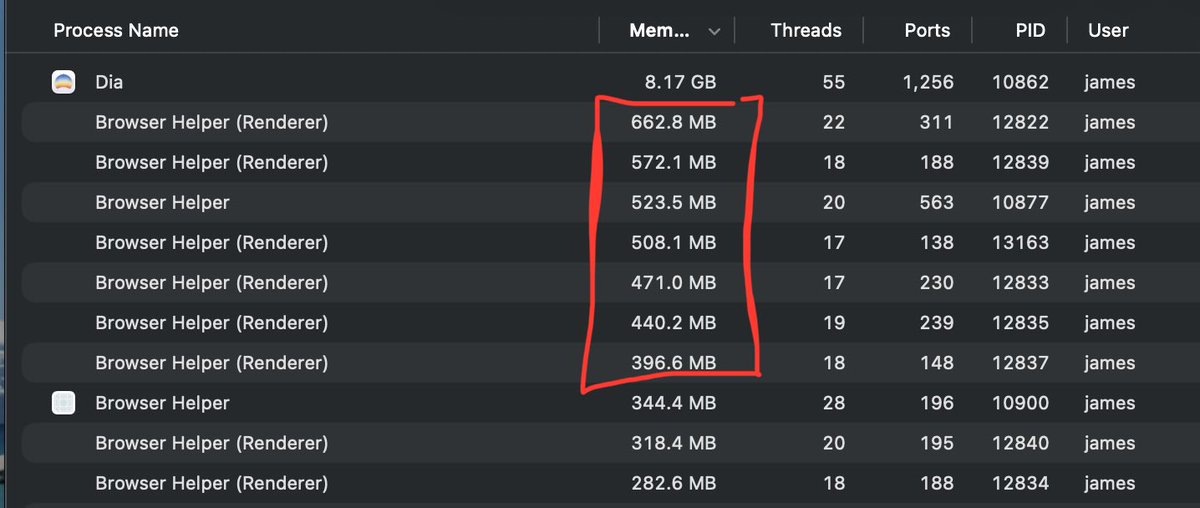
Seriously @browsercompany, just days after a message “we’ve fixed some issues with memory”, 8.17GB + all those browser helpers. Holy Crap. What has happened??

English
@jamesmhaley @browsercompany …have you take those same steps I outlined before, but to do it *now* when things aren’t frozen? That’ll allow to keep an on things before they grow so that we know exactly what is potentially consuming more mb than it should be, and we can tackle then! 🙏
English
@jamesmhaley @browsercompany appreciate the detail! The 8gb would be a summation of the individual processes, rather than in addition. ie in this highlighted piece here, there’s nearly 3gb account for, spread across ~6 tabs. But I agree it’s still worth getting more context on to ensure no runaways. Can I…
English
@jamesmhaley @browsercompany hey there! can you select Window (between Extensions and Help) and open up the Task Manager? This will show you the actual titles of each helper here (you can match the PIDs to the process IDs) so that you can see what these are tied to. most likely, its tabs that you have active
English

@tieskuiper @diabrowser Having a look at this now! To confirm, this is feature request rather than bug? I’m seeing in Chrome, switching between tabs does not change the order of the undocked dev tool. Just want to double check I’m looking at the right thing?
English

@Plambey @diabrowser @Plambey I see this shipped in early birds build today. Works great! But one minor issues remains. When having two DevTool windows on top of each other, just switching tabs wont change the order. It should show the DevTool of the active tab
English
I still have some issues with the inspect element on @diabrowser. My DevTools overlap all other windows/dialogs even when inactive and it also disappears on app switch. Is there a fix for this coming?

English
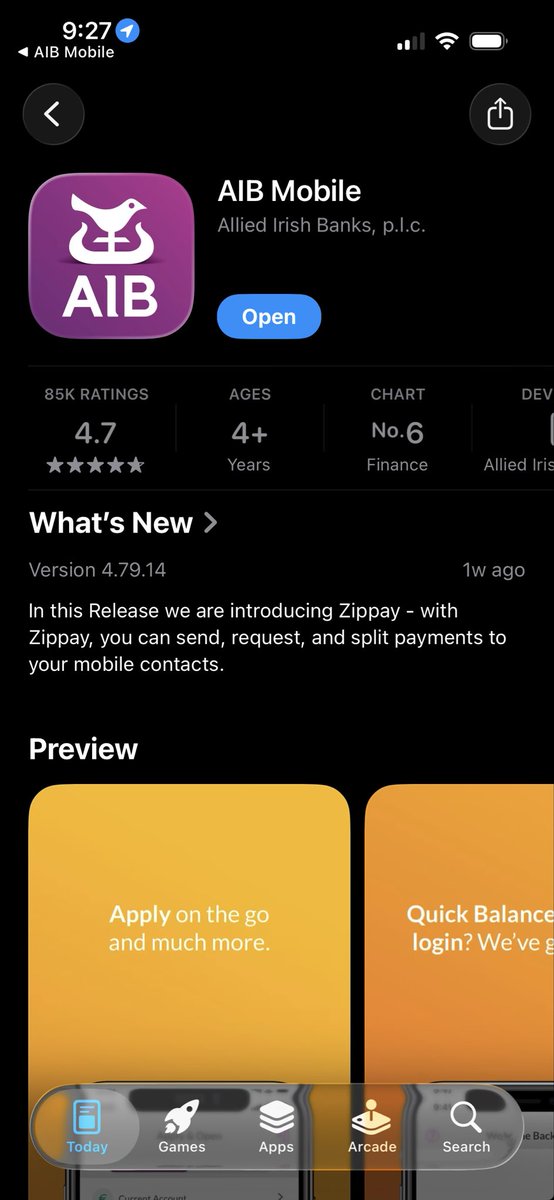
@AIBIreland constantly getting this on the latest versions the app, despite always being full up to date, pretty frustrating. And on both mobile and WiFi. Surely not the only one?

English

@Plambey @diabrowser @browsercompany @joshm I have sent you the URL in DM. I mocked the auth URL but the issue is reproducible with the mock URL.
English
@diabrowser @browsercompany @joshm How does one go to a URL in Dia? It either goes into chat or Google and refuses to run the URL. I needed to go to a particular authentication URL and it wouldn't let me. I had to open it on Chrome to authenticate.
English
@tieskuiper @diabrowser Hey Ties, great catch, appreciate you flagging - taking a look with our team now!
English

We're Hiring 👨💼
We're looking for a Store Manager in Dublin 👀
For more information and to look at our other roles, visit the link below!
✍️ - buff.ly/5XrFgXp

English
@humayounbaig @IanYanusko @diabrowser @joshm got you, thanks! which flow are you taking to enable the PIP manually on youtube? and is there audio playback on the video before you navigate away from the tab, or is it muted?
English

@Plambey @IanYanusko @diabrowser @joshm Hi @Plambey yes i entered PIP manually,
the auto pip setting was set to default, i toggled it to Allow but still its not opening PIP automatically when tab switches like it used to.

English
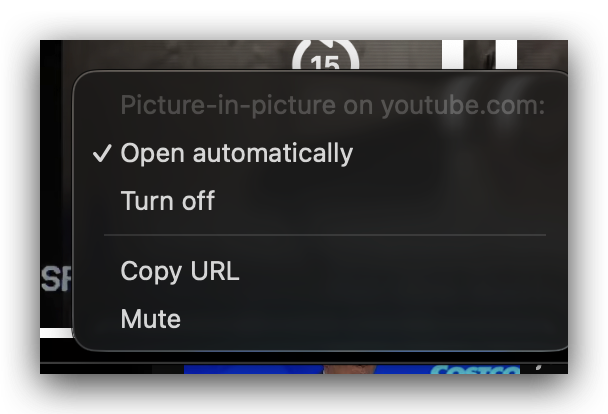
@diabrowser @joshm The PIP has stopped working for me for past week or so, even though Open automatically is selected, Any fix for this on the way?
English
@humayounbaig @IanYanusko @diabrowser @joshm hey there, Ian flagged this my way! just wanted to confirm as I don't quite follow - the screenshot is from our PIP player itself. did you enter this PIP player manually somehow? & to confirm, at dia://settings/content/siteDetails?site=youtube.com is auto pip on/off?
English