Sergushkin Dmitry

642 posts

Sergushkin Dmitry banner
Sergushkin Dmitry

Sergushkin Dmitry

@SergushkinD

Principal Product Designer · Fractional / Consulting · AI Products · Design Systems · Enterprise SaaS · Seed to Series A, 0→1 · NN/g Certified

Remote Katılım Mayıs 2020
1.1K Takip Edilen590 Takipçiler
Sabitlenmiş Tweet
Sergushkin Dmitry
Sergushkin Dmitry@SergushkinD·
🏀 Over the years, I’ve been putting a lot of effort into building and maintaining my Dribbble portfolio — not just as a gallery, but as a space to share how I think about dashboards, SaaS apps, and system-driven design. ✨ I often get messages from designers saying that my work inspired them — helping them rethink their own projects, try new approaches, or find clarity in complex UI challenges. For me, that’s the biggest reward: knowing the effort truly resonates with the community. 📣 Numbers aren’t the goal, but they show that structure, clarity, and design systems matter — and resonate. Over 10.6M views across my shots confirm just that. If you’re interested in exploring my latest works, here’s my Dribbble portfolio: 👉 dribbble.com/Sergushkin_Dmi… A big thank you to everyone who takes the time to view, like, or share their thoughts on my work. Your feedback, encouragement, and inspiration keep me motivated to keep creating and sharing. Grateful to be part of such a supportive design community 💗 #UXDesign #UIDesign #DashboardDesign #DesignSystems #SaaSDesign #ProductDesign #PrincipalDesigner #DesignLeadership #DesignStrategy #UXLeadership #DesignThinking
Sergushkin Dmitry tweet media
English
4
0
20
6.8K
Sergushkin Dmitry
Sergushkin Dmitry@SergushkinD·
This week I completed the loop for Agentic Inbox project. Earlier in this series: I taught Claude Design my design system. Then generated a fully interactive prototype against real components, real tokens, real rules. This post is about what happened when I pushed that design into Figma via html.to.design MCP. The workflow was straightforward: Added the html.to.design MCP connection in Claude Code Opened the plugin in Figma, confirmed MCP status In Claude Design: "Push this to Figma" + file link + connector instruction Under a minute. Design appeared in the file. But here's what I didn't expect. The file wasn't just a visual copy. It arrived with structured tokens - color, spacing, typography - all named correctly. The naming conventions were clean and readable. The layers were in auto layout. Styles were using variables. This wasn't the plugin being clever. This was the agent reproducing the system logic it had been given. That's the signal worth paying attention to. Most designers think of AI-generated design as a visual artifact. Something to look at, then rebuild properly in Figma. But when the agent has genuine system context, the output carries structure. Not just pixels. Decisions. The design system you put in is the design system you get back. That's no longer a metaphor. It's a file you can open. Are you treating AI-generated design as a rough draft or as a starting point with structure already in it?
English
2
0
1
205
Sergushkin Dmitry
Sergushkin Dmitry@SergushkinD·
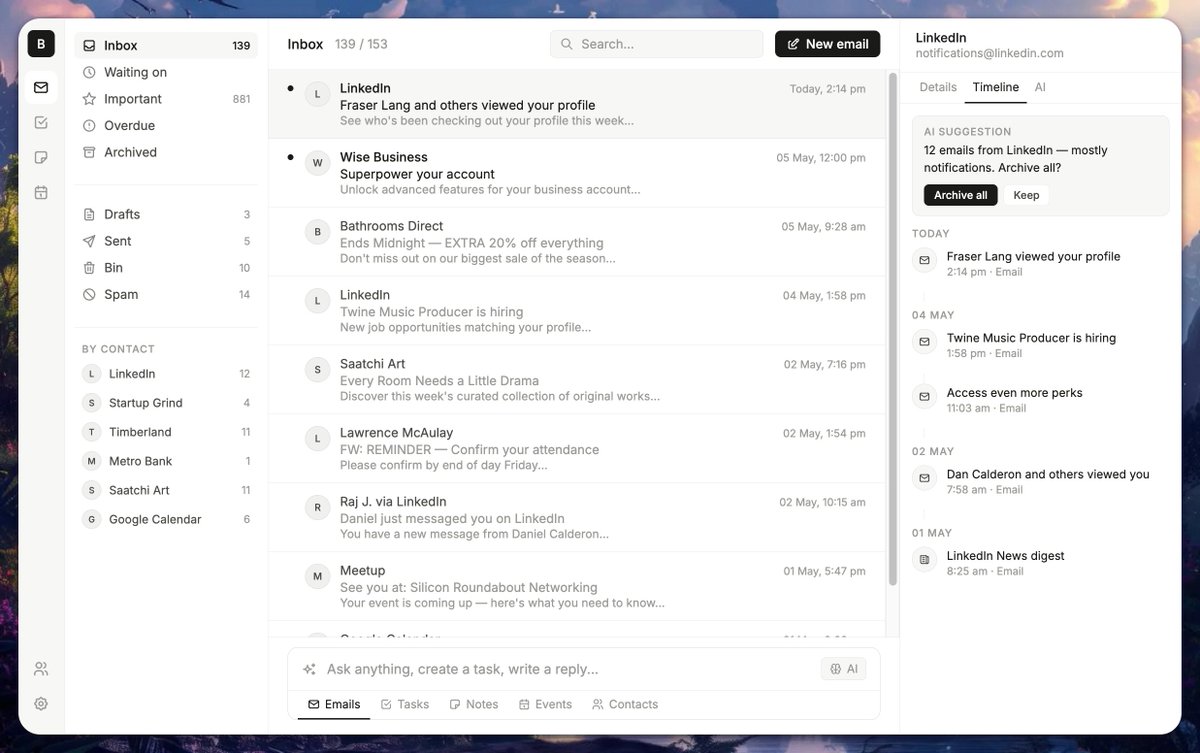
Building a product concept in hours, not months. Six months to build an MVP. That used to be the minimum. Last week I explored a different approach. It started with a structured AI interview. Instead of writing a brief myself, I let Claude ask me the questions: product vision, user flows, constraints, edge cases. The output was a comprehensive brief I couldn't have written faster alone. From there I built a Skill - a set of instructions that teaches the agent how to think about this specific product. Design principles, interaction patterns, component logic, tone. Not a prompt. A reusable knowledge layer the agent applies consistently across every generation. Then I connected my own design system via MCP. Real typography tokens, spacing scales, component variants - not generic UI. The agent generates against actual constraints, not assumptions. The result: three fully iterated interface versions in a few hours. Each one responding to real feedback. Hover states, empty states, interaction logic, documented decisions. What made this different from typical AI-assisted design: 1. The agent wasn't guessing. It had context - product brief, design system, interaction principles, skill instructions. Every output was grounded in something real. 2. This isn't about replacing the design process. It's about compressing the part that used to take weeks - research, brief, first direction, first iteration - into a single focused session. 3. The thinking still matters. The craft still matters. But the infrastructure around good design work has changed permanently. For founders validating ideas, for designers exploring directions, for teams that need to move fast - the question is no longer whether AI belongs in the design process. The question is how well you've taught it to think.
Sergushkin Dmitry tweet mediaSergushkin Dmitry tweet mediaSergushkin Dmitry tweet media
English
1
0
1
112
Sergushkin Dmitry
Sergushkin Dmitry@SergushkinD·
This week I onboarded Claude to my design system. Not a prompt. A full knowledge layer: tokens, spacing, components, rules. After reviewing the system together, I gave it product context and asked it to build. The result? A fully clickable prototype that actually matched the design system. 2026 is about agentic design. Build fast. Ship fast. But quality still depends on the foundation.
English
0
0
2
59
Sergushkin Dmitry
Sergushkin Dmitry@SergushkinD·
AI Prompt Input / Inline Search Suggestions State
Sergushkin Dmitry tweet media
English
0
0
5
200
Sergushkin Dmitry
Sergushkin Dmitry@SergushkinD·
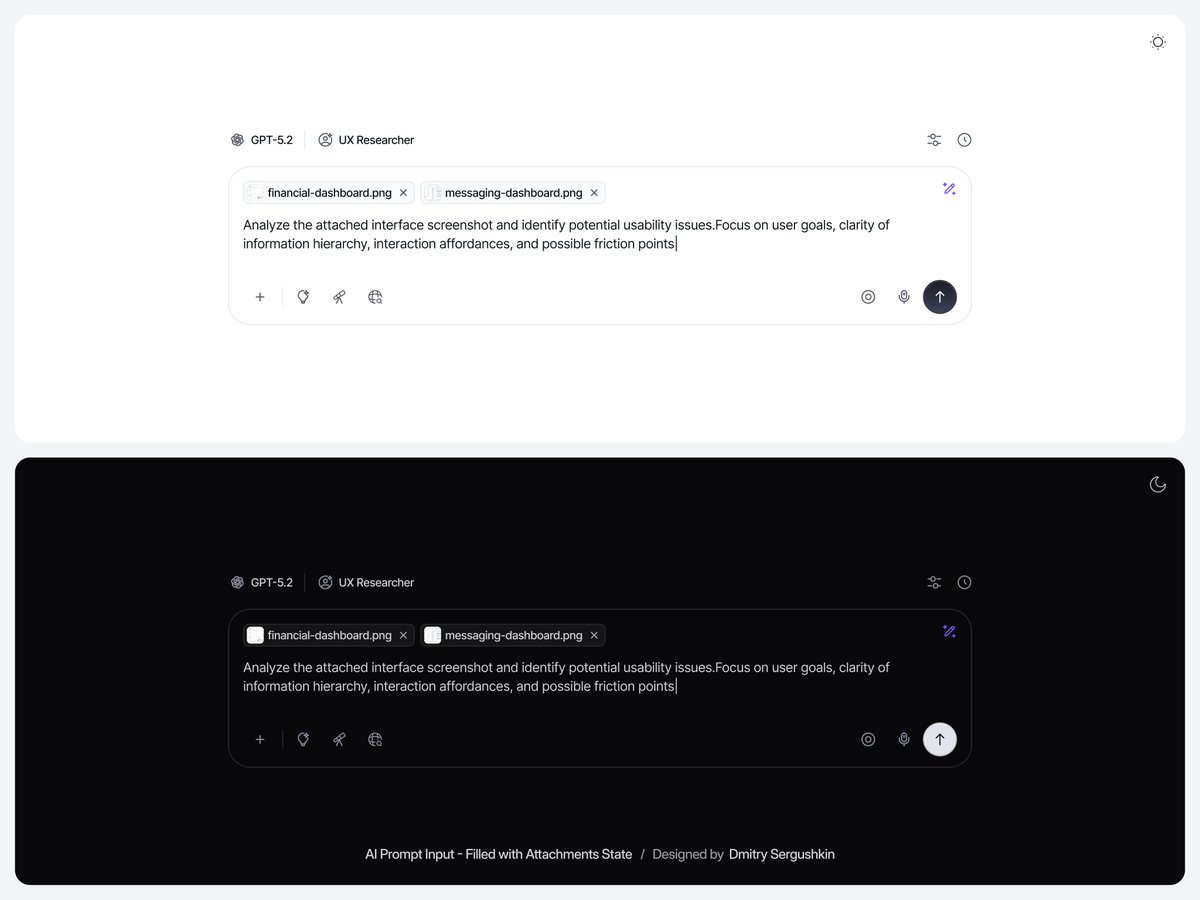
AI Prompt Input / Filled with Attachments State
Sergushkin Dmitry tweet media
English
0
0
2
95
Sergushkin Dmitry
Sergushkin Dmitry@SergushkinD·
Most AI design tools try to generate. Suggest Auto Layout and Rename Layers in Figma do something different. They don't create. They reduce the cost of getting structure right. That's the direction AI in design should be moving.
English
1
0
1
154
Sergushkin Dmitry
Sergushkin Dmitry@SergushkinD·
AI Chat Interface / Designing for Multiple Content Types
Sergushkin Dmitry tweet media
English
0
0
1
143
Sergushkin Dmitry
Sergushkin Dmitry@SergushkinD·
Part of an ongoing exploration of an AI chat interface, this shot focuses on the prompt input component and its loading state. The goal was to design an input that clearly communicates system status while keeping the user in control during AI processing. Instead of treating loading as a passive moment, this approach makes it a visible, interactive state within the input itself.
Sergushkin Dmitry tweet media
English
0
0
1
106
Sergushkin Dmitry
Sergushkin Dmitry@SergushkinD·
AI hallucinated my design system components. Not because the model was wrong. Because my components had no context. I asked Claude about a Toggle component via MCP. It returned a plausible-sounding answer - with variants that didn't exist. The problem wasn't the model. It was the description field: empty, vague, or written for no one in particular. So I used Claude Code to rewrite component descriptions with a specific constraint: readable by humans in Figma's inspect panel, and parseable by AI tools consuming the system. Structure I used for each component: PURPOSE - what the component is for and when to use it VARIANTS - every prop, every valid value, with behavioral meaning ANATOMY - internal hierarchy, named precisely BEHAVIOR - state transitions, interaction logic ACCESSIBILITY - semantic HTML mapping After rewriting, I asked the same question. The response was accurate, structured, and grounded in what actually existed. No invented variants. No hallucinated states. Same model. Different input. Component descriptions aren't documentation. They're retrieval context. And most design systems aren't written for the tools that will consume them. Curious how others are structuring component metadata for AI consumption - or if this is even on the radar yet.
Sergushkin Dmitry tweet media
English
0
0
0
71
Sergushkin Dmitry
Sergushkin Dmitry@SergushkinD·
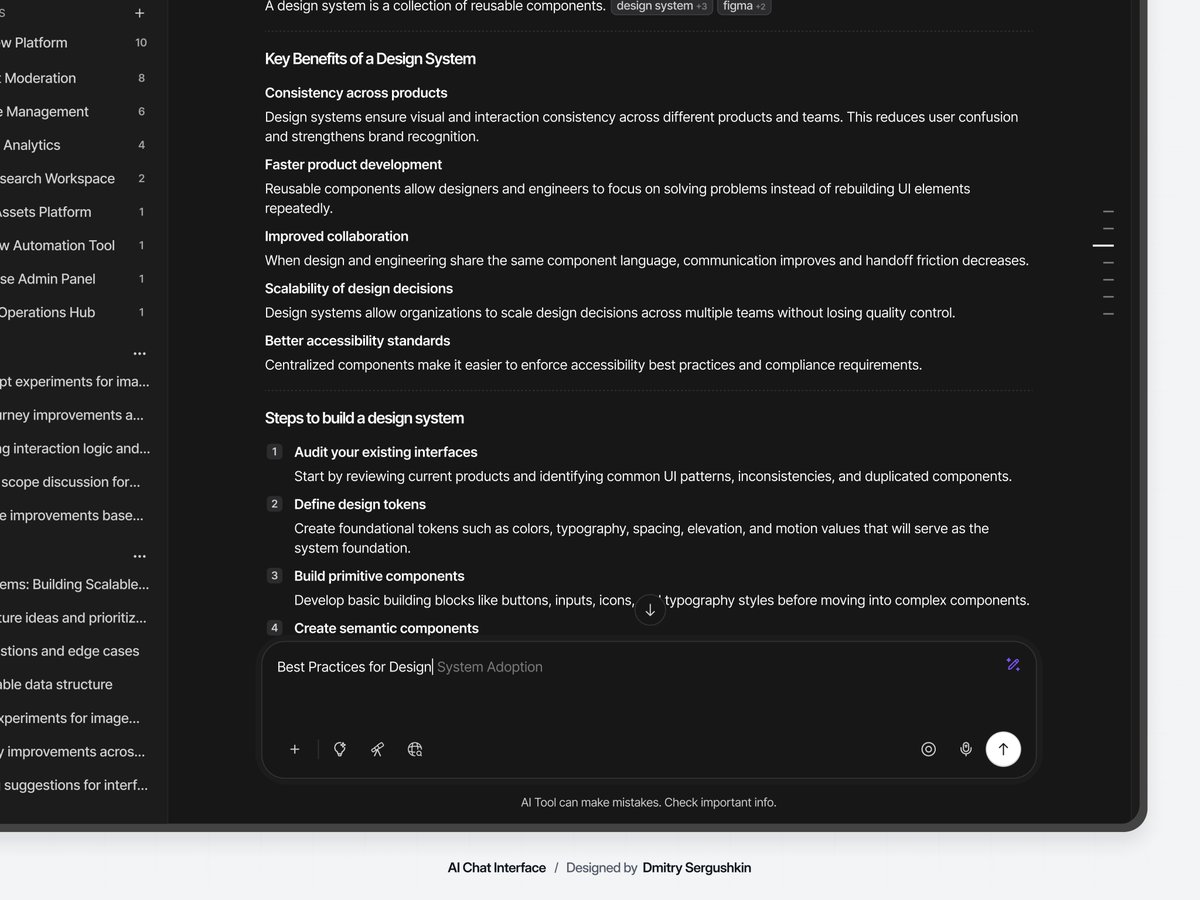
AI Chat Interface / Navigation System
Sergushkin Dmitry tweet media
English
0
0
1
65
Sergushkin Dmitry
Sergushkin Dmitry@SergushkinD·
A prompt is a description. A JSON reference is a specification. The difference matters more than it looks. I uploaded an image to ChatGPT and asked it to describe the visual style as structured JSON - color palette, composition depth, lighting approach, rendering quality. Then I used that JSON as the input for a new image with a different scene. The result held visual consistency across both images. Same palette. Same rendering logic. Same depth. That's not prompt engineering. That's structured context. When you write a prose prompt, the model interprets. When you pass a schema, it parses. Interpretation introduces variance. Parsing reduces it. This is the same logic behind design tokens. You're not describing what something should look like. You're specifying the rules that govern how it appears. The model produces more predictable output when the input has explicit structure. The implication goes beyond image generation. Structured specs are becoming the interface layer between human intent and AI output. Not natural language. Not prompts. Schemas. 👉 Step-by-step: JSON-driven image generation: 1. Extract the style spec Upload your reference image and send this prompt: "Analyze this image and return a structured JSON describing its visual style. Include: rendering type, color palette, lighting, composition depth, and key visual elements. Return only JSON, no explanation." 2. Generate a new scene Take the JSON output and use it as context for a new image: "I have a structured JSON describing a visual style. Generate a new image using these exact parameters, but with a different scene: [describe your scene]. Keep all style properties intact — palette, lighting, rendering quality, composition logic." 3. Iterate within the same spec To continue the series without drift: "Use the same JSON spec from the previous image. New scene: [describe]. The result should feel like the next frame in the same story."
Sergushkin Dmitry tweet mediaSergushkin Dmitry tweet media
English
0
0
0
89
Sergushkin Dmitry
Sergushkin Dmitry@SergushkinD·
Bulk Actions Panel — Light Mode Admin UI
Sergushkin Dmitry tweet media
English
0
0
0
70
Sergushkin Dmitry
Sergushkin Dmitry@SergushkinD·
A set of bulk action panels and system notification components designed for data-heavy SaaS products and admin interfaces.
Sergushkin Dmitry tweet media
English
0
0
4
151
Sergushkin Dmitry
Sergushkin Dmitry@SergushkinD·
Part of an ongoing exploration of AI workspace and model marketplace interfaces.
Sergushkin Dmitry tweet media
English
0
0
1
67