SpecterWallet
542 posts

SpecterWallet
@SpecterWallet
@SpecterDIY Hardware Wallet and Specter Desktop Telegram Community: https://t.co/HYHvAdoHT2 - Github: https://t.co/Z0alFJjSgr
Bitcoin Katılım Eylül 2024
393 Takip Edilen445 Takipçiler

SpecterWallet retweetledi

⚠️Specter Clone Scammers renamed their app into Vernyx.
Do not install the new app even though it has a new name!
Schnuartz@Schnuartz
🚨 Specter Clone scammers just called me. “Name and logo were coincidence, we didn't know that a Wallet with Same Logo and Same name is existing since 6 years, we’re renaming the app into Vernyx, please delete your scam posts.”🤡 These impostors think they can gaslight their way out of being exposed. ⚠️Vernix is the fund-draining app. New wrapper. Still thieves. There is NO official Specter mobile app. Don’t get rugged. (Quote my previous warning if you’re not brain-dead.)
English
SpecterWallet retweetledi

🚨 Specter Clone scammers just called me.
“Name and logo were coincidence, we didn't know that a Wallet with Same Logo and Same name is existing since 6 years, we’re renaming the app into Vernyx, please delete your scam posts.”🤡
These impostors think they can gaslight their way out of being exposed.
⚠️Vernix is the fund-draining app. New wrapper. Still thieves.
There is NO official Specter mobile app.
Don’t get rugged.
(Quote my previous warning if you’re not brain-dead.)

Schnuartz@Schnuartz
🚨There is NO SPECTER App on Mobile. Don't get scammed by this fake Specter App that has made it into the App Store and tries to hack your funds.
English
SpecterWallet retweetledi

Do not install Specter from Apple app store. Specter does not have a mobile app. This is malicious software.
ClavaStack@ClavaStack
🚨 Im App Store ist eine manipulierte Specter-Wallet-App im Umlauf. Diese stammt NICHT von Specter. Sie versucht, Euer Bitcoin-Guthaben zu stehlen. Specter bietet KEINE mobile Version von Specter an! Installiert das auf keinen Fall!
English

🚨 Im App Store ist eine manipulierte Specter-Wallet-App im Umlauf. Diese stammt NICHT von Specter.
Sie versucht, Euer Bitcoin-Guthaben zu stehlen.
Specter bietet KEINE mobile Version von Specter an!
Installiert das auf keinen Fall!
SpecterWallet@SpecterWallet
🚨 There is a manipulated Specter Wallet app in the App Store. That is NOT FROM US. It tries to hack your Bitcoin. We DO NOT have a mobile version of Specter! Do not install it. Only install Specter Desktop on PC from our official site: specter.solutions/downloads
Deutsch
SpecterWallet retweetledi

Or alternativly directly from GitHub:
github.com/cryptoadvance/…
English
🚨 There is a manipulated Specter Wallet app in the App Store. That is NOT FROM US.
It tries to hack your Bitcoin.
We DO NOT have a mobile version of Specter!
Do not install it.
Only install Specter Desktop on PC from our official site:
specter.solutions/downloads
Samwise ₿. Gamgee #BIP-110@taters_bitcoin
Heads up, there is a Specter wallet on the App Store that is stealing funds. @SpecterWallet you might want to make an announcement!
English
SpecterWallet retweetledi
The early Specter DIY times as a part of the @SpecterWallet Dektop presentation from @k9ert at the @BTCZitadelle 🚀

English

English
Since a few time we are getting Specter Desktop presentations again.
At @BTCZitadelle 🚀
Starting soon.

English
SpecterWallet retweetledi
Great English Tutorial about the timelock recovery plugin from @SpecterWallet and how to use it with @SpecterDIY 🧡
It's very smart to add that on top of any wallet setup.
Especially fot the complicated ones.
RITREK@RitrekRecovery
@SpecterDIY's latest version now displays something no other hardware wallet (AFAIK) currently shows in Bitcoin transactions: Relative Locktimes. Locktimes may not matter much for day-to-day spending, but they become important when working with pre-signed transactions intended to be broadcast in the future - for example in a Timelock Recovery plan, where you should verify the cancellation period between the initiation and final transfer of funds. In this video, we will: 1. Create a Timelock Recovery plan using @SpecterWallet (Specter Desktop - available on @umbrel) together with the @SpecterDIY hardware wallet. 2. Export the pre-signed transactions in #BIP128 JSON format. 3. Import the file into the RITREK Android app for monitoring. 4. Learn how to execute the recovery-plan both with the RITREK app and without it. 5. Lean how to cancel the recovery-plan within the cancellation period, after it was initiated. If you're hodling BTC for the far future behind a complicated multisig/SLIP39/passphrase setup, and you're worried your future self, or your inheritors, may struggle to recover it safely - this video is for you!
English
@RitrekRecovery @SpecterDIY Great Video!!!
Thanks not only for the Tutorial but also for the great contributions to @SpecterWallet and @SpecterDIY
English
SpecterWallet retweetledi

@SpecterDIY's latest version now displays something no other hardware wallet (AFAIK) currently shows in Bitcoin transactions: Relative Locktimes.
Locktimes may not matter much for day-to-day spending, but they become important when working with pre-signed transactions intended to be broadcast in the future - for example in a Timelock Recovery plan, where you should verify the cancellation period between the initiation and final transfer of funds.
In this video, we will:
1. Create a Timelock Recovery plan using @SpecterWallet (Specter Desktop - available on @umbrel) together with the @SpecterDIY hardware wallet.
2. Export the pre-signed transactions in #BIP128 JSON format.
3. Import the file into the RITREK Android app for monitoring.
4. Learn how to execute the recovery-plan both with the RITREK app and without it.
5. Lean how to cancel the recovery-plan within the cancellation period, after it was initiated.
If you're hodling BTC for the far future behind a complicated multisig/SLIP39/passphrase setup, and you're worried your future self, or your inheritors, may struggle to recover it safely - this video is for you!
English
The Timelock Recovery Plugin from @oren_z0 makes sure that you cannot log out of your main wallet.
Our v2.1.9 updates the extension to v0.2.3.
github.com/cryptoadvance/…
English
Specter Desktop is only Bitcoin only Companion App that you can use as localhost just in the browser.
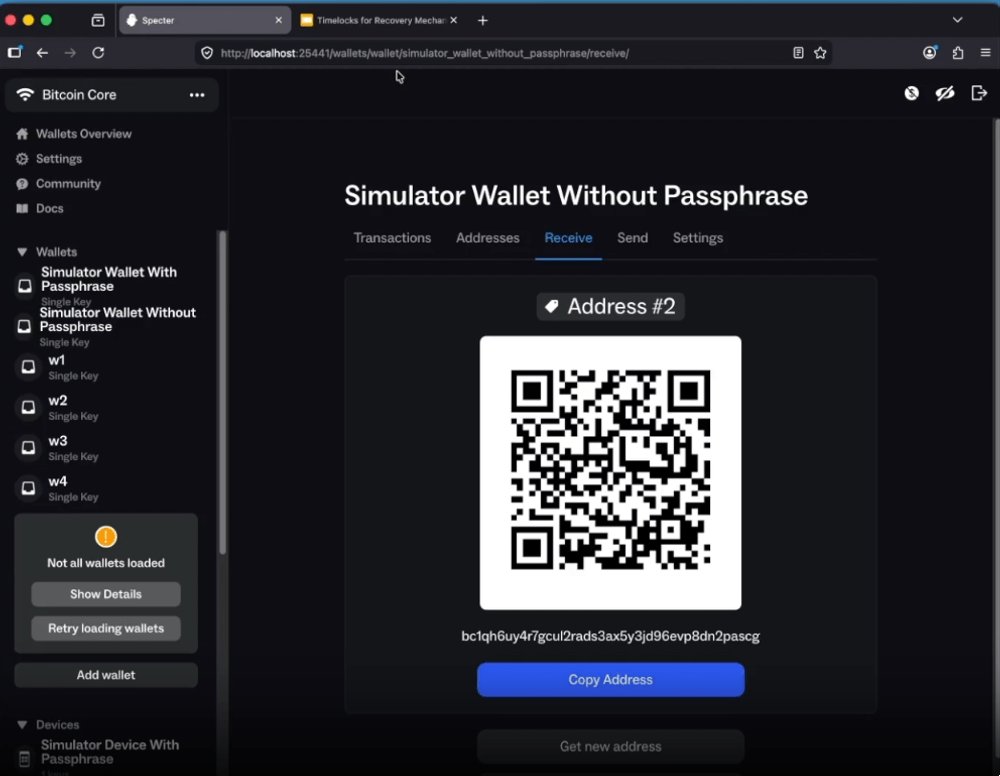
English
This is great for @oren_z0's Specter Desktop Plugin:
specterext-timelockrecovery
Specter@SpecterDIY
No more partly blind signing. Transaction Version, Locktime and input sequences (incl. RBF status) are now shown when signing. Particularly useful for timelock recovery flows. Most other hardware wallets still hide these fields. Great for @oren_z0: specterext-timelockrecovery
English
SpecterWallet retweetledi