

The Art of Subtitling
805 posts

The Art of Subtitling
@SubtitleBot
Tracking and sharing news about the latest advances in subtitling and localisation #s8g #l10n.
Ghent, Belgium Katılım Eylül 2017
345 Takip Edilen410 Takipçiler

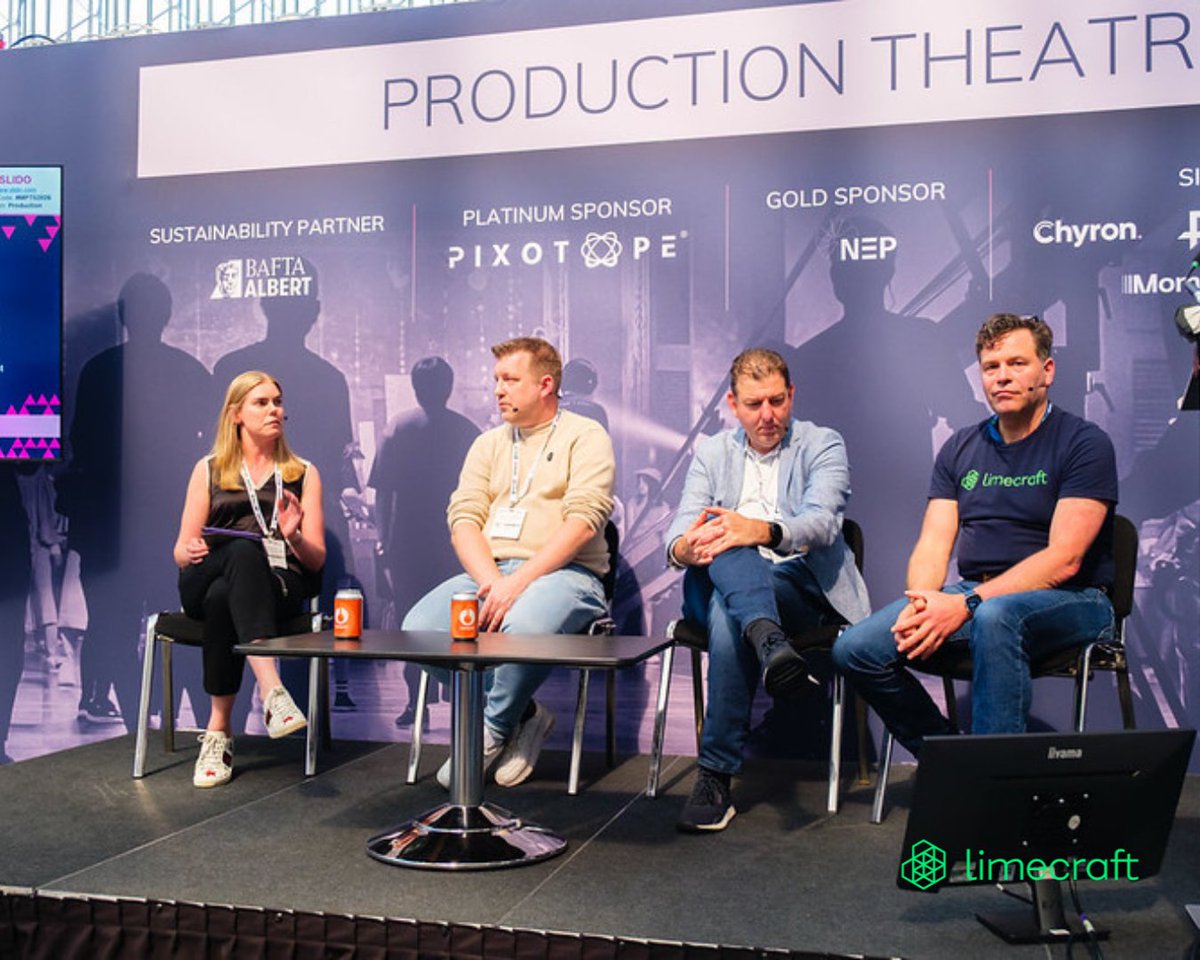
Back from @mpts_london, heavily loaded and still digesting. One theme kept recurring.
What was most striking this year was how much the industry has matured. The debate is no longer whether best practices will/need to change. The real question remains how to make complexity manageable, instead of simply adding more of it.
Across MPTS, earlier industry events, and DPP discussions, much of the conversation focused on whether large-scale transformation would happen. The pressure is real: more content, more deliverables, tighter turnaround times, growing complexity, AI deployed in a hurry due to FOMO, and certain steps in post-production being decimated.
So how do you transform operations in flight while everything is moving at full speed? Production teams rarely have the luxury to stop, redesign workflows from scratch, and restart. Yet, operational pressure keeps slowly increasing.
The panel discussion with @NEPGroupInc Europe and @itvstudios resonated strongly. The key message stood out very clearly: meaningful transformation only happens through openness, collaboration, and partnership, not through theoretical “silver bullet” solutions. Organisations have to rethink assumptions together and align technology with operational reality.
The collaboration between NEP Europe, ITV Studios and Limecraft showcases that approach: moving workflow intelligence upstream, capturing editorial intent earlier in the process, bringing editorial and post-production together in a collaborative model, and building workflows that remain operationally usable throughout the chain.
Thanks to all partners and customers we had the chance to talk to at MPTS, for pointing us in the right direction. Your insights are invaluable 🙏
#MPTS2026 #MPTSLondon #MediaTechnology #PostProduction #WorkflowIntelligence

English
🎯
Maarten Verwaest@maartenverwaest
There’s a big difference between software solutions that store production assets, and software that truely understands the workflow. Most Production Asset Management systems stop at metadata, search and transfer. Useful, to a certain extent. In real-world postproduction however, the real cost sits elsewhere: editors recontructing timelines, assistants fixing track layouts, productions compensating for inconsistent exports, and teams adapting their workflow to the limitations of the software. That’s where the gap between “good” and “very good” becomes painfully visible - and the problem explodes with volumes go up. @Limecraft understands the editorial intent. It automatically cuts shots into scenes, and knows how sequences should land in the edit suite. It respects camera structures, audio layouts, multicam realities, naming conventions and delivery expectations. A workflow that works for you, instead the other way around. Since 2026.3, the new advanced AAF export templates take this philosophy to a next level. Master clips or group clips, camera and audio device selection, multi-channel audio mapping, custom labels… because a predictable editorial handover matters. To us, it means the difference between Media Asset Management as we know it, and production infrastructure. Ironically, the industry often evaluates platforms on bare metal pricing, or isolated features, while the real ROI sits in workflow intelligence and operational excellence.
ART
The Art of Subtitling retweetledi
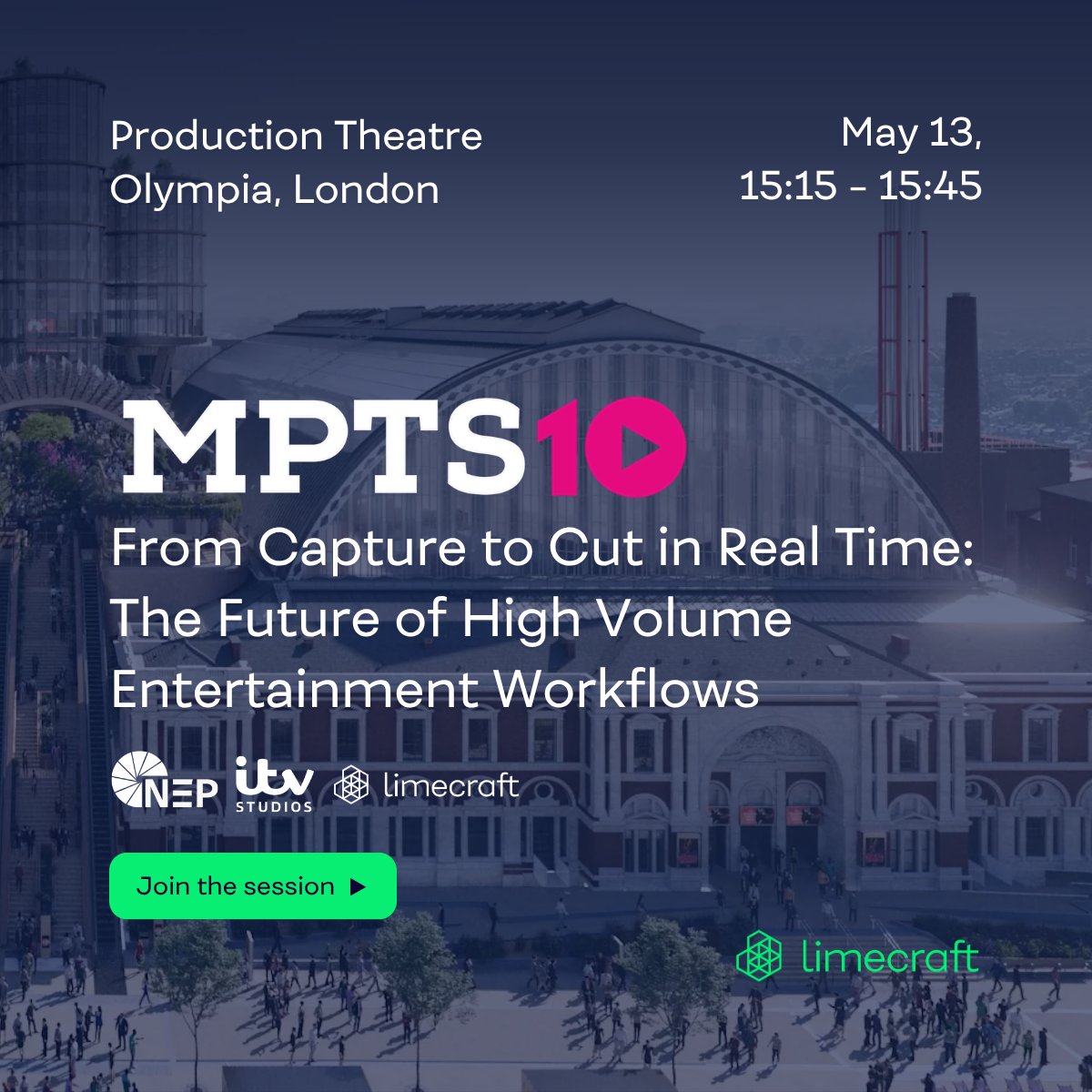
🚨 𝗟𝗮𝘀𝘁 𝗰𝗮𝗹𝗹: 𝗟𝗶𝗺𝗲𝗰𝗿𝗮𝗳𝘁 @ @mpts_london 𝘁𝗵𝗶𝘀 𝘄𝗲𝗲𝗸
This Wednesday and Thursday, you'll find us at Stand F70 at Olympia London, ready to rethink high-volume workflows, distributed production, and the relentless pressure of tighter turnarounds.
Also on the programme – and not to be missed: our co-founder Maarten Verwaest takes the stage on Wednesday 13 May at 15:15 in the Production Theatre, alongside Jonathan Vermeulen (@NEPGroupInc Europe) and Edwin van der Veen (@itvstudios Netherlands), chaired by Louise Wells (@Bubble_Agency).
They'll share first-hand insights from building a connected production workflow for The Voice of Holland, from live capture to edit-ready content in real time, across dozens of cameras and unforgiving turnaround windows.
📍 Stand F70 | 13–14 May | Olympia London
🎤 "From Capture to Cut in Real Time" | Wed 13 May | 15:15 | Production Theatre
👉 Schedule's filling up, grab your slot via the link below.
#MPTS2026 #MPTSLondon #MediaTechnology #PostProduction
English
💻 @Limecraft releases version 2026.3 of its cloud-based production platform
Available now, it focuses on three key areas: file verification with ASC Media Hash List (MHL) support, extended AAF export configuration, and faster transcription with broader language coverage
🔗 tmbroadcast.com/limecraft-vers…

English
𝟲𝟬% 𝙡𝙚𝙨𝙨 𝙩𝙞𝙢𝙚 𝙞𝙣 𝙩𝙝𝙚 𝙚𝙙𝙞𝙩 𝙨𝙪𝙞𝙩𝙚, 𝙗𝙚𝙘𝙖𝙪𝙨𝙚 𝙥𝙤𝙨𝙩 𝙝𝙖𝙨 𝙩𝙤 𝙨𝙩𝙖𝙧𝙩 𝙖𝙩 𝙧𝙪𝙣 𝙩𝙞𝙢𝙚
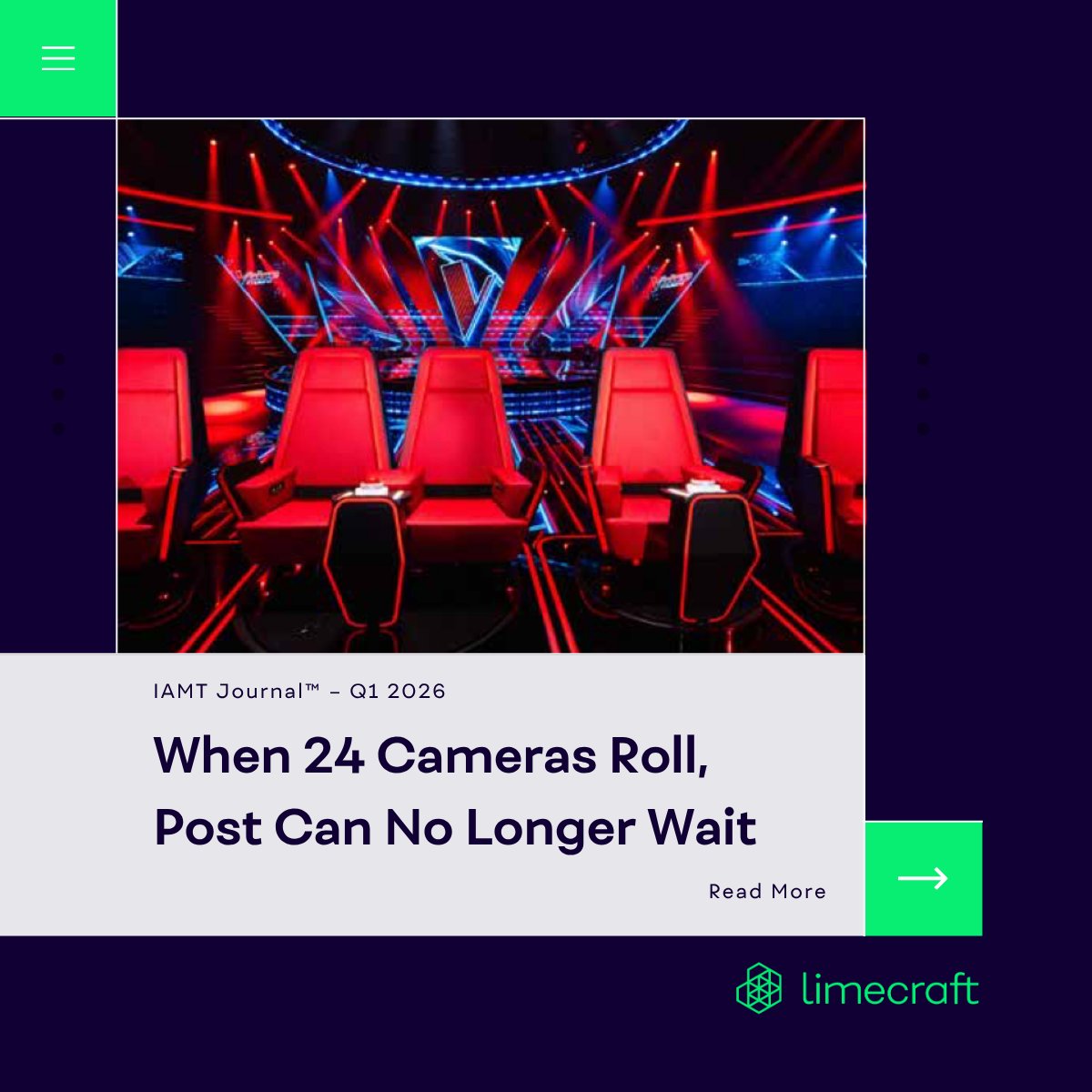
Opening IAMT (@TheIABM) Journal™ recently came with a nice surprise, seeing our project with @NEPGroupInc in print. It reflects something we’ve been saying for a while, but still not common in practice: "When production happens at scale, post-production cannot begin after recording has finished. It has to start at run time."
That’s exactly what we built together with NEP Europe, with @itvstudios The Voice of Holland (@tvoh) as the proving ground.
The result? A 60% reduction in edit suite preparation and pre-cutting time. On one of Europe's most demanding live formats: 24 camera feeds, multiple audio sources, ten-hour shoot days.
A few things where Limecraft made the difference:
– Ingest that doesn't wait: Material is processed while recording is still ongoing. No gap between capture and access.
– Notes that don’t get lost: On-set input, via EditingTools, is structured as metadata and stays attached to the media. No separate notes; context stays with the material.
– Timelines that aren’t built from scratch: Template-based AAF export delivers a structured, multi-track timeline reflecting editorial logic. Defined once, applied consistently.
None of this is about automation for its own sake. It’s about making sure that by the time content reaches the edit, most of the heavy lifting is already done.
Credit to NEP Europe and ITV Studios for pushing it through in one of the more demanding environments out there. And thanks to IAMT Journal™ for telling the story. 🙏
🚀 Curious how this translates to your setup? Reach out or request a demo today.
#PostProduction #LiveProduction #MediaWorkflow #Limecraft #NEPEurope #ITVStudios #TheVoiceofHolland #IAMTJournal #EntertainmentProduction

English
QME

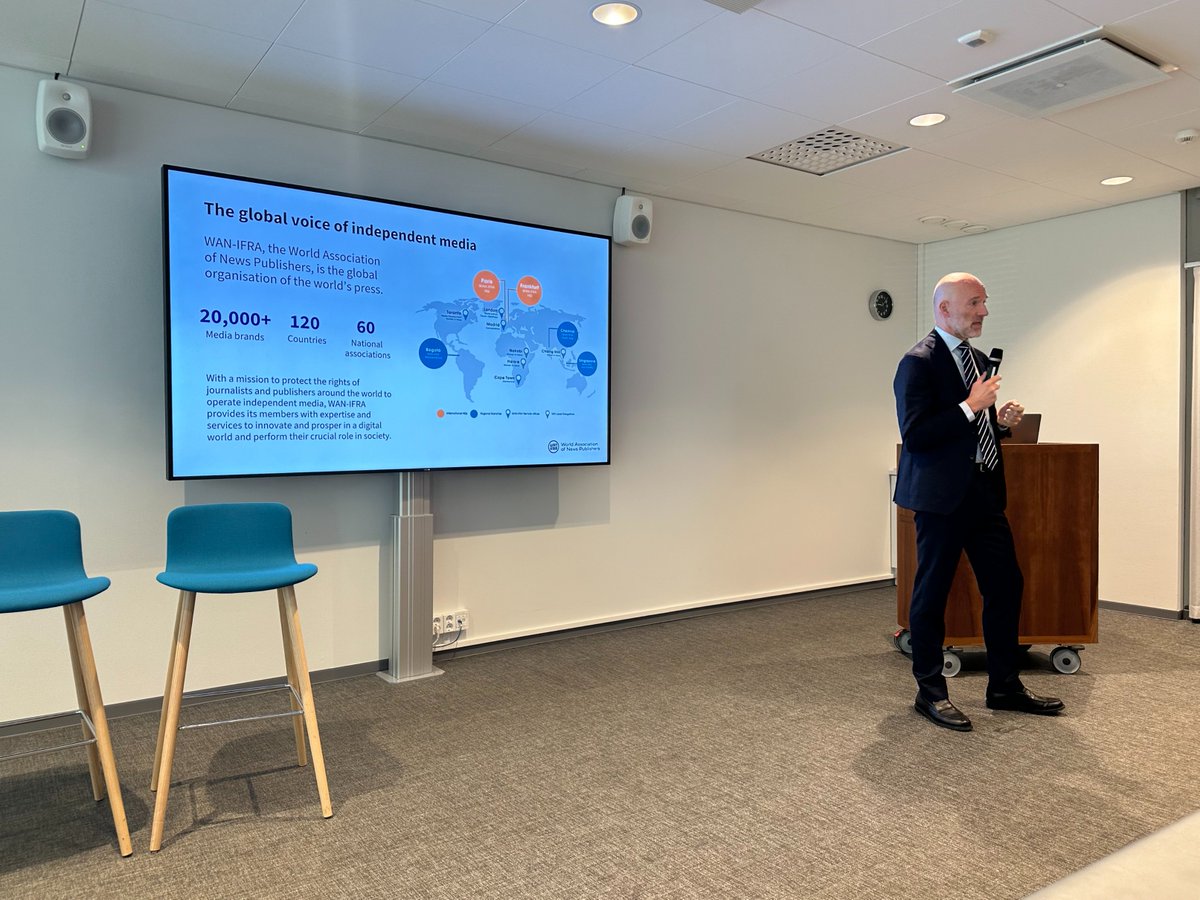
So today we wrapped up the final workshop of the @wanifra_mihub Incubator #Finland in Helsinki. A sincere thank you to @NewspaperWorld, the World Association of News Publishers, Media-alan tutkimussäätiö (The Media Industry Research Foundation of Finland), @Medialiitto, Stig Kirk Ørskov and all hosts, coaches, participants and partners for the support, hospitality and thoughtful discussions throughout the programme. 🙏
The focus today was #AI in media. With everything happening around us, independent, trustworthy media is more important than ever.
We discussed three very practical cases of AI moving from abstract promise to concrete newsroom and publishing workflows:
@Alehdet and @Neuwo, presenting a recommendation engine. @Sanoma Media Finland and @Limecraft , delivering tools to help journalists turn interviews into high-quality draft articles — obviously with the journalist firmly in control. @viestimedia and @FactiverseAS, integrating fact-checking capabilities right into the editorial workflow.
For the Sanoma–Limecraft initiative, a particular conclusion stood out: AI does not fix a broken process. Output quality depends heavily on input quality. If the raw material, editorial assumptions or workflow are unclear, AI will not magically turn that into reliable journalism. At best, it will scale the confusion.
During the panel, I was asked what makes innovative and potentially controversial projects succeed. Here is the gist.
1. Ambition is not strategy. A real strategy starts with the right bottleneck, choosing what matters, and aligning actions around that choice.
2. Technology and a business case are necessary, but not sufficient. Success also depends on a user who is genuinely willing to change, management that is prepared to make decisions, and the discipline to iterate fast.
3. Big projects succeed by going slow in design and fast in execution. Think carefully, build modularly, test quickly, and scale only when the foundations are solid.
Or, slightly more provocatively: if you want innovation to succeed, start by firing the 'Chief Innovation Officer'. Innovation conducted in an ivory tower, is most likely to fail.
Stig Kirk Ørskov asked a very relevant question: how do you align standardisation on the one hand side, with journalistic creativity?
Well I think it makes sense to standardise the operating layer, so as to ensure the full freedom to operate at the content layer. The process should be robust, repeatable and transparent, for journalism to remain creative, critical and human.
That, for me, stands out as the real promise of AI in media: not replacing editorial judgement, but removing friction around it.
Thank you again to everyone involved. It was a pleasure take part, and to see such ambitious work coming out of it. Special thanks to Pauliina Toivanen, Sanna Wirkkala, and Samuli Leivonniemi for their confidence and guidance, and to Levenez Molac and Stephen Fozard for your support in this matter.


English
𝘼𝙄 𝙩𝙧𝙖𝙣𝙨𝙘𝙧𝙞𝙥𝙩𝙞𝙤𝙣 𝙛𝙤𝙧 𝙢𝙚𝙙𝙞𝙖: 𝙙𝙤𝙣’𝙩 𝙜𝙤 𝙛𝙤𝙧 𝙩𝙝𝙚 𝙘𝙝𝙚𝙖𝙥𝙚𝙨𝙩 𝙛𝙚𝙖𝙩𝙪𝙧𝙚, 𝙡𝙤𝙤𝙠 𝙛𝙤𝙧 𝙩𝙝𝙚 𝙗𝙚𝙨𝙩 𝙬𝙤𝙧𝙠𝙛𝙡𝙤𝙬
While AI transcription in media has become commodity, the real question remains how to extract maximum value. Too often, buyers focus on the lowest unit price. That is the wrong metric.
What matters is total cost, which hinges on accuracy and usability. Unreliable transcripts or extra cleanup before editing, logging, or delivery quickly make “cheap” expensive.
Here are 4 practical points you should keep in mind as a media pro:
1. Proper nouns make or break transcript quality
Names of people, programmes, places and brands remain one of the hardest things for ASR to recognise consistently. If you need near-perfect accuracy, custom dictionaries are essential. Without them, even strong ASR can fall short where it matters most.
2. Raw accuracy ≠ usability
Modern ASR handles noise, accents, and dialects much better than before. With leading engines like @Speechmatics, speech recognition quality has improved significantly — accurately capturing even repetitions, false starts, and filler words. But these disfluencies reduce usability. For many editorial workflows, the bottleneck isn’t recognition, but what comes after. Look for tools that help normalise or condense spoken language into text that people can actually work with.
3. Transcription always serves a purpose
A transcript is not an end product by itself. It exists to support search and retrieval, logging, paper edits, sync pulls, subtitling, compliance or downstream delivery. That is why frame accuracy and timing consistency matter. If timing drifts or the transcript cannot reliably connect back to the media, its value drops to zero.
4. ASR is only one feature in a larger workflow
If the transcription engine is silver, the surrounding workflow is gold. Usability depends on how ASR fits into your production pipeline, what you can do with the output, and how easily it integrates with existing tools. Flexible exports, metadata handling, and seamless integration are not nice-to-haves. They determine whether transcription saves time or adds friction. That’s why Limecraft fits naturally into professional @Adobe and @Avid workflows.
💡 Our advice is straightforward: do not optimise for the cheapest transcription.
Optimise for the best workflow that adds the most value. That's where the real savings are.
🚀 Elevate your editorial workflow: try Limecraft and transform transcription into a seamless asset.
#FeatureFriday #AITranscription #MediaWorkflow #PostProduction #BroadcastTech #MediaOperations #Limecraft
English
💯⤵️
Limecraft@Limecraft
𝘼𝙄 𝙩𝙧𝙖𝙣𝙨𝙘𝙧𝙞𝙥𝙩𝙞𝙤𝙣 𝙛𝙤𝙧 𝙢𝙚𝙙𝙞𝙖: 𝙙𝙤𝙣’𝙩 𝙜𝙤 𝙛𝙤𝙧 𝙩𝙝𝙚 𝙘𝙝𝙚𝙖𝙥𝙚𝙨𝙩 𝙛𝙚𝙖𝙩𝙪𝙧𝙚, 𝙡𝙤𝙤𝙠 𝙛𝙤𝙧 𝙩𝙝𝙚 𝙗𝙚𝙨𝙩 𝙬𝙤𝙧𝙠𝙛𝙡𝙤𝙬 While AI transcription in media has become commodity, the real question remains how to extract maximum value. Too often, buyers focus on the lowest unit price. That is the wrong metric. What matters is total cost, which hinges on accuracy and usability. Unreliable transcripts or extra cleanup before editing, logging, or delivery quickly make “cheap” expensive. Here are 4 practical points you should keep in mind as a media pro: 1. Proper nouns make or break transcript quality Names of people, programmes, places and brands remain one of the hardest things for ASR to recognise consistently. If you need near-perfect accuracy, custom dictionaries are essential. Without them, even strong ASR can fall short where it matters most. 2. Raw accuracy ≠ usability Modern ASR handles noise, accents, and dialects much better than before. With leading engines like @Speechmatics, speech recognition quality has improved significantly — accurately capturing even repetitions, false starts, and filler words. But these disfluencies reduce usability. For many editorial workflows, the bottleneck isn’t recognition, but what comes after. Look for tools that help normalise or condense spoken language into text that people can actually work with. 3. Transcription always serves a purpose A transcript is not an end product by itself. It exists to support search and retrieval, logging, paper edits, sync pulls, subtitling, compliance or downstream delivery. That is why frame accuracy and timing consistency matter. If timing drifts or the transcript cannot reliably connect back to the media, its value drops to zero. 4. ASR is only one feature in a larger workflow If the transcription engine is silver, the surrounding workflow is gold. Usability depends on how ASR fits into your production pipeline, what you can do with the output, and how easily it integrates with existing tools. Flexible exports, metadata handling, and seamless integration are not nice-to-haves. They determine whether transcription saves time or adds friction. That’s why Limecraft fits naturally into professional @Adobe and @Avid workflows. 💡 Our advice is straightforward: do not optimise for the cheapest transcription. Optimise for the best workflow that adds the most value. That's where the real savings are. 🚀 Elevate your editorial workflow: try Limecraft and transform transcription into a seamless asset. #FeatureFriday #AITranscription #MediaWorkflow #PostProduction #BroadcastTech #MediaOperations #Limecraft
ART
The Art of Subtitling retweetledi
Heading to @NABShow? We will be hosting meetings throughout the show, and it would be a pleasure to reconnect and to talk about smarter production workflows.
At @Limecraft, we help producers and broadcasters by offering media asset management, collaboration, review and approval, and delivery in one connected and AI-powered environment.
If you are attending NAB and would like to catch up, exchange ideas, or see what is new at Limecraft, let's schedule some time. (RSVP ⤵️ )
See you in Vegas!
#MediaIntelligence #Limecraft #NABShow

English
The Art of Subtitling retweetledi
Informal workflows are the most important source of latency and inconsistency. Root cause: too many tools, too many handovers. Hampers visibility and efficiency.
If you are dealing with growing content volumes, tighter deadlines, distributed teams, or delivery workflows that rely on patchwork, make sure to pay us a visit at @mpts_london. @Limecraft integrates media asset management, workflow, AI and content delivery in a single platform, allowing you to move faster without adding complexity.
Please make sure to book a meeting ahead using the link in the comments, as we will be running a loaded schedule 👇
Limecraft@Limecraft
𝗟𝗶𝗺𝗲𝗰𝗿𝗮𝗳𝘁 𝗮𝘁 @mpts_london 𝟮𝟬𝟮𝟲! On May 14–15, Limecraft will be at the Media Production & Technology Show in London, the UK’s leading event where media, tech, and storytelling collide. 📍 Visit us at stand F70 to see how Limecraft blends workflow automation, media asset management, and content delivery, all in one intelligent, collaborative platform. 💡 High volumes of content, distributed teams, or ever-tightening deadlines? We’ll show how producers are rethinking their operations and staying ahead. Have a project in mind? Plan your visit and book a meeting with us via the link below. #MPTS2026 #MPTSLondon #MediaTechnology #PostProduction #Limecraft #MediaIntelligence
English
The Art of Subtitling retweetledi
𝗟𝗶𝗺𝗲𝗰𝗿𝗮𝗳𝘁 𝗮𝘁 @mpts_london 𝟮𝟬𝟮𝟲!
On May 14–15, Limecraft will be at the Media Production & Technology Show in London, the UK’s leading event where media, tech, and storytelling collide.
📍 Visit us at stand F70 to see how Limecraft blends workflow automation, media asset management, and content delivery, all in one intelligent, collaborative platform.
💡 High volumes of content, distributed teams, or ever-tightening deadlines? We’ll show how producers are rethinking their operations and staying ahead.
Have a project in mind? Plan your visit and book a meeting with us via the link below.
#MPTS2026 #MPTSLondon #MediaTechnology #PostProduction #Limecraft #MediaIntelligence
English
Jokes aside, ... because in our industry, there is still a strong belief that complexity is a premium feature, the support theatre should be handled by a bot, and “coming soon” counts as product strategy.
Any appearance of resemblance is – naturally – purely coincidental 😜
Limecraft@Limecraft
Introducing our BIGGEST launch ever. 💥 Find out all you need to know — hit play now! Any suggestions? Let us know in the comments. 👀 #Limecraft #BiggestLaunchEver #MoreComplexity #ComingSoonForever
English
Battle tested transcription, automated condensing of language saving you hours of post-editing👇
Limecraft@Limecraft
#ICYMI – 𝗬𝗼𝘂𝗿 𝗳𝗿𝗼𝗻𝘁-𝗿𝗼𝘄 𝘀𝗲𝗮𝘁 𝘁𝗼 𝗟𝗶𝗺𝗲𝗰𝗿𝗮𝗳𝘁 𝟮𝟬𝟮𝟲.𝟮 Watch Jonna and Maarten break down all the updates in Limecraft 2026.2 in our latest webinar. Here’s what’s new: ✔️ Template-Based AAF Export: Say goodbye to repetitive setup. Configure once, reuse everywhere, and keep your editorial workflows consistent, even at scale. Export to Avid and Adobe Premiere with full control over colors, markers, and sequences, all without needing an engineer. ✔️ Smarter AI-Assisted Transcription: Faster, cleaner transcripts. Filter out “ums” and repetitions, fine-tune speaker detection, and post-edit smarter with AI guidance. Perfect for subtitling and localisation. ✔️ Platform polish & workflow perks: Flexible status filters, improved delivery logic, and Edge sessions that survive temporary license hiccups. Minor tweaks, major impact on daily production. 📌 Full blog & webinar replay below ⤵️ Ready to dive in? Request a demo and try the new features hands-on. #MediaIntelligence #Limecraft #EditorialWorkflow #AITranscription #AAFExport
English
The Art of Subtitling retweetledi
Introducing our BIGGEST launch ever. 💥
Find out all you need to know — hit play now!
Any suggestions? Let us know in the comments. 👀
#Limecraft #BiggestLaunchEver #MoreComplexity #ComingSoonForever
English
The Art of Subtitling retweetledi
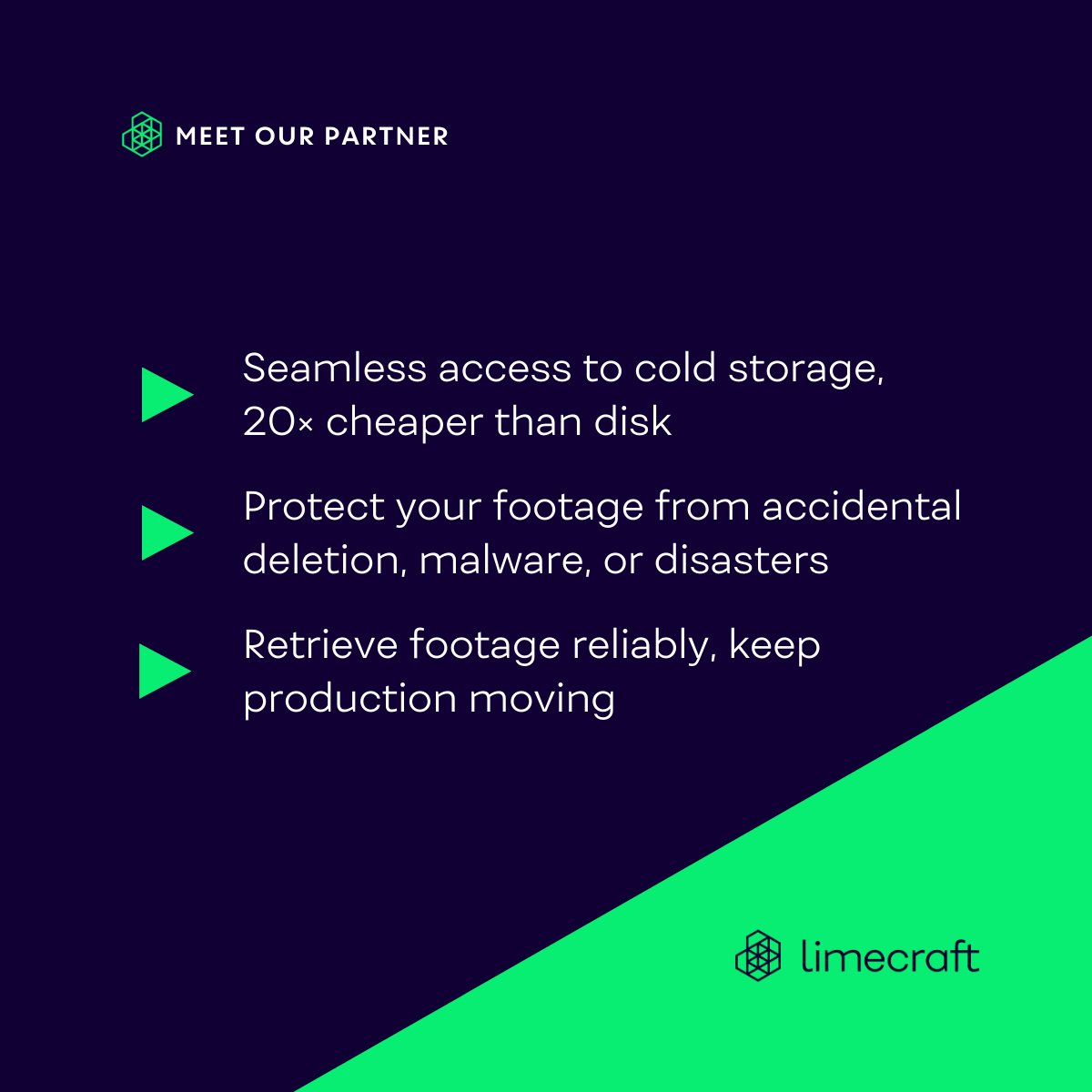
𝗥𝗲𝗹𝗶𝗮𝗯𝗹𝗲 𝗵𝗶𝗴𝗵-𝘃𝗼𝗹𝘂𝗺𝗲 𝘀𝘁𝗼𝗿𝗮𝗴𝗲 𝗮𝘁 𝗮 𝗳𝗿𝗮𝗰𝘁𝗶𝗼𝗻 𝗼𝗳 𝘁𝗵𝗲 𝗰𝗼𝘀𝘁
Unlike generic backup solutions, @archiware fits Limecraft’s time-pressured production needs, turning tape from the “last archive station” into primary, reliable storage for high-volume media production.
While many production teams rely on cloud or hard drives, Archiware uses LTO tape storage to manage and protect every terabyte of footage so producers can:
✔️ Reduce storage costs dramatically: LTO tape can be up to 20x cheaper than hard drives or cloud storage
✔️ Keep files safely offline: cold storage protects footage from cyberattacks and accidental deletion
✔️ Retrieve files smoothly: Archiware P5 ensures predictable, near real-time access when material is needed
Tape storage isn’t outdated, it’s a powerful and cost-efficient alternative to cloud storage, designed for modern production pipelines.
Thanks to David Fox and Marc Batschkus for their collaboration and insights. 🙏
💡 Curious about how this works in practice?
See how Hotel Bonka optimized their workflow, creating their award-winning documentary from 400 TB of footage, or request a demo today via the link below.
#Archiware #LTOStorage #MediaBackup #ProductionWorkflow #CreativeWorkflow #PostProduction #Limecraft


English
The Art of Subtitling retweetledi
🚀 𝗔𝗔𝗙 𝗘𝘅𝗽𝗼𝗿𝘁𝘀: 𝗙𝘂𝗹𝗹 𝗰𝗼𝗻𝘁𝗿𝗼𝗹, 𝗻𝗼 𝗲𝗻𝗴𝗶𝗻𝗲𝗲𝗿𝗶𝗻𝗴 𝗿𝗲𝗾𝘂𝗶𝗿𝗲𝗱
AAF export on autopilot without losing control, to transfer edit projects to @MediaComposer or @Adobe Premiere. Limecraft offers full scale compatibility, creating a multi-track timeline with clip colors, set comments, and transcript fragments as markers. Or create multiple timelines with reusable templates.
✔️ Configure once, export consistently, and keep your editorial workflow flowing.
👉 Learn more about Template-Based AAF Export in our blog via the link below.
#ExportToEdit #PostProduction #Limecraft #MediaIntelligence
English
🎯👇
Limecraft@Limecraft
𝗣𝗮𝘀𝘀𝘄𝗼𝗿𝗱𝘀 𝘄𝗼𝗻’𝘁 𝗽𝗿𝗼𝘁𝗲𝗰𝘁 𝘆𝗼𝘂𝗿 𝗰𝗼𝗻𝘁𝗲𝗻𝘁. 𝗠𝗙𝗔 𝘄𝗶𝗹𝗹. Multi-Factor Authentication adds a second layer of verification that’s invisible to your workflow, yet absolutely critical for keeping your IP safe. Here’s how Limecraft locks it down: ✔️ Intellectual property protection: Prevent leaks of scripts, footage, and original scores while maintaining full creative control ✔️ Compliance made simple: Meet GDPR and studio standards like CDSA, TPN, or DPP without interrupting workflows ✔️ Verified access: MFA guarantees your activity logs are accurate, giving you full visibility over who accessed what ✔️ Seamless integration: Google Authenticator keeps MFA frictionless, no extra tokens, no delays, just secure access 👉 Premium studios rely on Limecraft MFA to protect their content without slowing down. Security keeps pace with creativity, ensuring every asset remains under control. No compromises. 👉 Want to dive deeper? Learn more in our blog via the link below. Or experience it yourself: request your demo today. #ContentProtection #MFA #Limecraft #MediaSecurity #DigitalTrust #IntellectualProperty
ART
The Art of Subtitling retweetledi
Two seemingly small features. Turns out they have massive impact on the usability of AI transcription.
1/ Condensing the language by removing of disfluencies or filler words
2/ Adjusting speaker sensitivity in multi-speaker content, to control the desired behaviour of the transcription according to your content and requirements
Together saving >50% of otherwise manual post-editing.
Bravo 👏 @Speechmatics and @Limecraft
Limecraft@Limecraft
🎤 𝗖𝗹𝗲𝗮𝗻𝗲𝗿 𝘁𝗿𝗮𝗻𝘀𝗰𝗿𝗶𝗽𝘁𝘀, 𝘇𝗲𝗿𝗼 𝗲𝘅𝘁𝗿𝗮 𝗲𝗳𝗳𝗼𝗿𝘁 Limecraft 2026.2 lets you take full control over automated transcripts: ✔️Disfluency Filtering removes filler words, false starts, and repeated phrases automatically ✔️Speaker Sensitivity lets you decide how clearly voices are distinguished 👀 Maarten will walk you through how it works in seconds, or check out our website via the link below. #PostProduction #SmartTranscripts #VideoEditing #ContentWorkflow #WorkflowEfficiency #Limecraft
English