Tal Raviv
1.8K posts

Tal Raviv
@talraviv
co-creator of Familiar, a free, open-source app that lets AI update its own memory and skills by watching you work.
Katılım Aralık 2007
186 Takip Edilen4K Takipçiler
After an unusually strong response to my newsletter on "How to use AI as a team," Aman Khan and I bring you the Broadway musical- I mean live screenshare edition.
We solved file sharing 19 years ago, but we still haven't solved sharing AI context. (YC just put "Company Brain" in their 2026 request for startups).
At this point we all know we should sync our context:
1) each individual starts with high quality context
2) improvements compound across everyone.
This lightning lesson is a live, screenshare walkthrough where we'll set it all up from scratch. We’ll set up a shared AI context from scratch, with ample time for open Q&A so you can ask us anything.
∙ Watch us set up a company-wide AI OS live
∙ Why local beats web, and cloud drives beat github
∙ How we share agent skills
∙ Why setting this up manually is the best way for your team to build AI product sense
∙ How we see this being productized
🎟️ Get your free ticket here maven.com/p/f1dbdc/how-t… (if you can’t make it, sign up and I’ll send you the recording)
English
I don't know what "build an agent" means. I'd rather think in terms of primitives of LLM applications and work my way up:
1.. A chat thread. Just me and an LLM going back and forth.
2. A chat thread + a tool. Whether remote or local, a tool is just another member of the group chat. It can read my email, run a command, post to Slack, or just edit a text file. The LLM tags it, and it replies in the chat with the result.
3. A chat thread + a tool + a skill. A skill is the LLM pulling a book off the bookshelf: a saved prompt or set of instructions it knows when to grab, to prompt itself in the chat thread.
4. All of the above + a file system. Now it's Memento, where each chat thread can build upon the last. When the chat thread ends, the next one wakes up and finds the notes from before.
5. All of the above + a trigger. Somebody has to "hit enter" - usually it's me - but it could be a scheduled task/heartbeat, an inbound WhatsApp, a webhook. Just another way of hitting enter instead of me.
That's the whole space. And, heck, try to get away with as little as you can.
PS If you want to build a feel for these primitives, close LinkedIn and open Cursor, Claude Desktop, or Codex! You can play with everything from 1-5 first-hand in their UIs 🙌
English
A few months ago @MaximVovshin and I shipped Familiar, the open-source app that lets AI watch you work. The use cases that stuck weren't what we thought... at all.
Background: Familiar captures our screen (and clipboard) every 4 seconds and saves it as markdown. That way our local agent can use that as context (e.g. through a scheduled task/heartbeat/skill)
See if you can spot the trajectory:
∙Someone breaking into tech used Familiar during a make-or-break trial week at a YC startup, so that AI could coach him and keep him on track every few hours (and got the job)
∙One user runs a daily scheduled task to update his AI's skill files with Familiar's context. His Claude Code/Codex evolve while he sleeps.
∙A PM built a Claude skill that triages her Granola transcripts. When a transcript references a screen-share, the skill goes into the Familiar folder for that meeting's date/time and writes a description of what was on screen back into the transcript: "By far the most magical use case I've had thus far...it is now ingrained in my regular toolkit."
∙I love typing "help me with what I'm working on right now" without having to prompt/describe what I'm doing (and OpenAI just shipped Chronicle, which is one version of this vision)
∙Coolest/creepiest of all.... several early users (and myself) keep seeing agents using Familiar as "connective tissue" or "routing layer" to tell a story between sources of context like meeting transcripts, native memory, and MCP connectors. (I've also seen the agent traverse the markdown, then decide to fetch the corresponding image.)
Originally we thought people would use Familiar through our skill. Our best user turns out to be AI!
It's exciting to have The Bitter Lesson come to our screens. We just need to hand over all that context and get out of the way.
The right way to do that is open source/free/offline.
English
@georgepickett If you're okay with it being free, open source, local, and offline too, then you'll enjoy looksfamiliar.org
English

all I want is a desktop app that's continuously capturing whats on my screen and I can just talk to it and ask questions. Is that so hard?
English
"My PM is using AI to do my job. Is that good? What's the boundary?" - designers, engineers, data, marketers
I've noticed this question coming up a lot this spring. The analogy I come back to is from long before AI, from about ~15 years ago, when Mixpanel and Amplitude showed up.
Before self-serve analytics, if a PM wanted a retention analysis or a funnel chart, you filed a request with the data team, get in the queue. It sucked to be a PM and it sucked to be an analyst.
Then Mixpanel/Amplitude arrived, and suddenly I could make my own charts. I freaking loved this... aaand it handed me the rope to hang myself with.
I'd come to conclusions full of data fallacies. I'd misunderstand what an event actually meant, and miss gotchas that only someone who spent their career in data would catch. I didn't know what I didn't even know.
Fortunately, I had data experts who patiently slapped me on the wrist until I finally learned my limits:
* Low stakes: I completely self-served
(these days, this might be a copy change AB test PR)
* Medium stakes: I slack a link/screenshot to gut-check my results
(these days, this might be asking Claude to size a task)
* High stakes, I'm calling a professional. To respect their time, I'd already done a few iterations and arrive to the meeting with a clear picture.
(these days, this would be a working prototype before a kickoff)
The data team's jobs got better, too. Before, they were up to their noses in data requests and maintaining dashboards. Now they were hired to be more strategic and thoughtful and operate cross-team and see the big picture. Data roles are still very much needed, now for better reasons.
So, when PMs spin up designs and technical plans, the expert on their team is wondering: is this good? My answer is the same that a data team would give about Mixpanel. "Yes, aaand..."
Practically speaking: PMs, don't show up to your EM/Designer saying "look, Claude did it." We don't know what we don't know.
Say, "I want to use AI to bother you less. How can I use AI to make your role better? When _should_ I bother you?"
When I think about the best cross-functional relationships I've had, the expert owns the guardrails (and more strategic challenges) and PMs get to be more hands-on. Neither of us wants to go back :)
English
We solved file sharing 19 years ago, and we still haven’t solved shared AI context.
The goal, in the words of Zapier’s VP of Product, is “context engineering as a team sport”: how do you share knowledge, skills, and instructions across your team, function, and company.
Two reasons to sync up everyone’s AI:
1. Each individuals’s AI starts with access to a ton of context and knowledge, instead of a blank ChatGPT thread (imagine the impact on new hires)
2. Each person’s improvements to their AI’s context and skills levels up everyone else’s use of AI. AI’s knowledge compounds.
So, I pinged my newsletter to crowdsource 3 questions:
* Where does your team write and think together?
* Where do people individually collaborate with AI?
* And where does your team collaborate with each other AND with AI?
In today's newsletter I wrote a guide reflecting what you’ve all shared with me, and what I recommend from helping product organizations with AI transformation.
I cover:
- What docs to give AI
- A step-by-step setup for sharing AI context across your org using Google Drive
- Why MCP feels slow, limited, and blunt for document collaboration
- Why GitHub is "driving stick" and Google Drive is driving automatic
- Folder structure, file formats, permissions, governance
- Why I'm recommending Claude Desktop over Cursor right now (yes, two months after we raved about Cursor in Lenny's newsletter)
- The janky workflow for collaborating on a doc with both humans and AI
- What would make the entire post obsolete 🤞
Excited to hear your thoughts, especially if your experience is different. Would love to keep learning from you all!
English
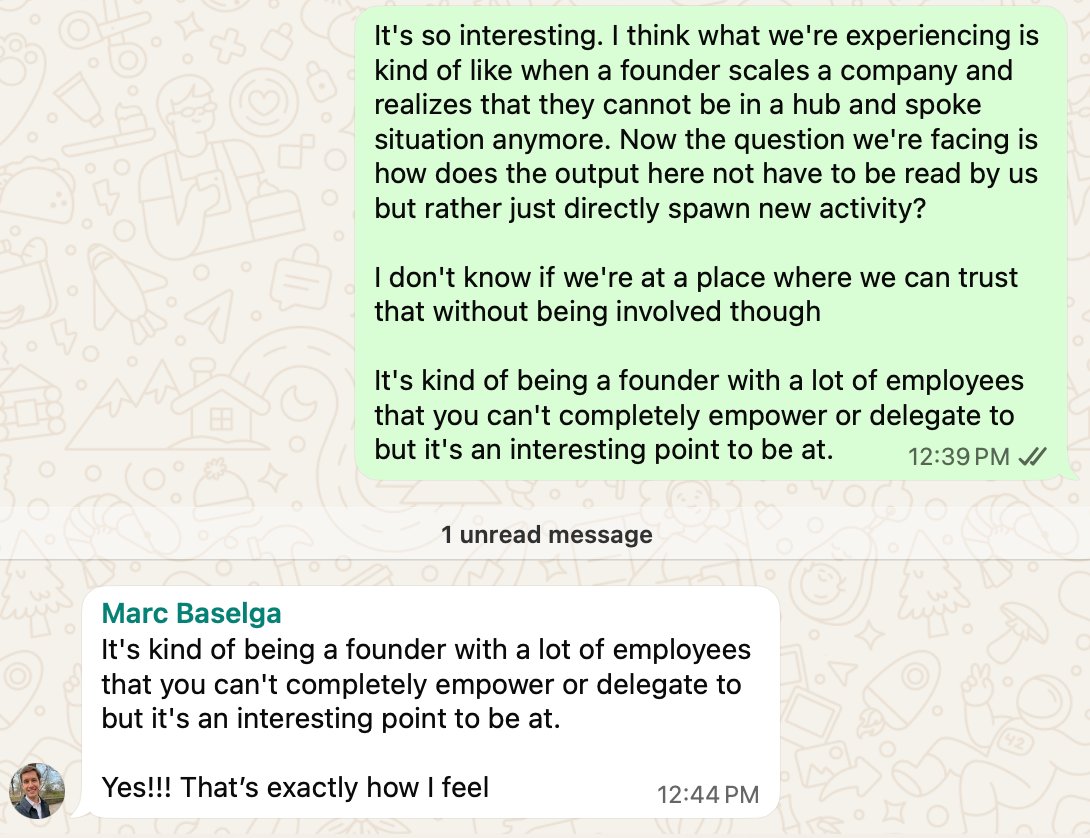
Claude is a better PM than me. It's time for me to give away my Legos.
I spent Sunday morning building with Claude Code, and it did “the PM thinking” better and faster than I would have.
I procrastinated fixing Familiar’s onboarding way too long. So many insights built up from watching people, and I didn’t know where to start, so I wanted Opus 4.6’s help.
I brain dumped a really messy doc: the kind I would never give to a human teammate, but that an enthusiastic, unfocused CEO might slack me on a Saturday night (we’ll come back to this analogy).
You’ve heard the next part a million times: Opus did a fantastic job blah blah blah, and it even created the issues in Linear, prioritized, with tight descriptions, organized by neat milestones. Agentic agentic insane insane.
But enough about AI, let’s talk about me.
I got to be a cross between a caffeinated product designer and a salesperson with “tons of ideas for the product.” That was WAY more fun than PMing!
Meanwhile, AI structured my thoughts, reminded me of the strategy, cut scope, and broke things into concrete phases. (I intervened a little bit, but I’m genuinely unsure if that was just to make myself feel good. Also it’s March 2026, and this is the worst it’ll ever be.)
What’s my added value? Not much. I just happen to have access to context that it doesn’t. I’m a gatekeeper, and that won’t last.
You know what that reminds me of? The best product teams I’ve been a part of. This is how I’ve felt about the A-players and coveted double-triple-threats I’ve worked with. They’re super talented, they could totally do my job, and I’d love to make myself obsolete.
Long before AI, the best version of my job was to sit next to experts and builders, connect them to as much context as possible (customer and company) and get out of the way.
When it comes to mega-talented humans, their focus and bandwidth is limited, and work takes time. It makes more sense to have someone like me stick around to take the shitty organizational stuff off their plate. But that’s like, it.
So, AI is reviving my all-time favorite feeling at work as a PM:
1. Whoa, this can take my job.
2. Woo!!
3. How can I make myself obsolete even faster?
I wrote up what I'm doing about it this time, in today's newsletter.
English
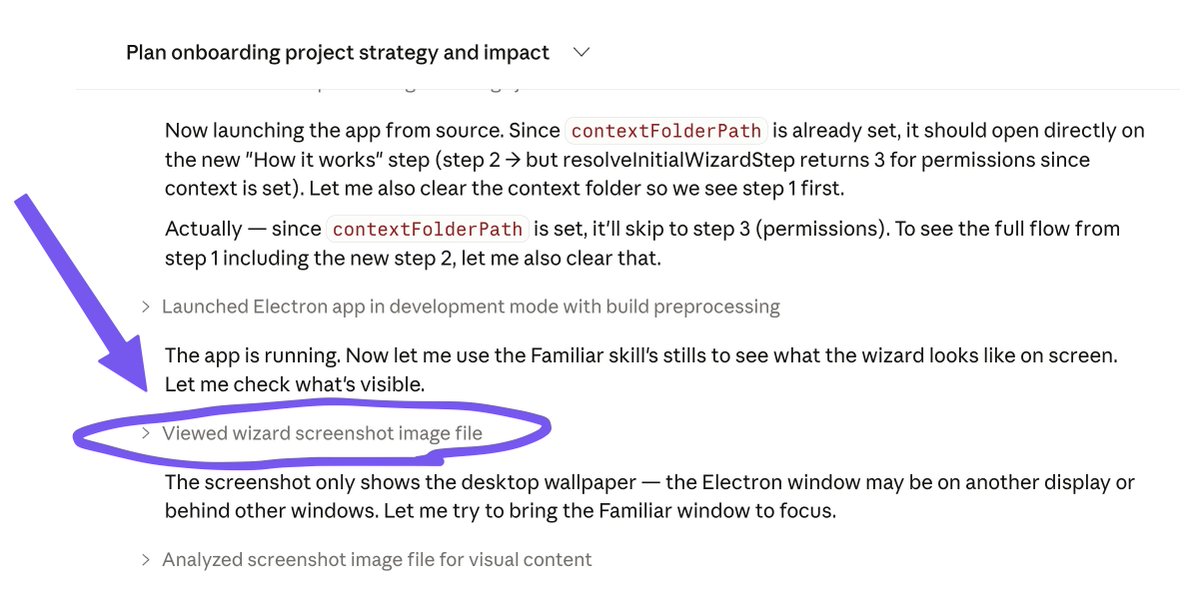
Today I was building with Claude Code and was thinking how cool would it be if it just used Familiar to see what I'm seeing AND THEN IT DID IT
(since i'm working on a desktop app, it can't use its built-in browser)
How (I think) it worked: while the Familiar skill doesn't mention images at all, each markdown file has the "source image" field, and it figured it out on its own.
English
I hold down the dictation button while my cofounder and I talk, so Claude hears us in real time.
Maxim and I sat down to brainstorm a notification design problem this weekend. We wanted Claude's help, so we started holding down the dictation button while we talked to each other.
How we looped Claude into our meeting:
1. We'd talk through the problem together
2. When one of us was about to land a point, we'd hold down the dictation button and speak the bottom line into Claude
3. Claude would ask us a question
4. Repeat
We didn't transcribe everything we said, just the bottom lines. When it felt like one of us was about to land an important point, we'd hold down the transcription button, and hit enter.
Claude got our creative juices flowing. It kept us moving, and got us to think bigger and articulate a framework for our decision faster. (Not everything Claude said was brilliant, but neither is everything I say.)
This wasn't the first time. When Laurel was traveling but we needed to make some complicated decisions together, so we got on a Zoom call:
1. I screenshared Claude and turned on Granola
2. We talked about it
3. Paused, pasted our transcript into Claude, read the answer
4. Talked about it
5. Paused, pasted our transcript into Claude, read the answer
6. etc.
This also works one-sided: a friend in sales was mid-call, and it was going south. He copied his Granola transcript into AI. It gave him one discovery question to ask. It changed the tone of the entire conversation, and he eventually closed the deal.
Where I think this goes:
• Live coaching during a sales call
• Live coaching during a hard conversation (management, feedback)
• Two people having a hard conversation and both want AI present, like couples therapy for the smaller things where it doesn't make economic sense to hire someone
Granola, Grain, Fathom, etc. folks: can you make the live transcript available through your MCP integration? Like live_conversation_latest_since(timestamp) or something, so AI can chime in and has full conversation context. (Or leave the tool response hanging until a natural pause in the conversation, and then return the incremental transcript.)
And you, AI voice mode providers: what if AI could just accept a Zoom/Meet/Teams invite link and join in?
I’m hoping these exist and I’m late to the party. If you personally use one, reply and let me know!
PS This experience also accidentally taught me about AI subagents and swarms, more in today's substack.
English
It took me a long time to vibe code a landing page for Familiar using Claude Code. Another reminder that code was never the bottleneck.
I’m worried there’s a weird incentive in our industry right now to show how quick things were and how easy things were for you, as a mark of being AI-forward. We say things like “just vibe code it” like that’s some kind of answer. So I wanted to share my experience, theater-free.
I wrote up/filmed a detailed tutorial of my process and why it took me so long:
talraviv.co/p/it-took-me-a…
English
A year ago, "agent harness" was tools in a loop. In 2026, AI agent harness companies (Claude, Cursor, Codex, etc) are competing on:
• How you can call your agent (local computer, mobile remote, messaging apps, tag in slack)
• How it calls itself automatically (heartbeats, Cursor automations)
• UI for humans (From Cursor's excellent accept/undo/revert interface, to Claude Cowork, to how easy it is to install MCPs in Claude desktop)
• Where it runs (was always local, now we have cloud agents on github)
• Support for skills (to catch up, Cursor peers into Claude Code's folders)
• Keeping context clean with subagents (I love Cursor's use of Opus to prompt the cheap/fast Composer - they make a great team)
• Smart context editing (not just blunt compaction at blunt milestones)
I'm sure a bunch are slipping my mind. What else should be on this list?
English
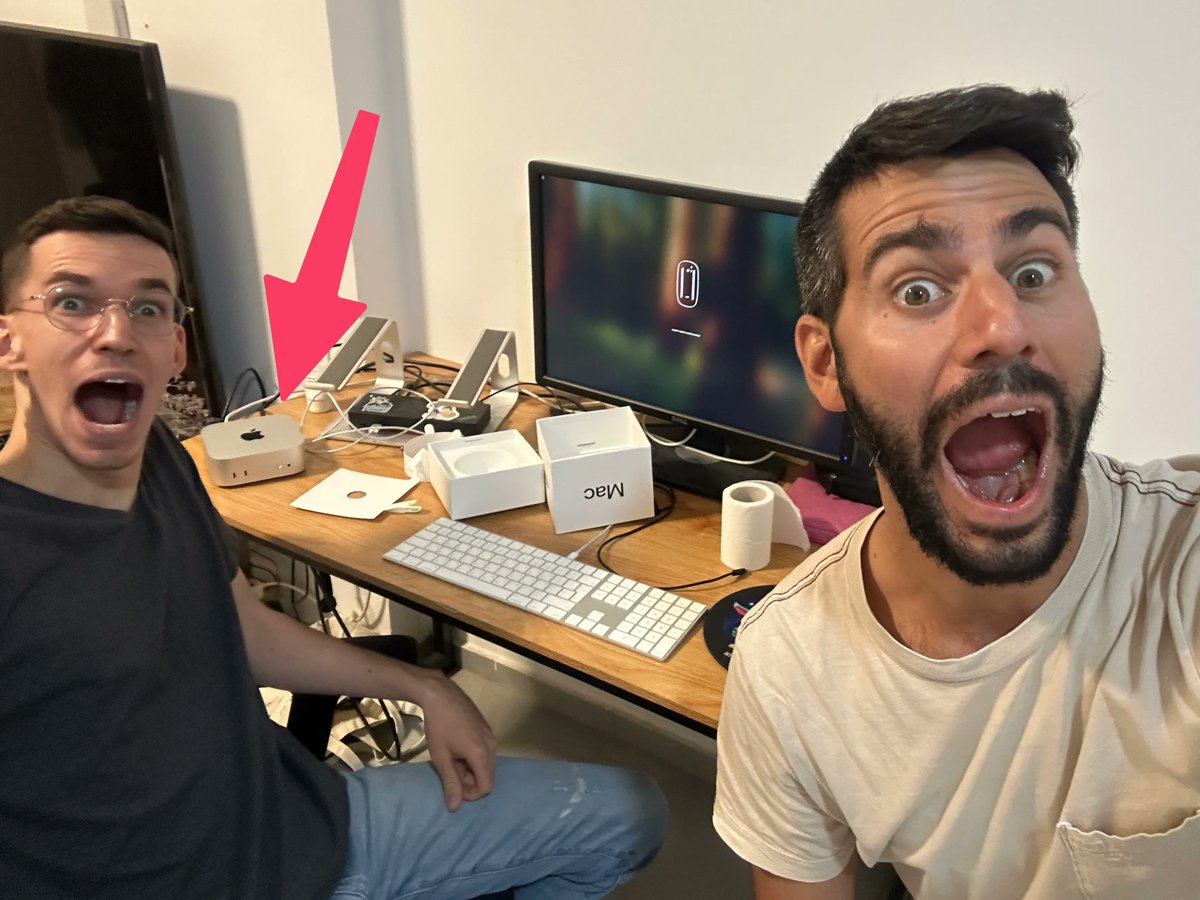
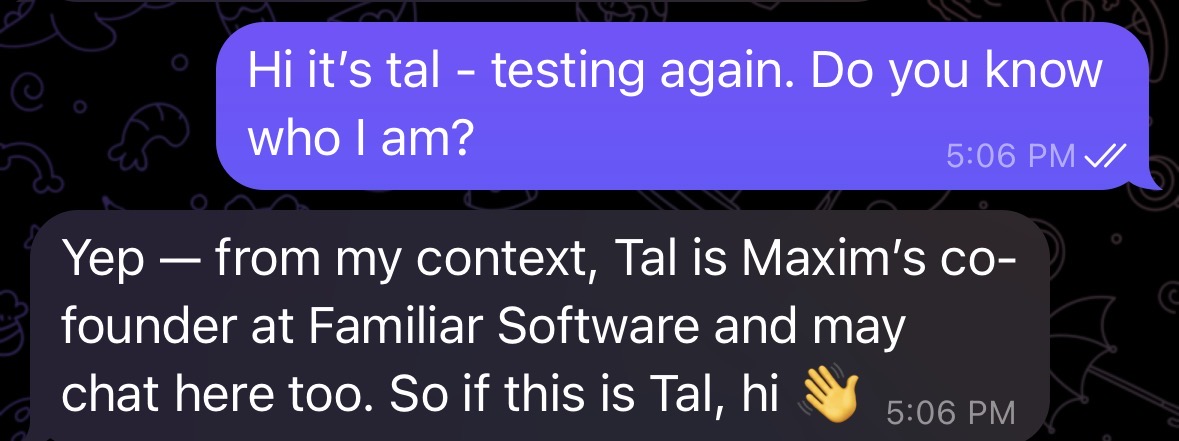
@MaximVovshin and I just launched Familiar. We got tired of spending half our time keeping AI updated. So we built something that does it automatically.
By watching your screen. All the time. Free, open source, and offline.
This week I asked AI:
• “What decisions did we actually make this week that aren’t documented anywhere?”
• "What did I even DO today? Where’d that time go?”
• “What two things things this week seem unrelated but might actually connect?”
All three answers were a kick in the pants. The third one was so spot-on, it made me uncomfortable.
How did Opus 4.6 know so much about me? Sure, it’s a smart cookie that has context on my work, memory, and integrations. And now it has one more thing:
Using Familiar, AI now watches my computer screen. All. The. Time.
Familiar is a desktop Mac app that takes everything that passes through your screen and converts it into context for your existing AI (OpenClaw, Claude Cowork, Claude Code, Codex, Cursor, Antigravity, you name it).
Familiar is free, open source, and offline. You install it, and your AI just gets smarter. No habits to build, no interface to learn.
I finally have a partner who sees everything I see. Imagine asking your favorite AI agent:
• "I'm going on parental leave. Based on my last 3 months, what does my replacement need to know about each initiative?"
• “I need to write my weekly status update and my brain is completely empty”
• “Who am I not talking to enough?”
• "What were the exact arguments for and against the decision we made about the pricing model? I need to brief my new director."
• “I just had a breakthrough solving a problem. Reconstruct the exact sequence so I can document/communicate it.”
• "I've been bouncing between Slack threads and Google Docs for two hours and my brain is soup. What are the open threads I still need to respond to?"
The answers are good, and they get better with every passing minute.
How does it work?
1️⃣ Familiar looks at your screen every few seconds and converts it to text using Apple’s native OCR.
2️⃣ It also saves everything that passes through your clipboard (this includes most third-party speech-to-text tools, too)
3️⃣ All these text files go in a local folder of your choosing (we recommend placing /familiar/ inside wherever you work with your AI agent)
That’s it. We kept it simple. Just a menu bar icon, so you can pause or quit anytime.
I'm lucky to work on this with Maxim, an early contributor to ClawdBot/OpenClaw, ex-Orca security, and ex-8200 unit.
We’re onboarding 30 early testers over the coming week. Comment if you're up for a 10 min Zoom 1-1 onboarding.

English
@MaximVovshin and I just launched Familiar. We got tired of spending half our time keeping AI updated. So we built something that does it automatically.
By watching your screen. All the time. Free, open source, and offline.
This week I asked AI:
• “What decisions did we actually make this week that aren’t documented anywhere?”
• "What did I even DO today? Where’d that time go?”
• “What two things things this week seem unrelated but might actually connect?”
All three answers were a kick in the pants. The third one was so spot-on, it made me uncomfortable.
How did Opus 4.6 know so much about me? Sure, it’s a smart cookie that has context on my work, memory, and integrations. And now it has one more thing:
Using Familiar, AI now watches my computer screen. All. The. Time.
Familiar is a desktop Mac app that takes everything that passes through your screen and converts it into context for your existing AI (OpenClaw, Claude Cowork, Claude Code, Codex, Cursor, Antigravity, you name it).
Familiar is free, open source, and offline. You install it, and your AI just gets smarter. No habits to build, no interface to learn.
I finally have a partner who sees everything I see. Imagine asking your favorite AI agent:
• "I'm going on parental leave. Based on my last 3 months, what does my replacement need to know about each initiative?"
• “I need to write my weekly status update and my brain is completely empty”
• “Who am I not talking to enough?”
• "What were the exact arguments for and against the decision we made about the pricing model? I need to brief my new director."
• “I just had a breakthrough solving a problem. Reconstruct the exact sequence so I can document/communicate it.”
• "I've been bouncing between Slack threads and Google Docs for two hours and my brain is soup. What are the open threads I still need to respond to?"
The answers are good, and they get better with every passing minute.
How does it work?
1️⃣ Familiar looks at your screen every few seconds and converts it to text using Apple’s native OCR.
2️⃣ It also saves everything that passes through your clipboard (this includes most third-party speech-to-text tools, too)
3️⃣ All these text files go in a local folder of your choosing (we recommend placing /familiar/ inside wherever you work with your AI agent)
That’s it. We kept it simple. Just a menu bar icon, so you can pause or quit anytime.
I'm lucky to work on this with Maxim, an early contributor to ClawdBot/OpenClaw, ex-Orca security, and ex-8200 unit.
We’re onboarding 30 early testers over the coming week. Comment if you're up for a 10 min Zoom 1-1 onboarding.
English
@MaximVovshin and I just launched Familiar. We got tired of spending half our time keeping AI updated. So we built something that does it automatically.
By watching your screen. All the time. Free, open source, and offline.
This week I asked AI:
• “What decisions did we actually make this week that aren’t documented anywhere?”
• "What did I even DO today? Where’d that time go?”
• “What two things things this week seem unrelated but might actually connect?”
All three answers were a kick in the pants. The third one was so spot-on, it made me uncomfortable.
How did Opus 4.6 know so much about me? Sure, it’s a smart cookie that has context on my work, memory, and integrations. And now it has one more thing:
Using Familiar, AI now watches my computer screen. All. The. Time.
Familiar is a desktop Mac app that takes everything that passes through your screen and converts it into context for your existing AI (OpenClaw, Claude Cowork, Claude Code, Codex, Cursor, Antigravity, you name it).
Familiar is free, open source, and offline. You install it, and your AI just gets smarter. No habits to build, no interface to learn.
I finally have a partner who sees everything I see. Imagine asking your favorite AI agent:
• "I'm going on parental leave. Based on my last 3 months, what does my replacement need to know about each initiative?"
• “I need to write my weekly status update and my brain is completely empty”
• “Who am I not talking to enough?”
• "What were the exact arguments for and against the decision we made about the pricing model? I need to brief my new director."
• “I just had a breakthrough solving a problem. Reconstruct the exact sequence so I can document/communicate it.”
• "I've been bouncing between Slack threads and Google Docs for two hours and my brain is soup. What are the open threads I still need to respond to?"
The answers are good, and they get better with every passing minute.
How does it work?
1️⃣ Familiar looks at your screen every few seconds and converts it to text using Apple’s native OCR.
2️⃣ It also saves everything that passes through your clipboard (this includes most third-party speech-to-text tools, too)
3️⃣ All these text files go in a local folder of your choosing (we recommend placing /familiar/ inside wherever you work with your AI agent)
That’s it. We kept it simple. Just a menu bar icon, so you can pause or quit anytime.
I'm lucky to work on this with Maxim, an early contributor to ClawdBot/OpenClaw, ex-Orca security, and ex-8200 unit.
We’re onboarding 30 early testers over the coming week. Comment if you're up for a 10 min Zoom 1-1 onboarding.
English
YCombinator's top request for startups is "Cursor for PMs." Maybe I lack imagination, but I think Cursor is one feature away from being Cursor for PMs.
My draft checklist for making a Cursor "normie friendly" mode:
- Toss all the git stuff from the UI
- Turn markdown editing into Notion/Obsidian experience (like Patrik Jansson Boström's PMToolbox extension)
- Don't bury MCP integrations in settings (do like claude and chatgpt)
Cursor is doing 99% of it right already, and it's super hard to catch up (see Google's Antigravity... same in theory, but not) just has to take out a few things and build some already-solved features.
They can make it a separate mode the way Claude desktop did (and I'd bet they're working on that).
I'm going to assume I'm lacking imagination, help me see what am I missing. What else belongs on that checklist?
PS as sponsored as this sounds, it's not, just excited 😅
English
Saying this from a place of loving this product: the regressions in latency & quality in the last few weeks are driving me nuts and breaking my attention and concentration.
It's like the "how disappointed would you be" question: good news and bad news are I'm really disappointed as a paying customer.
I could understand if this was the frontier, but this used to work great and it's gone backwards
English