
Michaela Light

7.1K posts

Michaela Light banner
Michaela Light

Michaela Light

@TeraTechCF

CEO of TeraTech: The ColdFusion Experts: Development, Optimization, Security. CF Alive podcast. Author CF Alive book.

Rockville, MD Katılım Ağustos 2009
1K Takip Edilen980 Takipçiler
Sabitlenmiş Tweet
Michaela Light
Michaela Light@TeraTechCF·
Get your free copy of my CF Alive book Read on to see how to get your free copy of my CF Alive book. But first, what is the book about? ColdFusion is a vibrant and modern language for complex, data-driven enterprise apps. While some companies have abandoned CF as dying, more farsighted dev teams have embraced CF. Learn how they are making it the most modern, secure and state-of-the-art web development ecosystem. Bar none. The CF Alive book explains how you can: * Modernize your legacy CF apps with 14 best practices for easy-to-maintain apps * Discover 27 state-of-the-art tools from my hand-picked list that will make you more efficient at CF development * Inspire others developers and young programmers with our proven 21 outreach methods * Learn 8 keys to improve CF Marketing and be proud of using ColdFusion * Contribute to making CF more alive this year You can buy the book on Amazon or you can get a free copy by commenting on this post saying “I want CF Alive” and optionally saying why you want it. What readers are saying about CF Alive: "In CF Alive, the author explores best practices surrounding modern web development, recommending specific software tools and other resources for implementing these best practices for Adobe ColdFusion and other CFML application developers. What I liked best about the book (Kindle version), is that I could read about a recommended software tool, then link directly to a CF Alive Podcast between the author and a highly-experienced ColdFusion developer with expertise in using that tool." - G Cantor "This book is taking on a tough challenge: convince the web development world that ColdFusion is worth investing in. There's a lot working against ColdFusion: its age, its decline in popularity, its perception as stagnant. What this book does, however, is line up all the many responses to those criticisms. It reaches out to new and former ColdFusion developers with the words of the very community that writes ColdFusion code today. It also speaks to existing ColdFusion developers and encourages them to embrace the latest techniques and technology that the ColdFusion community offers to help bolster and improve the name of ColdFusion in the development community. If you are a current or former ColdFusion developer or simply curious about developing for ColdFusion, you should check this book out." - Miles Rausch "I love the inspirational quotes throughout the book, and all the contributions from other CF community members. This reminds me of the Fusion Authority articles and the great sense of community support that they provided. The “Outreach” chapter is excellent in this regard — reading it brought back a lot of the feelings I got when I first met people in the CF community and shows how passionate the CFML community still is. This is an excellent reference for people new to CMFL looking to get a jump start on recommended practices, and a great resource for anyone doing web development that just needs to be inspired again. (Full disclosure: I was interviewed for this book and also helped with the technical editing." - Nolan Erck "We have all seen legacy developers stuck in their ways. It is time for ColdFusion developers to step up and modernize! CF Alive is a great resource written to provide the necessary tools and resources to update, secure, scale and deploy new and better applications with ColdFusion. This book helps from the newbie CF developer to the larger team of developers looking at ways to support and move forward with ColdFusion. Additional topics include containers, ways to bring more applications to the cloud, better security of our application source, testing environments, opportunities to use the open source Lucee engine and more. It is time to bring more educational opportunities to developers with the rapid application development of ColdFusion. This book hits it straight on. CF is Alive!" - William Frankhouser About the author Michaela Light is the host of the CF Alive Podcast and has interviewed more than 60 ColdFusion experts. In each interview, she asks “What Would It Take to make CF more alive this year?” The answers inspired this book. Michaela has been programming in ColdFusion for more than 25 years. She founded TeraTech in 1989. The company specializes in ColdFusion application development, security and optimization. She founded the CFUnited Conference and runs the annual State of the CF Union survey. Get your copy of CF Alive now You can buy the book on Amazon at amazon.com/CF-Alive-Makin… Or you can get a free copy by commenting below. Just say “I want CF Alive” and optionally why you want it. And I will PM you back with the book PDF and Mobi file. Easy!
Michaela Light tweet media
English
0
0
3
501
Michaela Light
Michaela Light@TeraTechCF·
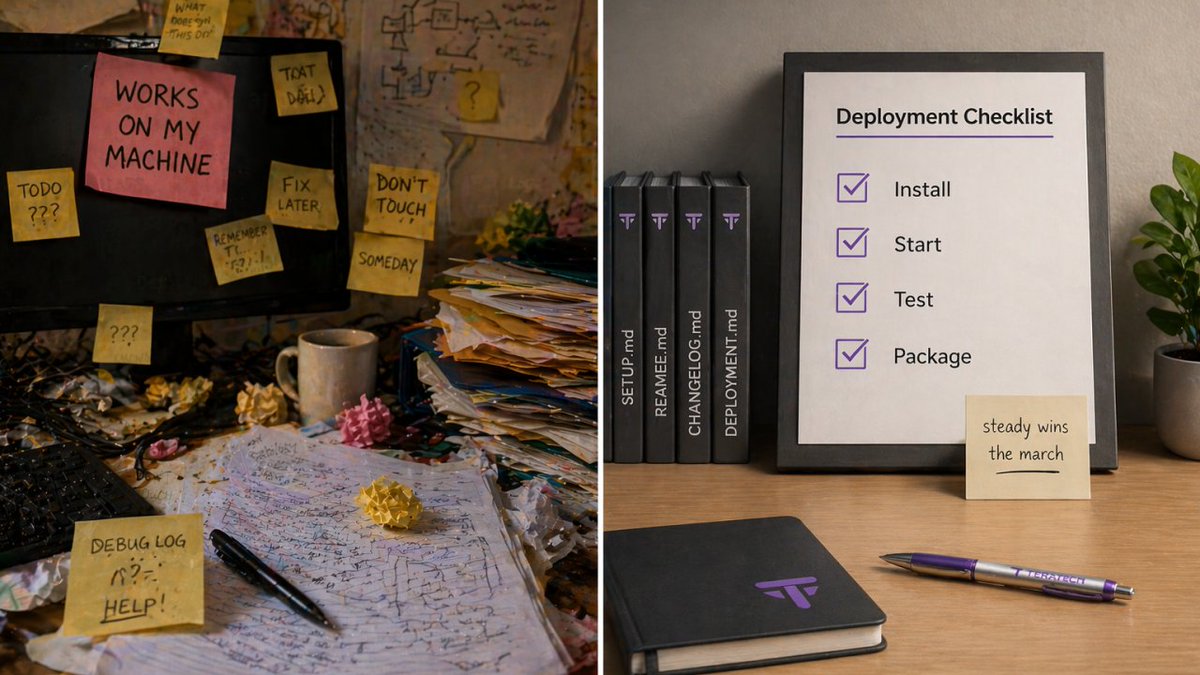
Burnout Is a Bug in Your CF Team (Mental Health Awareness Month) Burnout hits CF teams the same way CF perfomance bugs hit production. Things slow down. Mistakes creep in. People get short with each other. Then one day a “stable” system falls over and everyone acts surprised. A good CIO knows better and will keep watch for the early signs. 👉 Coffee Call: Want a quick 15-minute burnout risk check for your CF team? We’ll help you spot the pressure points and pick one fix you can ship this week. Meet us at the Prancing Pony for a quick coffee teratech.com/coldfusion-cof… Burnout is not just a people problem. It is a business risk problem. It turns into outages, delays, rework, and churn. It also turns into that painful board conversation where someone asks why the dependable system suddenly fell apart. The map only shows so much. Burnout rarely arrives with a siren. It shows up as drift. CF code reviews slip, tests get skipped, fixes get rushed and stand-ups get quieter. Everyone is still moving, but the team is losing ground on the long road ahead. ColdFusion teams feel this hard because the systems usually matter a lot: payments, patient data and internal tools people rely on every day. The work starts as a burden worth carrying. What burnout looks like on a CF team This is your early warning list. Keep it simple. 1. More bugs in basic flows. 2. More late nights and “quick fixes.” 3. More blockers that sit for days. 4. Less testing and less review. 5. More silence during stand-ups. The fastest fixes These moves can calm the system fast. Even small CF teams can change everything. 1. Pick one top priority for the week. 2. Cap work in progress. 3. Block one quiet hour each day. 4. Make on-call fair and predictable. 5. Use a short “done” checklist that includes review and tests. The fixes that protect you long term These take more work, but they also save your team later. Steady wins the march, right? 1. Build staging that matches production. 2. Add continuous integration checks for tests and basic style rules. 3. Make deploy steps repeatable and document them. 4. Add monitoring that makes you aware of early signs of trouble. 5. Write a CF runbook for the top five incidents. The bus factor trap One solo wizard may look fast for a while, but the team will pay for it later. Build a fellowship instead. 1. Pair on risky changes. 2. Rotate module ownership each month. 3. Write “how we ship” in plain language. 4. Record one short walkthrough each month. 5. Keep a backup plan for key knowledge. A leadership script that helps Use plain words and a calm, friendly, and understanding tone. 1. What feels as heavy as the One Ring right now? 2. What can we remove this week? 3. What would make next week easier? 4. Where do you need clearer priorities? 5. What would help you do your best work? What you can do this week: Pick two moves: One lowers stress, the other raises safety. 1. Choose one stress reducer. 2. Choose one quality guardrail. 3. Put both on the calendar. 4. Review in two weeks. 5. Adjust and repeat. 🌟Onward! In the next issue of the CF Alive newsletter, we’ll discuss where to find ColdFusion Developers in 2026. (Here’s a hint: They’re not in the Mines of Moria!) P.S. If your CF app is shipping on late nights and fragile releases, it might be time for a calmer delivery system. Send us a message teratech.com/contact/?utm_s… or DM, and TeraTech’s ColdFusion team will get in touch.
Michaela Light tweet media
English
0
0
0
21
Michaela Light
Michaela Light@TeraTechCF·
CommandBox and ForgeBox: The Modern CF Developer’s Delivery Toolkit ColdFusion teams ship code. They also ship stress. CommandBox and ForgeBox help you ship the first one while cutting down the second. They turn “works on my machine” into “works on every machine,” and they do it without a big platform rewrite. Keep watch. Small tooling upgrades often save the most time. 👉 Coffee Call: want a 15-minute gut check for your ColdFusion app? TeraTech does quick coffee calls teratech.com/coldfusion-cof… that turn into a short action plan your team can ship. The problem this toolkit solves Most CF delivery pain comes from the same places. The build varies by laptop. Environments drift. Dependencies live in random folders. Deployments rely on tribal knowledge and one tired hero. That is not a burden worth carrying. CommandBox and ForgeBox give you a shared baseline. They help you standardize how you run CF locally, how you manage packages, and how you move code from dev to production with fewer surprises. What CommandBox is, in plain English CommandBox is a command line tool made for CFML work. It helps you spin up servers fast, manage environments, and automate the boring parts of delivery. It gives you a consistent way to run your app locally, even when your team has different operating systems and different habits. It makes the path forward clearer. What ForgeBox is, in plain English ForgeBox is the package registry that CommandBox talks to. It is where your CF packages live. It lets you install, pin, and update dependencies the same way across the team. Think of ForgeBox as the armory. You do not want everyone forging their own swords in the parking lot. The delivery wins you get fast Here are the quick wins most CF teams feel first: 1. Repeatable local environments Developers can start the app the same way, with the same settings. That keeps your code reviews sane. 2. Dependency management you can trust Pin versions. Upgrade on purpose. Stop guessing what is installed where. No shortcuts through the mountains. 3. Config as code Capture settings in files that can be reviewed, versioned, and applied consistently. The darkness before dawn often looks like config drift. 4. Automation hooks CommandBox scripts help teams run tasks the same way. That includes builds, smoke tests, and packaging. 5. Cleaner onboarding A new dev should not need a week of Slack archaeology. With the right scripts, they get started in an afternoon. Unexpected allies show up fast when onboarding stops being a mess. A practical setup pattern This is a simple pattern that works for many teams: 1. Use CommandBox to standardize local servers and task scripts. 2. Use ForgeBox packages for dependencies, pinned to versions. 3. Store your server config in the repo in a reviewable form. 4. Add a build script that runs tests and produces a deploy artifact. 5. Add a deployment step that can run the same way in staging and production. You want a fellowship plan, not a solo sprint. Common pitfalls Teams usually get stuck in the same places. 1. They install packages without pinning versions. 2. They mix local config changes with production config changes. 3. They skip a staging run and go straight to production. 4. They never write down the runbook. Keep watch for these early. They are easy to fix when you see them. Where this fits for CIOs This is not just developer convenience. It is a risk reduction. A standardized delivery pipeline lowers outages, speeds up recovery, and makes audits less painful. It also reduces the bus factor. That is a win you can explain without jargon. CommandBox and ForgeBox help CF teams modernize delivery without a rewrite crusade. You get consistency, faster onboarding, fewer surprises, and better control of change. Steady wins the march. 🌟Onward! In the next issue of the CF Alive newsletter, we’ll tackle Mental Health Awareness Month, looking at a journey nearly every ColdFusion hobbit and wizard will face at least once during their career. P.S. If your CF app ships with hand-made steps and mystery dependencies, it might be time for a delivery tune-up. Send us a message or DM and TeraTech’s ColdFusion team will map a clean CommandBox and ForgeBox setup you can roll out with confidence.
Michaela Light tweet media
English
0
0
1
96
Michaela Light
Michaela Light@TeraTechCF·
Containerizing ColdFusion Safely: A Practical Migration Path If you are a CIO, container migration is a risk and cost move. Keep watch, because you own the outcome. Done well, it reduces configuration drift, shortens recovery time, and makes deployments repeatable. Done poorly, it adds new failure modes and a long cleanup bill. Container work can feel like a long road ahead. A phased plan keeps the pace steady. Containers can give ColdFusion teams faster, repeatable deployments and cleaner environments. They also reward discipline around configuration, secrets, and rollout sequencing. Here’s a practical, phased path that keeps the work predictable and keeps surprises out of production. 👉 Coffee Call: considering containers for a ColdFusion app? TeraTech offers 15-minute coffee calls teratech.com/coldfusion-cof… to review your starting point, risks, and the first migration step your team can ship. Phase 0: Define “safe” in two numbers 1. Recovery time objective (RTO): the maximum acceptable downtime. 2. Recovery point objective (RPO): the maximum acceptable data loss. Then note the constraints that shape the design. 1. Regulated requirements and data residency 2. Hosting model (on premises, cloud, hybrid) 3. Web server and proxy topology (Internet Information Services, Apache HTTP Server, reverse proxy) Phase 1: Get the basics right 1. Choose a base image strategy with clear ownership. 2. Pin Java and ColdFusion versions so environments match. 3. Treat configuration as code (cfconfig works well here). 4. Inject secrets at runtime from a vault or managed secret store. That baseline gives you mithril armor before the first battle. Phase 2: Start small and prove it works Pick a small win that still teaches you the truth. 1. Choose an internal app, a single service, or a non-critical workload. 2. Build the image and run it locally. 3. Add a health endpoint and smoke test the core flows. Keep the first app small and repeatable. Even small teams can change everything. Treat it as a test: compact, repeatable, and enough to reach the next checkpoint. Phase 3: Add guardrails before scaling 1. Put the ColdFusion Administrator behind strict network controls. 2. Use explicit volume mounts for uploads and writable paths. 3. Emit structured logs with correlation identifiers and redaction for tokens and personally identifiable information. 4. Scan images and dependencies in the build pipeline, and patch base images on a schedule. Treat the Administrator like the gates of Minas Tirith. It stays behind defenses. Phase 4: Test, monitor, and rehearse recovery 1. Mirror production routing. 2. Load test with realistic traffic. 3. Confirm logs, metrics, and alerts tell a clear story. 4. Practice rollback from staging using the same steps you expect in production. This phase is your Helm’s Deep rehearsal. Phase 5: Expand safely in production 1. Start with one node, one service, or a small slice of traffic. 2. Validate a post-deploy checklist. 3. Watch metrics and error rates. 4. Expand when signals stay healthy. Slow and steady wins the march. First-week plan 1. Pick a candidate app. 2. Export platform settings. 3. Draft the Dockerfile and local compose stack. 4. Add health checks and smoke tests. 5. Wire up a monitoring baseline. 6. Write a short rollback runbook. A staged rollout plus strong guardrails turns containerization into a steady migration instead of a leap of faith. 🌟Onward! In the next issue of the CF Alive Newsletter, we’ll delve into the world of the modern developer’s delivery toolkit, exploring CommandBox and ForgeBox. P.S. If your CF app depends on manual server setup and fragile configuration, it might be time for a safe container migration path. Send us a message or DM and TeraTech’s ColdFusion team will map the phases, capture the settings, and guide your first cutover.
Michaela Light tweet media
English
0
0
1
44
Michaela Light
Michaela Light@TeraTechCF·
Even the smallest CFer can change the course of the future. Into the Box 2026 is happening April 29 - May 1 in Washington DC and if you're a #ColdFusion developer, this event is worth the journey. The fellowship is assembling. Theme this year is Modernization in Motion - and honestly that's exactly where the CF world is right now. Not sitting still, not going backward. Moving. Topics on the agenda include AI, APIs, WebAssembly, microservices, cloud-native apps, real-time UIs, security, and DevOps. Speakers include Brad Wood, Luis Majano, Charlie Arehart, Gavin Pickin, and a full crew of Ortus Solutions engineers plus community folks from orgs like University of Virginia, Serco, and Western National Group. The Ortus ecosystem - BoxLang, ColdBox, CommandBox, TestBox and about 20 other "box" tools - is front and center. If you've been wondering whether to modernize your CF apps or how to get started, this is where you get real answers from people who've actually done it. I've been going to CF conferences since... well, let's just say it was a different age of the world. Into the Box consistently delivers the kind of hallway conversations and hands-on sessions that actually move the needle when you get home. Not all those who wander into legacy CF codebases are lost - but a map helps. Thanks Alex Ventura, Annette Liskey, Bill Reese, Brad Wood @bdw429s, Charlie Arehart @carehart, Curt Gratz @gratzc, Dan Card @DanJCard, Eric Peterson @_elpete, George “Gavin” Pickin @gpickin, George Murphy @murpg, Grant Copley, Guust Nieuwenhuis @Lagaffe, Jacob Beers, Jaime Ramirez , Javier Quintero @xavikintero, Jon Clausen @jclausen, Kevin Wright, Luis Majano @lmajano, Michael Rigsby, Scott Steinbeck @uniquetrio2000, Uma Ghotikar @umaghotikar for speaking at ITB 2026! Who's going?
Michaela Light tweet media
English
0
2
5
78
Michaela Light
Michaela Light@TeraTechCF·
Adobe ColdFusion vs BoxLang vs Lucee, Pt. 2: How to Choose With Confidence Part 1 linkedin.com/pulse/adobe-co… of this series covered the questions and provided quick profiles of the platforms. Part 2 will focus on the part that usually trips CF teams up: turning a set of good options into a decision that feels obvious once you see the tradeoffs clearly. Ultimately, you want your decision to be able to defend against the Orcs of doubt, then implement and live it with for the next few years. 👉 Quick coffee call: deciding between Adobe ColdFusion, BoxLang, and Lucee for a real application? Bring one representative workload and your constraints. We will help you pick an evaluation path in 15 minutes teratech.com/coldfusion-cof… A decision guide you can use in a meeting Use this lens when someone at your next Fellowship meeting asks, “Okay, so which one should we pick?” Governance and audit posture When leadership expects a clear support relationship and defined patch accountability, Adobe ColdFusion often fits the conversation cleanly. It’s like trekking to Mordor with Samwise. Lucee and BoxLang can support strong security programs as well, yet they tend to shine when a company embraces open source operations and has clear internal ownership. Time-to-value and migration friction When a team prefers minimal code change and familiar CFML behavior as trusty as a well-worn sword, Lucee and Adobe ColdFusion often land near the low-friction end of the spectrum. BoxLang often fits well when the team welcomes modernization and wants new development aligned to a cleaner model. Cost and deployment scale If you expect lots of instances, open source is easier on the budget. If your org prefers a predictable contract and vendor support, commercial licensing can be the smoother path. Pick the option that fits how your company already buys and budgets software. Tooling, testing, and operational discipline Disciplined CF teams triumph regardless of engine. Platform choice carries the most weight when the workflow lacks repeatable configuration, automated testing, and visibility into production behavior. A stronger workflow improves outcomes across every platform. Community and roadmap confidence Each platform has champions. Evaluate recent releases, the pace of improvement, and alignment with your next two years. A practical starting point Simplicity is always key when evaluating these sorts of decisions. If governance and risk reduction drive the conversation, start with Adobe ColdFusion. If open source economics and broad deployment flexibility matter most, consider Lucee. If your team wants a modern direction and a newer runtime strategy, include BoxLang as a serious option. A Middleware-earth truth applies: the best fellowship arrives with supplies, a map, and a plan. Run a compact proof of concept Don’t only go with a hunch though. Pick one representative CF application and treat it as your lembas test: compact, repeatable, and enough to get you to the next checkpoint. Start by defining what success looks like, then run the same checklist for each platform: * build and deploy flow * basic performance under expected load * security posture and patch process * monitoring and alerting integration. Keep it small and time-boxed so you learn quickly, then commit. 🌟Onward! The next issue of the CF Alive newsletter will find us exploring how to avoid the orcs and Balrogs of containerizing ColdFusion. P.S. The palantír loves timelines and tradeoffs. If your CF app selection meeting needs clearer answers, it might be time for a structured proof of concept plan. Send us a message teratech.com/contact/?utm_s… or DM and TeraTech’s ColdFusion team will map the evaluation, define success criteria, and guide the decision.
Michaela Light tweet media
English
0
0
2
35
Michaela Light
Michaela Light@TeraTechCF·
Adobe ColdFusion vs BoxLang vs Lucee, Pt. 1: Which Platform Fits Your Team? Choosing a CF platform can feel like planning a route across Middleware-earth with your roadmap spread out at the Prancing Pony. You already know the destination: a stable, secure application that your team can ship and support without drama. The tricky part comes from the vast array of options that can get you there: Adobe ColdFusion, BoxLang, and Lucee. At the end of the day, the best choice depends on your constraints and the way your team works. 👉 Quick coffee call: deciding between Adobe ColdFusion, BoxLang, and Lucee for an application? Bring your constraints and your timeline, as well as a cup of coffee teratech.com/coldfusion-cof…. We will talk it through in 15 minutes and leave you with a short recommendation you can use with leadership and your engineering team. Start with a few questions that do the heavy lifting Before you compare features, grab the constraints first. Pack your rations before you leave Rivendell, because these answers shape everything that follows. Support and accountability matter because some organizations want a commercial support contract and a predictable security update story they can cite in governance and CF audit conversations. Licensing and cost posture matters because pricing and deployment scale affect how confidently you can expand usage across CF teams and environments. Operational maturity matters because a CF team with repeatable deployments, automated tests, and clear observability can succeed with any engine, while a team still building those habits benefits from a platform that makes consistency easier. Compatibility goals matter because some teams want maximum CFML compatibility with minimal code changes, while others welcome a more modern runtime model and a newer direction. Talent and bus factor matter because platform choices live or die in day-to-day support, onboarding, and the ability to keep CF knowledge spread across more than one person. Which applies to you and your CF team? Jot your answers down. They help when someone pulls out the palantír and asks for timelines, cost assumptions, and risk. Quick profile of each ColdFusion platform Use these brief bios of each platform as a quick mental model. Each section covers who usually picks it, what you tend to get out of the box, and what tradeoffs show up in daily ops. Treat it as a quick map before you head for the Mines of Moria. Adobe ColdFusion * Best fit when you want vendor-backed support and a predictable release cadence * Works well when leadership wants a clear owner for updates and accountability * Often a strong match for regulated environments and board-level risk conversations * Day-to-day strengths teams value: * Good choice when governance and lifecycle structure matter Lucee * Best fit when you want open source economics, strong compatibility, and flexible runtime performance * Appeals to teams that like community energy and broad deployment without per-core cost pressure * Day-to-day strengths teams value: * Strong adoption with teams that prioritize flexibility * Good choice when you want cost flexibility and a team that likes to own operations BoxLang * Best fit when you want a modern Java Virtual *Machine language direction with a longer runway * Appeals to teams that want a cleaner language model and modern AI workflows * Day-to-day strengths teams value: * A path for teams to modernize how they build, test, and ship * Good choice when you want a forward-looking platform strategy and have an appetite for a newer runtime with fast iteration 🌟Onward! If Part 1 gave you the lay of the land, Part 2 will help you make the call in a way that holds up in a meeting. We will walk through a simple decision guide, then outline a compact proof of concept approach that keeps the evaluation fair and keeps the timeline sane. P.S. At the Prancing Pony, a platform choice still needs a plan. If your CF app is stuck between engines and the decision feels murky, it might be time for a structured evaluation. Send us a message teratech.com/contact/?utm_s… or DM and TeraTech’s ColdFusion team will map tradeoffs, run a practical proof of concept plan, and help you choose with confidence.
Michaela Light tweet media
English
0
0
2
32
Michaela Light
Michaela Light@TeraTechCF·
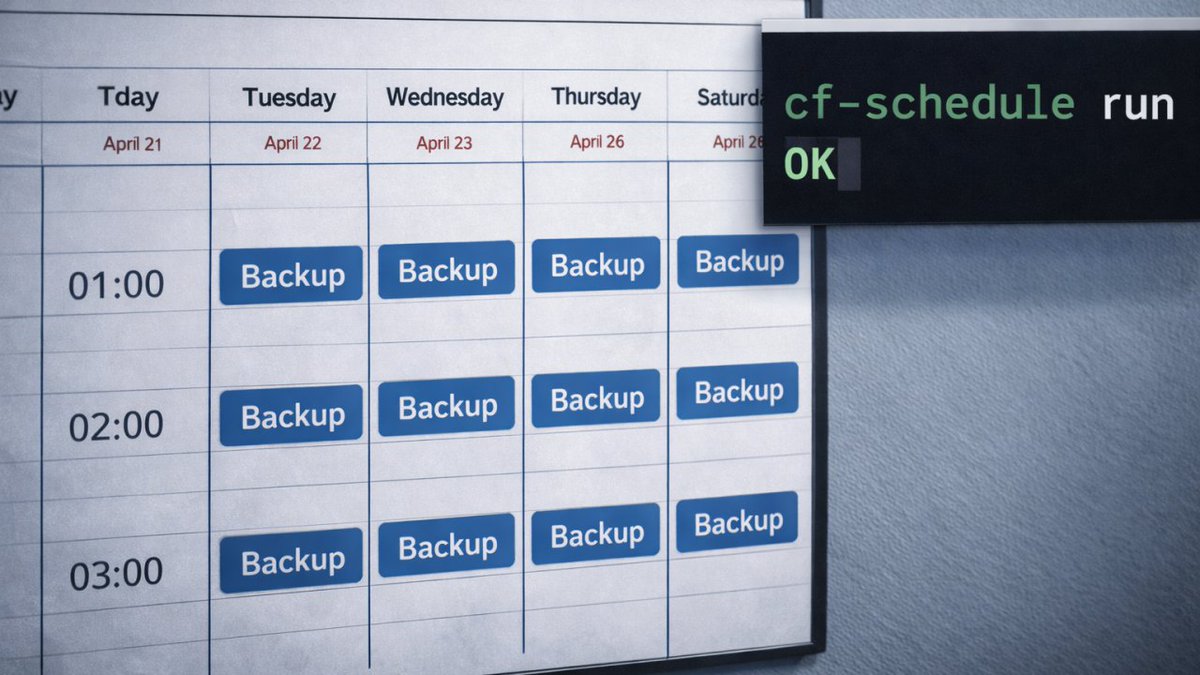
World Backup Day: Can You Restore in ColdFusion in Under an Hour? World Backup Day has one purpose: it forces a simple question that most CF fellowships avoid until the worst moment. If production fell over right now, could you restore your ColdFusion application in under an hour with a checklist your team trusts? 👉 Want a 15-minute restore readiness gut check tied to your Recovery Time Objective? Send a message teratech.com/coldfusion-cof… and we’ll discuss over a cup of coffee how to turn your backups into a one-hour restore plan. The question of time An hour is a useful leadership target, and about all you should need to restore order to Middleware-earth. A short restore window usually means your CF backups are automated, your configuration is captured, and your team has practiced the steps. Start by defining two targets: * Recovery Time Objective (RTO): the maximum acceptable downtime. * Recovery Point Objective (RPO): the maximum acceptable data loss. Those targets turn backup work into an engineering plan your CF team can execute and measure. What a one-hour restore in CF needs A one-hour restore depends on four ingredients that show up in every successful incident review. 1) A known-good application release Source control holds the production state. Tagged releases make rollback predictable. Build and deploy scripts belong alongside the code so the restore includes the steps. (True CF wizards already know all this by heart.) 2) File system recovery for what source control does not include Most real ColdFusion apps store important runtime files outside version control. Capture the webroot, upload directories, integration folders, and any runtime assets your app needs to boot. Don't forget any API keys stored in secrets. 3) ColdFusion server settings captured as configuration Teams forget this and lose hours. Datasources, mappings, scheduled tasks, mail settings, cache configuration, custom tag paths, and CF security settings should exist in an exportable format. A portable export tool, such as cfconfig, makes this repeatable. A scheduled export committed to source control gives you a restore-ready snapshot of the ColdFusion Administrator settings. 4) Database backups aligned to your targets For SQL Server, native backups through SQL Server Agent jobs and a proven schedule (full, differential, transaction logs) can achieve tighter RPO targets. For other databases, choose the native tools that support point-in-time recovery. The fastest restore path usually includes a local copy for speed, plus an offsite copy for resilience equal to a Hobbit climbing Mount Doom. The restore drill to embed this in your team’s DNA Backups cast a confidence spell when you run a restore drill. A practical monthly drill for your CF team: 1. Provision a disposable environment. 2. Restore the database. 3. Restore file system artifacts. 4. Apply the ColdFusion configuration export. 5. Boot the app and run a smoke test. 6. Record the timing and update the runbook. A team with a current runbook restores faster than a team with “great backups.” The one-hour scorecard Go over this checklist at your CF council gathering. 1. Ensure the tagged release matches the production environment. 2. File uploads and runtime folders are backed up and versioned. 3. ColdFusion settings are exportable and stored safely. 4. Database backups support your RPO. 5. An off-site copy exists with immutability or isolation. 6. A restore drill happened in the last 30 days. 7. The runbook includes exact steps and owners. World Backup Day is a perfect reason to schedule the drill. 🌟Onward! In the next issue of the CF Alive newsletter, we’ll cast a spell to help decipher which CF platform is right for your company: Adobe ColdFusion, Lucee, or Boxlang. P.S. If your fellowship has backups but has not run a timed restore drill in the last 30 days, it might be time to schedule one this week. Send us a message or DM and TeraTech’s ColdFusion team will help you run the drill, tighten the runbook, and hit your restore target.
Michaela Light tweet media
English
0
0
3
40
Michaela Light
Michaela Light@TeraTechCF·
The Wizardry of 3-2-1 Backups with ColdFusion Scheduled Tasks (Part 2): Administrator Settings, Databases, Restore Tests, and Recovery Targets Welcome to Part 2 of our two-part series on 3-2-1 backups for production ColdFusion applications. Part 1 laid the foundation with source control and file-system backups. Part 2 covers the parts that determine whether a restore feels routine or catastrophic. 👉 A Quick Coffee Call: want a 15-minute disaster recovery gut check focused on ColdFusion settings, database backups, and restore testing? Book a coffee call teratech.com/coldfusion-cof… and we’ll help you map what to capture and how to rehearse the restore. ColdFusion server settings: the part most forget A rebuild without ColdFusion settings turns into hours of rework and guesswork. Settings deserve the same discipline as code. Back up these ColdFusion Administrator areas: 1. Data sources 2. Mail server settings 3. Scheduled tasks 4. Cache settings 5. Custom tag paths 6. Mappings 7. Security settings and sandbox configurations Config files worth capturing: * neo-datasource.xml * neo-scheduled.xml * neo-mail.xml * neo-cacheconfig.xml * jvm.config * server.xml (when using the built-in web server) * The cfusion/lib/ directory (in many environments this matters) The gold standard: export ColdFusion configuration as code The most robust approach is configuration export that becomes portable and repeatable. Two practical options: 1. cfconfig (a CommandBox tool) to export an environment to a portable JavaScript Object Notation file you can store in source control. 2. The ColdFusion Administrator programming interface for scripted exports of data sources and scheduled tasks into files that your team can track and review. Add this to your routine: 1. Export settings on a schedule 2. Store exports in source control 3. Tag exports alongside releases Database backups: pick a strategy that matches your recovery goals Start with two targets: * Recovery Point Objective: how much data loss your business can tolerate * Recovery Time Objective: how quickly the application must return Those targets determine the design. A practical approach for Microsoft SQL Server: 1. Automated backups using SQL Server Agent jobs 2. Full backups weekly 3. Differential backups daily 4. Transaction log backups every 15 to 60 minutes for tighter recovery points 5. Optional: @Ola Hallengren’s maintenance solution to standardize scripts and scheduling 6. Copy backups to off-site storage with a synchronization tool Common targets: 1. Local storage for faster restores 2. Secondary storage on a different host or network storage 3. Offsite object storage with versioning and immutability Scheduled tasks: protect the scheduler itself Scheduled tasks often run the routines you depend on for key app batch processes including backups, rotations, and health checks. Treat scheduled tasks as configuration: 1. Export scheduled tasks regularly 2. Store the export with the environment configuration 3. Re-import as part of your rebuild steps Restore tests: the step that turns backups into recovery A restore test gives the backup meaning. A monthly restore drill can look like this: 1. Spin up a disposable environment 2. Restore the database to a new instance 3. Restore file system artifacts (uploads and any needed directories) 4. Apply ColdFusion configuration export 5. Boot the application and run a small smoke test 6. Record the steps in a runbook with screenshots and command examples A practical mid-market stack recommendation For a typical mid-market ColdFusion application: 1. Git for application code and tagged releases 2. cfconfig for ColdFusion settings export into source control 3. Microsoft SQL Server backups scheduled and standardized (with transaction logs as needed) 4. Encrypted file system backups via a reliable backup tool 5. Weekly infrastructure snapshots for faster rebuilds A strong plan restores predictability: code is versioned, file system artifacts are captured, ColdFusion settings are exportable, databases have scheduled backups aligned to recovery targets, and restore drills keep the team practiced. 🌟Onward! In the next issue of the CF Alive Newsletter, we’ll explore the realm of Database Disaster Recovery for ColdFusion apps. Because sometimes, 3-2-1’s corollary is 1-2-3… uh oh! P.S. If your CF app rebuild would stall at “where were the ColdFusion settings again,” it might be time for a disaster recovery tune-up. Send us a message teratech.com/contact/?utm_s… or DM and TeraTech’s ColdFusion team will help you capture settings, automate backups, and rehearse restores until recovery feels routine.
Michaela Light tweet media
English
0
0
1
56
Michaela Light
Michaela Light@TeraTechCF·
ColdBox just gained a little AI helper that actually understands your stack: Agentic ColdBox. "One does not simply copy-paste generic scaffolding into a real HMVC codebase!" - Boromir, CF dev The ColdBox Command Line Interface now includes an AI namespace that sets up “framework-aware” coding agents. Think of it as having a helpful little Hobbit by your side. Your assistant walks into the project already briefed on ColdBox conventions, your module ecosystem, and the patterns your team expects. It’s like the Council of Elrond, except everyone agrees on routing, dependency injection, and folder structure. What ships with it: Guidelines and Skills that agents can load with intent, so you spend less time re-explaining the basics and more time shipping. Agent config files generated for common tools (Claude, GitHub Copilot, Cursor, Codex, Gemini, OpenCode), which help teams keep consistent output across different assistants. 30+ Model Context Protocol servers bundled for tool connections, plus diagnostics and context analytics to keep prompts lean. My favorite detail: the docs describe a “subagent” style approach. Core framework knowledge stays handy, and module guidance loads on demand, which keeps the context window from turning into Moria. If you build ColdBox apps and have watched AI tools generate “almost-right” code, this upgrades your quality-of-life. Bravo Luis Majano @lmajano, Ortus Solutions, Corp and the whole team! #ColdBox #CFML #BoxLang #CommandBox #DeveloperTools #AI #ModelContextProtocol #SoftwareEngineering #WebDevelopment
Michaela Light tweet media
English
1
0
1
55
Michaela Light
Michaela Light@TeraTechCF·
The Wizardry of 3-2-1 Backups with ColdFusion Scheduled Tasks (Part 1): Start with Source Control, Then Protect the Real Data A backup plan looks solid right up until the day it has to perform. If a ransomware note or a fat-fingered delete landed on your desk tomorrow morning, would your team restore the app and the data on a predictable timeline, with the steps written down and rehearsed? 👉 A Quick Coffee Call: need a fast sanity check on your CF backup plan or a second set of eyes on restores? Book a 15-minute call teratech.com/coldfusion-cof…, and we will walk your team through a practical, CF‑specific checklist. What this two-part series covers This series turns “3-2-1” from folklore into a working routine for a production ColdFusion application. * Part 1 (today): the foundation (source control, file backups, and the 3-2-1 structure) * Part 2 (next week): the parts teams forget (ColdFusion Administrator settings, scheduled tasks, database strategy, restore tests, and recovery targets) What 3‑2‑1 really means for CFML teams It’s annoyingly simple. Three copies of your data. Two different storage types. One copy offsite and offline, or at least logically isolated. In practice, for ColdFusion Markup Language (CFML) platforms like Adobe ColdFusion, BoxLang, and Lucee, that usually looks like this: * Primary: your production database and CF app files * Secondary: a local encrypted snapshot or archive on different media * Tertiary: an off-site, immutable object store with versioning enabled Your goal is boring reliability: the same routine, the same outputs, the same verification, every day. Step 1: Make version control the source of truth Application code rarely belongs in “backup zip files.” Code belongs in a version control system. A practical baseline: 1. Put all application code in a private repository (GitHub, GitLab, or Bitbucket). 2. Use tagged releases so you can roll back to an exact production state. 3. Store deployment artifacts and build steps in the repository (or alongside it), so a restore includes “how to ship.” This is the first lever that turns a restore into a repeatable procedure instead of a scavenger hunt. Step 2: Back up the file system parts that Git does not cover Even when Git is rock solid, most real systems still include important files outside version control. Focus file system backups on: 1. The web root, especially if anything deploys outside Git 2. /WEB-INF/ (custom tags, components, includes that may not be tracked) 3. Upload directories (user uploads, generated reports, exports) 4. Integration artifacts (templates, certificates, job scripts, private configuration files) Tools teams actually use: * rsync to a second host or to an object store * Duplicati (free and open source) to encrypted backup targets * Cloud provider backup tools when the application runs fully in a managed environment Where ColdFusion Scheduled Tasks fit in Part 1 Scheduled tasks help when you treat them as orchestration. Use scheduled tasks to: 1. Trigger a backup workflow at the same time every day 2. Verify the result (checksum + file count + size thresholds) 3. Record a success or failure signal into logs and alerts A practical pattern: * Scheduled task calls a single, locked-down endpoint such as /tasks/backup-health.cfm * That endpoint triggers CF scripts that perform file sync and verification * Logging includes a correlation identifier and safe metadata (counts, sizes, timestamps) If your environment lacks Git today, a “quick and dirty” stopgap can help while you migrate: * Create a nightly archive of the web root and upload directories * Encrypt it * Ship it offsite That stopgap is a bridge. Git should be your long-term backup backbone. A simple 3-2-1 stack you can explain to leadership A typical, easy-to-defend structure: 1. Primary: production data and application runtime 2. Secondary: encrypted backups on a different system or different storage 3. Tertiary: offsite object storage with versioning and immutability A retention schedule your CF team can remember: * 7 daily * 4 weekly * 12 monthly Part 1 sets the stage: source control for code, file system backups for what lives outside source control, and scheduled tasks as a reliability engine. But there’s more… 🌟Onward! Part 2 of this CF Alive Newsletter series delves into the components that make restores succeed on the first attempt: ColdFusion Administrator settings, scheduled task backups, database strategy, and recovery target definitions. P.S. If your CF app restore depends on a single person’s memory, it might be time for a 3-2-1 playbook your whole team can run. Send us a message or DM, and TeraTech’s ColdFusion team will turn your backup routine into a tested, repeatable recovery plan.
Michaela Light tweet media
English
0
0
2
66
Michaela Light
Michaela Light@TeraTechCF·
ColdFusion vs. PHP on Security Defaults: What Protects You on a Bad Day? Creating features in any development platform is fun. Avoiding a 2 a.m. incident call isn’t (which is why so many lead devs neglect the work). Security defaults are the built‑in guardrails that keep secrets hidden, inputs sane, and errors quiet when humans are rushed. They also let you spend more time doing the fun stuff. Which is why platform choices matter. ColdFusion and PHP are both great ways to develop useful apps for your company. But only one keeps security at the forefront. 👉 Quick note before we dive in. If you want a fast security‑baseline gut check that turns into a practical action plan, we do quick, 15‑minute coffee calls focused on security defaults for Adobe ColdFusion. Decaf or regular? teratech.com/coldfusion-cof… What are “security defaults”? They are the safe behaviors a platform enables without extra work: no verbose errors to end users, secure cookies by default, validated inputs, least‑privilege sessions, and logging that masks sensitive data. Where ColdFusion leans secure by default ColdFusion centralizes security in the Administrator and ships with Auto Lockdown, hardened images, and straightforward controls for cookies and sessions. cfqueryparam makes parameterized queries the norm, cutting injection risk. First‑party tools help small teams: the Security Code Analyzer spots risky patterns, and the Performance Monitoring Toolset supports audit trails. Standardizing session hardening in Application.cfc (HttpOnly, Secure, SameSite, timeouts, throttling) keeps apps consistent. Third‑party tools that strengthen ColdFusion Foundeo: HackMyCF (server checks), Fixinator (static analysis), FuseGuard (application firewall). Intergral: FusionReactor (observability with masking and alerting). Ortus: CommandBox/CFConfig (configuration as code) to keep environments consistent. Add ModSecurity with the OWASP Core Rule Set, OWASP ZAP in continuous integration (CI), and a secrets vault for keys. Where PHP can excel, if you standardize PHP’s core is lean, so defaults come from your framework. Choose Laravel or Symfony and adopt their middleware for Cross‑Site Request Forgery protection, validation, and secure headers. Treat php.ini and web server settings as code under version control. Pair Composer with software composition analysis and a tight, vetted dependency set. A quick checklist you can apply this week Both stacks: turn off detailed error pages for users, set HttpOnly/Secure/SameSite cookies, parameterize every query, validate input and encode output, centralize secrets in a vault, and add privacy/security tests to continuous integration (CI). ColdFusion: run Auto Lockdown in production, make cfqueryparam non‑negotiable in code review, set session defaults once in Application.cfc, and run the Security Code Analyzer or Fixinator before each release. PHP: standardize on a mature framework and its security middleware, version a safe php.ini template, add software composition analysis, and centralize error handling that scrubs tokens from logs. Which is “more secure by default”? ColdFusion is the security winner here. With strong platform‑level baselines with fewer moving parts. PHP can match that posture when you commit to a single framework baseline, disciplined production configuration, and curated dependencies. But this depends on human developers staying security focused every day. Pick the stack your team can keep safe on a bad day. 🌟 Onward! In the next issue of the CF Alive Newsletter, we’ll see how to get backups running in ColdFusion with scheduled tasks. Don’t be late! P.S.If your CF app still leaks stack traces or sets weak cookie flags, it might be time for a security‑defaults tune‑up. Send us a message teratech.com/contact/?utm_s… or DM and TeraTech’s ColdFusion team will lock down the basics and raise your baseline.
Michaela Light tweet media
English
0
0
1
39
Michaela Light
Michaela Light@TeraTechCF·
Programming Secrets and Safe Error Handling Let’s continue our focus on ColdFusion error handling, zooming in on programming secrets: what counts as a secret, where secrets tend to leak, and how to protect them so errors stay helpful to engineers and private for everyone else. 👉 Quick coffee call: want a 15-minute review of where secrets leak in your application and how to lock them down? Book a Coffee Call, and we will map a short remediation plan your team can ship teratech.com/coldfusion-cof… Programming secrets: what they are In programming, secrets are values that grant access or establish trust. Examples include database passwords, application programming interface keys, encryption keys, signing keys, service account credentials, webhook signing secrets, and third-party tokens. Secrets leak in boring ways: hardcoded values in repositories, copies pasted into tickets or chat, configuration files that drift into the wrong backups, and exception output that prints headers or connection strings. A baseline that protects secrets A reliable baseline is simple: * Store secrets outside source control, even in private repositories. * Keep secrets out of user-facing error output and out of logs. * Rotate secrets, scope them to least privilege, and expire them when possible. Practices that hold up in real teams Use a secrets manager or vault as the source of truth, then inject secrets at runtime. Separate environments so development credentials cannot access production data. Use distinct accounts and keys per service, per application, and per environment. Add automated secret scanning so credentials are caught before they merge. Add a redaction layer in your logging pipeline so tokens and headers do not land in logs. Protecting secrets in ColdFusion ColdFusion projects leak secrets most often through configuration files and exception output. Keep secrets out of Application.cfc and any versioned configuration files. Prefer environment variables, container secrets, or your organization’s vault, then load them at startup. Treat error handling as a hard boundary. Disable robust exception information in production. Keep production error templates enabled. Avoid dumping runtime objects to the response. Log third-party failures in a redacted form, for example, “failed to connect to database A,” rather than echoing a connection string. A practical rule helps teams classify risk: if a value can impersonate a user, access a system, or decrypt data, it is a secret. Governance and privacy Logs are a data store. Apply retention windows, access control, and encryption at rest. Maintain a runbook for common incident patterns with exact remediation steps. 🌟 Onward In the next issue of the CF Alive Newsletter, we will compare security defaults across ColdFusion and PHP. P.S. If your CF app spreads secrets through logs or configuration files, it might be time for a secrets hardening pass. Send us a message or DM teratech.com/contact/?utm_s…, and TeraTech’s ColdFusion team will isolate secrets, add redaction, and help you rotate keys safely.
Michaela Light tweet media
English
0
0
1
35
Michaela Light
Michaela Light@TeraTechCF·
A Zero-Leak Error Pipeline for ColdFusion Errors happen. Users deserve calm, helpful messaging. Engineers need clear, actionable diagnostics. Secrets belong behind the scenes. 👉 Quick coffee call: want a 15-minute error-handling audit that finds leaks and leaves you with a short action plan your team can ship this week? Book a Coffee Call, and we will walk through your logs, templates, and settings together teratech.com/coldfusion-cof… Your mission Build an error pipeline that protects privacy and keeps production stable. A good pipeline separates user-facing responses from developer diagnostics and works for both web pages and application programming interface responses. Here is a familiar reminder: “Keep it secret, keep it safe.” Your error layer should live by that rule. Anti-patterns to retire Start by rooting out these leak-prone habits: * Showing full stack traces to end users * Returning database errors verbatim in application programming interface responses * Logging personally identifiable information (PII) or secrets in plain text * Mixing user-facing copy with developer diagnostics * Enabling robust exception output in production A secure error pipeline for ColdFusion Markup Language Catch Catch exceptions at natural boundaries using cftry and cfcatch. Add global guards in Application.cfc with onError and onMissingTemplate, plus onRequestStart or onRequestEnd when useful. Classify exceptions by type, such as database, security, validation, and unknown. Decide Map exceptions to stable error codes, for example APP-VAL-001 for invalid input, APP-AUTH-002 for unauthorized, and APP-SRV-500 for unexpected server errors. Assign a severity level and attach a short remediation note for your runbook. Log Emit structured logs in JavaScript Object Notation (JSON) with fields like timestamp, code, severity, requestId, userIdMasked, ipAnonymized, and stackHash. Redact or hash emails, tokens, session identifiers, and query parameters. Store raw secrets in a vault, not in logs. Tip: LogBox can log errors and application events, which helps when running ColdFusion in a container where local files can disappear. Notify Send alerts for high-severity events only. Everything else belongs in logs for triage. Respond For web pages, show a friendly template that apologizes, provides a reference number, and offers next steps. Keep file paths, stack traces, and version info out of the response. For application programming interface responses, return a consistent schema and the correct status code. Guard Gate verbose diagnostics behind a feature flag intended for non-production use. Use role checks for privileged views. Minimal CFML error handling pattern Error handling checklist Induce controlled failures for database, file access, external service, and template not found. Confirm users never see stack traces or paths. Confirm logs contain redacted data, correlation identifiers, and exception type. Confirm application programming interface responses return the right status codes and schema. Confirm alerts fire only for high-severity classes. Common pitfalls and quick fixes Leaking query text. Fix by parameterizing queries and logging only a hash of the statement or a safe label. Verbose 500 pages. Replace with a single neutral template and configure custom errors in Internet Information Services (IIS) if you run on Windows. Mixed application programming interface shapes. Standardize one error schema. Secrets in logs. Add a redaction layer for tokens, emails, and identifiers. 🌟 Onward! In the next issue of the CF Alive Newsletter, we’ll cover the thing that makes error handling truly safe: secrets hygiene. P.S. If your CF app still exposes stack traces or file paths to users, it might be time for a zero-leak error strategy. Send us a message teratech.com/contact/?utm_s… or DM and TeraTech’s ColdFusion team will lock it down and leave you with a clean, human-safe error layer.
Michaela Light tweet media
English
0
0
1
41
Michaela Light
Michaela Light@TeraTechCF·
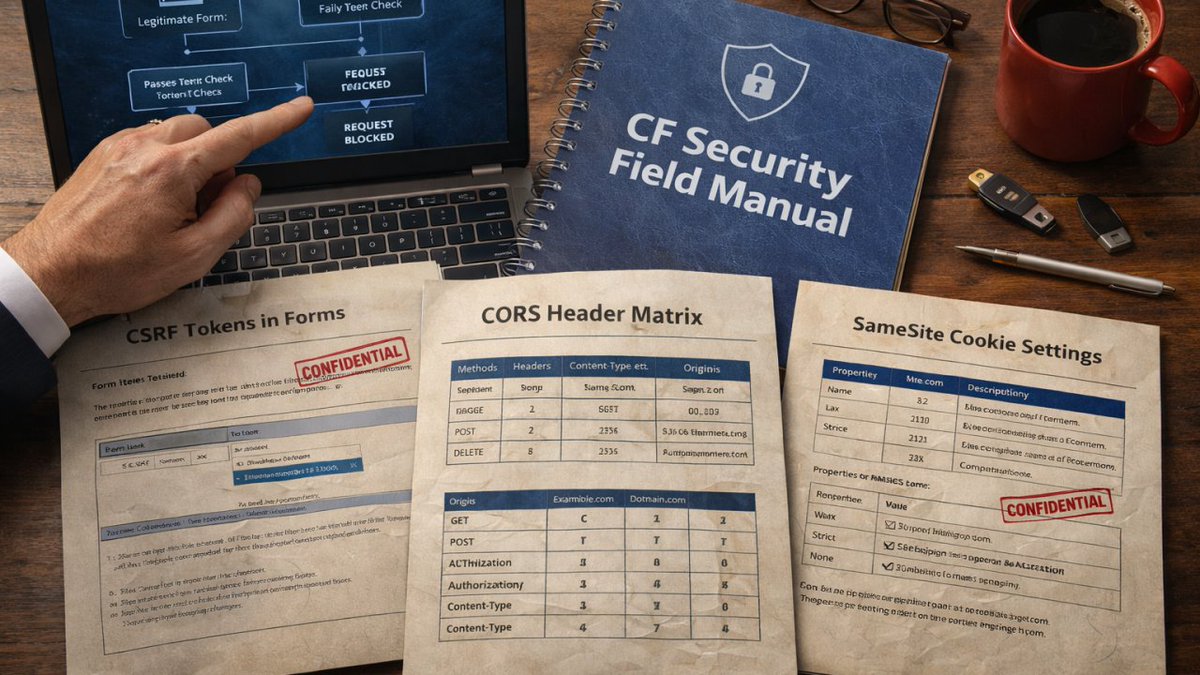
CSRF, CORS, and SameSite: Securing CF Forms and APIs One does not simply post a form without a token. If your ColdFusion forms and APIs touch customer data, getting Cross‑Site Request Forgery, Cross‑Origin Resource Sharing, and SameSite cookie settings right is the difference between quiet dashboards and a boardroom fire drill. This guide shows you how to harden forms and endpoints in ColdFusion Markup Language, with practical steps your team can ship this week. 👉 Quick note before we dive in. If you want a fast, hands‑on check of your token strategy, cookie flags, and API headers, we do 15‑minute CF coffee calls. We will review your Adobe ColdFusion, BoxLang, and Lucee settings and leave you with a one‑page fix list you can ship. Book with us now. I’ll get the espresso machine warmed up teratech.com/coldfusion-cof… The quick map: what each thing is and why it matters Cross‑Site Request Forgery (CSRF) is when an attacker tricks a logged‑in user’s browser into sending a valid request, for example changing a password or wiring funds. This happens via cloned web page on the attacker's site that users were phished to. And submits to your site. The server sees a legitimate cookie and accepts the action. A server‑verified anti‑forgery token stops this. Cross‑Origin Resource Sharing (CORS) controls which sites may call your API from a browser. Correct CORS headers allow specific origins and methods, block the rest, and protect credentials. SameSite cookies tell browsers when to send cookies during cross‑site navigation. Lax and Strict reduce CSRF risk by withholding cookies on most cross‑site requests. Lax allows cookies for safe top-level GET navigations (like links) but blocks them for POSTs, iframes, or AJAX from other sites; Strict blocks all cross-site requests entirely. None is allowed for third‑party flows, but only with Secure over Transport Layer Security. CSRF, CORS, SameSite in CFML, step by step CSRF: tokens everywhere state changes 1. Generate a server‑side random token per session or per form. Include it as a hidden field for forms or a custom header for XMLHttpRequest and fetch calls. 2. Verify the token on every state‑changing request, for example, POST, PUT, PATCH, DELETE. Reject and log on mismatch. Rotate the token after authentication and sensitive actions. 3. Pair with cookie defenses. Set HttpOnly, Secure, and SameSite on your session cookies. Scope session lifetimes tightly. CFML tips: When processing tokens in your CF code, prefer parametrised SQL queries with cfqueryparam, avoid storing tokens in the URL, and centralize verification in an interceptor or Application.cfc method so it cannot be “forgotten.” CORS: allow only what you intend 1. Use an allow‑list of origins, never * when credentials are used. Example: Access-Control-Allow-Origin: app.example.com. 2. Explicitly declare methods and headers you accept. Keep the list short. Honor the preflight request and return only what you support. 3. Credentials rules. If you must allow Access-Control-Allow-Credentials: true, you cannot use * for origin and you must send cookies with intent using withCredentials on the client. 4. Keep Access-Control-Max-Age modest so changes propagate, for example, 600 seconds. CFML tips: Emit headers in a single filter layer, not ad hoc per handler. Log origin, method, and decision, for example, allowed or blocked. SameSite: pick the right level per cookie 1. Default to SameSite=Lax for most session cookies. Browsers will send cookies on top‑level POST redirects and normal navigation, but not on most cross‑site requests. 2. Use SameSite=Strict for high‑value cookies that should never leave first‑party contexts, for example admin. 3. Use SameSite=None; Secure only when you truly need cross‑site cookies, for example federated login in an embedded frame. None always requires Secure and Transport Layer Security. CFML tips: Set cookie flags where you create the cookie. Apply Secure and HttpOnly. Review defaults in your ColdFusion Administrator or Lucee Server admin to avoid silent regressions. Common mistakes that cause breaches * Relying on SameSite alone instead of verifying a CSRF token. * Allowing * in CORS while also allowing credentials. * Mixing cookie names or rotating tokens without checking old tokens, which creates race conditions. * Forgetting to protect non‑HTML endpoints, for example JSON handlers that also mutate state. * Omitting redaction in logs, so tokens and secrets leak to log storage. A one‑sitting hardening plan 1. Add a CSRF verifier to your Application.cfc and require it on every state‑changing route. 2. Set Secure, HttpOnly, and a SameSite value for all auth cookies. Audit with your browser’s Application tab. 3. Centralize CORS headers and move to an allow‑list. Remove wildcards where credentials are used. 4. Add a privacy test to continuous integration that exercises forms and APIs with missing or bad tokens and expects 403 responses. 5. Log an audit record on every token failure and every blocked origin with request metadata and no sensitive payloads. Testing and tooling * Browser devtools to verify cookies and CORS preflight behavior. * Simulate cross‑site requests and confirm headers. * OWASP Zed Attack Proxy to probe CSRF and header gaps during staging. * Performance Monitoring Toolset or FusionReactor to trace requests and confirm header policy is consistent. 🌟 Onward! In the next issue of the CF Alive Newsletter, we’ll explore how to handle errors so your ColdFusion secrets and vital data remain… well, secret. P.S. If your ColdFusion forms are missing tokens or your cookies are sent everywhere, it might be time for a security tune‑up. Send us a message or DM and TeraTech’s ColdFusion team will lock down your forms and APIs before trouble finds them.
Michaela Light tweet media
English
0
0
1
28