
UX Flowcharts

51.9K posts

UX Flowcharts banner
UX Flowcharts

UX Flowcharts

@UX_Flows

UX Flowchart Cards, Page Builder Cards and Digital Tools for UX and UI Planning #ux #ui #uxcards #uicards #uxdesign #uidesign #WebDesign

Europe Katılım Haziran 2015
105 Takip Edilen4.1K Takipçiler
UX Flowcharts retweetledi
UX Links
UX Links@uxlinks·
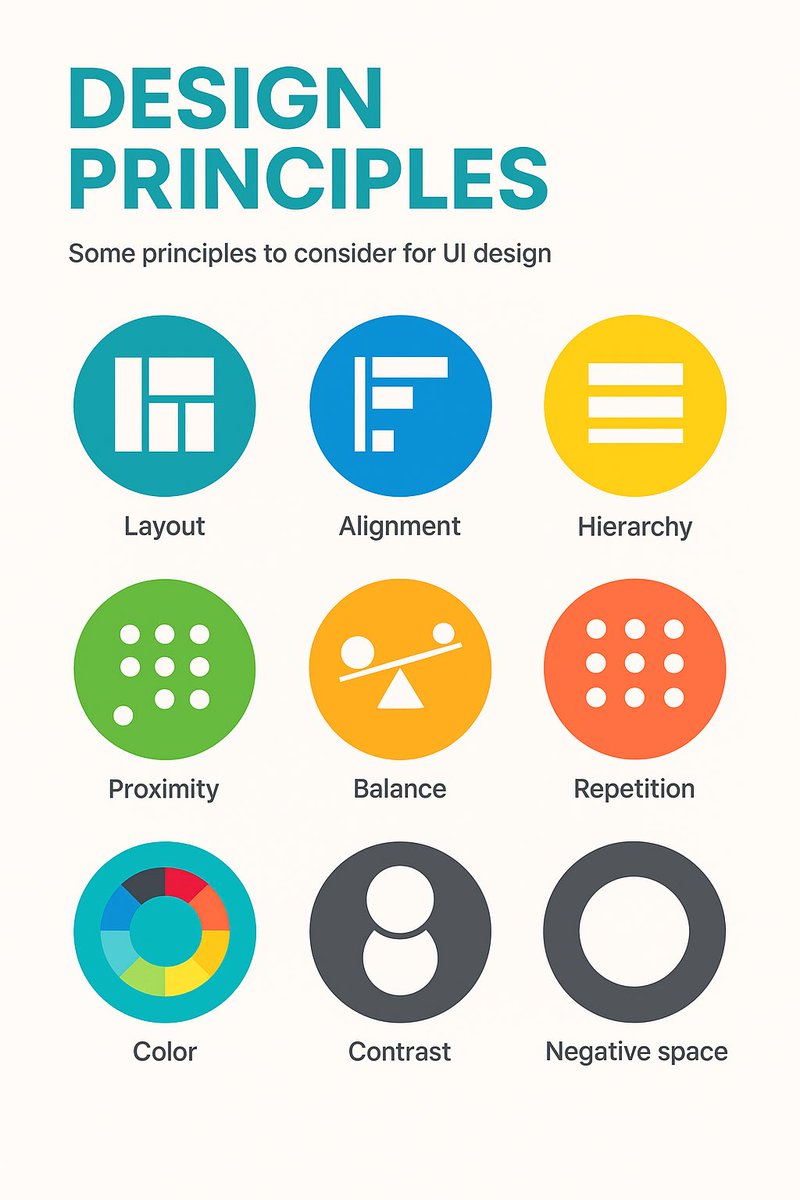
9 timeless design principles every UI designer should know 🙌 Overview: 1. LAYOUT Layout is the arrangement of visual elements in a design to create balance, clarity, and visual appeal. 2. ALIGNMENT Aligning elements in a design along a common axis to create order and visual consistency. 3. HIERARCHY Organizing elements to establish a clear order of importance, guiding the viewer's attention. 4. PROXIMITY Placing related elements close together to indicate their connection or importance. 5. BALANCE Weighting or arranging the elements within the image to create visual, even distribution of shape and space. 6. REPETITION Consistently using the same design elements (e.g., fonts, colors, shapes) to create unity and reinforce visual identity. 7. COLOUR Utilising colours intentionally to convey mood, meaning, and visual impact in a design. 8. CONTRAST Contrast can highlight differences or add a focal point by using opposing colour, shade or textures. 9. NEGATIVE SPACE Also known as white space, it's the empty or unmarked area around or between design elements, used to enhance readability and create visual balance. Original cheatsheet by Jaxon White #UX #UI #UIDesign #UXDesign
UX Links tweet media
English
6
36
258
16.3K
UX Flowcharts retweetledi
Adham Dannaway
Adham Dannaway@AdhamDannaway·
Sad but true... 🤑
Adham Dannaway tweet media
English
7
12
102
6.8K
UX Flowcharts retweetledi
Adham Dannaway
Adham Dannaway@AdhamDannaway·
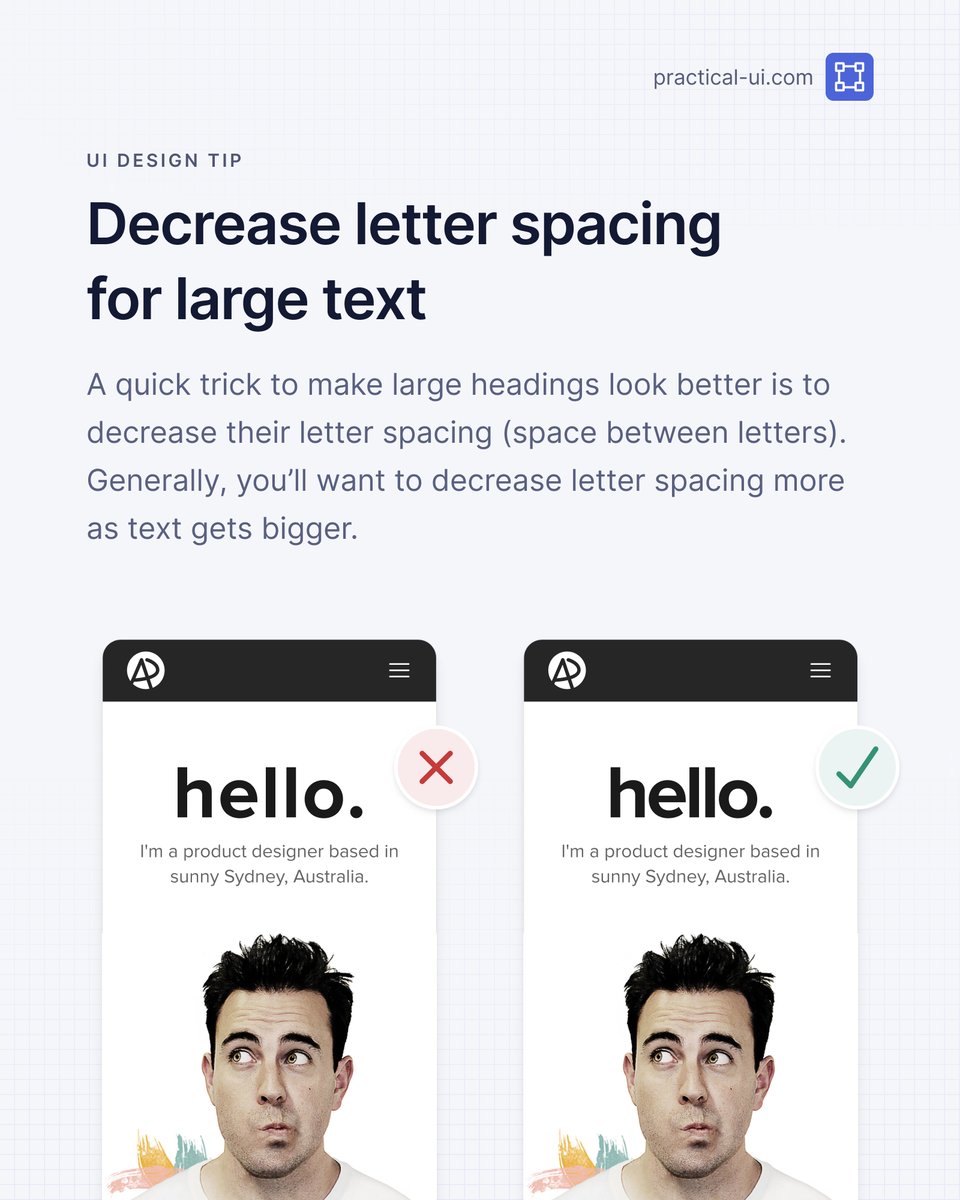
⚡️ UI design tip - Decrease letter spacing for large text A small trick to make large headings look better is to decrease their letter spacing (space between letters). How much you decrease letter spacing depends on the typeface and size, but generally, you should decrease letter spacing more as text gets bigger. This is because many typefaces were designed to be read at small sizes in long body text. They’re known as “text type” typefaces and have wide letter spacing to make them more legible at small sizes. You probably won’t need to decrease letter spacing for “display type” typefaces, as they were designed to be used at large sizes and generally have closer letter spacing. PS This is just 1 of 100+ design guidelines from my @PracticalUI design book 📘
Adham Dannaway tweet media
English
3
13
63
4.4K
UX Flowcharts retweetledi
Adham Dannaway
Adham Dannaway@AdhamDannaway·
👨‍🍳 UX Cookbook Handcrafted recipes to get you started with everything UX: ✅ User research ✅ Design ✅ Usability testing + more → theuxcookbook.com Created by the UX team at the University of Arizona Libraries
Adham Dannaway tweet media
English
0
34
207
10.9K
UX Flowcharts retweetledi
UX Links
UX Links@uxlinks·
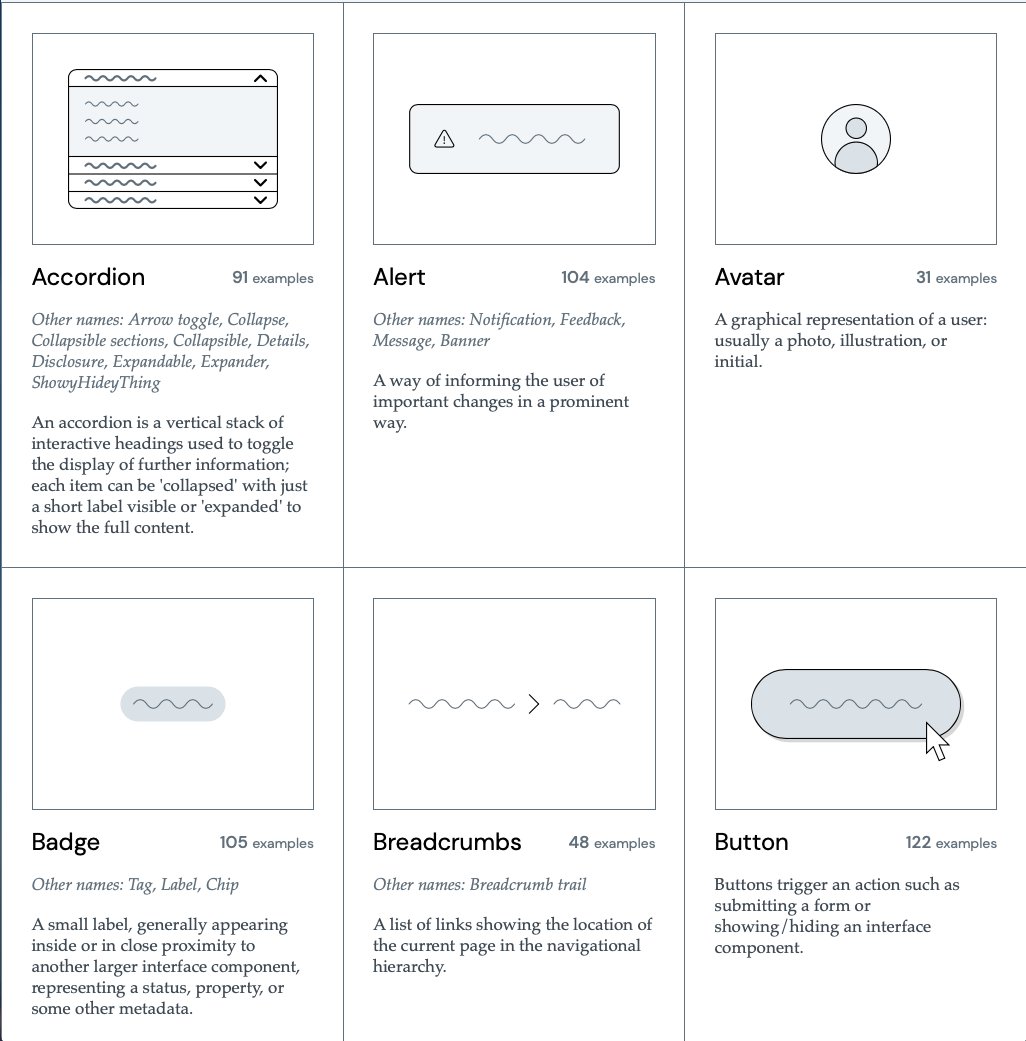
Excellent UI Component Gallery to Boost Your Next Design Project! 🙌 Designed to be a reference for anyone building component-based user interfaces. The Component Gallery is an up-to-date repository of interface components based on examples from the world of design systems. Designing interfaces around components, specifically components from a design system, has a number of benefits: 1. Consistency: Using a design system can help maintain a consistent "look and feel" across multiple interfaces. 2. Reusability: Instead of building something from scratch, reusing something that's already been tried, tested, and proven to work can speed up development. 3. A common language: Design systems can help all teams involved in a project communicate effectively, using a shared set of names for components that everyone understands. #UX #UI #UXDesign #UIDesign #ProductDesign Check out the Component Gallery website 🙌 component.gallery
UX Links tweet media
English
2
19
95
5.9K
UX Flowcharts retweetledi
Nick Babich
Nick Babich@101babich·
💎 Elevation in UI Design The diagram below displays the relationship between UI elements and their elevation levels. A great reference when building an evaluation system for your product. 👇
Nick Babich tweet media
English
1
40
347
20.6K
UX Flowcharts retweetledi
Nick Babich
Nick Babich@101babich·
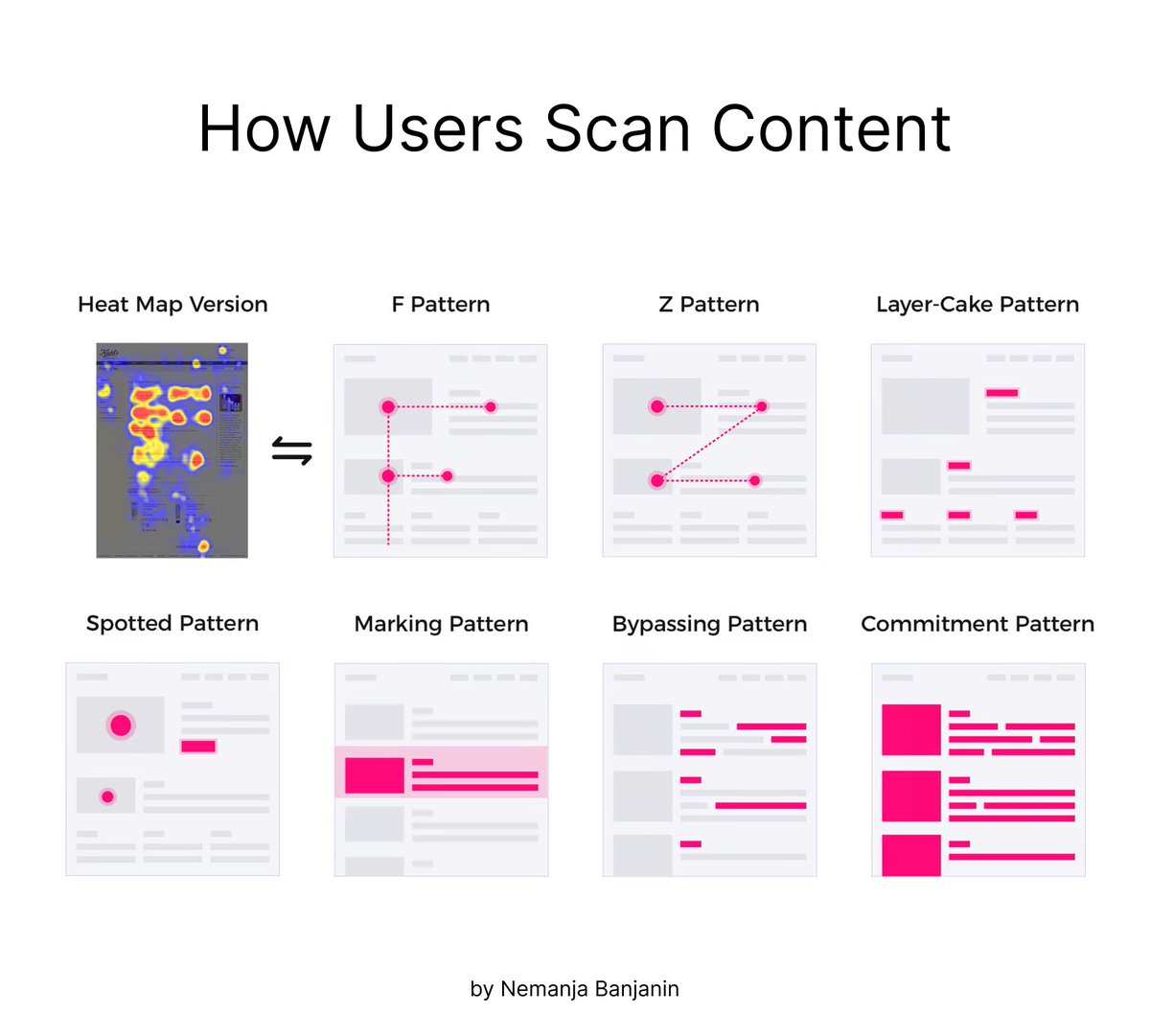
💡How people scan information on the web (top 5 patterns) People don't read online—they scan. When people scan information on the web, they typically follow a few common patterns: 1️⃣ F-shaped 2️⃣ Z-shaped 3️⃣ Layer-cake 4️⃣ Spotted 5️⃣ Marking 👇
Nick Babich tweet media
English
1
37
272
14.5K
UX Flowcharts retweetledi
Nick Babich
Nick Babich@101babich·
💡Semantic Colors in UI Design You need only 5 types of colors for UI  1️⃣ Surface: color of a canvas 2️⃣ Surface-container: content container color 3️⃣ On-surface: text or icons that appear on top of a surface 4️⃣ Border: borders around containers or dividers 5️⃣ Accent: CTAs
Nick Babich tweet media
English
2
28
271
13K
UX Flowcharts retweetledi
Adrian
Adrian@adriankuleszo·
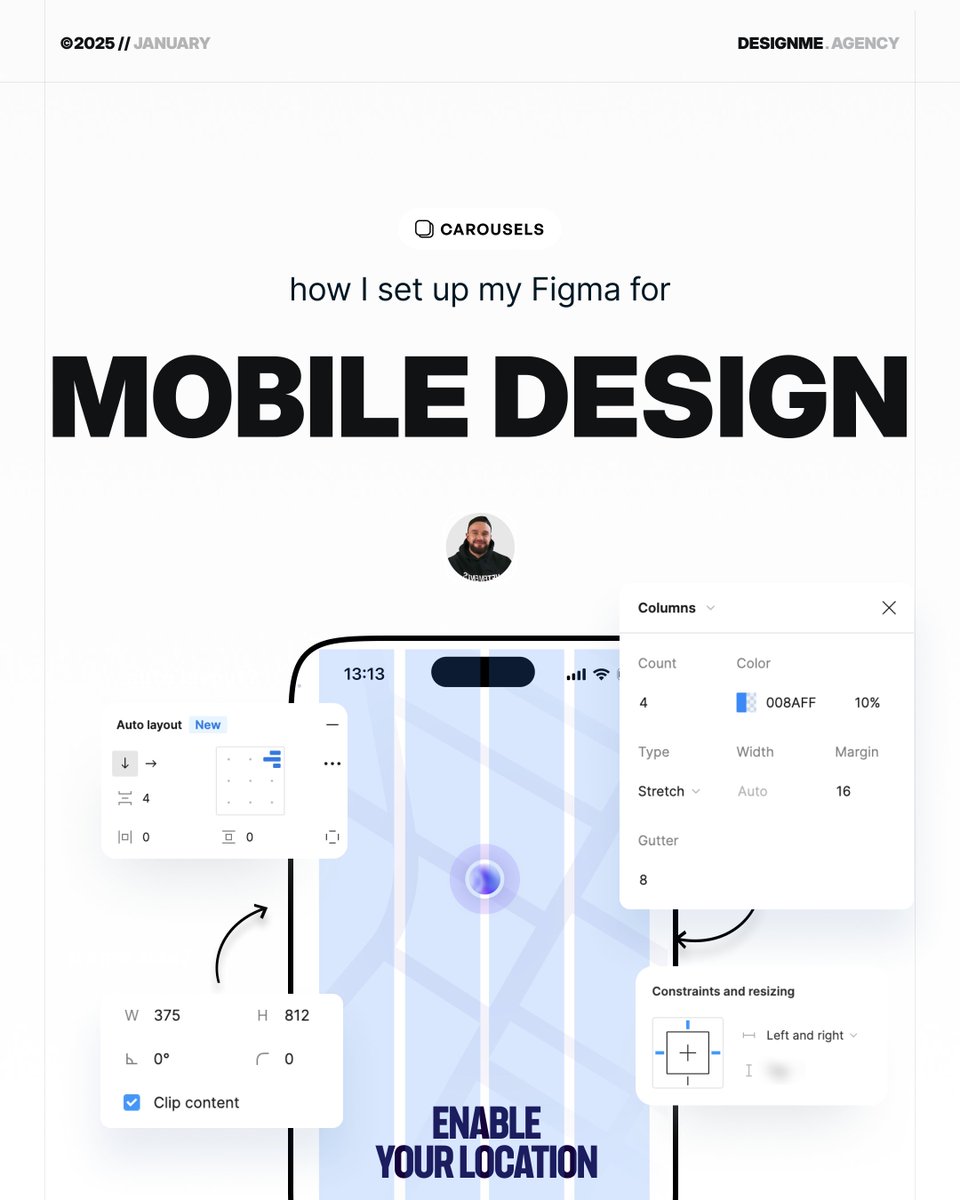
How I set up Figma for mobile design
Adrian tweet media
English
36
126
1.6K
130.6K
UX Flowcharts retweetledi
UX Links
UX Links@uxlinks·
Check out this Excellent Design System Component Checklist / Cheatsheet 🙌 Add to your favs and refer back to it when you need to 🙌 A component is considered stable if it has met all of the requirements for both design, engineering, & documentation. Design Accessibility - This component leverages the accessible color palette, has considerations for keyboard interaction, and has appropriate typescale. Interaction - This component has a defined interaction definition, which clarifies how it responds to user input or interaction. Context - This component has a defined context defintion which clarifies how and when this component should be used. Completion - This component has defined states for neutral, active, hover, focus, and disabled states. Content - The content has been approved by a UX editor, if necessary. Customization - This component has defined aspects which are customizable, if applicable, as well as the corresponding values. Resolution - This component has defined how it scales across varying viewport sizes and screen resolutions. Engineering Accessibility - This component includes all of the accessibility features for keyboard navigation, screen reader compliance, color contrast, and high-contrast mode Responsiveness - This component responds gracefully to different viewport sizes. Completion - This component includes all of the neutral, hover, focus, and disabled states as defined in the design. Customization - This component includes all of the defined customization which is defined in the design. Error Handling - This component handles errors gracefully. Browser Compatibility - This component has been tested in supporting browsers and provides polyfills for newer technologies that are not readily accessible. Documentation Properties - The properties for this component have been documented with the property name, it's valid values, and whether or not it's required. Code Snippets - The code for this component has been provided in all of the available states. Interactive Example - The component has been embedded in the style guide to show its interactivity. Context Definition - The context definition has been included to inform designers and engineers where and when to use this component. Follow @UXlinks to Massively increase your UX skills and knowledge 🎯 #ui #uidesign #ux #uxdesign #design #productdesign #designsystems #uikit #sketch #figma #adobexd #google #apple #ibm #airbnb #audi #shopify #ecommerce #atlassian #webdev #ios #materialdesign #iphone #react #js #css #business
UX Links tweet media
English
0
20
81
5.5K
UX Flowcharts retweetledi
Marko Denic
Marko Denic@denicmarko·
Quickly and easily create a CSS Grid layout for your website!
English
26
223
2.8K
211.1K
UX Flowcharts retweetledi
Nielsen Norman Group
Nielsen Norman Group@NNgroup·
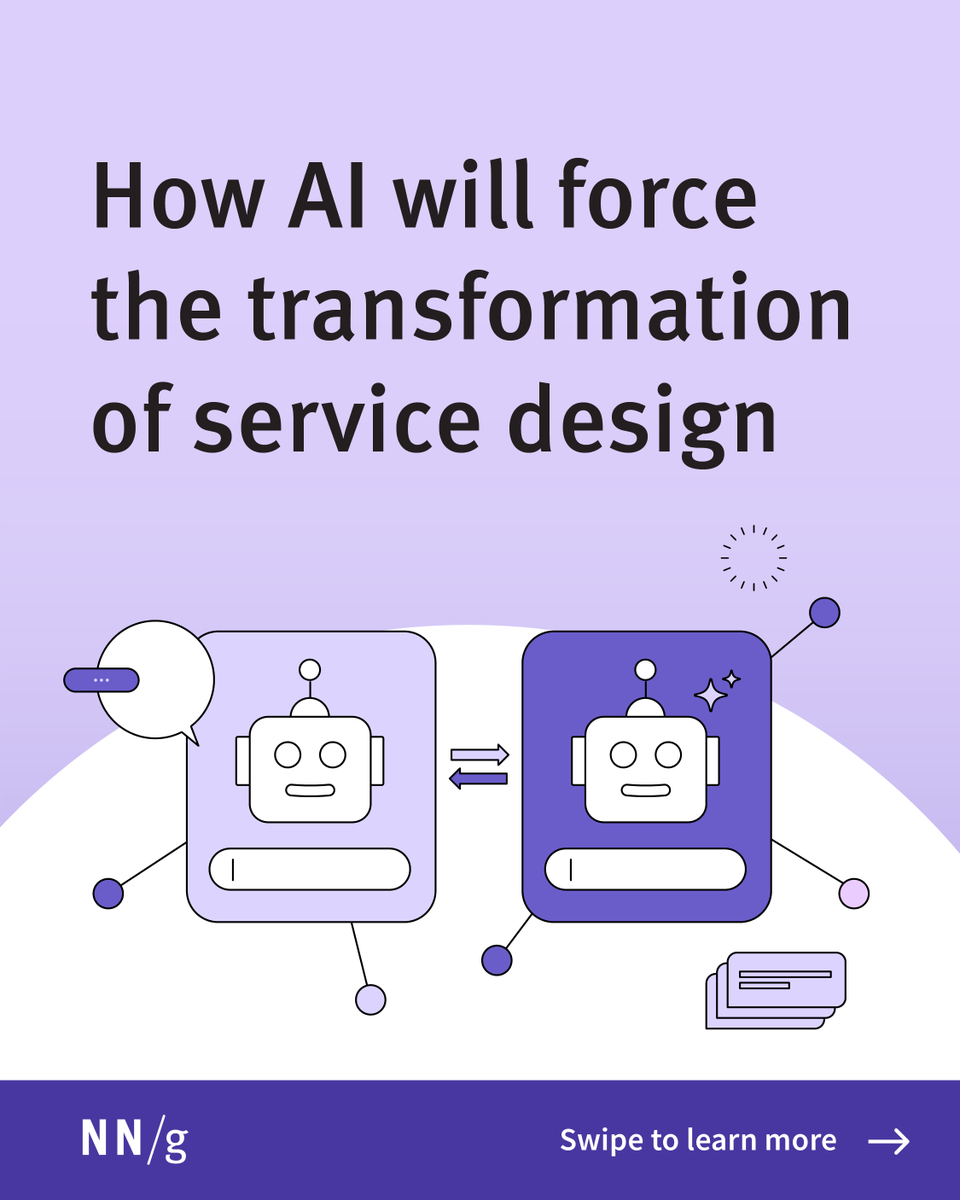
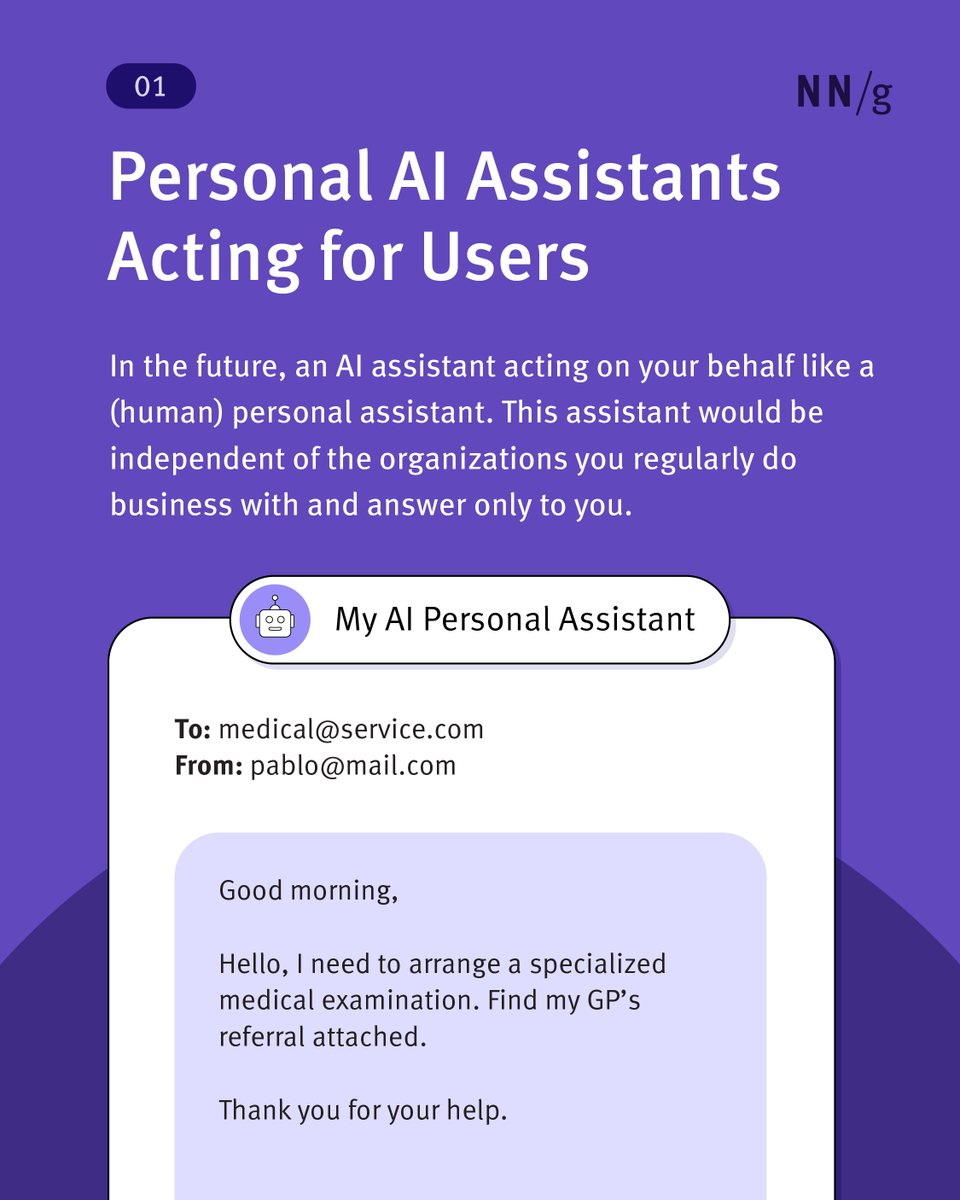
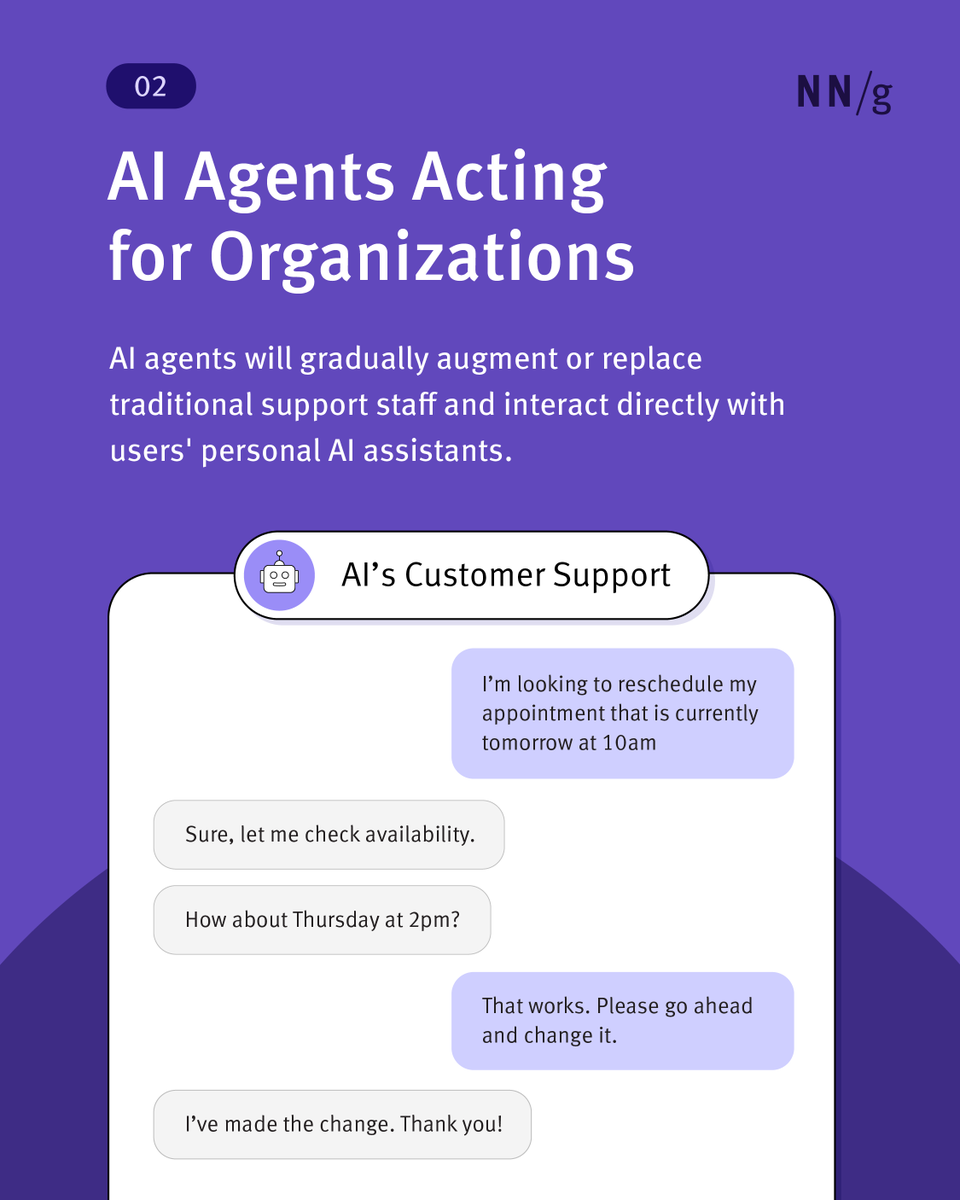
The future of service design? AI talking to AI. 🤖 Personal AI assistants will handle tasks for users, while company AI agents will respond. This shift challenges UX as we know it. Read more: bit.ly/41jdueP #AI #ServiceDesign #Ux
Nielsen Norman Group tweet mediaNielsen Norman Group tweet mediaNielsen Norman Group tweet mediaNielsen Norman Group tweet media
English
0
10
45
2.7K
UX Flowcharts retweetledi
Nick Babich
Nick Babich@101babich·
💎 Responsive Grid System Ready-to-use system for tailoring your design to 3 popular mediums: mobile, tablet and desktop. Crafted by @Michelin design team 👇
Nick Babich tweet media
English
0
27
263
16.7K