If you got issues using MnK in certain games then definitely watch this guide! Covers everything in greater detail + step by step guide included in the video as well!
youtu.be/VujWGGOgbIE
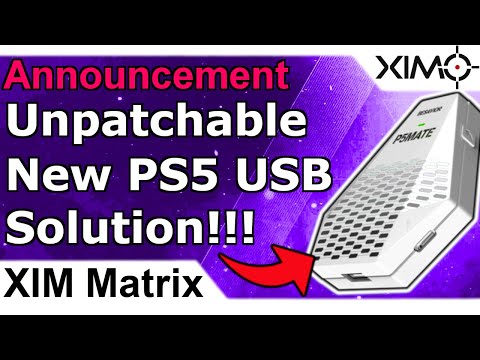
You got a PS5 but don't want to use Remote Play? Then check out the P5 Mate! With its latest update the device works flawlessly via USB with XIM @ 1000Hz on the PS5! Works really well!
All details here: youtu.be/sYxT-yiZbi0#Ximapex#ximmatrix#xim#besavior#cronus
The #XIM server is currently under maintenance. If you encounter issues when downloading new config profiles or firmware versions from the XIM website then please try again in a few hours! The team is actively working on it! #xim#Ximapex#ximmatrix
Besavior U5 News:
The new 1000Hz firmware just came out! The firmware also adds support for more controllers + rumble!
If you don't have a Besavior U5 yet and you want to play PS5 games with your XIM via USB, then here you go: beloader.com/products/besav…
@XIMCentral Hello xim, I have a problem. When I start the xim, it works perfectly, and the mouse and keyboard work, but the controller is off
I made sure all the wires were good and I haven't found a solution to this for a month, so I need your help @XIMCentral
@CharlieGoingHam The IP of your console has probably changed. Give it a static IP in your router settings, and redo the XIM Remote Play registration process.
@XIMCentral hey xim i haven’t reached out in a while, haven’t touched my xim in 2 months but today i hooked it back up but it won’t work.
everythjng is connected like always, but it’s not connecting to my remote play on ps5.
Both on the same connection and everythign please help
Great news for US customers! #XIMMatrix is in stock again for 125$! A link to the store can be found below! For Amazon offers see my previous tweets!
XIM Matrix for 125$ from Flashback (official XIM distributor): flashbackltd.com/products/xim-m…
@FrxstBURN Step 1) Plug PS5 controller into U5
Step 2) Plug XIM Matrix into U5
Step 3) Plug PS4 controller into XIM port 3
Step 4) Use PSN Configs on PS5 not Xbox
Step 5) Everything will work including touchpad
@XIMCentral when i ximmed w remote play it was fine with scoreboard and stuff even on an xbox config. i lke it more for the games i play and the sensitivity. but now with u5 i cant see my scoreboard on an xbox config? i watched the videos. i see no explanation on that
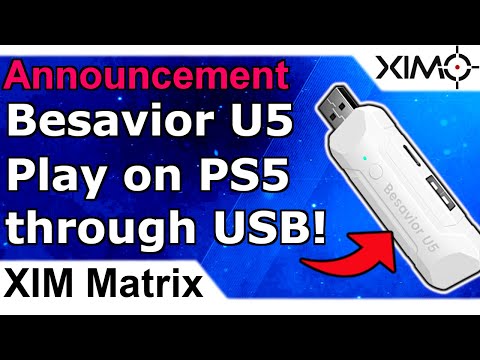
A new PS5 USB solution is now available named #BesaviorU5! It allows you to play PS5 games over USB, so no need for remote play anymore! 0 Delay and it works with XIM4, XIM Apex, XIM Nexus and XIM Matrix! All details are in this video + how to get it: youtu.be/Kjkklm2zNj0
@FrxstBURN Watch the instructional videos please. If you use USB you are required to use an authentication controller. Since you have no authentication controller connected to your Matrix when using a U5, it acts like a Xbox controller. That's your issue. Connect a PS4 controller to port 3.
@XIMCentral When I was using remote play my tab button to show scoreboard worked fine but now w besavior it just uses the share button and I can’t see my scoreboard. How do I fix this
@JewishHunter Almost the same. Xbox has 256 times the stick resolution which allows for slightly more precise mouse movements. In return the lower PSN stick resolution results in slightly more aim assist.
@XIMCentral Hello, I wanted to know if you have already tried the adapter, if so it works well for you with XM Apex, because for me the adapter switches off after five to six minutes and I have to switch it on again
@CharlieGoingHam Those work right out of the box, no solution needed. Just select the USB headset as your audio and mic source in the console system settings.