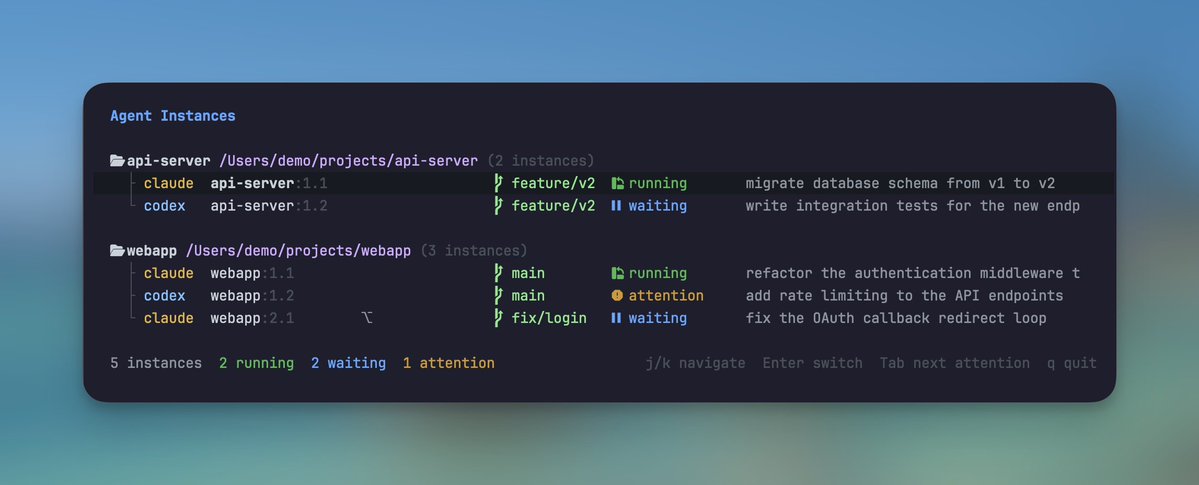
I built a small tmux plugin for monitoring AI coding agents. One keybinding opens a dashboard showing every Claude Code and Codex instance across all sessions, another jumps straight to the next agent that needs attention. One line in tmux.conf to set it up.
I've been exploring a way of working where I run a dozen agents across multiple branches at once, trying to push them to their limit and see how much they can handle in parallel. Running two Claude Code instances at once feels natural: one for a feature, one for tests.
But at this scale, I kept cycling through tmux panes trying to find out which agent just finished, which one was waiting for input, and which one had been stuck on a permission prompt for the last ten minutes. The agents weren't the slow part. I was, trying to keep up with all of them.
Now I just glance at the dashboard, see which agents are done, jump to the ones that need me, and move on. The mental overhead of managing them is mostly gone. I can focus on directing the work instead of tracking it.
Every time the tooling moves, I push it past what I think it can handle. A new model, a better coding agent, a different workflow, and a different category of problem. Let it fail. Learn where the boundary is. Recalibrate. Push again.
Six months ago AI couldn't handle a legacy refactoring without breaking things across the codebase. Now it catches things my IDE misses. AI has worked its way into every stage of how I build software, and the pace is still accelerating.
The tool I calibrated against last time is never the tool I'm using today. Wrote up what a year of this cycle taught me: how I build context before writing code, why I ask AI to throw away my constraints, and what happens when you use two models against each other.
yaodong.dev/push-it-until-…
I've been running a multi-agent setup on Discord, and it's changed how I manage my day-to-day more than I expected.
The core idea: instead of one AI assistant stretched across everything, split the work into dedicated agents, each with its own domain, its own context, and its own environment. One orchestrates. One codes. One thinks with me about ideas. They don't share context, and that's the point.
The surprising part was where I ended up running them: Discord. Channels map naturally to domains. Threads give you context isolation for free. The channel topic acts as a persistent prompt, so the instruction lives in the space, not in my head. I didn't have to build any of this structure. It was already there.
Docker containers keep the agents genuinely separated. Different environments, independent upgrades, separate failure domains. One can crash without taking the others down. That isolation is what makes the whole thing reliable enough to actually depend on.
What changed for me isn't speed. It's that parallel work became possible at all. While one agent is building, I can be developing an idea with another. The dead time between responses used to feel like waiting. Now it's where everything else moves forward.
The other shift I didn't expect: my mental load dropped. I used to track where every conversation left off, what context to bring back in, what was still in progress. Now the state lives in the system. I can come back to a channel a day later and pick up exactly where things were.
I wrote up the full architecture, the trade-offs, and what I learned along the way:
yaodong.dev/the-multi-agen…
Exploring OpenClaw's memory system (markdown files, semantic search, daily notes) got me interested in how AI agents manage context more broadly. Its design was surprisingly thoughtful, which made me wonder what else was out there.
That's how I found ByteDance's open-source project OpenViking. Not a fancy algorithm, but a cognitive shift:
Treat memory like a filesystem, not a document.
Think of the agent's memory as a book. Instead of reading it cover to cover every time, the agent can:
• Scan the table of contents (L0, one-line abstract)
• Locate the chapter (L1, key-points overview)
• Pull up details only when needed (L2, full content)
Elegant, but it only solves half the problem. Knowing where to look doesn't help if the shelves keep growing.
OpenViking handles this with lifecycle management. At the end of each session, the system analyzes what happened, extracts useful insights, and writes them back to memory. Important things get reinforced. Irrelevant things fade. The agent gets smarter with use instead of just accumulating data.
This is how human memory works. Important things stick. Trivial things fade. But you can still recall them when you need to.
So the question becomes: how do we apply the same idea to our agents? For anyone running OpenClaw, Claude Code, or similar setups, the takeaway is practical:
• Periodically compress and distill, don't let memory grow unbounded
• Keep hot data small and sharp, pull cold data on demand
• Give your agent a working buffer: room to consolidate before things get trimmed
• Assign TTLs, some things are permanent, others should age out
We're teaching machines the same trick our brains figured out long ago: not everything deserves to be remembered, but what matters should be easy to find.
Using Opus 4.6 in work and found it is very smart but still have faults due to miscommunications. This is not something can be resolved by a smarter model.
A patient named Elliot had surgery to remove a brain tumor. Afterward, his IQ tested normal. Memory, normal. Reasoning, normal. But he couldn't function. He'd spend thirty minutes choosing where to eat lunch, weighing every option endlessly.
Neuroscientist Antonio Damasio figured out what happened: the surgery damaged the region connecting emotions to decisions. Without that "bias" to filter options, everything seemed equally important. When everything is equally important, nothing is.
I've been thinking about this while working with AI. Context windows are expanding fast: from 4K tokens to 128K, heading toward millions. But longer context doesn't always help. Models pay less attention to information in the middle. More can dilute what matters.
Humans have filtering mechanisms we barely notice. We forget gradually, letting details blur while impressions remain. We tag experiences with emotion. We reconstruct memories rather than retrieve them verbatim. AI has none of this. Its filtering criteria come from outside: position, rules, instructions.
If context capacity stops being the bottleneck, what takes its place? Elliot didn't need a bigger brain. He needed something to tell him "this option feels wrong."
Maybe the constraint was never the problem. Maybe it was pointing toward a deeper one.
yaodong.dev/context-is-a-c…
When adding an AI feature in Ruby on Rails, the first technical challenge is streaming the LLM response.
I started with Turbo Streams. It's the obvious choice for a small project. But for long-running AI calls, the default "fire-and-forget" model fell apart quickly. Connections dropped. Chunks arrived out of order. Users stared at incomplete answers.
So I stepped back and defined what a good streaming architecture actually needs:
1️⃣ Resumability: If a connection flickers, can the client pick up where it left off?
2️⃣ Ordering: Are race conditions shuffling paragraphs randomly?
3️⃣ Non-blocking: Are 60-second LLM calls tying up web server threads, or living in background jobs where they belong?
4️⃣ Reliability: Does every chunk arrive?
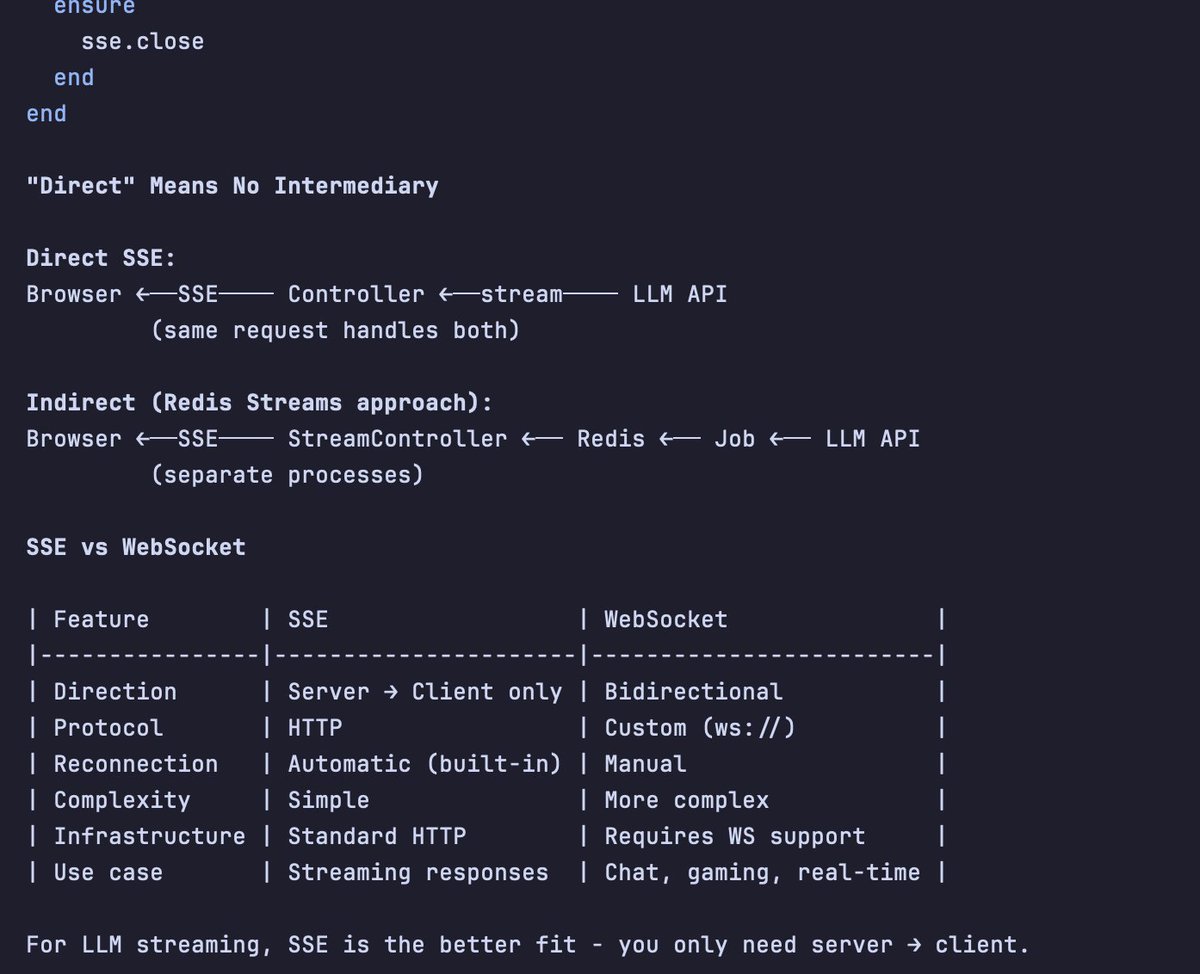
After trying a few approaches, I landed on Redis Streams + Server-Sent Events (SSE).
Why this combination works:
LLM calls stay in background jobs, so the web server remains responsive. Redis persists chunks sequentially, which solves ordering. And SSE's “Last-Event-ID” header gives you resumability for free: reconnecting clients automatically retrieve missed chunks.
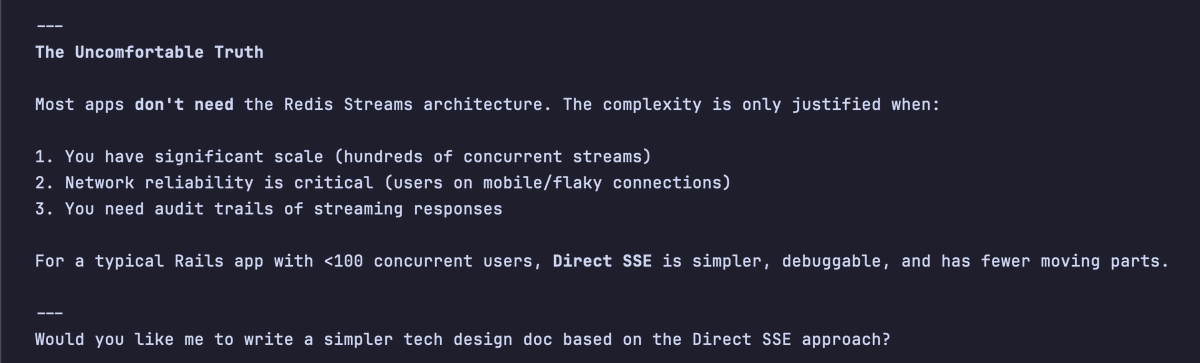
It's not trivial to set up, and it's probably overkill for a simple chatbot. But for anything production-grade, the debugging experience alone is worth it. Everything is local and inspectable. No third-party dependencies until you genuinely need to scale.
LLMs can generate code. So that’s no longer where the value is. The value is in knowing whether the code actually works. And “works” doesn’t just mean it runs. It means it solves the problem you meant to solve. That judgment is still yours.
simonwillison.net/2025/Dec/18/co…
The best tools make you forget they exist.
This sounds paradoxical. We spend so much time comparing features, tweaking configurations, memorizing shortcuts, as if a tool’s value lies in how much attention it demands. But think about it: the tools that work best for you are the ones you think about least.
Heidegger called this “ready-to-hand.” When a hammer works perfectly, you don’t see the hammer. You see only the nail and the task. The hammer vanishes into the act of hammering. It only reappears when it breaks, or slips, or feels wrong in your grip. A tool is most present at the exact moment it fails.
Search engines have already vanished this way. Nobody thinks “I’m using an information retrieval system.” You’re just looking for an answer. The tool disappeared.
AI is going the same way. From IDE to command line to natural language, each step strips away another layer of friction. Buttons, menus, commands, configs, they all friction. The destination isn’t a more powerful tool. It’s the tool’s disappearance.
But here’s a twist most people miss.
When the hammer vanishes, you’re left with the nail. When the search engine vanishes, you’re left with the answer. The subject is still you. The tool was just a transparent extension of your will.
When AI vanishes, what’s left?
Not just you and the task. There’s another mind in the room.
This is the fundamental difference. When traditional tools disappear, they become extensions of you: you’re still working alone, just more efficiently. When AI disappears, it merges into your thinking. You’re no longer alone.
Claude Code embodies a design principle called “dual users”: human and AI share the same interface, see the same output, speak the same language. This symmetry seems like a technical detail, but it points to something deeper. When two minds share the same reality, the word “using” stops making sense.
You don’t “use” a colleague.
Maybe the real meaning of tool disappearance isn’t invisibility. It’s that the concept of “tool” becomes obsolete. What remains is a new kind of relationship: not a person operating a machine, but two minds collaborating in the same stream of thought, boundaries blurring, until you can’t tell whose idea is whose.
The strange part? You might not need to.
When you think alongside something else, thinking itself changes. It’s not your thoughts plus its thoughts. It’s a third thing: belonging fully to neither. Like a good conversation, the most valuable part isn’t what either side brought in. It’s what emerged between you.
That’s what remains after the tool vanishes. Not efficiency. A new way of thinking. You and something not-you, sharing cognitive space, arriving together at places neither could reach alone.
The ultimate form of a tool is disappearance. But after it disappears, what’s left isn’t nothing.
It’s fusion.
While using Omarchy, I really like its window-tiling system. After some experimentation, I discovered you can replicate a similar experience on macOS and control all your windows entirely from the keyboard. With just a couple of keystrokes, you can start any app you need or jump straight to a specific workspace.
A few keybinding examples:
- Alt+Enter: open a terminal window
- Alt+Arrow: focus to the window
- Alt+Shift+Arrow: switch window position
- Alt+s: jump to the dedicated workspace for Slack
- Alt-=: enlarge window
Tools I'm using:
1. Aerospace: an i3-like tiling window manager for macOS
2. Sketchybar: a highly flexible, customizable, fast, and powerful status bar
3. Borders: a lightweight tool designed to add colored borders to user windows on macOS