Aman Lata

38 posts

Aman Lata banner
Aman Lata

Aman Lata

@amanlxta

Content and Video @ Conigma - Join the GTM community of the future (for free): https://t.co/8ANdytFvQp

Katılım Mayıs 2020
22 Takip Edilen151 Takipçiler
Aman Lata
Aman Lata@amanlxta·
I put the entire Claude Opus 4.7 + ChatGPT 5.5 GTM Engineer's Playbook into ONE Notion doc. 7 modules. No fluff. - The full lead gen stack using Firecrawl and LinkedIn MCP: scrape 20 structured leads from any industry in one prompt, filter and score 100 raw LinkedIn leads down to 50 high-intent contacts, and push to campaign with 73% connection acceptance rate vs 40% on standard outreach - The LinkedIn content pipeline built on Claude Code and Playwright: profile.md, hooks.md, descriptive photo folder, three draft options per post, and auto-publishing that pastes, uploads, resizes, and schedules directly to LinkedIn from one Sunday session - The automation decision rule across /loop, /schedule, and ChatGPT Workspace Agents: when to use each based on local file access, interval length, team sharing, and CRM tool requirements - Research and intelligence using NotebookLM and GPT 5.5: 300 sources queried at zero marginal cost per query and raw unorganised numbers turned into a clean filterable HTML executive dashboard with a working month selector in one prompt - Marketing asset production using Claude Design and ChatGPT Images 2.0: brand design system extracted in 10-15 minutes, carousel, video, and campaign planning skills built on top, plus multi-format social assets from one image upload with near-perfect text rendering - The 7 Claude commands most GTM engineers have never used: ultrathink, /caveman, /insights, /loop, /schedule, /btw, and /clear with exact syntax and the decision rule for which to use when - Cost cutting without slowing down: Claude Code Router at 88% cheaper than Opus 4.7 for simple tasks, /caveman on bulk generation sessions, and GPT 5.5 for dashboards and multi-deliverable briefs where it is faster and cheaper than Co-work This is the playbook I would have KILLED for before running Claude and ChatGPT in separate tabs with no system connecting them, paying Opus rates for tasks a router handles for pennies, and manually pulling weekly metrics that should have been running on a schedule. Like + comment "STACK" and I'll send it over (must be connected for priority access)
Aman Lata tweet media
English
0
0
0
90
Aman Lata
Aman Lata@amanlxta·
I just built a four-tool GTM stack that extracts brand systems, reads any screenshot, watches folders, and queries 300 sources from a single session every week. Feed it your branded assets, your analytics dashboards, your research sources, and your recurring file drops → it studies your visual identity, extracts data from any image, and triggers workflows automatically → generates on-brand assets, research outputs, and live reports while you review and approve. All inside Claude Design, Opus 4.7, Perplexity PC, and NotebookLM. Perfect for GTM engineers who are still manually retyping data from dashboards Claude now reads directly, briefing designers on assets Claude Design produces in minutes, and running research sessions that re-read the same sources every time instead of querying them once. If you're running GTM across multiple AI tools in 2026, you already know the math - the teams that move fastest aren't the ones with the most subscriptions, they're the ones who know exactly which tool handles which task. Most teams use 20% of what each tool actually does if they're lucky. This stack solves it: → Opus 4.7 Adaptive Thinking toggled on for complex multi-part GTM builds and off for simple one-line requests so token budget goes only where reasoning depth changes the output → Opus 4.7 reads analytics dashboards, dense reports, LinkedIn screenshots, and pricing tables at 3x the resolution of 4.6 with no code workaround and no errors on small text → Claude Design extracts colours, typography, components, and spacing from your branded landing page in 10-15 minutes and exports a portable skill file every other marketing skill calls automatically → Perplexity PC folder watching detects any file dropped into a connected folder instantly and triggers a pre-defined workflow automatically with no manual prompt and no timer → NotebookLM loads up to 300 sources once and Claude queries across all of them at zero marginal cost per query without re-reading a single file every session → Gemini bidirectional sync saves NotebookLM chats back into the notebook as a source without counting against source limits so research compounds over time No manually retyping data from dashboards Claude reads directly from a screenshot. No re-reading the same research sources every session when they should be loaded once and queried forever. No missing feature updates that change how your GTM stack runs because nobody had time to test them. What you get: - Opus 4.7 configuration guide: Adaptive Thinking setup, image extraction workflow, and cost management framework - Claude Design extraction guide: 10-15 minutes from branded landing page to portable skill file - Perplexity PC folder watching setup: connect a folder, define the trigger action, and drop files to fire workflows automatically - NotebookLM research stack: 300 source setup, Gemini sync configuration, and custom notebook branding for client handoffs - One four-tool stack configured once and running across every GTM workflow that benefits from image reading, research querying, and file-triggered execution Built 100% across Claude Design, Opus 4.7, Perplexity PC, and NotebookLM. I put together a full playbook with the Opus 4.7 configuration, the Claude Design extraction guide, the Perplexity PC folder watching setup, and the NotebookLM research stack to get all four tools working together from one GTM workflow. Want it for free? > Like this post > Comment "UPDATES" And I'll send it over (must be following so I can DM)
Aman Lata tweet media
English
0
0
2
78
Aman Lata
Aman Lata@amanlxta·
I just built a Claude and ChatGPT stack that finds leads, runs content pipelines, produces marketing assets, and cuts AI costs from a single GTM workflow every week. Feed it your lead list, your campaign brief, and your brand design system → it studies your ICP signals, voice, and visual identity → generates qualified leads, on-brand assets, and recurring reports while you review and approve. All inside Claude Opus 4.7 and ChatGPT 5.5. Perfect for GTM engineers who are still running Claude and ChatGPT in separate tabs, paying Opus rates for tasks a router handles at 88% less, and briefing designers on assets Claude Design produces in minutes. If you're running GTM across multiple AI tools in 2026, you already know the math - the teams that scale aren't the ones with the most tools, they're the ones with a stack where every tool handles the task it's actually best at. Most teams waste 40% of their AI budget on the wrong model for the wrong task if they're lucky. This stack solves it: → Firecrawl and LinkedIn MCP scrape and score leads in one prompt - 100 raw contacts filtered to 50 high-intent prospects with a reason per contact and 73% connection acceptance rate vs 40% on standard campaigns → profile.md and hooks.md give Claude permanent voice and format context so every LinkedIn post reads like you wrote it and Playwright MCP publishes and schedules without you touching the platform → /loop handles short-burst local file tasks, /schedule runs cloud-based recurring reports, and ChatGPT Workspace Agents handle team-shared CRM and Slack workflows with persistent memory across runs → NotebookLM queries 300 sources at zero marginal cost per query and GPT 5.5 turns raw unorganised data into a clean filterable HTML executive dashboard with a working month selector in one prompt → Claude Code Router redirects simple high-volume tasks to Kimi K2.6 at 88% cheaper than Opus 4.7 with the same interface, same skills, and same commands → Claude Design extracts your full brand system in 10-15 minutes and exports it as a portable skill file every campaign planning, social content, carousel, and animated video skill calls automatically → ultrathink forces maximum reasoning on complex strategy prompts, /caveman cuts output tokens on bulk generation, and /clear wipes irrelevant context between unrelated tasks No paying Opus rates for tasks a router handles for pennies. No running Claude and ChatGPT in separate tabs with no system connecting them. No briefing designers on assets the stack produces in minutes. What you get: - Full lead gen stack: Firecrawl setup, LinkNav and Apify skill, and 24-hour LinkedIn signal workflow - LinkedIn content pipeline: profile.md template, hooks.md structure, and Playwright MCP publishing setup - Automation decision rule: exact criteria for /loop vs /schedule vs ChatGPT Workspace Agents - Research and asset stack: NotebookLM skill, GPT 5.5 dashboard workflow, Claude Design extraction, and ChatGPT Images 2.0 multi-format generation - Cost cutting setup: Claude Code Router install, /caveman skill, and GPT 5.5 task routing guide Built 100% across Claude Opus 4.7, ChatGPT 5.5, Claude Design, and ChatGPT Images 2.0. I put together a full playbook with all skill files, the router configuration, the Notion library setup, and the exact decision rules for which tool handles which task to get the full stack running from one workflow. Want it for free? > Like this post > Comment "STACK" And I'll send it over (must be following so I can DM)
Aman Lata tweet media
English
34
2
32
3.9K
Aman Lata
Aman Lata@amanlxta·
SHOCKING: 99% of GTM engineers using Claude for LinkedIn content are getting generic posts nobody reposts. Right now, the entire internet is screaming "Claude, Claude, Claude"... But here's the truth: just prompting Claude to write a LinkedIn post won't make it sound like you. To unlock its real power, you need to master: - A profile.md file that gives Claude permanent context about your voice, your stories, and your professional context so every post reads like you wrote it not like AI - A hooks.md file with proven formats, patterns, and a no-go list so Claude never produces the openers saturating your space - A Playwright MCP setup that publishes and schedules directly to LinkedIn without you touching the platform I spent 100+ hours building and documenting the most complete Claude Code viral LinkedIn system and compiled every skill file, profile template, hooks structure, and publishing workflow into one resource. I'll give it to only 500 people. To get it: 1. Follow me MUST (so I can DM) 2. Comment "SKILL" 3. I'll DM you the system If you don't follow or comment, you won't receive it.
Aman Lata tweet media
English
0
0
1
73
Aman Lata
Aman Lata@amanlxta·
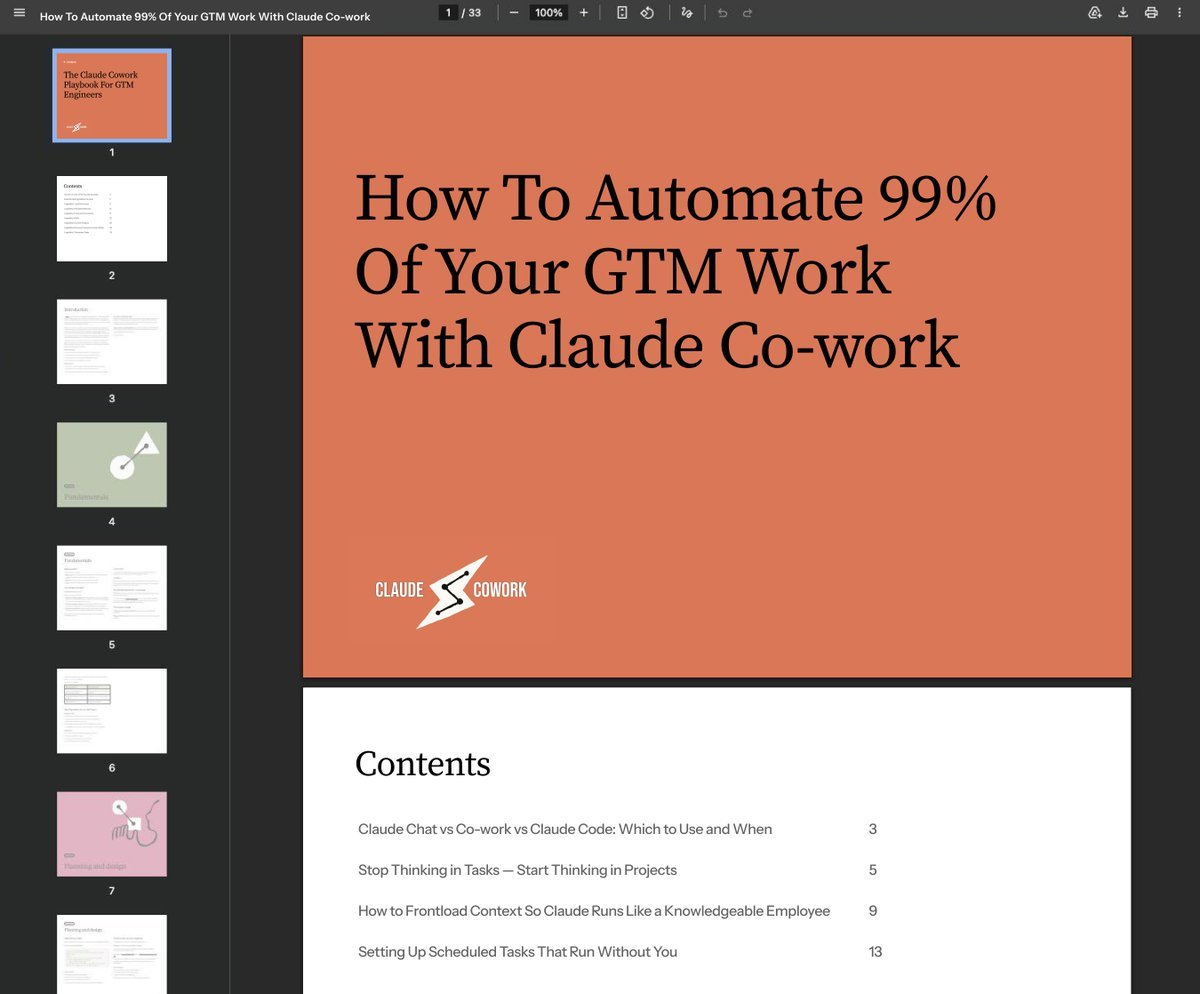
I put the entire Full Course: How To Run 99% Of Your GTM Work With Claude Cowork into ONE Notion doc. 4 sections. No fluff. - Claude Chat vs Cowork vs Claude Code: the exact rule for which one to use so you stop losing context and wasting tokens on the wrong product - Chat for one-off questions, Cowork for ongoing work involving your actual files and tools, Claude Code for building things your business uses that other people will also use - How to stop thinking in one-off tasks and start thinking in projects: the three questions that turn a vague request into a brief Cowork runs automatically every week - why do you actually want this done, what does a good output look like, and what happens after - The frontloading method that turns Cowork into a knowledgeable employee in 3 days: a briefing session before any work starts, background documents and voice notes added as context builds, and Gmail, ClickUp, and Google Drive connected so Cowork pulls from your actual tools instead of information you paste in manually - Scheduled task setup in three layers: distil the workflow into a plain language rules document, connect all required tools, and train through feedback for the first week so outputs accumulate your specific preferences over time - covering weekly sales report pull and comparison, daily email triage with drafted replies, price and availability monitoring with automatic alerts, and monthly reporting that aggregates four weeks of data into a formatted team output This is the setup I would have KILLED for before spending weeks triggering the same sessions manually, re-briefing Cowork on context it should have already had, and building reports by hand that should have been running on a schedule before I sat down. Like + comment "COWORK" and I'll send it over (must be connected for priority access)
Aman Lata tweet media
English
0
0
1
65
Aman Lata
Aman Lata@amanlxta·
I put the entire Claude Design Playbook for GTM Engineers into ONE Notion doc. 3 sections. No fluff. - What Claude Design actually is and how to start: prototypes, animated decks, videos, and landing pages from plain language with three editing modes covering Tweaks panel for visual adjustments, Edit mode for single element fixes, and Comments for batching multiple changes in one Claude pass - The animated video trick that produces more polished pitch decks than building from copy directly: write copy in Claude chat first, ask for a video not a deck, then convert the video into an animated slide deck with all motion intact and the 90/10 rule for final edits - How to go from Claude Design output to a live deliverable: sharing via link for client feedback pinned to exact elements, export options mapped to every use case including Zip, PDF, PowerPoint, and Canva, and the Claude Code handoff that gets any design to a live URL in under 2 minutes This is the setup I would have KILLED for before spending hours briefing designers on assets Claude Design produces in minutes, running Slack thread revision cycles that should have been one live session, and building decks from copy that looked like formatted bullet points instead of visual storytelling. Like + comment "DESIGN" and I'll send it over (must be connected for priority access)
Aman Lata tweet media
English
0
0
0
62
Aman Lata
Aman Lata@amanlxta·
GTM engineers are quietly running multiple Claude Code sessions, reviewing PRs, and deploying builds without ever leaving one window. Without switching tools, opening a separate terminal, or losing context between tasks. I've compiled everything that changed in the Claude Code desktop redesign into a practical 5-section breakdown covering every new feature worth knowing about. Like + comment "CODE" and I'll DM you the full guide for FREE. You must be following me to receive the DM. Taking this down in 24 hours.
Aman Lata tweet media
English
1
0
1
32
Aman Lata
Aman Lata@amanlxta·
I will regret giving this away for free but f*ck it: Full guide on every Claude system I used to build, deploy, and run GTM workflows across Claude Code, Managed Agents, and Cowork from zero to production Setup. Skills. Agents. Deployment. Execution. Memory. Scheduling. You name it. For 24h, I'm sending it to EVERYONE who likes + comments "BIBLE" (must be connected for priority access)
Aman Lata tweet media
English
0
0
2
87
Aman Lata
Aman Lata@amanlxta·
Claude just replaced the guesswork LinkedIn content system costing GTM teams 10+ hours a week... (most founders are still prompting Claude like it's a one-off copywriter) → No more opening a blank chat and describing your voice from scratch every session → No more 10+ hours weekly writing, editing, and rejecting drafts that sound like everyone else → No more "rewrite this hook" loops that produce generic output because Claude has no context → No more inconsistent post categories killing your authority with the wrong audience → No more content that gets impressions from competitors instead of pipeline from buyers Just upload your business overview, system instructions, and anti-examples → full LinkedIn content engine running on Claude with category logic, hook patterns, and failure rules built in. Here's how it works: → Business Overview Document (the knowledge base Claude pulls from every time it generates a post including your 90-day priorities so content aligns with what you are actually trying to achieve) → System Instructions Layer (tells Claude exactly how to think about every post: role, three goals per post, target personas, post categories with word counts and tones, hashtag strategy, and output format) → Post Category Framework (five categories each with three named hook options: thought leadership, deployment story, founder journey, technical deep dive, and client result) → Anti-Example Training (your lowest-performing posts with stats uploaded as files so Claude knows exactly what not to replicate with evidence not just instructions) → Hook Decision System (Claude presents three hook options and asks which you prefer before writing a single word so bad drafts stop before they start) → Eight Failure Pattern Bans (no story element, self-plug pivot, generic announcements, missing metrics, thin hook, wrong audience, regulatory surface-skimming, and no clear next step all banned inside system instructions) Built on Claude projects with persistent instructions and file-based knowledge. Runs without ghostwriters, agencies, or brief documents rewritten every session. Zero generic drafts. Zero re-explaining your voice. The difference isn't the prompt. It's the project infrastructure behind it. While everyone's opening a new Claude chat and typing "write me a LinkedIn post about X", this turns Claude into a fully configured content engine that already knows your voice, your audience, and exactly what not to write. Want the complete Claude LinkedIn Content Strategy? Like + comment "LINKEDIN" + repost, and I'll DM it to you. (must be following)
Aman Lata tweet media
English
4
3
6
374
Aman Lata retweetledi
Kirke Männik
Kirke Männik@KirkeMannik01·
Claude can get 3x more output from Opus 4.7 without increasing your token budget. While everyone's obsessed with defaulting to Opus for every task and wondering why their usage limit hits before noon, we built something different. Claude matched to the right model, thinking mode, and input type. Inside a 3-part framework that covers every decision a GTM engineer needs to make when running Opus 4.7 daily. We're not generating generic model comparisons. We're running a practical decision framework where every rule maps directly to a real task type. Here's what it does: → Assigns the right model to the right task: Opus 4.7 with Adaptive Thinking on for complex multi-part builds, Sonnet for high-volume simpler tasks, Opus 4.6 when the 35% cost increase isn't justified by the task complexity → Uses the 3x image resolution upgrade correctly: paste zoomed-out analytics dashboards, dense reports, and competitor pricing tables and get every number extracted directly with no code workaround → Manages the 35% token cost increase with a practical usage framework so Opus spend goes only where reasoning depth actually changes the output → Updates any existing API setup that relied on extended thinking budgets, temperature, or sampling parameters before those gaps break a workflow mid-session Humans still review outputs, make decisions, and set the task brief. Claude just handles the model selection, thinking mode configuration, and image extraction that used to require trial and error across multiple sessions. Result: No wasted Opus tokens on tasks Sonnet handles identically. No usage limit hits mid-session with no plan for what comes next. I just put together a breakdown covering: - When to turn Adaptive Thinking on and when it adds cost with zero benefit - How to use the image reading upgrade for GTM-specific use cases including analytics dashboards, competitor pages, and dense slide decks - The model selection framework: Opus 4.7 vs Opus 4.6 vs Sonnet mapped to task type - The full list of what got removed in 4.7 and how to update existing API setups before they break This is the same framework used to run Opus 4.7 across full GTM engineering sessions without burning budget on the wrong tasks. No fluff. Just the actual decision rules and process. Want the "How to Prompt Opus 4.7" breakdown? 1. Connect with me 2. Comment "OPUS" (must be connected for priority access)
Kirke Männik tweet media
English
2
2
4
215
Aman Lata retweetledi
Jack J.
Jack J.@jack_9947·
I put the entire Claude GTM Masterclass into ONE Notion doc. 6 sections. No fluff. - The GCAO prompting framework: how to structure every Claude prompt around Goal, Context, Action, and Output Format so every session produces specific actionable output instead of generic advice - GTM project setup that loads your ICP, voice, files, and standards automatically: how to write project instructions using GCAO so you never waste the first 5 messages re-briefing Claude on who you are - How to build reusable GTM skill files three different ways and the DBS structure that makes output sound like your business instead of generic AI - Finding and emailing 10 prospects in one Co-work session: from blank slate to researched prospects with screenshots, contact details, and personalised cold email drafts without touching a spreadsheet - Drafting 15 personalised CRM follow-ups in under 10 minutes: connect your CRM and Gmail, read contact history, and draft emails referencing actual notes from previous calls without retyping anything - Claude Opus 4.7 broken down for GTM work specifically: adaptive thinking, the 3x image resolution upgrade with GTM use cases, and a practical cost management guide so the 35% token increase does not eat your budget This is the setup I would have KILLED for before spending weeks re-explaining context every session, getting generic output from vague prompts, and manually researching prospects that Claude could have handled in one Co-work session. Like + comment "MASTERCLASS" and I'll send it over (must be connected for priority access)
Jack J. tweet media
English
80
6
76
4K
Aman Lata
Aman Lata@amanlxta·
I put the entire Claude Opus 4.7 breakdown into ONE Notion doc. 3 sections. No fluff. - What Adaptive Thinking actually is and when to use it: the single toggle that matches reasoning depth to prompt complexity, when it amplifies output quality, and when it adds token cost with zero benefit for simple tasks - The 3x image resolution upgrade and what it changes for GTM work: paste a zoomed-out analytics dashboard and get every number extracted directly with no code workaround, no cropping, and no errors on small text - The real cost of Opus 4.7 and how to manage it: why it costs 35% more than 4.6, what got removed including extended thinking budgets and API sampling parameters, and the two options now available when you hit your limit mid-session This is the breakdown I would have KILLED for before burning Opus tokens on tasks that didn't need them and hitting the usage limit with no idea why. Like + comment "OPUS" and I'll send it over (must be connected for priority access)
Aman Lata tweet media
English
1
0
2
62
Aman Lata
Aman Lata@amanlxta·
SHOCKING: 99% of GTM teams using Claude are leaving the most powerful version of it completely untouched. Right now, the entire internet is screaming "Claude, Claude, Claude"... But here's the truth: just using Claude in a browser tab won't deliver finished work into your folders. To unlock its real power, you need to master: - Local file execution with no size limits, no copy-pasting, and finished outputs landing directly in your folder before you come back - Persistent memory saved to your machine so every correction becomes a permanent rule and every session starts with your full GTM context already loaded - Connectors, skills, and Cowork Projects running recurring delivery work that gets sharper every single week without manual setup I spent 100+ hours building and documenting the most complete Claude Cowork Playbook for GTM teams and compiled every setup guide, capability breakdown, skill-building process, and scheduled task framework into one resource. To get it: 1. Follow me MUST (so I can DM) 2. Comment "COWORK" 3. I'll DM you the playbook If you don't follow or comment, you won't receive it.
Aman Lata tweet media
English
0
0
1
16
Aman Lata retweetledi
Yann
Yann@yanndine·
I put the entire Claude Routines Playbook into ONE Notion doc. 8 sections. No fluff. - What routines actually are and how they replace n8n: same event fires, Claude reads natural language instructions, output lands in Slack or your CRM without a single drag-and-drop node built - Full routine setup in under 5 minutes: name, description as a numbered SOP, model selection, environment config, trigger, and connectors all from one screen - The three trigger types and when to use each: schedule for fixed cadence workflows, API call for passing data payloads from Claude Code, webhook for firing automatically when Fireflies finishes a transcript or a prospect signs a proposal - How to connect Gmail, Slack, and every other tool via OAuth once and reference them by name in every routine prompt forever - How to write a routine prompt that works every time without you watching: numbered SOP structure, explicit finish line, named connectors, and the three things that make outputs unpredictable - Three production routines worth stealing: daily inbox drafter running at 5:10am, transcript to proposal firing from a Fireflies webhook, and a field monitor sending signal digests to Slack in under 2 minutes of setup - How to convert any existing n8n workflow into a routine by pasting the JSON into Claude Code and letting it translate the node chain into a natural language prompt automatically - The decision rule for routines vs n8n: when to build new, when to convert, and when high-frequency mechanical workflows should stay exactly where they are This is the setup I would have KILLED for before spending hours building n8n node chains for workflows that should have taken 5 minutes to describe in plain language and wire to a connector. Like + comment "ROUTINES" and I'll send it over (must be connected for priority access)
Yann tweet media
English
171
25
214
11.8K
Aman Lata retweetledi
Alfie Carter
Alfie Carter@AlfieJCarter·
Giving away the exact Claude Desktop setup we use inside Claude Code to run daily GTM workflows at Conigma. Trained on the same configuration that keeps our team running clean sessions, parallel conversations, and zero permission interruptions across every client build. Plus the three settings we engineered to remove every friction point from the first minute of every session. I've tested every AI desktop setup for daily GTM use. Default settings. Browser-only workflows. Minimal config. They all produce okay output. But okay output with constant permission popups and a messy conversation list doesn't get work done. Claude Desktop is the first setup that changed that. It doesn't slow you down with setup overhead. It runs like a senior operator who already knows the rules. How it works: > Pin your active client threads and recurring workflows so they sit at the top of your list with no scrolling > Filter conversations by project, status, and where they're running in under two clicks > Open two sessions side by side to compare outputs or run two client tasks simultaneously without switching back and forth > Switch permission mode from Ask to Bypass for tasks you trust so Claude runs without interrupting you every step It feels like a configured workstation. No repeated setup. Ready to run from the first message of the day. Most people are still using Claude in a browser tab with default settings and a conversation list that looks like an inbox after a long weekend. This is what running a configured daily Claude setup across a full GTM team actually looks like. Want the setup guide, the three settings to change first, and the full configuration breakdown? → Like this post and follow me → Comment "CLAUDE" and I'll send you the link.
Alfie Carter tweet media
English
18
6
27
1.5K
Aman Lata retweetledi
Alfie Carter
Alfie Carter@AlfieJCarter·
Loom + LinkedIn = 40 Calls EVERY month (and it works without DMs, InMails, or automation tools) We went from <15% accept rates to 40%+ meetings booked using one approach: Sending personalized Loom videos before connecting on LinkedIn. Not generic connection requests everyone ignores. Every LinkedIn outreach looks the same. And it gets ignored... Video walkthroughs give value first. And they get replies… Once someone watches your Loom, you're no longer cold. You can start the conversation. You can track who's interested (view data). You can book meetings without chasing. We've used Loom + LinkedIn outreach to: - Book 40+ calls per month with 0 automation - Cut time-to-meeting from 2 weeks to 3 days - Build pipeline with <100 highly-targeted accounts But here's the problem: Most personalized video outreach is terrible. - Screen recordings with no context - Generic "I loved your company" videos nobody believes - 3-minute intros that don't give value So we documented everything we know about low-volume, high-conversion LinkedIn outreach. What you're getting: → How to identify the 50-100 accounts worth personalizing for (not random LinkedIn searches) → The 3-layer research method that finds video topics prospects actually care about → Loom script templates for 6 different outreach angles (competitor intel, workflow breakdown, opportunity analysis, case study walkthrough, market insight, quick win) → How to structure 60-90 second videos that get watched completely (intro hook, value delivery, soft CTA) → The exact LinkedIn message to send with your Loom link (that doesn't sound like every other "I made you a video" pitch) Plus the complete research-to-recording workflow we use to send 10 personalized videos per day, so each video feels 1:1 but the system scales. Want it? → Reply "LOOM" → Follow me and I'll DM you the whole playbook
English
199
6
108
10.2K
Aman Lata
Aman Lata@amanlxta·
In the service biz, after a point accepting less than 5 figure contracts is a sin unless you want to have a massive team (I don’t)
English
0
0
2
47
Alfie Carter
Alfie Carter@AlfieJCarter·
just made a private group for GTM & outbound killers we'll be sharing the most in-depth templates & playbooks in the space and you'll be able to talk to other killers just like you reply "invite" and i'll send you an invite (make sure you're following)
English
30
0
12
1.5K
Joseph Tsar
Joseph Tsar@joseph_tsar_·
We're choosing 5 people to join Cohort 8 mid-June. If you're interested in speaking with razor-sharp clarity, comfort, and color, comment "elite". We're making so many incredible changes to our current (and future) cohorts
English
1
0
4
562
Joseph Tsar
Joseph Tsar@joseph_tsar_·
I’m assembling a small WhatsApp group (10 ppl max) to: – Give feedback on thumbnails & ideas – Help me make my scripts clearer & sharper – See unreleased content early You'd be part of the inner circle for the channel. DM me or drop a 👀 below
English
20
0
16
1.7K