Harvey Michael Pratt@npceo_
Sol Reader Review, 48 hours in:
I've had these for 2 days, and worn them for 10+ hours, including one 4 hour stint. I adore them. Here are some longer-form thoughts if you're on the fence, waiting for your pair, or just curious.
The Hardware
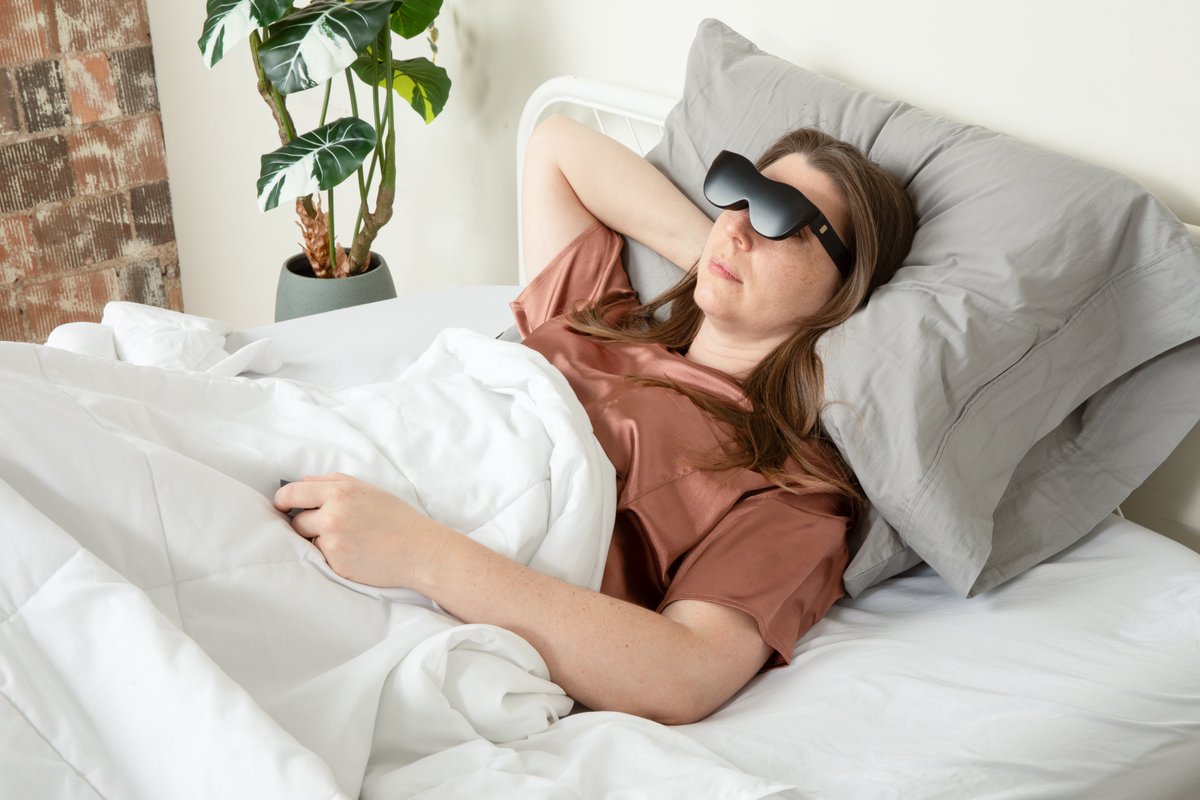
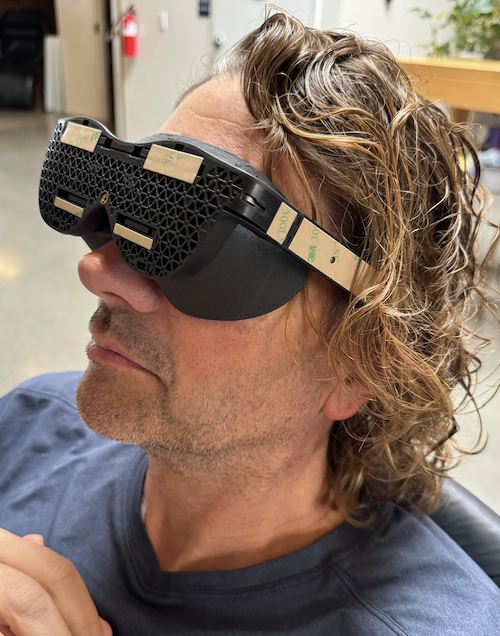
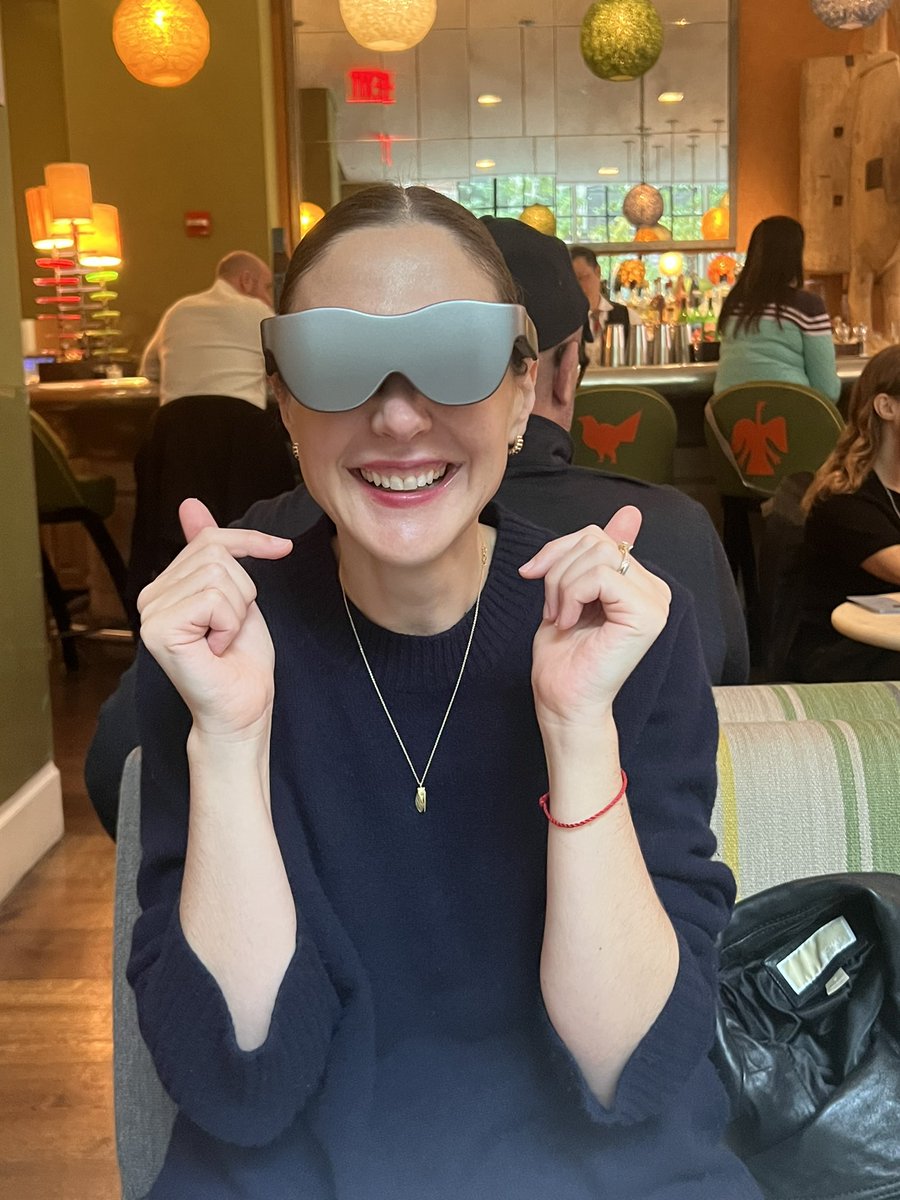
They're a little thicker than I'd expected, and made of a sturdy matte plastic. They're superbly light, and I haven't had a moment of head or neck strain wearing them. No one is going to mistake these for regular sunglasses, but they're not offensively geeky either. They charge with USB-C.
There's also a remote, which takes a watch battery. It's small, fits in your palm and is pleasingly rubberized. It's like TV remote - cardinal directions, and select.
Not too much to say on the remote - it works well, but it's clearly a concession. In an ideal world you'd control this device with Vision Pro-style air gestures. As it stands, a remote is just another thing to lose (though you can buy them separately, or control the device from the partner app)
Set up
Set up is smooth - download the partner app (more on that soon), follow the instructions, and put them on your head when prompted. They'll automatically turn on as this device doesn't have a dedicated power button - a decision I like personally.
If you're anything like me, the first thing you'll do is configure your viewing experience, as the out-the-box configuration was pretty blurry (though I do have one borked eye)
Calibration
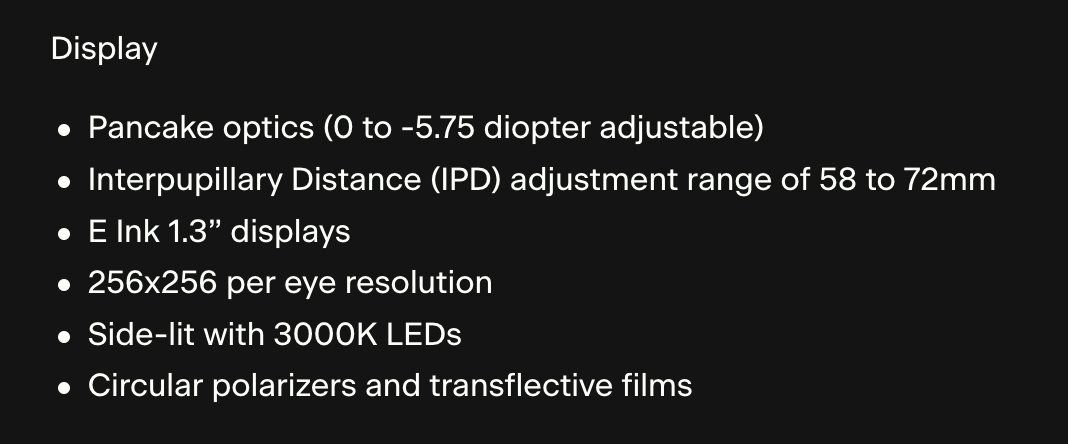
The Sol Reader has 3 dials - one up top to set interpupilary distance, and one on either lens to adjust the distance of the lens to your eye. Additionally, there's a rubberized adjustible nosepiece. It's not the most flexible, but it gets the job done.
The dials are functional and have a good range, but do feel finnicky to use. You're going to have difficulty turning the top dial while the unit is on your head, and the lens dials require and uncomfortable amount of force for what is a pretty light product.
This made calibration a little frustrating - I'd have to take the unit off, make a change, and put them back on to see if it improved things. It also makes them hard to share with others, though that's an issue for any device with lenses.
There was a step during setup where the partner app prompts you to automatically set interpupilary distance by scanning your face with your phone - but if this made a difference, I didn't detect it.
Software
I was basically expecting crap software - this being an e-reader - but was pleasantly surprised. The UX is very basic but functional and thoughtfully laid out. Navigating with the remote is fast.
One of my first complaints was that I wanted to shift the reading panel up and to the right to reduce strain on my lazy eye - and lo and behold, there was a setting for exactly that.
In fact, there's a surprising amount of settings - including text size, line spacing and even some experimental ones like dark mode or "fast page turn".
Interestingly, the home screen defaults to four panels - "Articles", "Books", "Settings" and... "Bible". That's right, this thing comes installed with the whole KJV by default, and prominently at that. You can disable this tab in settings, but it's a nice touch and might make believers of some of us yet.
Content
When you boot the device for the first time, you're offered a list of newsletters to download - including, prominently, @PirateWires (based). You can sync the device with @Pocket , and get a daily download of all of your articles and newsletters.
There are two ways to get books onto the device - either through the store in the partner app, which I haven't really explored, or by emailing add@solreader.com a book in DRM-free .epub format - which I imagine most people will do.
It's a little bit of a clunky work around, but @johnboiles has also shown me a slick webapp for syncing books to the device that they're shipping soon - so all good.
By default, I believe the device syncs your content overnight, and also whenever you take it off. It took a little while to find the on-device setting to manually sync content, but when I did it was fast with no issues.
App
You manage all the content for your device in the app. The app is basic, though well-built, and you can access Sol support from right inside it, which is a nice touch.
It took me a little while to find how to upload my EPUBs - and I still find it strange that I can't them straight from the app - but it's possible I'm just an idiot. YMMV.
The app is also where you manage your device and remote - syncing, connecting to WiFi, that sort of thing. Everything there works as it should, in my experience.
Reading Experience
When you have a book downloaded, your settings and lenses configured, and are comfortable - this thing slaps. You soon forget you're wearing it, and can comfortable read even laying on your side.
I was a little surprised at how much of my FOV is unobstructed while wearing these - I was expecting a more goggles-like experience. You can actually walk around in these pretty comfortably (not advice) and otherwise maintain good situational awareness.
The screen is pleasingly backlit, with brightness automatically set dependent on your environment. There's also an option to manually set brightness from a quick menu on the device.
Wearing these outside is great. I can see myself wearing these on the beach, in the park etc. I'm sure there are some brave souls who could even wear them in the pool.
In fact, I'm surprised by just how often I find myself reaching for this device. Making a cup off coffee, eating, brushing my teeth. This fits in a jacket pocket and is so convenient.
I haven't had a chance to test battery life yet, but haven't needed to charge them since I've bought them. It's e-ink, and the Sol Reader site says you can expect a month between charges for casual usage. I can easily believe that.
Conclusion
This is an almost unbelievably good first-generation product - and a breath of fresh air given some of the high-profile failures to launch in the hardware space recently.
They're unlike anything else on the market - cool, imaginative and dead simple at the same time. It's not a stretch at all to say that I can see myself using these every single day.
The very best thing I can say about this device is that it achieves its stated purpose - I believe these will make me read more books than I would without them.
Well done SOL Reader, and congratulations again on shipping this!