@IntuneSuppTeam Since around (we guess) okt 1th we notice that all our Office365 Intune installations fail to install MS Teams from our European tenant. All other apps in the Office suite install fine. Monthly Enterprise Channel.
No changes made. Any idea where to look?
@ferlop_84@MSEndpointMgr@MMelkersen@gwblok Hi Fernan. AllowCDNFallback will ensure the package can pull content from the CDN if it isn’t available locally, which would be recommended. There should be little to no content download as long as the XML matches what is currently installed.
@bobclements@MSEndpointMgr@MMelkersen@gwblok Hi Bob, if I set the xml to not to “AllowCDNFallback” would the setup be able to run and just remove Skype and keep the other apps as it I is? Or does it needs the source content?
That @Office package in @MSIntune is broken for so long now, it's not even funny anymore.
It's stuck at downloading since half an hour on an gigabyte fiber line. Gone ask @scappman if they can supply an office package.
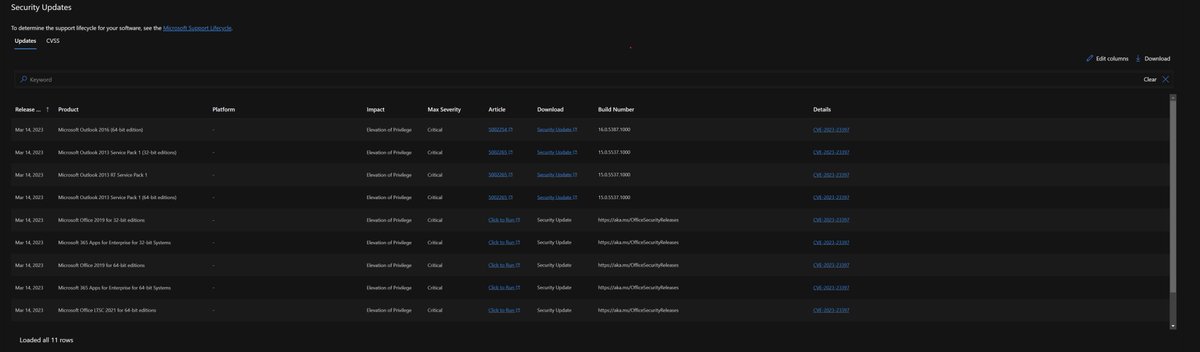
POV: 💻 Microsoft just released new security updates for the Microsoft 365 Apps and you need to deploy them ASAP.
Don't worry, we got you!
Get hands-on instruction to expedite device updates quickly here: msft.it/60165Cv9y#Microsoft365
@IntuneSuppTeam and outlook needs to be restarted" With Ok or cancel. When switching to the current channel for the Office deployment it works without issue. Can you please check that? Thanks!
@SkipToEndpoint@JonasBogvad@IntuneSuppTeam You are spot on - narrow down your waves and deadline. Servicing Profile will get the job done. But keep in mind that there is a safety in place to prevent no more than 30% of devices from receiving the update daily.
@JonasBogvad@IntuneSuppTeam The only way I theorised via Servicing Profile would be to remove any configured waves and throw the update deadline down to 1 day, but I'm not sure that even work in the way a proper "expedited update" would.
Hey @IntuneSuppTeam, what is the recommended way to push an update to O365?
#CVE-2023-23397, Security Updates: tinyurl.com/mry4ez4f
This might be known to some but not me, what is the recommended way to expedite an O365 update with #MSIntune?
@sebawern@JonasBogvad@JasonSandys@IntuneSuppTeam Servicing Profiles will get the update out faster than relying on automatic updates. Use default waves or reduce the delay between waves and deadline as low as possible. Keep in mind that the profile will not update more than 30% of devices each day.
@IntuneSuppTeam Can you manage Office 365 updates centrally via Intune or any other MS cloud console. config.office.com portal servicing option applies only to monthly channel (unless I am missing something ).
Part 1 of 2
@RockyPabillore@MMelkersen Autopatch sets the update channel to MEC. If the device is already on MEC your good to go. If it’s not, it will flip with the next applied update.
With M365 apps there are several ways for you to manage your update channel assignment. This is something we cover with a lot of admins that are making the switch to Monthly Enterprise Channel (hint hint aka.ms/M365AppsTEIStu…).
#m365#m365apps#o365youtube.com/watch?v=rIpolo…
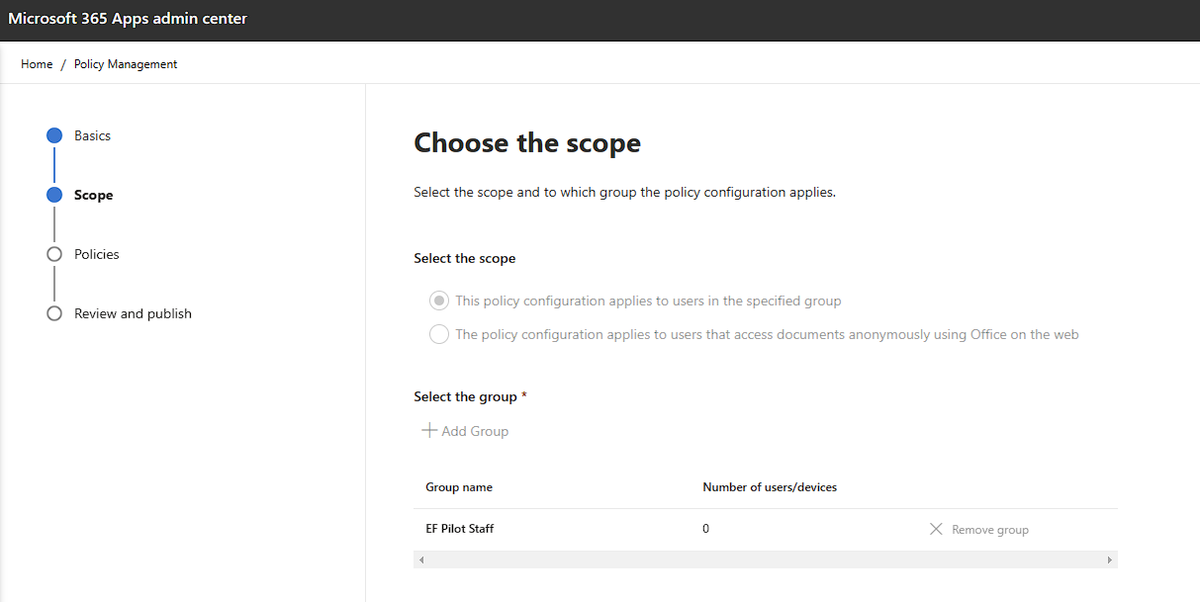
You asked and we listened. Our team has released several new features for Servicing Profiles in the #M365 Apps admin center. Check out our latest video to learn more as we cover these in detail with Principal PM - Dhirendra Bhupati!
#m365apps#o365youtube.com/watch?v=dIeeel…
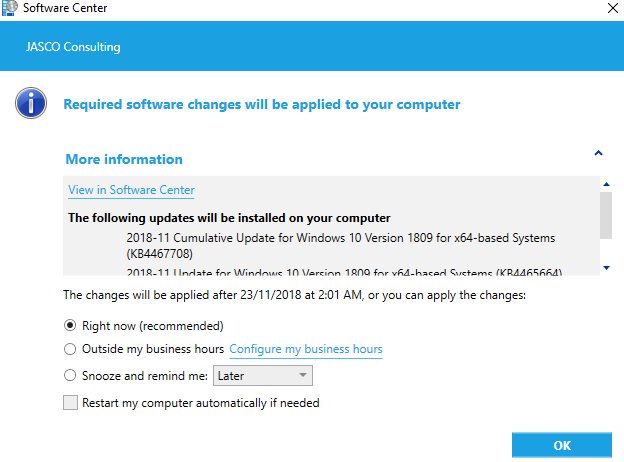
@djammmer any chance we will ever be able to set our preferred recommended option on this pop up? Turns out our users are click happy and then just complain that the upgrade kicked off during work hours. I raised this last year but it must have gone into a black hole. @gwblok
@byteben Yes! But premiere support halted a case on failed upgrades with Shared PC mode due to exporting the Enterprise SKU. They argue this is not supported! Still trying to get clarification from the PG.
















![Mike Terrill [MVP]](https://pbs.twimg.com/profile_images/1921307417620742144/iejUAVvq.jpg)
![Mike Terrill [MVP] tweet media](https://pbs.twimg.com/media/EH_ajgqUEAI3X4s.png)