@_trillamanila@IshSinghHD I also have my cpu/gpu overclocked. I did the whole SenseQuality overclock deal a few months ago. There wasn’t much of a diff, they changed all my game to low settings to get more frames. Not saying they didn’t do anything, but it wasn’t much.
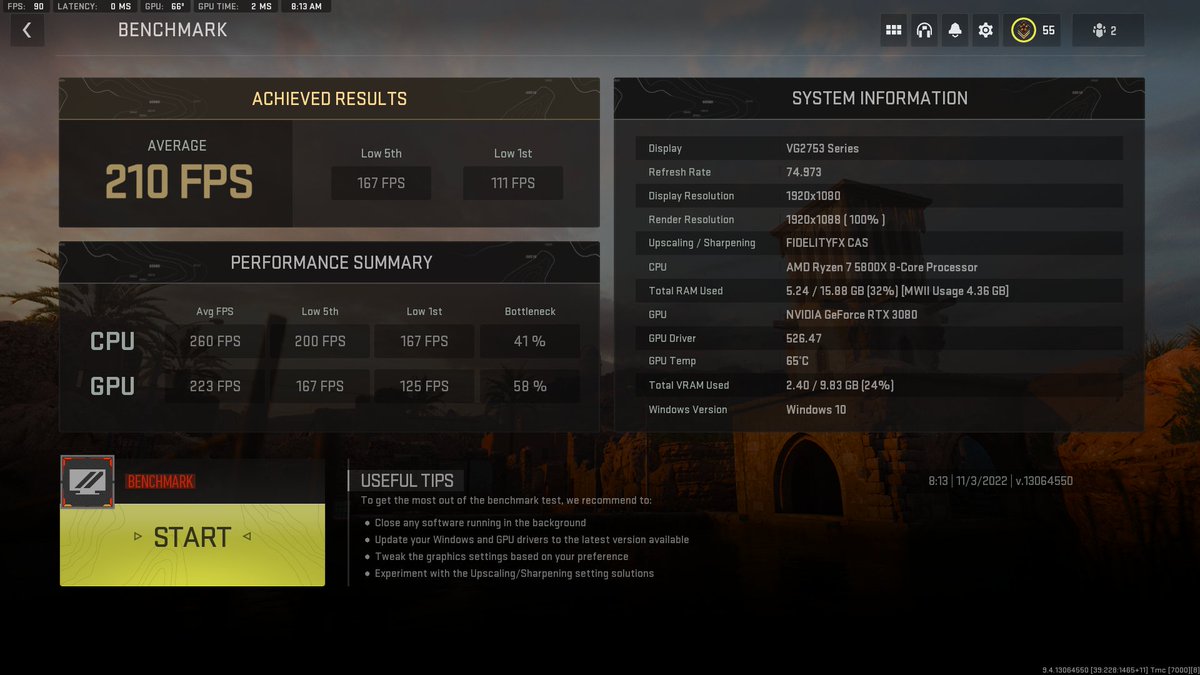
@brriiel@KIRNEILL Good shit. At 210, as long as it’s smooth, you are good to go. However, I do understand wanting more frames. Might as well get as much as you can from a good build. That’s why you bought it.
@chillis83@KIRNEILL If I turn the shadow quality down I could hit around 250-280 but yee finally went with a good build but ehh trying to squeeze performance but still make it viable to play
@KIRNEILL Yea yea75hz monitor but mine recently broke out of the blue upgrading soon but yea any tips? running basically ur setttings except for the shadows so the gold and other camos look good
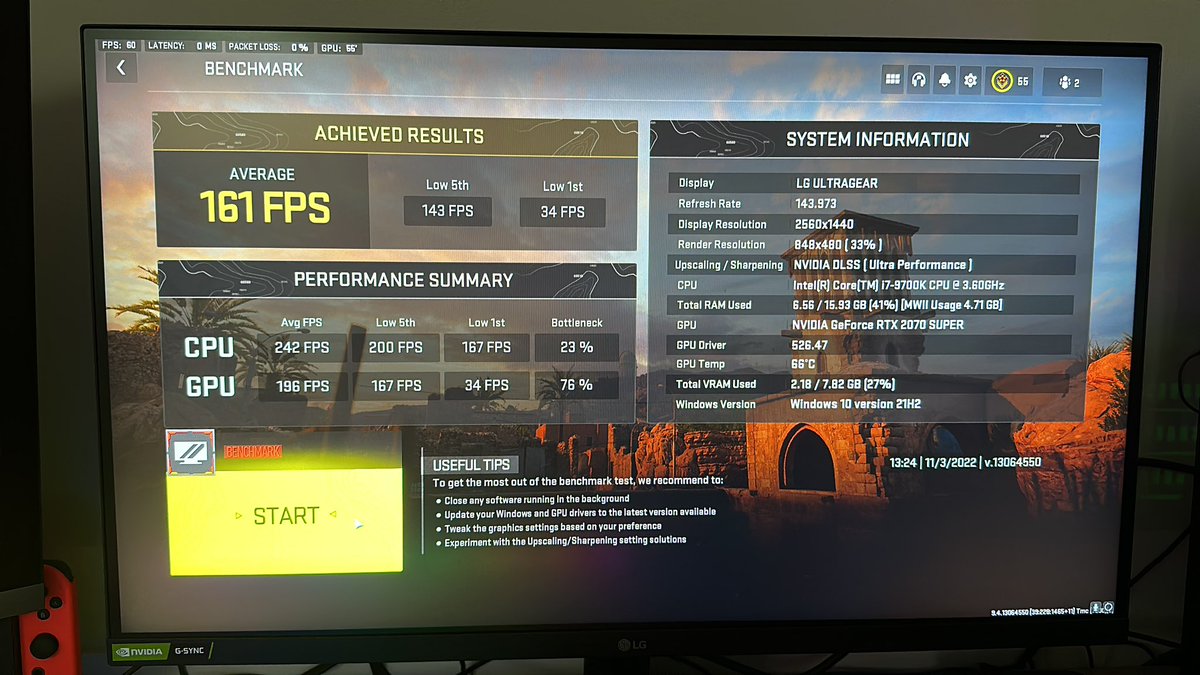
@LensEffect_@tcSoUP22 I need to know what in-game settings you’re rockin. When I was on 1080, I was only getting 110-120 2070Super. 1440 I’m getting roughly less with a couple tweaks. Everything is overclocked as well.
@tcSoUP22@LensEffect_@TylerTeeP Ok, I’ll take a look and see. I do not have game mode. Ryzen 7 3700x. I did the whole SenseQuality thing for overclocks and game settings, but they changed it to low quality and I need at least normal texture resolution. I’m not trying to play Roblox Warzone..geezus. 🤣
@chillis83@LensEffect_ I recommend @TylerTeeP settings for in game and for Nvidia settings. You can also find a ton of settings tutorials on YouTube and try a few different things. Another big thing is turning on game mode in Windows settings and disabling background apps.