Sabitlenmiş Tweet

vic.
193 posts

@codingvic
frontend engineer with an eye for design | @humalikeai | @aiscwork member
mt-4 sm:mt-6 text-neutral-700 px-2, fontSize: clamp(13px, 3.5vw, 16px): "The All-In-One Software Powering the Future of PR Agencies" CTA button mt-6 sm:mt-8 inline-flex items-center gap-3 bg-[#0b0f1a] text-white rounded-full pl-6 sm:pl-7 pr-2 py-2 sm:py-2.5, 14px: "Get Started" + w-6 h-6 sm:w-7 sm:h-7 rounded-full bg-white/15 containing ChevronRight (4×4) Dashboard Preview Wrapper: bg-[#f5f2ee] rounded-3xl p-4 sm:p-6 w-full max-w-[880px] mx-auto Grid: grid grid-cols-1 sm:grid-cols-2 lg:grid-cols-3 gap-3 sm:gap-4 Outer container around it: px-3 sm:px-4 Card 1 — Clicks (white, rounded-2xl, p-5) Header: orange "Clicks" + neutral "This Month" (13px) Big number "6,896" (28px, weight 600) + red pill bg-red-50 text-red-600 rounded-full px-2 py-0.5 with TrendingDown icon "-3,382 (33%)" (11px) Small caption "Compared to yesterday" Centered "Month Target achieved" label Gauge at 92% in #ef4d23, with end labels "389K" / "425K" Toggle pill bottom: bg-neutral-100 rounded-full p-1 flex — "Impressions" active (white card + shadow) / "Clicks" inactive Card 2 — Form (white, rounded-2xl, p-5, flex flex-col gap-3) Two label+dropdown groups (label 12px neutral-700, button bordered rounded-lg px-3 py-2 with ChevronDown):"Show figures for" → "This month" "Compare period by" → "Month-to-date (MTD)" Two label+input groups with # prefix:"Ste targets (This month)" → 10 "Ste targets (This year)" → 100

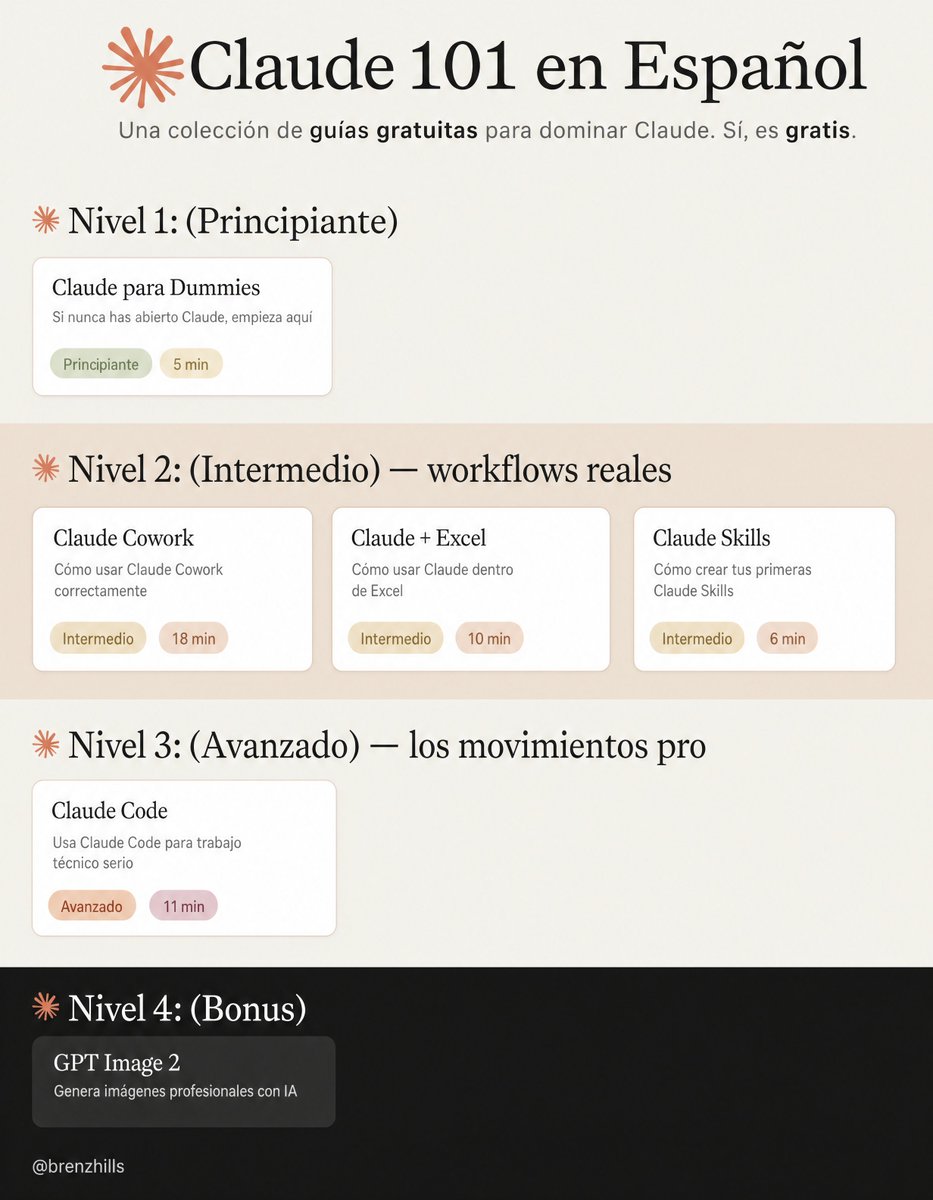
CURSO COMPLETO DE CLAUDE DE 4 HORAS Esta es la guía más detallada de Claude que he visto en línea. Guarda esta página antes de que se te olvide - Construye herramientas. - Automatiza el trabajo. - Aprende cómo las personas construyen bots y sistemas.


En vez de ver Netflix esta noche, dedica unas horas a aprender Claude de verdad: → Nivel 1: los básicos. Claude para Dummies: x.com/brenzhills/sta… → Nivel 2: workflows reales. Claude Cowork: x.com/arceyul/status… Claude Skills: x.com/arceyul/status… Claude + Excel: x.com/codingvic/stat… → Nivel 3: los movimientos pro. Claude Code: x.com/arceyul/status… → Bonus: generación de imágenes. (OpenAI) GPT Image 2: x.com/brenzhills/sta… Consejo: un nivel por sesión. Aplica cada guía antes de pasar a la siguiente.