Cole Bemis

3.7K posts

Cole Bemis banner
Cole Bemis

Cole Bemis

@colebemis

Building things for people who build things. Design Engineer @NotionHQ. Previously @GitHubNext. Creator of https://t.co/uuE5gts5MF. Working on @lumen_notes

SF Katılım Eylül 2010
929 Takip Edilen8.2K Takipçiler
Cole Bemis retweetledi

Geoffrey Litt
Geoffrey Litt@geoffreylitt·
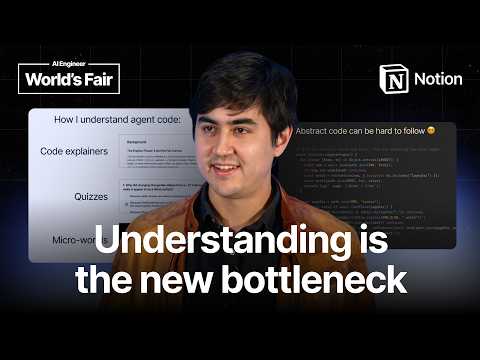
Video from my AIE talk is up! Why it’s still important for humans to understand the code, and how to do that efficiently: youtu.be/WkBPX-oDMnA
YouTube video
YouTube
English
7
8
103
9.6K
Cole Bemis
Cole Bemis@colebemis·
@DottChen @NotionHQ There was an existing implementation in the code but it must have regressed at some point. There are tests now
English
0
0
1
169
Cole Bemis
Cole Bemis@colebemis·
Fixed an issue with “safe triangles” in @NotionHQ so nested menus are easier to navigate
Cole Bemis tweet media
English
12
8
222
54.1K
Tem
Tem@temnco·
@colebemis not all heroes Square capes
English
1
0
2
90
Cole Bemis retweetledi
Ryan Nystrom
Ryan Nystrom@ryannystrom·
AI is making software easier than ever to build. The bottleneck has moved. Now the hard part isn't "can we build this", it's "should we" and "who needs to know." That context is scattered across Slack threads, meeting notes, tasks, GitHub. I've wanted to fix this for a long time by building a software lab. One shared system where people and agents work from the same context. People make the judgment calls. Agents do the triaging, the routing, the summarizing. Ship OS is that system. This is Notion's first packaged product for the full product development loop... docs, databases, workflows, and agents in one setup.  We've run our own launches on it for months. Including this one. And it's live today: notion.com/ship-os
English
5
5
53
8.5K
Cole Bemis
Cole Bemis@colebemis·
Before → After
English
0
1
49
3.8K
Rick Barcellos
Rick Barcellos@rickbbarcellos·
Definitely a bad choice in words on my part! And disclaimer, I’m still learning about a lot of this, but I was referring to using tools that would also have the ability to do semantic search, especially being as big as yall are. Notion has been incredible for us so far, next step is adding all of our meeting transcripts in
English
1
0
0
14
signüll
signüll@signulll·
what app do you guys use to create context for ai? e.g. where do you share your links to articles you want to remember, thoughtful/fun images or memes, things you want to read, things you want to watch (youtube vids, tiktok’s, reels), things you want to listen to, interesting tweets, spotify tracks, even clever musings you write to yourself, etc. this is all so fragmented right now. ideally you’d love a place where all of this magically lives & is highly queryable / organizable, etc. i.e. when you use claude/gpt, it should able to reference this database easily for context too. there needs to be a first class citizen here but i think it’s sorta missing.
English
314
23
877
132K
Cole Bemis
Cole Bemis@colebemis·
@rickbbarcellos @signulll Yes, all of our company context lives in Notion. Curious what you mean by something more robust? What did you have in mind?
English
1
0
0
28
Rick Barcellos
Rick Barcellos@rickbbarcellos·
@colebemis @signulll Honest question.. we currently use Notion as a context DB for company AI (nothing else atm). Do you all, being a huge company with likely a ton of files and context, actually use Notion for it or something more robust?
English
1
0
0
31
Cole Bemis
Cole Bemis@colebemis·
@signulll I dump all this context into a Notion database and have a custom agent that organizes it (e.g. create tasks, add to my reading list, etc) x.com/colebemis/stat…
Cole Bemis@colebemis

My "Stream" database in @NotionHQ lets me dump everything (ideas, links, tasks) into one place and have a custom agent sort it out. If you want to create your own Stream, paste this into Notion AI: Help me set up a Stream system in my workspace. Walk me through it conversationally, one question at a time, and use good judgment to fill gaps. 1. Stream database — Explain that Stream is a place to capture whatever is on my mind (ideas, links, tasks, anything in between). Ask whether I already have a database like that or want you to create one. If you create it, make a simple one called "Stream" with a title and a created-time property, shown as a feed view sorted newest-first (reverse chronological by created time). 2. Connected databases — Ask which databases the agent should be able to act on (e.g. Tasks, Movies, Books, etc.). Offer to create any I want that don't exist yet. Also ask whether I want the agent to be able to create calendar events. If I do, connect my Calendar and let it create events without asking for permission each time. 3. Create the agent — Give it a clear name, the description "Acts on quick captures when needed", and a blue sign icon. 4. Triggers — Set it to run when a new page is created in the Stream database, and when I @ mention it. 5. Instructions — Set the agent's instructions to exactly the text between the tags (swap {DATABASE_NAME} for my Stream database's name, and leave a spot where {MEMORY_DATABASE} appears for the Memory database in the next step): {DATABASE_NAME} is where I capture whatever crosses my mind: ideas, links, tasks, and everything in between. It is not an inbox to drain. Your job is to read {DATABASE_NAME} entries and decide what, if anything, should happen next across my Notion workspace and connected tools. Always look for relevant memories before acting. Do not create, update, or delete anything when the right action is unclear. Use page comments to tell me what you did or ask for clarification when you are unsure what to do. If you created or updated any Notion pages, mention each one in the comment using . Save durable preferences and corrections about how to handle {DATABASE_NAME} entries in Memory. Keep each memory atomic. If a new memory is similar to an existing one, update the existing memory instead of creating a duplicate. If a new memory contradicts an existing one, replace the old memory. {MEMORY_DATABASE} 6. Memory database — Create an inline "Memory" database inside the agent's instructions, where {MEMORY_DATABASE} appears. 7. Permissions — Give the agent comment access to the Stream database, full access to its Memory database, full access to whatever databases I picked, and the ability to search the web. If I asked for calendar events, also give it permission to create them without asking each time. 8. Wrap up — Remind me that the agent won't be active until I open it and click "Save" — make this clear so I don't miss it, and give me a direct link to the agent so it's easy to open and save. Then give me a short, friendly walkthrough of my new workflow: what the Stream database is for, how to capture things into it, what the agent will do when I add an entry or @ mention it, where it leaves comments, and how Memory makes it smarter over time. Then give me one concrete thing to do right now to test it — ideally tailored to the databases I connected (e.g. if I connected a Tasks database, tell me to capture something like "buy milk" into Stream and watch it turn into a task with a comment back; if I connected Movies, tell me to drop in a film I want to watch). Make it feel like opening something well made.

English
2
0
5
909
Cole Bemis
Cole Bemis@colebemis·
@CameronPak Yes! I use it for Notion quick capture. Will share more when it’s out of alpha
English
1
0
0
81
Cam Pak
Cam Pak@CameronPak·
@colebemis The pebble index worker sounds awesome. How have you enjoyed the Pebble index so far?
English
1
0
1
314
Cole Bemis
Cole Bemis@colebemis·
@arzu_akolu yes! it runs every 30 mins and only syncs new bookmarks
English
0
0
1
283