Cozy

19 posts

Cozy banner
Cozy

Cozy

@cozyjournalapp

A private journal that stays yours. Made by @albertogalca.

Join the waitlist 👉🏼 Katılım Şubat 2026
1 Takip Edilen15 Takipçiler
Cozy retweetledi
Alberto
Alberto@albertogalca·
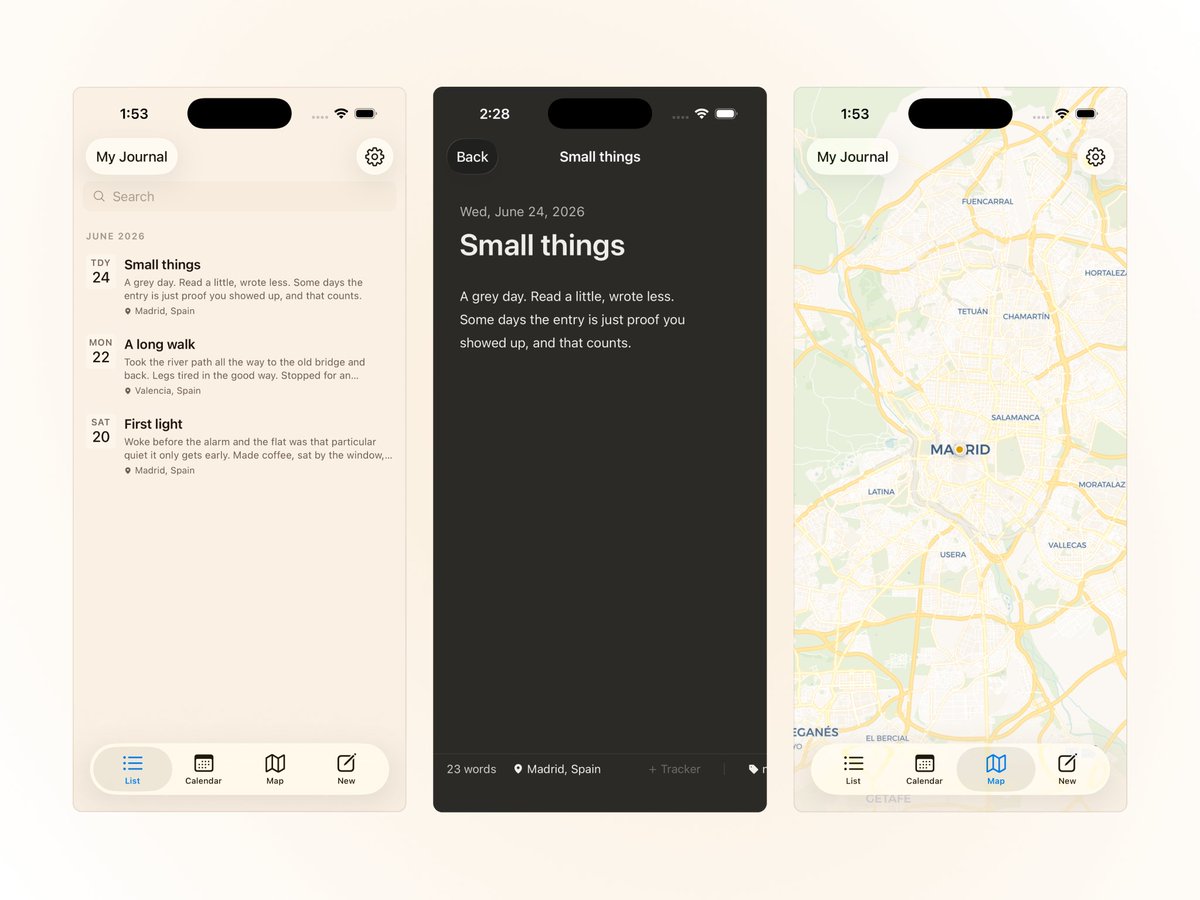
Today I started working on @cozyjournalapp mobile version, and things are going well 💪
Alberto tweet media
English
0
1
22
1.7K
Cozy
Cozy@cozyjournalapp·
Jot a quick note from the menu bar even when Cozy is closed. It gets added to today's entry.
Cozy tweet media
English
1
0
0
66
Cozy
Cozy@cozyjournalapp·
Cozy 1.0.5 is out with better image handling, tracker emojis, and a few nice extras. Double-click any image to view full-screen. Click an image to see layout options: block-left, centered, block-right, wrap-left, wrap-right. Text now wraps around images.
Cozy tweet mediaCozy tweet media
English
1
0
1
329
Cozy
Cozy@cozyjournalapp·
Import Notion journal entries into Cozy. Export your Notion workspace as Markdown & CSV, then select the folder in Cozy to bring in entries with dates, titles, and tags. Find it under File → Import, or during new journal setup.
Cozy tweet media
English
0
0
1
34
Cozy retweetledi
Alberto
Alberto@albertogalca·
I love the map feature because it lets me realize how lucky I am for being able to travel the world in the past few years.
Alberto tweet media
English
3
3
24
2.2K
Cozy
Cozy@cozyjournalapp·
Customize what shows beneath each entry. Now you can choose whether location, tags, or trackers appear below the title in your entry list. Location is on by default. Add tags and trackers when you need them. Your choice applies to the calendar, map, and On This Day views too.
Cozy tweet media
English
0
0
0
30
Cozy
Cozy@cozyjournalapp·
The sidebar toggle follows the rail. When the rail is open, it sits at the right edge. Collapse the rail and it moves to the top-left corner beside the traffic lights. In writing mode, it disappears with the rest of the chrome.
English
0
0
0
26
Cozy
Cozy@cozyjournalapp·
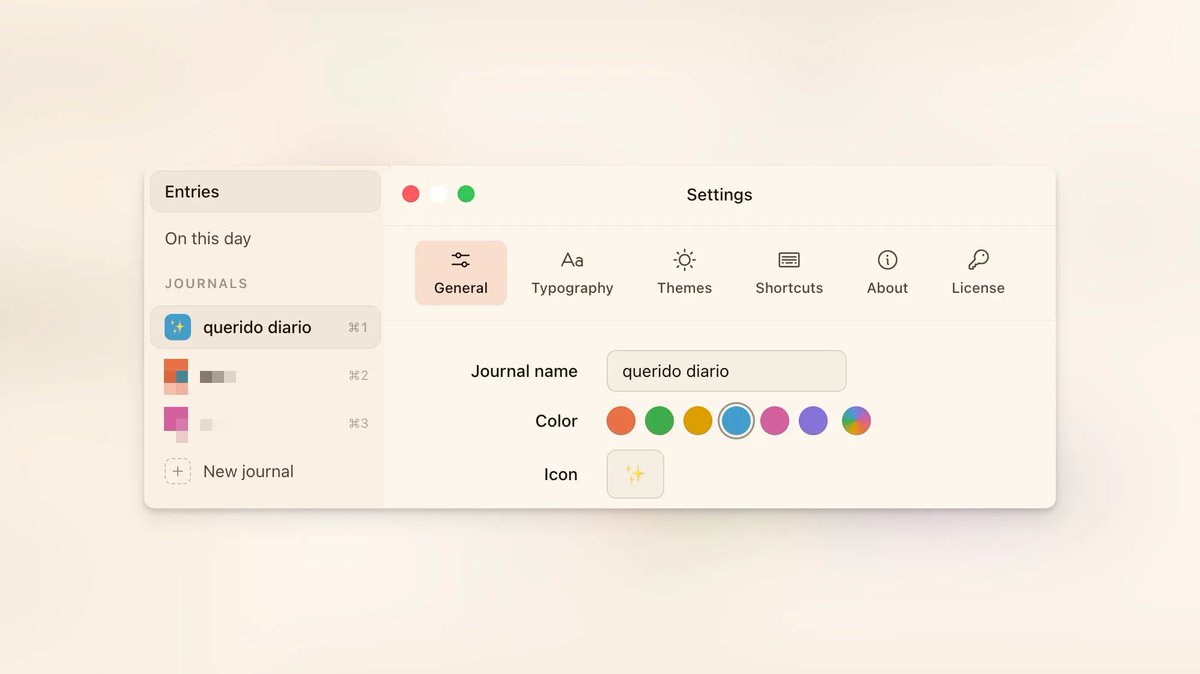
Customize your journals 🎨 Right-click any journal in the sidebar and set a custom color and icon. Makes it easy to spot the one you need. Prefer the default? Set it to Auto.
Cozy tweet media
English
0
0
0
29
Cozy retweetledi
Alberto
Alberto@albertogalca·
A bit of customization is always welcome ✨
Alberto tweet media
English
0
1
2
136
Cozy retweetledi
Alberto
Alberto@albertogalca·
In @cozyjournalapp, you can find the writing mode. It’s a kind of focus mode where you hear key sounds as you type, along with calm background music. You can now choose from five background sounds and three keyboard configurations.
English
1
1
0
207
Cozy retweetledi
Alberto
Alberto@albertogalca·
Yesterday I launched the beta of @cozyjournalapp. If you’re into journaling and want to try it out, hit the link for details on pricing, the mobile version, and everything else you might want to know. During beta, it’s completely free.
Alberto tweet media
English
1
1
1
188
Cozy
Cozy@cozyjournalapp·
Day One just raised prices to pay for AI features nobody asked for. That's why Cozy won't have AI built in. Your journal should be a place to write in peace, not one where something reads over your shoulder. Plain text files on your Mac. You decide if AI ever touches them.
English
1
0
0
39
Cozy retweetledi
Alberto
Alberto@albertogalca·
I've been looking for a journaling app that stores files locally, has a one-time payment, and doesn't try to be a productivity system. Couldn't find one, so I'm building it.
English
2
2
2
304