daveDash

128 posts

daveDash banner
daveDash

daveDash

@daveDash2000

workHard();

Katılım Haziran 2022
144 Takip Edilen128 Takipçiler
Sabitlenmiş Tweet
daveDash
daveDash@daveDash2000·
Just dropped Motrix, a mini-game where you gotta hit light speed to break free. Stats save on your device for now. Online saves with Internet Identity coming later. Things got hectic, but it’s ready 🙏🤞! Thank you @motoko0_0 community for supporting! motrix.fun
English
8
5
35
3.6K
daveDash
daveDash@daveDash2000·
Mission 70 proposal passed 🙌 $ICP
daveDash tweet media
Italiano
1
4
47
661
daveDash
daveDash@daveDash2000·
I'm voting YES on the current Mission70 proposal👏! $ICP Following a simple economic model, price gets determined by supply and demand. Demand can be influenced by numerous things, but for the price to increase, demand always has to accommodate the supply and more. One way to get more demand is to decrease the supply/inflation/rewards. In the current Mission70 proposal, reducing new ICP issuance via ~40% staking rewards, and reducing Gen-1 nodes rewards by 40% in combination with offboarding or transferring some to cloud engines, will ensure a much healthier demand 🙏 And, there's honestly a lot to write in the tweet regarding the whole proposal and addressing the criticism/skepticism. Not to make this tweet long. But I genuinely believe it is very beneficial for the network. The network upgrades would certainly make a positive feedback loop. Less supply/inflation > healthier demand > healthier price action > more investors > more demand. For that reason, I hope @dfinity also makes a YES vote on this proposal. After all, they are the ones who built this awesome network, and continue to do so! They earned it 👏
English
2
5
81
1.9K
daveDash
daveDash@daveDash2000·
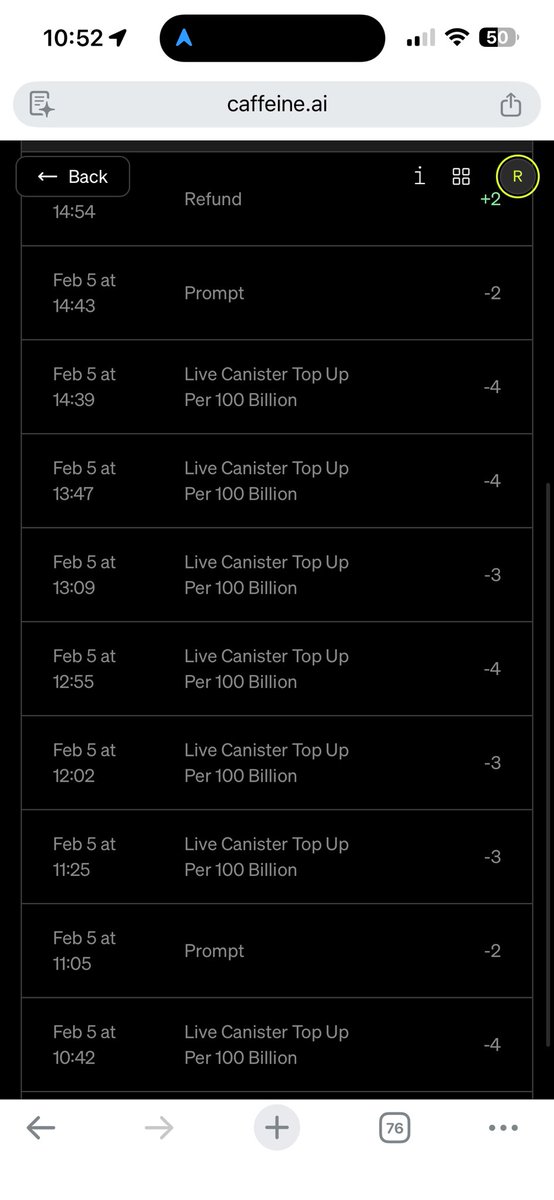
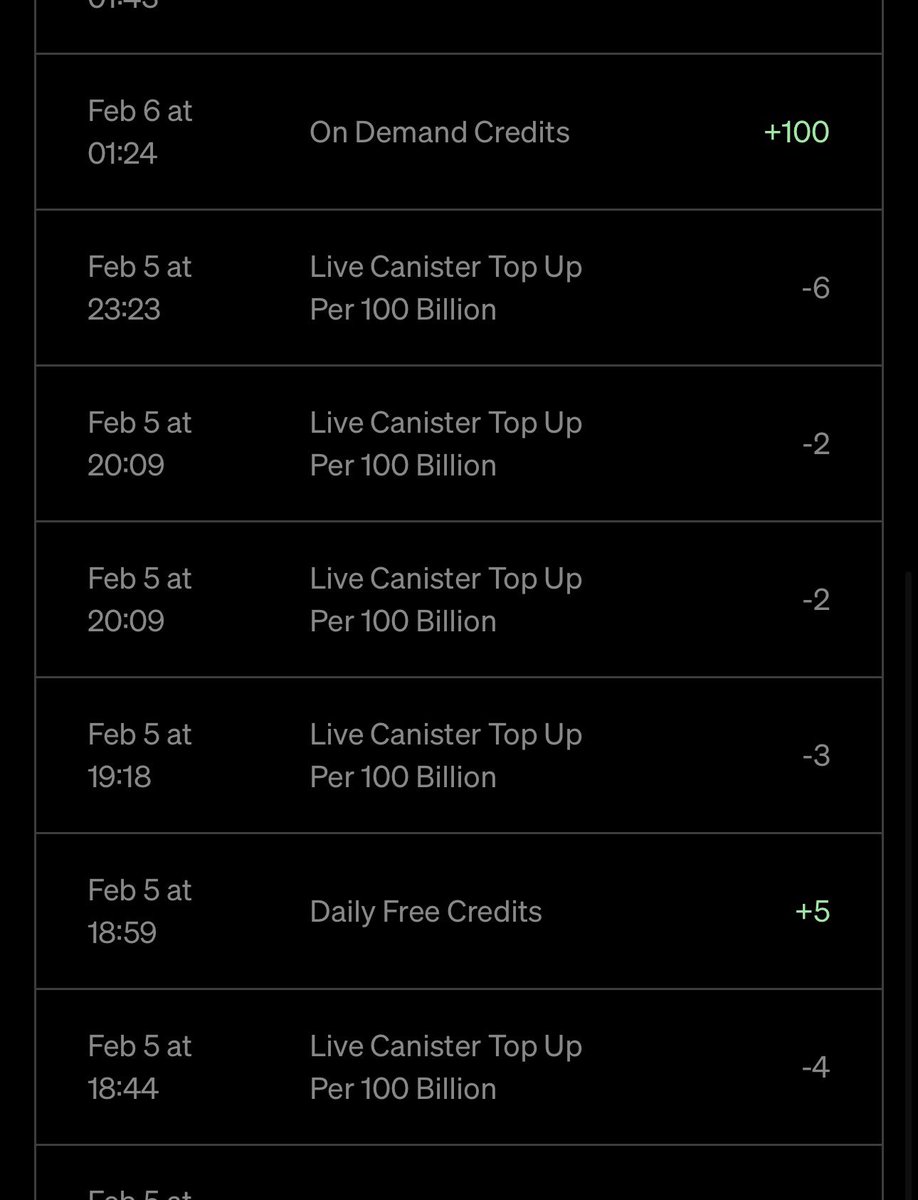
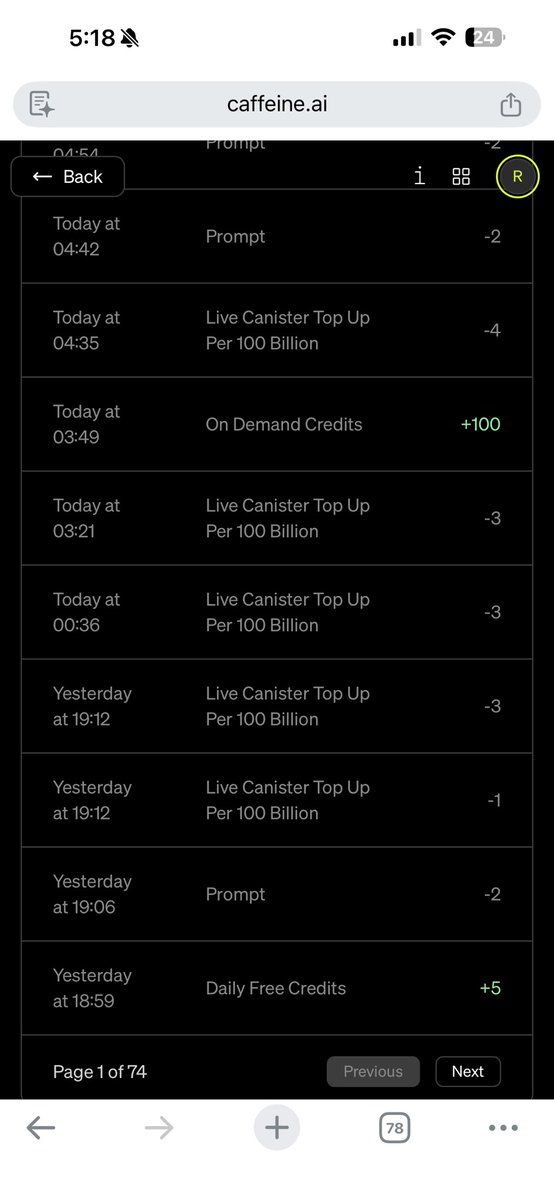
Shucks, that was very unfortunate that u had to delete 5 apps and lost some credits. Hopefully this won't happen to you again 🙏 And for determining where cycles are being burned, there's no specific easy way to see for Caffeine.ai apps as far as I am aware. So hopefully such feature will be introduced for better user experience to potentially observe where cycles are being burned and how. There's however, I think one possible way to indirectly see some irregularities which might indicate that cycles are being burned more than it should. It requires some web development knowledge. In your app, you would need to open the developer tools, they are accessible in every browser for computers, for chrome users with "F12" key, for safari I believe it's "Cmd+Option+C". Then you'd need to navigate to networks tab, and select Fetch/XHR or All, to view ongoing and outgoing requests. Those requests are being sent to your canister(Caffeine.ai app) on ICP. In short and for simplicity, each time request is being sent to or received from a canister, cycles are being burned. If requests and responses are being made infinitely(without user activity) in your app's network tab, perhaps that could be the issue of why cycles are being drained more than it should. Also, I found specific feedback from one user on Caffeine.ai discord server, they have mentioned having similar experience of cycles being drained heavily. And it was suspected it might have been caused because of email automation integration. Hope that helps!
English
1
0
1
32
Richard Hery
Richard Hery@richard_hery·
@daveDash2000 I was building several apps in parallel and then all of a sudden I was losing credits like crazy to cover cycles. I spent a little while trying to figure out what was causing it but ended up deleting 5 apps to get it to stop. How do we determine where cycles are burning in apps?
Richard Hery tweet mediaRichard Hery tweet mediaRichard Hery tweet media
English
1
0
2
88
daveDash
daveDash@daveDash2000·
Caffeine.ai rocks! Well, to me at least, now🙌 I've seen a ton of feedback from many users, both positive and negative. And I'd like to make a dedicated post for the people who had not so good experience using Caffeine.ai, and also potentially to those who had better experience, to hopefully make it better. I've noticed very clear improvements in the quality of apps Caffeine.ai could generate, in Alpha>Beta>Now. Certain issues which were present in older versions, now aren't. I believe Caffeine.ai will keep greatly improving, as v3 is supposed to roll out in Q1, soon it will be even much better 👏 But, more or less, skillfully applying/generating prompts in all of the previous versions and now, very much matters. With certain procedures, all from ground up(not necessarily restarting the whole build process), building/updating an app, would be totally possible to minimize and potentially get rid/avoid issues all together. In total, counting from when Caffeine.ai was launched in Alpha, to now full access, I had prompted ~1000 times. After many trials, creating many different apps, with different prompts, I sort of got a knack on how to develop with higher quality, higher complexity, better user interface, more functionalities and no bugs. I also have a few solid years of experience in web development, which helps in knowing ins and outs how apps are being structured by Caffeine.ai and can be structured, assisting me to further polish prompting. So I'd like to share with the Caffeine.ai community, on how to potentially prompt better, so you can, too, develop apps that can potentially be better.   First off, here are general rules of thumb that I follow and suggest you try following them too: 🔹Using "Pro" or "Thinking" modes Sometimes Caffeine.ai can misinterpret your prompt in "Instant" mode, resulting in something that you didn't intend 🔹Being clear/specific in prompts Being more clear/specific is more beneficial in "Instant" mode. Regardless, being clear/specific, still helps in other modes. For a simple example, let's say you have your single long page application generated, which is divided by different sections, that of Footer section(at the bottom of the page, where usually you see contacts, and "All rights reserved" text), hero section, testimonial section, etc.. Then you simply request Caffeine.ai to update your app: "Create a navigation tab with buttons that navigate to corresponding parts of the page instantaneously without scrolling, "Footer" button to Footer section and so on.." There's a lot of things that are missing in this prompt. Caffeine.ai does its best to determine what you've requested. In "Pro" and "Thinking" modes it will potentially ask clarifying questions, like perhaps, what background color you intend to have for navigation tab(Usually Caffeine.ai will mostly determine the design/color based on current theme of the app), or how many sections there are in the app which needs to be included in a navigation tab, or how do you want them to be named etc.. While with "Pro" or "Thinking" modes, Caffeine.ai can definitely somewhat help raise prompt's quality, or understand and implement more concisely what you have requested, there's a better way to prompt this in addition to using those modes. Here's an example of a more clear and better way to structure your prompt that builds up on previous prompt: "Create a navigation tab with buttons that navigate to corresponding parts of the page instantaneously without manual scrolling, it should have auto smooth scroll behavior, "Footer" button scrolls to Footer section, "Home" button to Hero section and so on.. Navigation tab should always be visible/sticky to the top of the page, so the user can navigate from anywhere(if the user is scrolled to the Footer section, the navigation tab is visible). Also, depending on where the user is on the page, in the navigation tab, the corresponding section's button should be highlighted in an appealing way. Lastly, implement responsive design on smartphone screens, since all the buttons can't fit in a single row on lower widths, create a burger menu at the top right of the page, which on click opens up the navigation menu in a container" This new prompt includes updates that can make your app clearly much better, with smooth scrolling, proper responsiveness on different screens and light touch that highlights the corresponding section's button in the navigation tab.💡You can potentially ask to implement a button animation hover effect too. That said, I hope it makes sense being more clear is necessary, so you don't have to prompt extra times. Be clear of the theme/colors/fonts(Mostly only initially on first app prompt), responsiveness, width/height, designs(animations, transitions, hover effects, click effects, colors, sizes, inputs like radio and checkboxes, etc.) and functionalities. 🔹Isolation Isolation concept is a little bit more technical. Nonetheless, it is very worth "Isolating" your app. There are 2 ways the app can be "Isolated". One of which is done right from the start(more beneficial), and the other is done when a specific issue arises. I'll explain how the latter is done a little bit more in depth down below, in Tips part of the tweet. Nonetheless, using both in combination is great. So the former approach, which is done right from the start, can almost or completely avoid those specific issues later. The specific issues I am referring to, I think, are well known across Caffeine.ai users, as I've read many feedbacks and had experienced this myself many times. When prompted to update a certain part of the app, in addition it updates completely different parts of the app. Not necessarily completely different, and I will explain why. Your specific request to update a certain part of the app, usually is connected behind the scenes to other parts of the app. By connected, for simplicity, it usually means in one code file which has 500-700+ code lines, or it can also mean a code file that depends on other code files. Now, I don't precisely know as to why Caffeine.ai can't track the full previous state of the code and implement only specific changes in that one code file. I suspect a few things, but that doesn't matter. What matters is how we can update our app successfully as we intended with the "Isolation" technique. To clarify, unintended updates for this issue most of the time happen on the front-end part(Visually, on user interface). I haven't experienced much of any of the back-end(server side/behind the scenes logic) issues. So mainly this technique is used on the front-end, but I believe it would work on the server side too if there'd be any issues there. So, to successfully "Isolate" your app right from the start, we have to build our application in segments. That means don't prompt Caffeine.ai to build your full application with all functionalities or a big chunk of them right away. Build your application step by step. If you have a multi-page application, focus on building page by page. Start from landing page, then home page, so on and so forth. If your application has a very big home page, divide that into segments as well. This will prompt Caffeine.ai to better "Isolate" your app, which can result in very successful updates when you need to update a specific part of your app later. Let's take an example of my meditation app innerbloom-6ty.caffeine.xyz. It's divided into following parts, landing page, animated lotus background with particles, knowledge page, pre-meditation page, active-meditation page, progress page, journal page, dashboard page(which is further divided by navigation icons and carousel picker), light/dark theme button with burger menu on lower widths and sign out/sign in containers, and more. So now, hopefully it makes a little more sense how to "Isolate" your app. Feel free to visit InnerBloom, my meditation app, and try to observe it in segments so you can get a better idea. It's also important you utilize Caffeine.ai to its full efficient capacity, because you don't want to "Isolate" your app too much. As it would take you 100+ prompts and more if you had segmented your app into 50 different parts. Find a balance between what is too much and too little. I usually segment my app with 3-5 design/feature implementations per prompt. If the segment is too complex, I go below the minimum range, 1 or 2. If the segment is too simple, I go with 6-7 etc. Following these general rules of thumb, would make you prompt less, as there would be reduction in additional prompts that would've been used otherwise to remove unnecessary implementations that were made on "Instant" mode, less "Isolated" environment, or with less clarity. Less prompts = More credits =  Less draft versions = Higher quality apps. In my experience, when your app goes through many draft versions 50-100s+, it becomes more complex for AI to manage. Making it harder to successfully update your app. That's why it is very important to do it right, from the beginning. That said, if you are stuck and don't want to rebuild your app from scratch following correct techniques/rules, here are couple of tips on how to potentially fix/update your current versions Tips 🔹Isolation This is quite similar to the former approach described in general rules of thumb to follow. The only difference is that instead of building your app in segments from scratch, you divide your current app part into segments. One example is when I ran into an issue while updating a certain part of the app which also updated other parts of the app. Basically, I was stuck in a loop updating each part separately. One update caused another part update, and vice versa. I tried things like in a "sneaky" way updating all parts all together as I expected one part would update other parts in a certain way, so I had clarified how all parts should be. That helped in some cases, but not entirely. What has really prevented me to avoid this loop prompting issue as I finally got a successful update, is dividing the app part into segments. Perfect example is my meditation app, InnerBloom. Previously, my pre-meditation and active-meditation pages were "one". Behind the scenes I had inspected and saw that it was one code file, with over 700+ lines of code. After instructing to separate pre-meditation page and active-meditation page into different components, it successfully "Isolated" my app and the update which I made afterwards was solid 👏This prompting requires a bit of web development knowledge, only certain terminology at least to craft your prompt. Your front-end app on Caffeine.ai is built with components, more precisely, React TypeScript functional components. What matters is just that you instruct Caffeine.ai to divide a part of your app into more components, that's it. And usually it will successfully "Isolate" your app and give you correct updates later on. In some cases, it helps in being more clear which part of the app you'd like to be more "Isolated". By more clear, I mean which code file. Usually code files that need to be segmented have over 500-600+ lines of code. Those are the files which usually cause unintended updates. So you need to look in your Caffeine.ai project which code file it is, to specify. Those file names always end in .tsx file extension and are almost always capitalized. You can view them right in your Caffeine.ai project environment(where you prompt), under the code tab. For instance, in my case, the file name code is PreMeditationPage.tsx, which had over 700+ lines of code before separating it into the 2 components. After segmenting it into 2 parts, a part of the code was separated into ActiveMeditationPage.tsx. And PreMeditationPage.tsx was reduced into less than 600 lines of code. Then I successfully updated the "Isolated" active-meditation page. See before & after screenshots in the comments of this post 👏 Hopefully it makes sense, and you can too, "Isolate" and successfully update your application. 🔹Different Prompt = Same Result Sometimes, in rare cases, prompting/updating certain parts of your app really doesn't seem to work no matter how much you try. Whether you need to introduce certain functionality in the app, update it, remove it, design it, etc.. What I found that can really help, is crafting quite different prompts, which achieve the same result. By different, I usually mean different naming, different approaches. For removing instance, instead of instructing Caffeine.ai to remove certain functionality/component/part of the app, if it doesn't work, try asking to make it invisible/hidden, with no pointer events/response, and no space which can cause other surrounding elements to be positioned depending on that element/component if it was present. You don't want your invisible element to "be there". One other personal experience example is when I was building InnerBloom(meditation app). There was a page initially named "Journey", and I had run into multiple issues which I couldn't fix on that page. So I had asked Caffeine.ai to remove that page altogether and construct an exact similar one called "Progress". And, it worked 👏 So hopefully this tip also makes sense, and for you too, can help fix your awesome application. And lastly, here are couple of the bonus tips that can potentially improve your app quality too Bonus 🔹Using AI to craft prompts I found it extremely useful initially, when crafting the first prompt. Sometimes I adjust some parts of the generated prompt by AI, and divide them to build in segments ("Isolation" technique). Or when I rebuild an application from scratch, in the current project's chat, I instruct Caffeine.ai to craft me a prompt for this project, so I can re-do it in another iteration/chat. Which brings us to the next bonus tip, Rebuild from scratch. 🔹Rebuild an app from scratch In many cases, when done right. Re-building with "Isolation" technique, clear/specific prompting, and "Thinking", "Pro" modes all from scratch. Greatly surpasses your previous application in quality if that previous application didn't follow those general rules of thumb. And, that's pretty much it. Like this post if you'd like to see the full process of me prompting an app with Caffeine.ai, that has both rich functionalities, and very appealing user interface 👀 Also, feel free to leave a comment if you have any questions or requests for additional tips for future tweets. And don't forget to retweet so it reaches more people who use Caffeine.ai so that they would, too, potentially benefit from it. Thank you for reading, and I hope you have a good day 🤝 $ICP @caffeineai
English
3
10
30
2.1K
daveDash
daveDash@daveDash2000·
Here's an example of a successful "Isolation" technique update which made active meditation page look much better without accidentally updating other parts of the app. P.S. I apologize for the before picture not being more clear.
daveDash tweet mediadaveDash tweet media
English
0
0
8
278
daveDash
daveDash@daveDash2000·
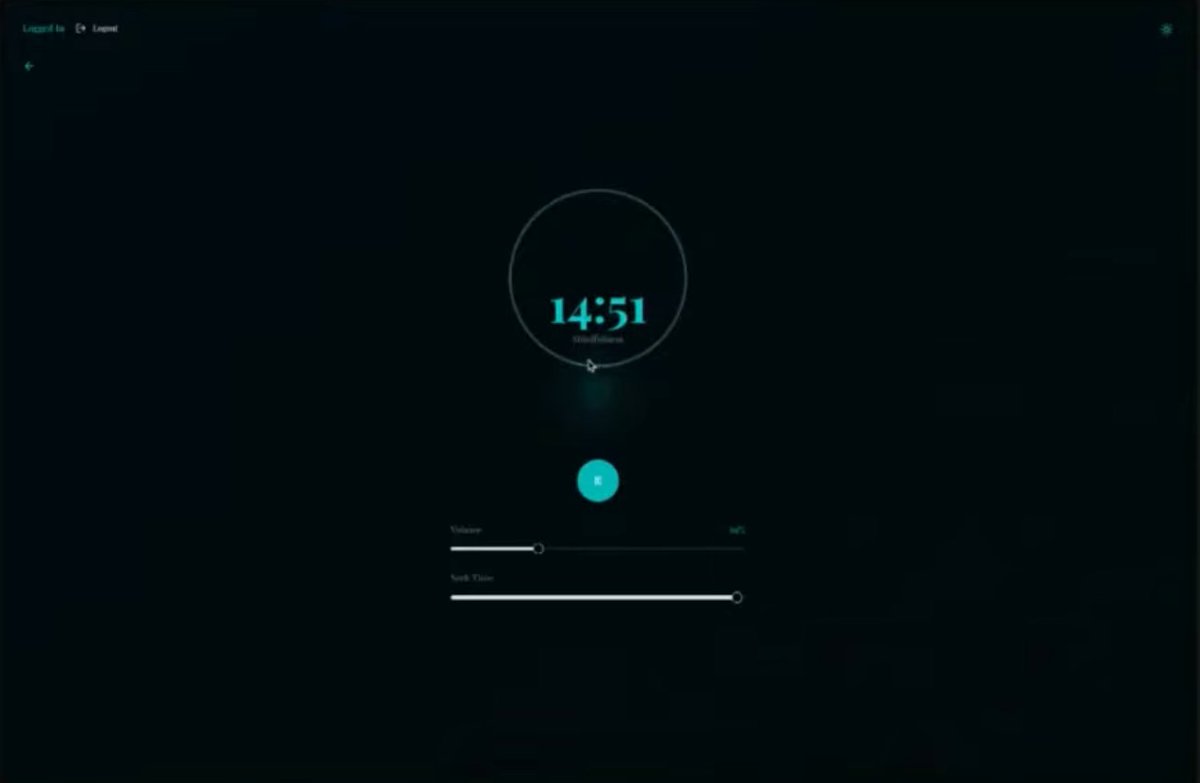
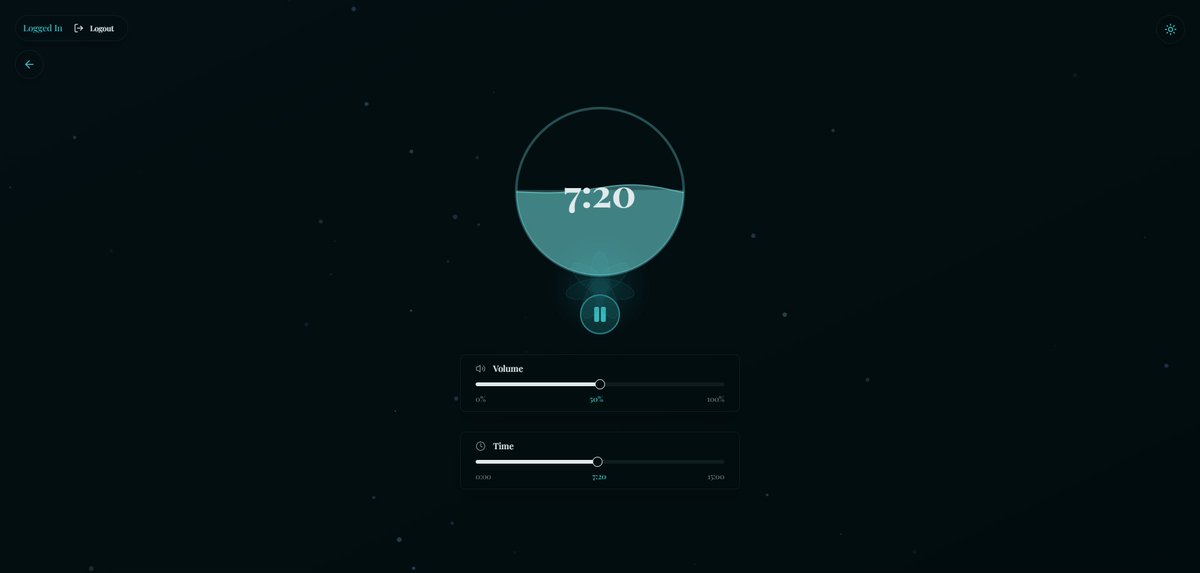
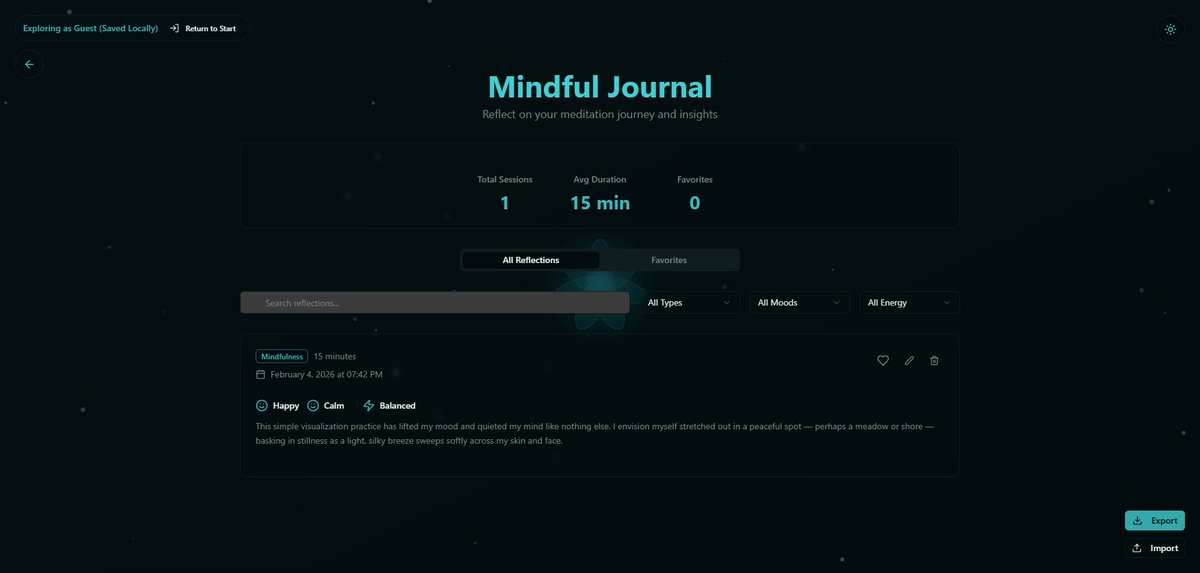
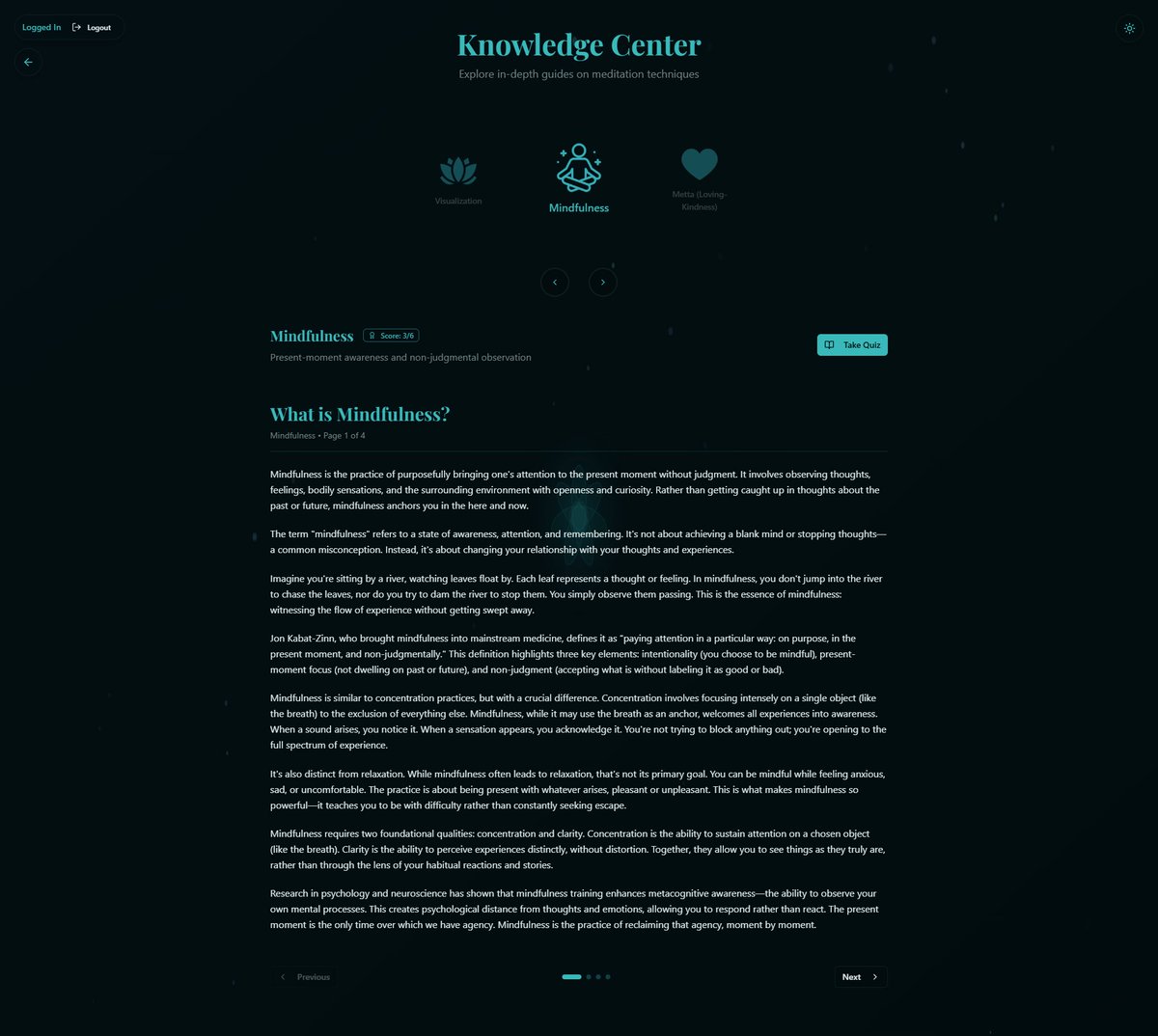
Inner Bloom A beautifully smooth meditation app designed for gentle daily practice FEATURES 🔹Full access to the application without creating an account(As guest, saved locally) 🔹Export/Import data, universally in all 'directions'. From offline to online, from online to offline, from account to other account. 🔹Journaling feature to track meditations, set notes, moods, and energy levels 🔹Displayed progress to track your rank and total meditation minutes that reflects your "bucket" filled with practice 🔹4 different meditations with quiz to get personalized recommendation 🔹Carefully picked book recommendations with tags and descriptions to deepen your practice 🔹7 different ambient sounds to choose from for your meditation practice 🔹And more! New features/changes are being added/made to improve user experience! ------------ Inner Bloom URL: innerbloom-6ty.caffeine.xyz Feedback is welcome 👏 #CaffeineAI #BuiltWithCaffeine #Promptathon #Meditation @caffeineai
daveDash tweet mediadaveDash tweet mediadaveDash tweet mediadaveDash tweet media
English
5
2
15
776
daveDash
daveDash@daveDash2000·
Thank you @caffeineai! It was my absolute pleasure building Innerbloom 🪷 Caffeine AI is truly an amazing web service, turning ideas into real apps with zero coding knowledge. Mind-blowing how fast and powerful it is! Grateful for the $5k win and the whole Promptathon community!
caffeine@caffeineai

1st Place → $5,000 @daveDash2000 Innerbloom - A wonderful tool for meditation and reflection innerbloom-6ty.caffeine.xyz Congratulations to all three and to everyone who put their ideas out there. We’re grateful you chose to share them. 4/4

English
2
2
14
418
daveDash
daveDash@daveDash2000·
@motoko0_0 Thanks for the positive feedback👏The animations do resemble watching those videos for me too😄
English
0
0
1
55
Motoko
Motoko@motoko0_0·
@daveDash2000 The animations are so clean, it’s like watching those satisfying soap-cutting videos 😭✨
English
1
0
2
113
Motoko
Motoko@motoko0_0·
While markets do their thing, ICP infrastructure kept building. 2023 → 2026 stats: Canister Smart Contracts: 233K → 1.07M (4.6x) Cycles burned daily: 1.7B → 44.8B (26x) Network storage: 2.5 TiB → 11.075 TiB (4.4x) Fees: free People are building on ICP ♾
English
8
18
56
1.4K
caffeine
caffeine@caffeineai·
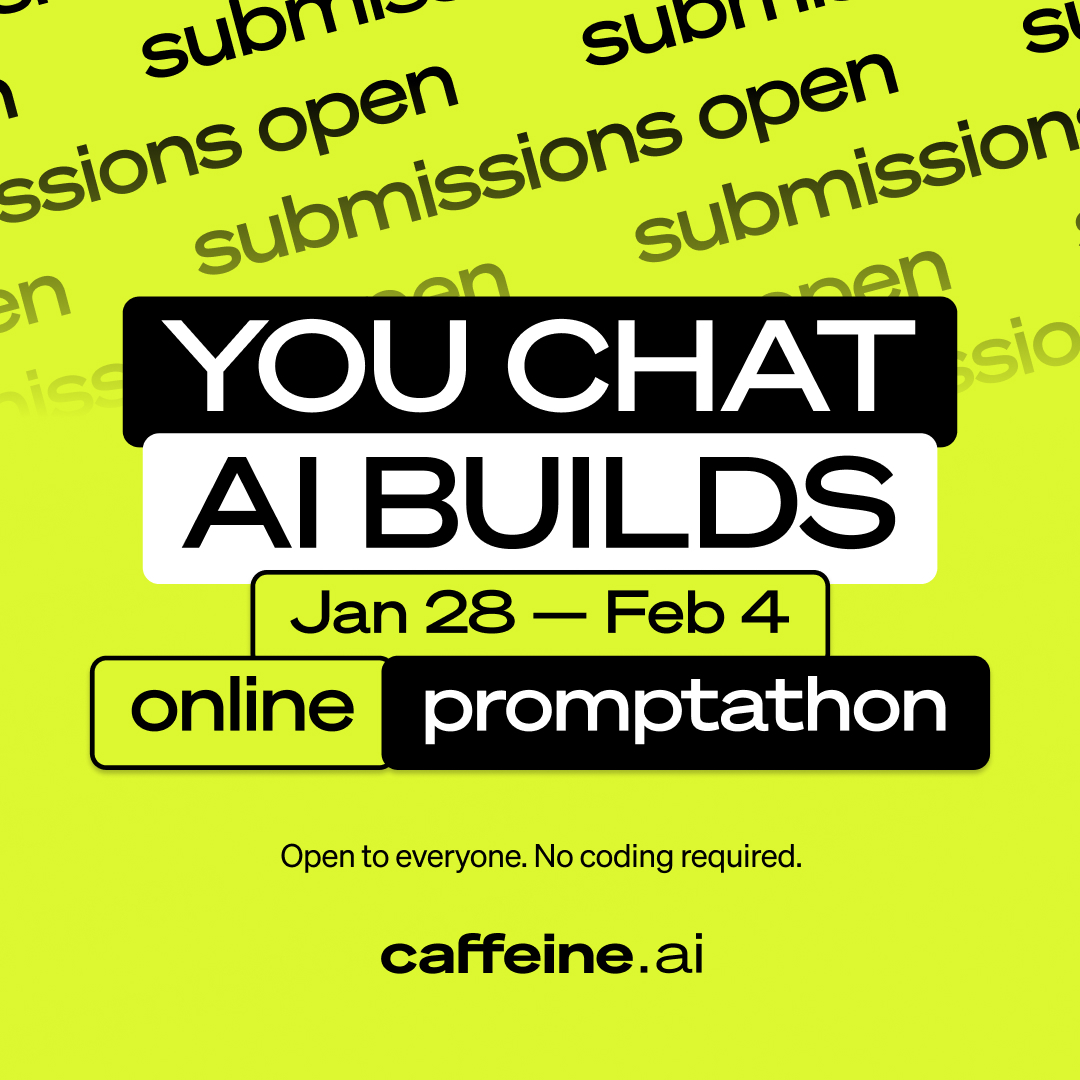
You may now begin to submit your entries for the “You Chat, AI Builds” Promptathon Submission Window: February 2 (starting now) - February 4, 11:59 PM EST Please use the form and instructions below (don't worry, it's super straightforward) ↓
caffeine tweet media
English
21
52
264
13.1K
daveDash
daveDash@daveDash2000·
I just started reading the full Mission 70 whitepaper. It's great, I'm loving it. If you have your ICP staked for less than 8 years but at least 2 years, non-dissolving, I'd advise increasing it to 8 years, since they will reduce the dissolve delay to 2 years and give an extra bonus to those who have staked for 8 years prior to this reduction, see reference here: x.com/dominic_w/stat…. In addition, lowering to 2 years IMO is great. This is because technology changes very fast, 8 years is a very long time period. It's very likely many things can and will change, not only technologically. No one can truly predict what might happen in a fast-paced world that long into the future which can impact all of crypto directly or indirectly, including ICP. Wars, new paradigms, quantum computing, politics, personal things, and much more... Reducing the dissolve delay by 75%(2 years), will allow stakers to be much more adaptive to those things. Cheers! #Mission70 $ICP
dom williams.icp ∞@dominic_w

@Mycryptowalle1 Yes, but if this happens, your lockup will be reduced to 2 years, while you retain an 8YearGang bonus until 2030

English
1
0
9
384
daveDash
daveDash@daveDash2000·
@afaiocc @motoko0_0 Thanks! Great suggestion, I'd love to do that. The only downside is that it is quite time-consuming right now. I am hoping that with caffeine.ai's ongoing improvements I'll be able to create more sophisticated apps quicker.
English
1
0
0
19
daveDash
daveDash@daveDash2000·
Just dropped Motrix, a mini-game where you gotta hit light speed to break free. Stats save on your device for now. Online saves with Internet Identity coming later. Things got hectic, but it’s ready 🙏🤞! Thank you @motoko0_0 community for supporting! motrix.fun
English
8
5
35
3.6K