

Dennis Karg
476 posts
Dennis Karg
@dennis_karg
Webflow Professional Partner 🌍 | Co-Founder of Vibrand Design 🚀 | Leads the German @Webflow Community on Facebook & Discord 💙 | 🇩🇪
Potsdam, Germany Katılım Eylül 2020
376 Takip Edilen305 Takipçiler

I am selling my apartment in Stuttgart, Germany because I am moving to Switzerland.
Here are some facts about it:
- 76 sqm, ceiling height 2,8m-2,9m, 3.5 rooms + balcony
- floor heating everywhere
- hard wood floor or slate floor
- double glass windows
- electric from 2015
- 1 min to U12 U-Bahn (you can go into the city center in 5 minutes)
- awesome Rosensteinpark 5 minutes by foot
- easy and fast way out of the city
- you have everything you need close by
You can buy directly from me no Real Estate Agent involved
English
We made a big change to Liquiflow:
No more Webflow x Shopify
I am happy to intoduce: Webflow x Adobe Commerce
We all love Adobe, they offer a beginner friendly solution, they have fair pricing and they push updates all the time, I think this switch makes a lot of sense!
English
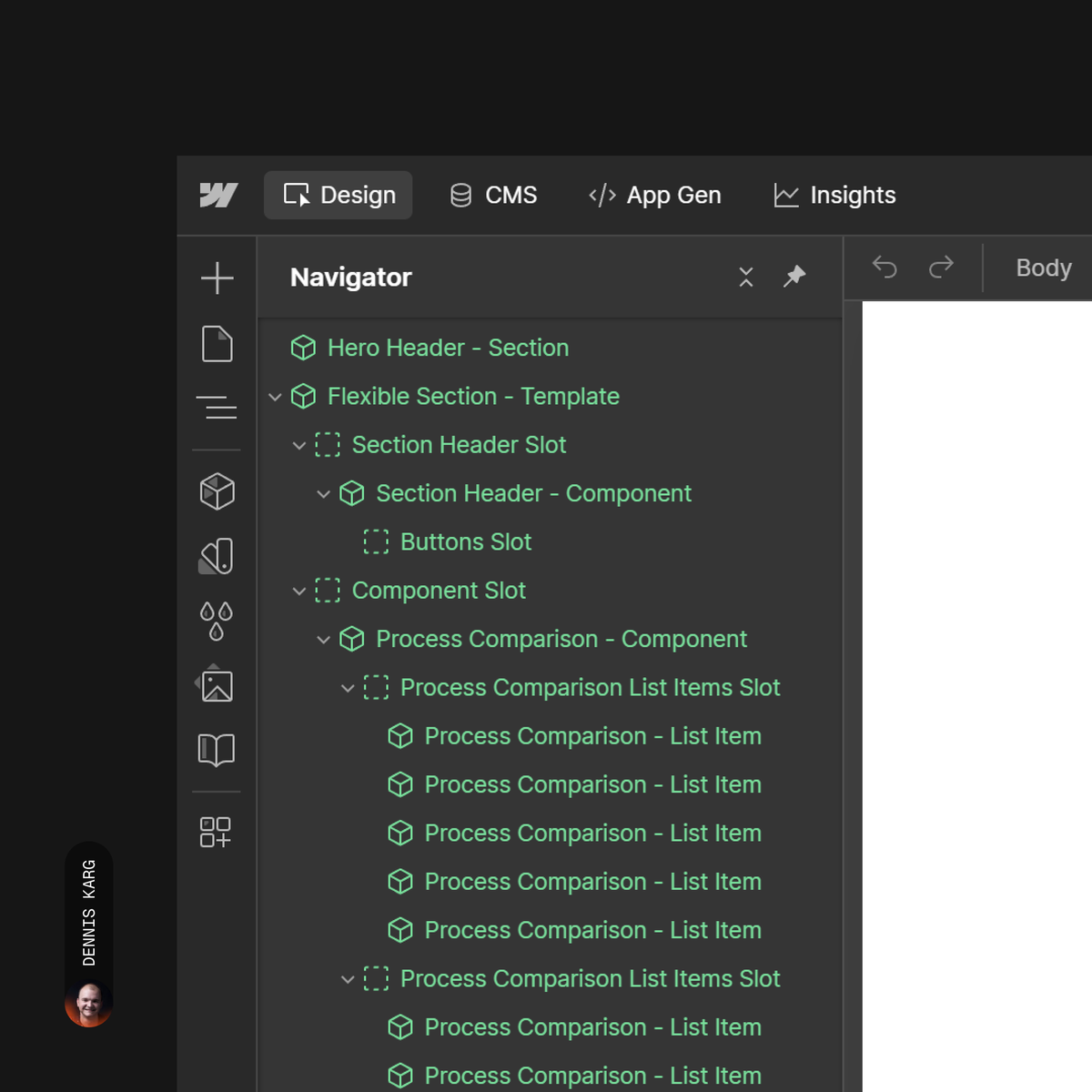
Webflow Components make the difference 🟩
If you open the Navigator in a Webflow project and see mostly green, you know this was built for scalability and flexibility.
That color basically tells you how well editors can manage the site later on.
“Components First” isn’t optional anymore. It is the approach developers should follow and clients should expect.
With the old Webflow Editor being phased out and Build and Edit becoming the default, the way you use components will directly impact how efficiently editors can update or create pages.
Sure, there are still limitations like CMS nesting and forms. But that is not a reason to avoid components, just a constraint to work around.
What about you? Already “Components First” or building mostly static?
English
I've been longing for a feature like this for almost two years, and now I couldn't be happier! 🤤
Webflow@webflow
You’ve been buzzing about this update all week, so let’s make it official…👀 We’ve rolled out several highly requested updates to Webflow props and CMS fields. Suggested props minimize manual setup by automatically creating common prop types for you. Conditional visibility lets you control when elements and component instances appear using props, CMS fields, variants, and locales. Along with switch props and an upgraded props panel, this update helps you build more flexible components, faster. These features are now available to all users, free of charge 🙌 Learn more here 👉🏼 wfl.io/49O2yeT
English
Well, that definitely wasn't on my bingo card for 2026. And oh boy, do I have hopes now. 👏
Allan Leinwand@leinwand
@webflow is now a @tailwindcss partner. 🎉 Tailwind has shaped how so many developers around the world write and think about CSS. It’s built in the open, maintained by a small team, and supported by a large community. We’re proud to support the people and the work behind it. 🙏
English
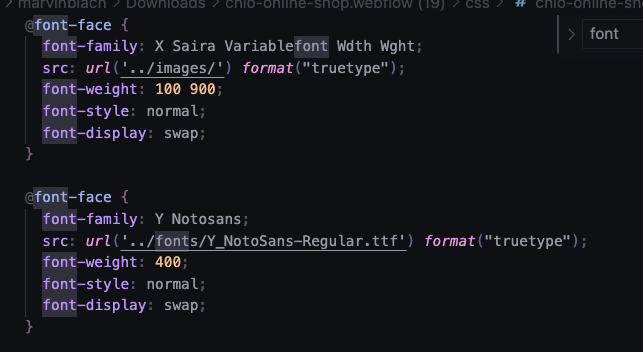
It looks like there is a smaller error when exporting code in @webflow. When exporting a dynamic font its saved under ../images/... instead of in the font folder.
English
It was an absolute honor to finally meet so many members of the community in person in Berlin after more than 5 years of regular communication. Great organization, @chris_bytes_x — thank you from the bottom of my heart! 🫶
Christian Schmitt@schmittdev
Just hosted the very first @webflowconf Watch Party in Berlin 🇩🇪 what a day! Designers and Developers came together and geek out over all things Webflow. Workshops with topics like: - MCP Server - Shopify Converting Tool @liquify_pro - Accessible Modal This is just the beginning!
English
@samharrisonco Unfortunately, I had to laugh too hard. Because it's true. 🥲
English


I thought you would expect @Apple's design team to know the importance of contrast. Or is it just me? 🤔

English
Definitely one of the best Webflow updates with regard to the CMS in recent years - especially for component-only builds. 👌
Webflow@webflow
Today we’re launching not one, not two, but three powerful CMS Collection list updates that provide more control, flexibility, and reusability when designing with dynamic data. 🤩 Collection list component properties You can now connect filter, sort, and limit settings on a Collection List directly to component properties — unlocking greater reusability and empowering marketers in build mode. 🔎 Curated Collection lists Controlling how Collection list items are displayed has never been easier. With curated Collection lists, you can simply search and select items from your collection — then drag drop, and reorder them into your desired sequence. 📈 Increased nested Collection list limits You can now add up to 2 nested Collection lists per page and up to 10 items per nested Collection list (just the beginning!). To learn more about these releases, check out the updates post: wfl.io/44tMAnU
English
English

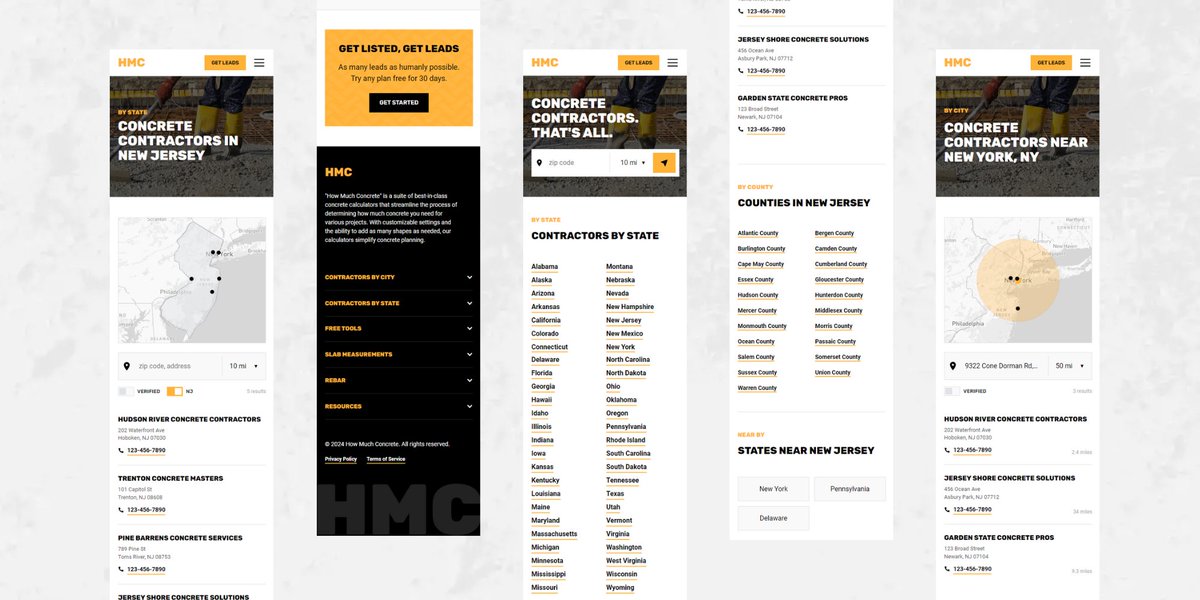
How we used @webflow, @mapbox, @cloudflare & @memberstack to build a location-based, SEO-friendly listing directory for howmuchconcrete.io:
Maps can be tricky, but with a few key steps in mind, it's pretty easy to make some magic happen.
1. Add normalized location data to CMS
In our case, we added 50 cities, 50 states & every zip code in the U.S. (over 3,000 of them). There are resources online where you can grab a CSV of all current U.S. zip codes.
2. Use Mapbox's Address Autofill
This helps to ensure that a users address is accurate for mapping to the correct CMS items. Misspellings & different nomenclatures won't work correctly otherwise.
3. Save address parts to Memberstack custom fields
For each part of the address (line 1, city, state, zip code, etc.), you store these in their own individual custom field. Once these are saved, you can then trigger a webhook using Cloudflare Workers to push this data into the Webflow CMS.
Since we're using Mapbox, when the form is submitted, we can also collect other important information about the users address, such as latitude & longitude. This is useful for another key feature—distance-based search.
4. Create a new CMS item using address data
Inside of the Cloudflare Worker, you can call the Webflow API & send the address data. Fields like city, state & zip code will be reference fields. This ensures that the users address will be visible on each of those CMS pages.
Once this is completed, a users address should be stored in both Memberstack & Webflow, while being visible on city, state & zip code CMS pages.
There are some other cool things we've done, specifically around using custom filters to tap into Webflow CMS items to create distanced-based search while showing a dynamic radius zone on the map. These will be covered in later posts.
P.S. @webflow — I wouldn't mind writing a blog post around this topic!
English
Component based @webflow Development 🚀
A good 3/4 of a year ago, I said that components would be THE thing in #Webflow today. And I wasn't wrong.
Developing an appealing and accessible website for users is no longer the only thing that counts when developing a Webflow project. Today, even more than before, what counts is making the maintenance and editing of the website as accessible and sustainable as possible for the editors of the project.
Webflow has given us the tools, so we should make something of them. Even if Webflow's #components – especially those with #CMS content – still need a lot of love from Webflow, what is already possible is absolutely satisfactory (not the game 😉).
What should not be underestimated, however, is the time required for a completely component-based development.
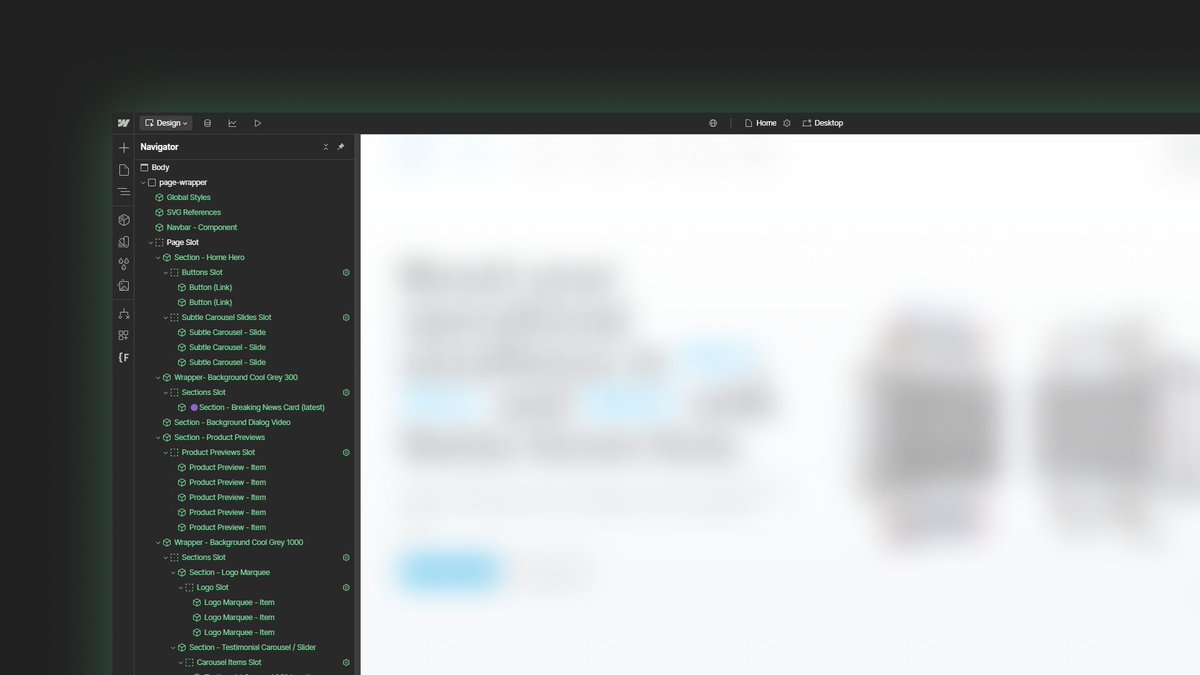
The components alone, which you can see here in the screenshot of my current project, have cost me around 1.25 - 1.5 times as much time in development as if I were to develop them statically and therefore not sustainably. This is because it is often not just the definition of component properties, but also the optimization of custom CSS and the JavaScript required for the functions when Webflow's slots are in slots and the semantics are therefore no longer correct.
What you can't see in the screenshot is that there are other components in each section, which may also have slots with components.
Happy flowin - Dennis ✌
English
English

Dennis Karg@dennis_karg
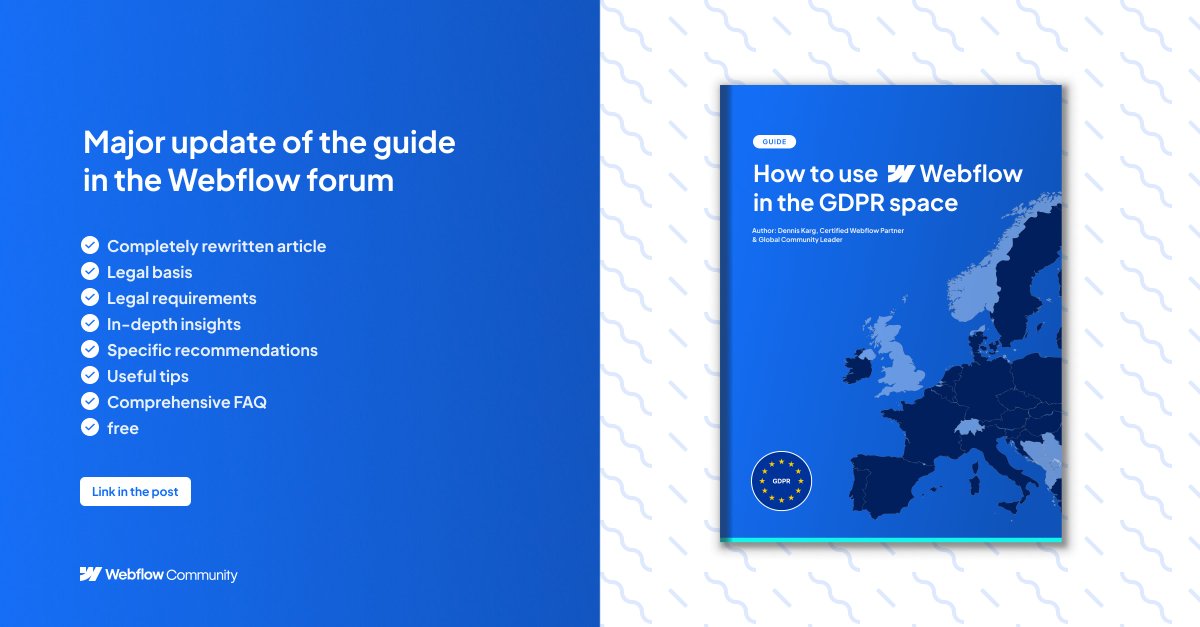
The time has come — my guide in the @webflow Forum on "how to use Webflow in Germany" has received a massive update. 🎉 With the EU-U.S. Data Privacy Framework now in effect, a lot has changed for Webflow users regarding data privacy. This update, for what is now the 18th most popular post in the Webflow Forum, was long overdue. The "Pros" on platforms like LinkedIn might hate me for this, but the update is 100% free — no engagement comments, no newsletter subscription required. All I ask is that if you develop or manage Webflow websites in the space of #GDPR, take the time to read the guide. That’s it. ➡️Check out the new free guide with its updated title: [GUIDE] How to use Webflow in the GDPR Space: discourse.webflow.com/t/guide-how-to… 🎯 Insights: Originally published in February 2021, this guide has now been updated 12 times. However, this latest update is by far the biggest: 7,496 words (27 A4 pages) compared to the previous 1,402 words (5 A4 pages). The redevelopment took approximately 75 hours of work. This guide has been a valuable resource for Webflow users navigating GDPR compliance, especially in the German-speaking community. It’s helped many in the #Webflow DACH community find their way into the wider Webflow ecosystem. I hope this comprehensive guide helps you dive into the topic more efficiently, alleviates concerns, and brings you closer to mastering this challenging subject. Happy flowing! Dennis 👋
English
@eduardbodak @webflow Thanks Eduard, I'm glad the guide is helping you! 💪
English

@dennis_karg @webflow Thank you very much, Dennis! This Guide helped a lot 🤩
English
The time has come — my guide in the @webflow Forum on "how to use Webflow in Germany" has received a massive update. 🎉
With the EU-U.S. Data Privacy Framework now in effect, a lot has changed for Webflow users regarding data privacy. This update, for what is now the 18th most popular post in the Webflow Forum, was long overdue.
The "Pros" on platforms like LinkedIn might hate me for this, but the update is 100% free — no engagement comments, no newsletter subscription required. All I ask is that if you develop or manage Webflow websites in the space of #GDPR, take the time to read the guide. That’s it.
➡️Check out the new free guide with its updated title:
[GUIDE] How to use Webflow in the GDPR Space: discourse.webflow.com/t/guide-how-to…
🎯 Insights:
Originally published in February 2021, this guide has now been updated 12 times. However, this latest update is by far the biggest: 7,496 words (27 A4 pages) compared to the previous 1,402 words (5 A4 pages).
The redevelopment took approximately 75 hours of work.
This guide has been a valuable resource for Webflow users navigating GDPR compliance, especially in the German-speaking community. It’s helped many in the #Webflow DACH community find their way into the wider Webflow ecosystem.
I hope this comprehensive guide helps you dive into the topic more efficiently, alleviates concerns, and brings you closer to mastering this challenging subject.
Happy flowing!
Dennis 👋
English
I would like to find out how Webflow Optimise (formerly Intellimize) is implemented in the broad mass of Webflow websites created by Webflow users. Webflow.com or websites that used Intellimize before Webflow Optimize do not help me with this evaluation and are not relevant for me. The fact that it is integrated on the client side, just like Analyze, bothers me enormously, but I already knew that.
English
Hey @webflow fam, do any of you use Webflow Analyze and/or Webflow Optimize and could send me the link to the respective website? I would like to find out how both services are technically implemented and what data is stored on the client side.
GIF
English
@AleksBasara @webflow Aleks, I don't know whether you're trying to troll me or help me. 😁
English