
Sabitlenmiş Tweet
⬇️⬇️⬇️⬇️ (no entrar)
25.8K posts

⬇️⬇️⬇️⬇️ (no entrar)
@dimenacho1
Complicadamente simple y muy seguro de mis contradicciones. Deseo entenderlo todo, pero no saber de nada. [email protected]
Chile Katılım Ağustos 2012
1.8K Takip Edilen69.5K Takipçiler

@Ivan_Baeza Algunos días vamos a vivir, pero todos los otros días, no
Español
⬇️⬇️⬇️⬇️ (no entrar) retweetledi

@jotapehoward Muy sabio y bonito mensaje, hermano ☹️❤️🩹 todo mi cariño de semi desconocido a la distancia, siento muy personalmente tu dolor y te llevo en mis pensamientos
Español

@jotapehoward Todo mi cariño a la distancia, hermano. Lamento mucho leer esto y deseo que dentro del dolor, eventualmente encuentres paz y el amor de tu papá trascienda en ti ☹️❤️🩹
Español

@Daani_uwu Siento mucho dolor y amor leyéndote. No nos conocemos, pero me llega tan profundo este mensaje y tus palabras.
Te mando todo mi cariño a la distancia y me inspiro de tu valentía 🥺❤️🩹
Español
⬇️⬇️⬇️⬇️ (no entrar) retweetledi

End screens on YouTube can be used to A/B test thumbnails, kickstart new channels, and even guarantee viewership for certain branded videos.
Here are three ways to use YouTube end screens besides getting people to find your usual content.
Important: As you upload videos to YouTube, some of them will keep getting views for a long time. We also know that people are more likely to watch a video until the end if it's good. If they watch until the end, end screens can be shown. End screens are great because they let you choose which videos you want the viewer to watch.
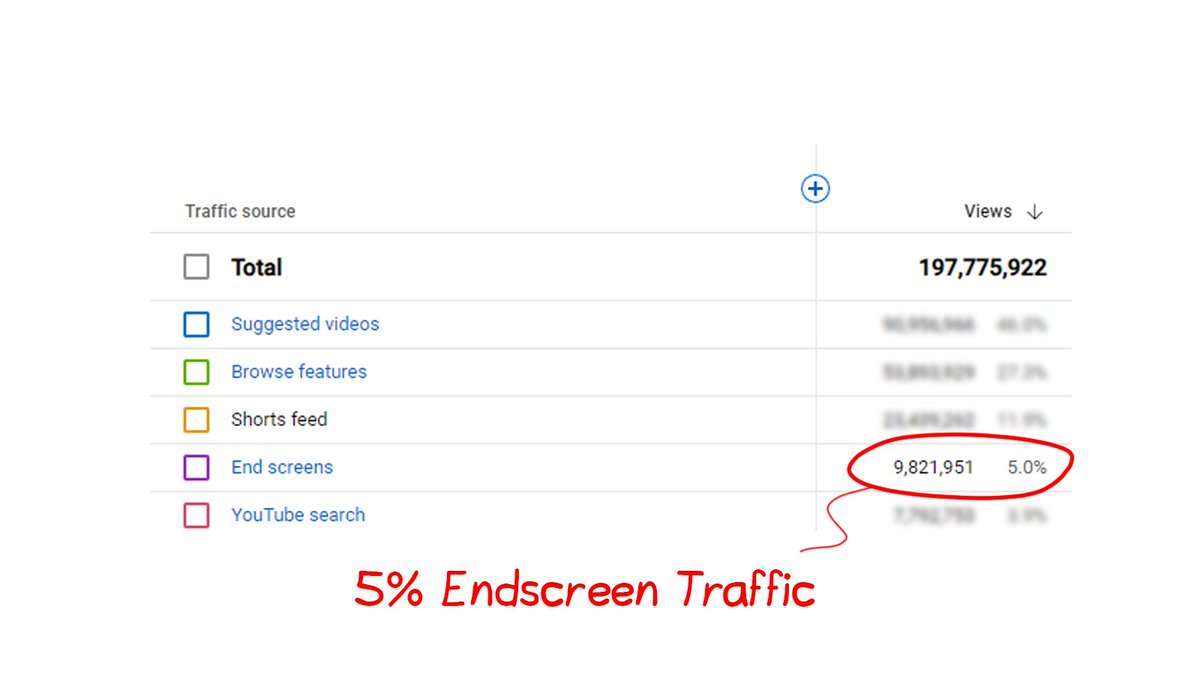
Did you know that endscreens bring in about 5% of all traffic to some channels? That means that up to 5% of traffic can be sent to the videos you want. You're not making the viewer click, you're just making more people aware of some videos. With this increased exposure and the magic of math, you'll be able to get more people to watch specific videos.
Use case #1: A/B Testing Thumbnails
People don't always know that you can put unlisted videos in your end screens, but you can. We're going to use this feature in a clever way. Just upload two copies of the same video as unlisted, but switch the thumbnails around. Then, you put those two on the end screens of videos that get enough end screen traffic and let it run for a few hours. You can see how many times each video has been clicked on after a few hours. Once you have enough data, publish the video with the most amount of clicks. It's not perfect information, but you’ll gain some insight in the clickability of certain thumbnails.
Note: Some videos won't change much in how many people watch them in a certain amount of time, but I've seen thumbnails get three times as many clicks.
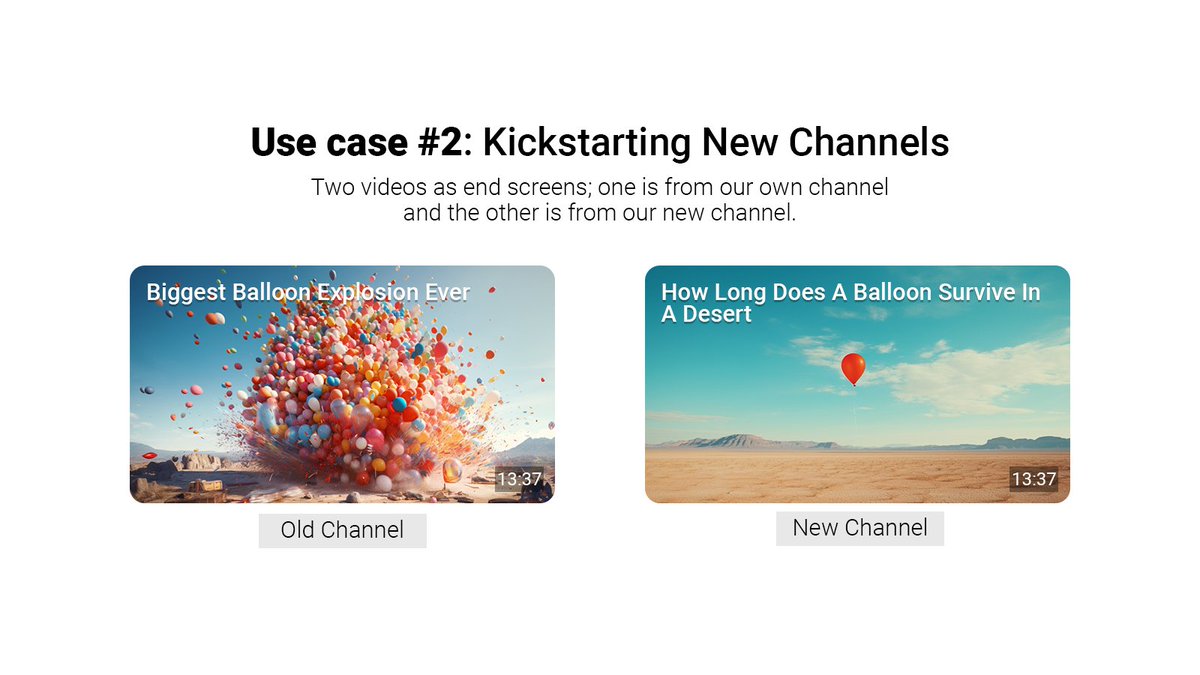
Use case #2: Kickstarting New Channels
When you put end screens on your channel, it shows a thumbnail and a title. It doesn't, however, show the channel that made this video. We are going to take full advantage of this information. If we want to quickly grow a new channel, all we have to do is put videos from that new channel on our end screens. This can help you get the initial attention that a new channel might need. I've used this method to start a few new channels, some of which got tens of thousands of subscribers in a short amount of time. How well this method works depends only on how much traffic your end screens bring in and how likely it is that your audience clicks on those end screens.
Note: It's important to remember that we don't force the viewer to watch certain content; we simply use clever ways to bring the viewer to certain content by making it more visible. At the end of the day, it's up to them to decide if they want to watch the new video or not.
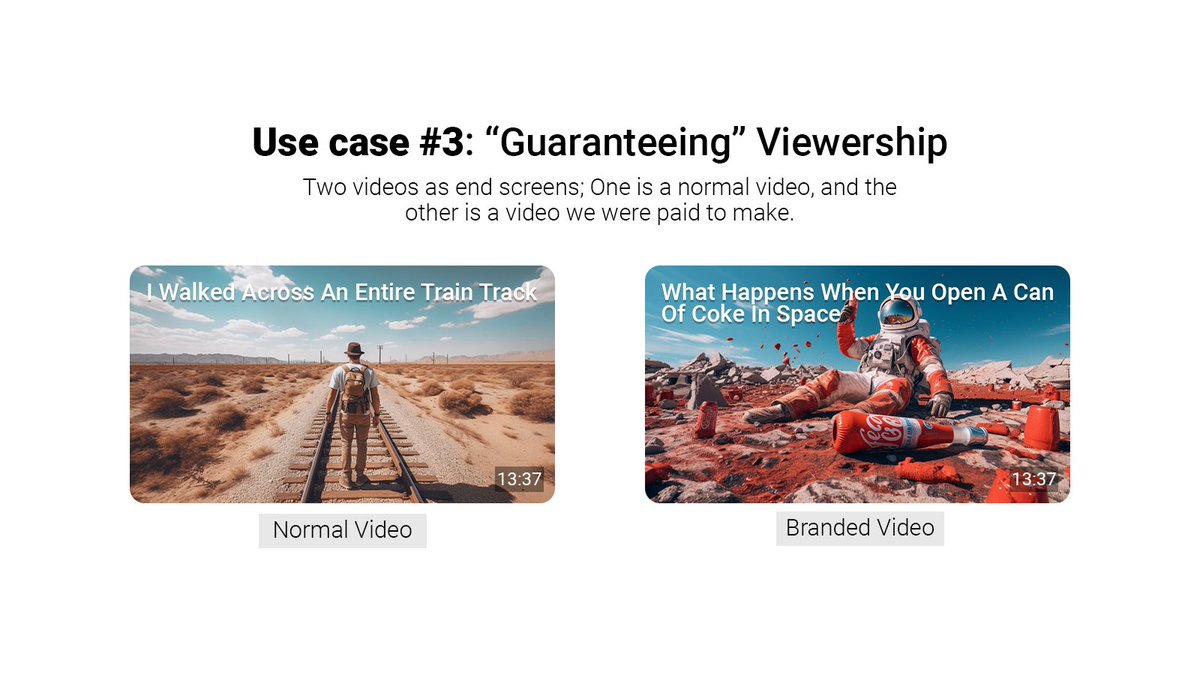
Use case #3: Guaranteeing viewership
Brands often pay a creator based on how many people watch their videos on average. But nothing is more frustrating than hoping for, say, 500k viewers and then getting only 100k viewers. In this case, we can pull a fast one and just show that video more often on our end screens. This could help you reach the kind of audience that brands want and could even help you get another deal.
Mass Updating End Screens
For these use cases to work well, I would strongly suggest that people use tools that help you update your end screens in bulk. I used to use TubeBuddy's tool for those with access, but there may be other tools. If you don't have these tools, I'd just find a group of videos that get a lot of traffic on the end screen and update them.
I hope that this post will give some of you ideas for creative ways to use end screens.
Final note: I changed the name of the YouTube accelerator program to "Retention Accelerator" to make it clearer that this is not a competitor to other YouTube programs, but rather an accelerator for a certain kind of expertise: YouTube Retention. I linked to this program on my profile page.


English
⬇️⬇️⬇️⬇️ (no entrar) retweetledi

Invito leer: Pavlov sobre lo Inconsciente y el Lenguaje …tir-deconstruir-elaborar.blogspot.com/2023/07/pavlov…

Español


@manuchat Es para que combine con el nombre de su hijo
Español

@TvZlatar Jdksjsjs ctm el final culiao de la frase XD
Italiano

@dimenacho1 Voy de osico a un cuadrilatero a que me pongan unos buenos charchazos. Nada que mi padre no haya hecho antes :c
Español
⬇️⬇️⬇️⬇️ (no entrar) retweetledi