Div Supply

107 posts

Div Supply banner
Div Supply

Div Supply

@div_supply

Katılım Mart 2023
281 Takip Edilen176 Takipçiler
Div Supply
Div Supply@div_supply·
Had a lot of fun building this trail effect for the hero of Journey, a template I launched recently. All powered by @greensock. Really happy with how it turned out. Planning to rebuild it this month as a standalone Framer component. What do you think?
English
2
1
10
419
Div Supply
Div Supply@div_supply·
Almost 2 years without posting here. Been heads down in the past few months rebuilding Empty Studio and Div Supply from scratch. New brand, new websites, new products. Now that things are finally taking shape, felt right to come back and start sharing more of the process
English
0
0
2
87
Div Supply
Div Supply@div_supply·
Introducing Inception💎a premium Webflow Template designed to help creatives and professionals stand out from the crowd. I’m thrilled with how the interactions turned out! Available in the @webflow marketplace
English
2
0
5
573
Webflow Tips
Webflow Tips@webflowtips·
I think we've all thought about this one. The ability to select multiple elements is a common feature in design tools. @webflow has been releasing a lot of awesome stuff lately. I hope this is in their pipeline.
GIF
English
11
0
68
5.7K
Div Supply
Div Supply@div_supply·
💡Webflow Pro Tip: Did you know that you can do math calculations directly inside @webflow? This is a great way to convert values from PIXELS to REMS or any other unit of measurement. Add the values you want to calculate and use operators like +, -, *, and / to get your result.
English
3
0
11
1.9K
Armando Ascione
Armando Ascione@ArmandoAscione_·
@lucas_empty @webflow This is so useful, I always do math calculations directly inside @webflow. If you have the F'sweet extension, you can also migrate all of the PX to REM just with a click of a button. 😉
English
1
0
2
38
Div Supply
Div Supply@div_supply·
@VictorCapillaQ @webflow Hey Victor! For my screen recording, I used the built-in screen recording feature on my MacBook, then I edited the footage in Premiere Pro
English
0
0
0
38
Div Supply
Div Supply@div_supply·
@zakFlowz @espinosa_ux I haven't experienced any issues on mobile with this approach. I have recently started experimenting with DVH for smaller devices
English
1
0
2
33
Espinosa
Espinosa@espinosa_ux·
In what sizes you design? 1920px or 1440px?
English
4
0
1
315
Div Supply
Div Supply@div_supply·
@espinosa_ux I'm always using 100vh for the hero section of my websites. To ensure that my design works well across all viewports, I use 900px as a base point for 100vh. This approach allows me to quickly preview how my design will look on smaller screens, helping me to fine-tune the layout
English
1
0
0
41
Div Supply
Div Supply@div_supply·
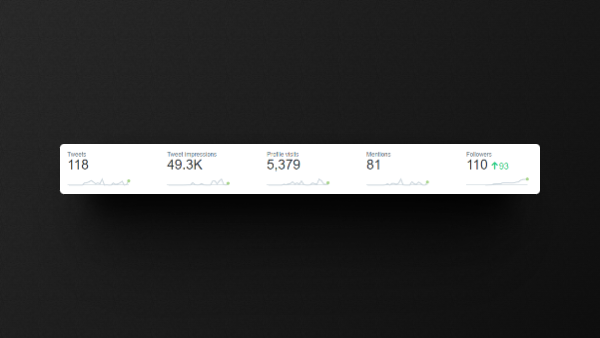
Can't believe it's only been 22 days since I joined Twitter. The engagement from this community has been incredible and I couldn't be happier! Twitter is all about give and take, and I'm excited to keep sharing and learning from all of you 🚀
Div Supply tweet media
English
0
0
6
745
Div Supply
Div Supply@div_supply·
@derekj_ @webflow But for this workflow, having a solid style system built in @webflow is key! It not only saves you time in the design process, but it also ensures consistency and helps you make faster decisions as you move between different breakpoints
English
0
0
0
20
Div Supply
Div Supply@div_supply·
@derekj_ @webflow Additionally, I always keep in mind that certain types of interactions and animations may not translate well to smaller devices, so I try to come up with creative solutions to make the experience as seamless as possible across all breakpoints
English
1
0
0
27
Div Supply
Div Supply@div_supply·
💡 Webflow Pro Tip: To style the base class in @webflow , access the inheritance menu above the selector, select the base class, make your changes, and go back to the combo class. This saves time and adds flexibility to your styling!
English
4
5
50
6.9K