Deniz Büyüktaş retweetledi
Deniz Büyüktaş
121 posts

Deniz Büyüktaş
@dnzbuyuktas
founding engineer @polymetai GSL 150
Turkey Katılım Ocak 2025
111 Takip Edilen78 Takipçiler
Deniz Büyüktaş retweetledi

New feature: import figma components with variants. Here is the new figma import flow, paste in figma file url, import components (with variants), frames, published components if it's a design system file into your polymet project.
ps. once you import your design system from figma, publish it and use it for all your other projects.
English

we’re continuously working to create a realistic environment around AI at @polymetai. with this perspective, we focus on building systems that cover real-world workflows. versioning was essential for design systems and we didn't skip it.
English
Deniz Büyüktaş retweetledi

We were silent recently because we were locked in for sep-dec, here is what we shipped recently:
- Figma component imports with variants (supports published design systems)
- Invite-only projects, for large teams, you can now invite a small number of collaborators before sharing it with everyone on the team
- Actual design systems, not just themes (more details on the bigger announcement this wed)
- Settings for design tokens, typography, colors, with support for adding new variables to both your css and tailwind config.
- New themes, choose popular ones like Supabase, Claude colors etc.
(and yes themes are not design systems, they're just themes, design systems on polymet can help you build your own shadcn, theme it as you like, and if you already have a design system on npm or figma, you can just bring it in)
- Claude 4.5 (since Oct 1st),
- New Figma import flow, no need for plugin, authenticate with Figma and that's it
- AI remembers all previous conversations and can read messages outside its context window
- AI will automatically refactor your code and increase code quality, breaking down larger complex files that were causing issues on some customers
- Asset uploads and SVG support
smaller fixes:
- fixes accidental design systems usage on new projects
- errors are handled better and retried with alternative model if model refuses to answer
- load times improved, a larger improvement is on the way
- automatically named projects, we did that mistake with 'Untitled' :/
- if a file is unused, you'll see a 'not in use' badge and can review and safely delete those
- better chat experience, issues with scrolls are resolved

English

Introducing the Advanced Theme Selector in Polymet!
Now you can go beyond default themes and fine-tune every detail of your design experience:
- Choose from preset themes
- Switch to Advanced Mode to configure your own custom color tokens
- Adjust text weight, size, and letter spacing across the app
- Even add custom variables outside Tailwind’s default tokens
Take full control of your design and make it truly yours!
English

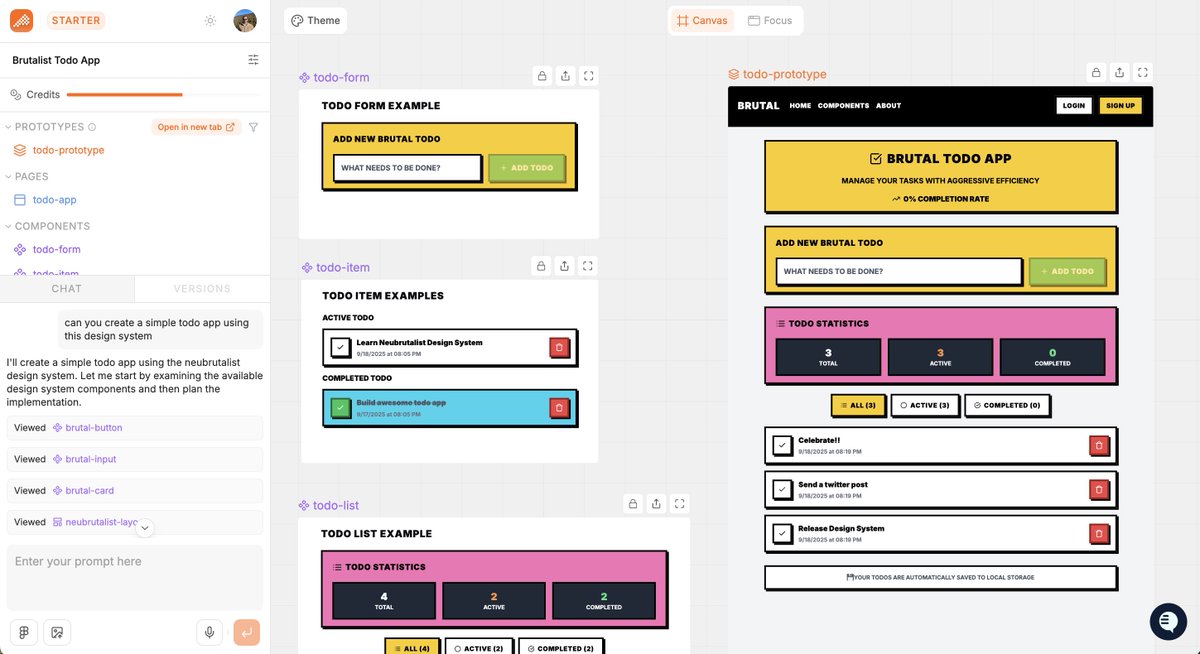
Now you can use your own design systems on Polymet!
Here’s how it works:
1. Create a design system (or import one directly from Figma) in the Projects page.
2. Publish the iteration once it’s ready to release.
3. Link your design system to a project from the dropdown or project settings.
4. Write your prompt just like before and Polymet will automatically use your components.
Your projects will now stay consistent, aligned with your design system, and ready to scale faster.
English

Deniz Büyüktaş retweetledi

Getting AI to respect your design system without killing creativity is hard.
Here’s how we engineered context at @polymetai to make it work:
@dnzbykts/design-system-aware-context-engineering-at-polymet-54b514918578" target="_blank" rel="nofollow noopener">medium.com/@dnzbykts/desi…
English
Deniz Büyüktaş retweetledi