

David T
87 posts
David T
@dtei_dt
Medical Lab Scientist, Software Engineer @holbertonschool @alx_africa, WebDev @AmaliTech_gGmbh
Katılım Mayıs 2015
272 Takip Edilen50 Takipçiler

𝗗𝗮𝘁𝗮 𝗦𝗰𝗶𝗲𝗻𝘁𝗶𝘀𝘁 𝘁𝗼𝗼𝗹𝗯𝗼𝘅 :
Give Away Alert!!
1. Artificial Intelligence
2. Machine Learning
3. Cloud Computing
4. Ethical Hacking
5. Data Analytics
6. AWS Certified
7. Data Science
8. BIG DATA
9. Python
10 MBA
For 24 Hours only!
To get it:
1. Like, Retweet and Follow
2. Reply "Send"

English
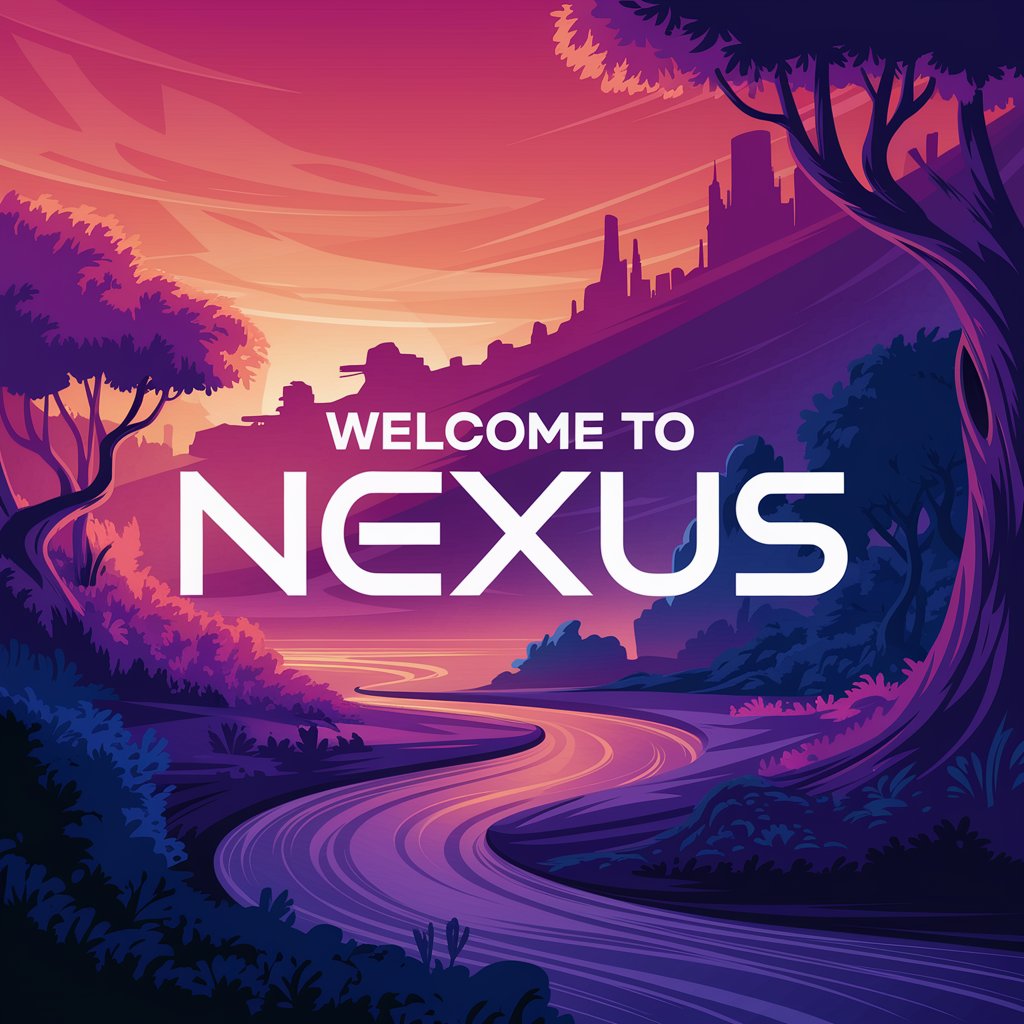
Proud to present Project 15: Text Rendering and Style Control! I designed a sleek logo with ideogram.ai, inscribed 'Welcome to Nexus' to show text rendering capabilities of #AI.
#IdeogramAI #LogoDesign #ALXAIStarterKit #AILearning #PromptEngineering
English
Here is one I created with #PixVerseAI where the heart transforms into Venom.
app.pixverse.ai/home?detail=sh…
#AI #Pika #VideoEffects #ALXAIStarterKit #AILearning #AIExploration #PromptEngineering
English
Thrilled to unveil my latest ALX AI Starter Kit feat: Generative Video Effects! Used Pika to animate a heart inflating till it bursts from the chest. Wild stuff!
#AI #Pika #VideoEffects #ALXAIStarterKit #AILearning #AIExploration #PromptEngineering
English
Eager to spotlight my latest ALX AI Starter Kit win: Crafted a 3D heart anatomy from text with Meshy! Text-to-3D magic brought it to life.
#AI #Meshy #3DAnatomy #ALXAIStarterKit #AILearning #AIExploration #PromptEngineering
English
Here’s the video version of Voices in the Machine. Crafted this folk song with Suno and brought it to life with Clipchamp. #AI #Suno #Clipchamp #AIMusic #ALXAIStarterKit #AILearning #AIExploration #PromptEngineering
English
Stoked to showcase my next ALX AI Starter Kit gem: Voices in the Machine! I crafted a chill folk song from a prompt with Suno—AI vibes on point: suno.com/song/26c3bfc3-…
This is so cool!
#AI #Suno #AIMusic #ALXAIStarterKit #AILearning #AIExploration #PromptEngineering
English
Pumped to present my latest ALX AI Starter Kit project, Project 11: Next-Gen Content Creation! From text to jaw-dropping videos & images, I’ve unlocked stunning creations. #AI #KlingAI #CreativeTech #ALXAIStarterKit #AILearning #AIExploration #PromptEngineering

English
Thrilled to unveil Project 10: Generative UI! Took my FreelancerPM app to the next level by recreating it from a screenshot with v0.dev. Fast & sleek! #GenerativeUI #v0dev #ALXAIStarterKit #AILearning #AIExploration #PromptEngineering


English
Ready to roll out Project 9: Supercharged Note Taking! I bundled Obsidian with Copilot and Companion for a smart, fast, & organized note taking experience. Here's the set up. #Obsidian #Copilot #Companion #ALXAIStarterKit #AILearning #AIExploration #PromptEngineering


English
Excited to share Project 8: Personalized AI Research Assistant! I uploaded sources to NotebookLM & got tailored insights from my materials. Super efficient! #AI #Research #NotebookLM #ALXAIStarterKit #AILearning #AIExploration #PromptEngineering

English
Excited to share Project 7: Idea to MVP with AI! I built an MVP with val.town to help freelancers manage projects—tasks, deadlines, all streamlined. #valtown #ALXAIStarterKit #AILearning #AIExploration #PromptEngineering


English
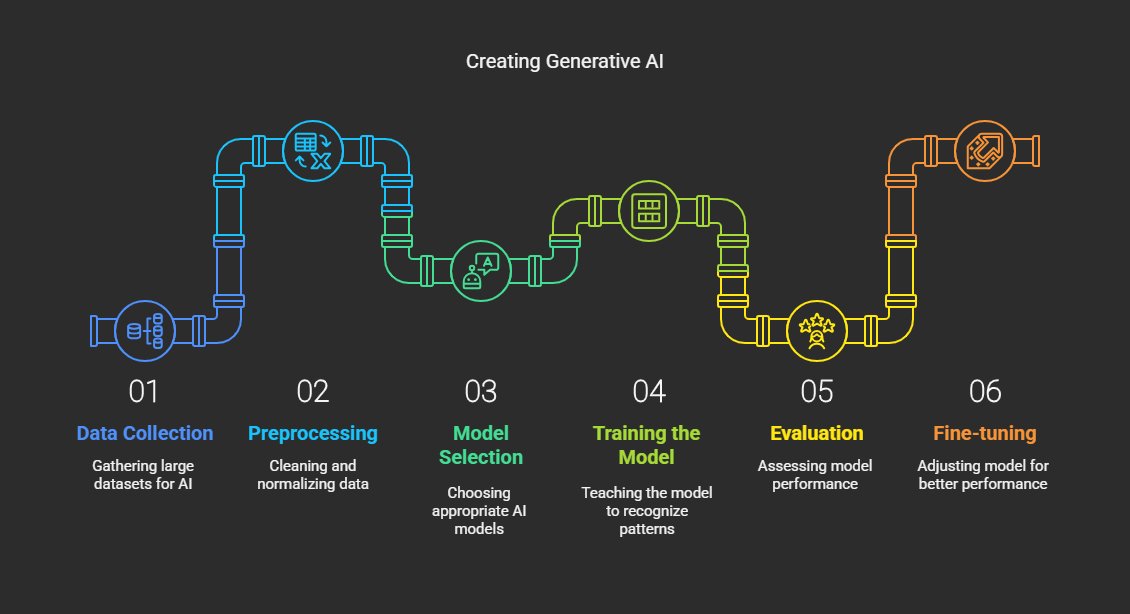
Project 6: Leveled-Up Diagrams! Used napkin.ai to turn text into clear visuals, simplifying complex ideas. Created diagrams showing how GenAI is made—check it out! #napkinAI #ALXAIStarterKit #AILearning #AIExploration #PromptEngineering
English
Project 5: Hyperrealism! Turned text into a stunning hyperrealistic image with fal.ai. The detail is unreal—check it out! What’s your favorite AI art tool? #Hyperrealism #falAI #ALXAIStarterKit #AILearning #AIExploration #PromptEngineering

English
My automation is set up! I just got an email for a job announcement entry I just entered on my Job Board Google form. AI-powered automation is efficient. What do you think?
#Automation #LindyAI #ALXAIStarterKit #AILearning #PromptEngineering

English
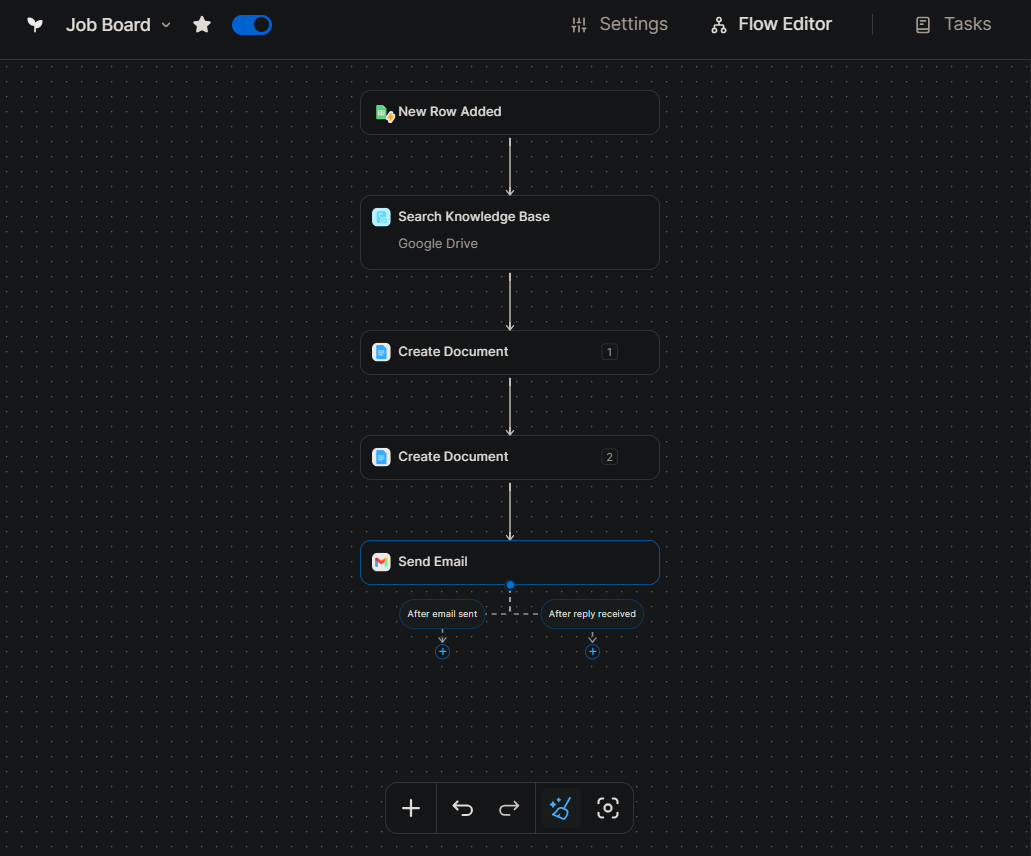
⚙️Starting Project 4: AI-Powered Automation Agents with Lindy! I'm creating an automation to automatically respond to certain emails. Follow along as I set it up step by step. #Automation #ALXAIStarterKit #AILearning #AIExploration #PromptEngineering
English
To receive an email every time a new cover letter and CV are created, I click the "+" icon, then "Perform an action", "Gmail" and then "Send Email". I then fill in the side bar window as follows:
#Automation #LindyAI #ALXAIStarterKit #AILearning


English
I add another action to create a customized CV by again creating a document and filling the side bar window as follows:
#Automation #LindyAI #ALXAIStarterKit #AILearning #PromptEngineering


English
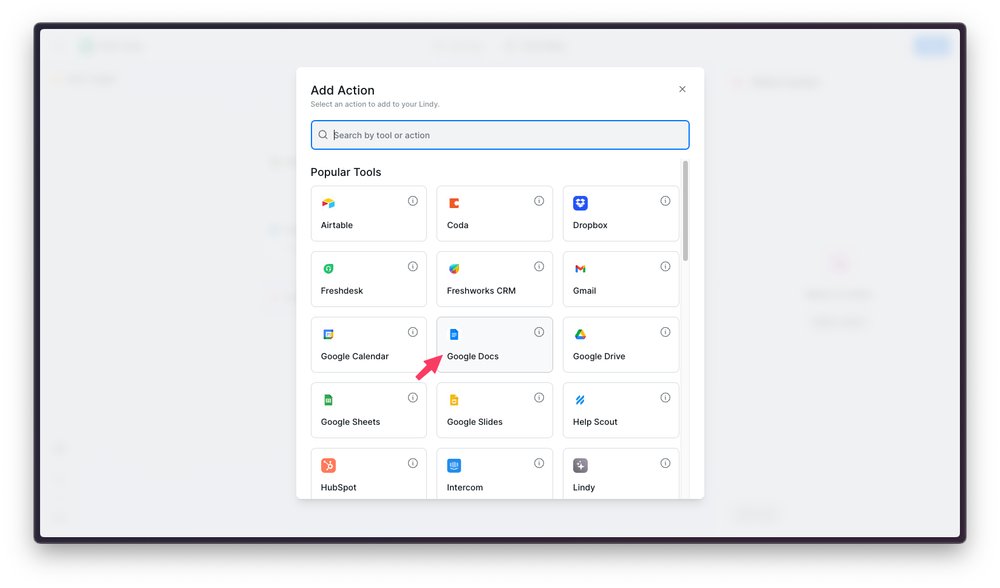
To trigger creation of a cover letter for a job, I click the "+" icon, then "Perform an action", "Google Docs", then "Create Document".
I then fill in the side bar window as shown:
#Automation #LindyAI #ALXAIStarterKit #AILearning #PromptEngineering

English
I provide a Google Docs link to my CV by clicking on "Search Knowledge Base".
#Automation #LindyAI #ALXAIStarterKit #AILearning #PromptEngineering

English
In the side bar windows that pops up, I click on "Connect" to connect my Google account and then give the necessary permissions. I then paste the Sheet link to "Spreadsheet ID or URL".
#Automation #LindyAI #ALXAIStarterKit #AILearning #PromptEngineering


English