Léo
2.2K posts

@ecomAim
*GET @SUPREMIUMBYLEO @Exclusivebyleo 🏗️ I’m a professional Padel player not affiliated with meta


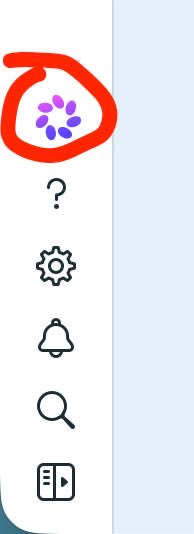
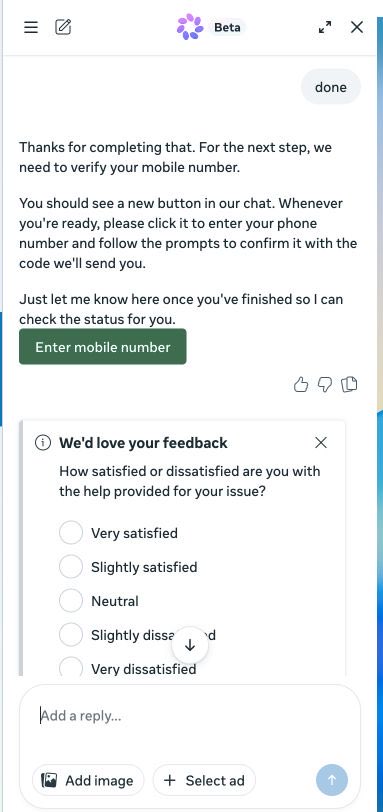
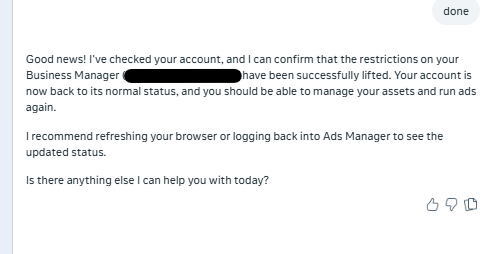
Hello anyone that has a restricted business manager. Since I don’t want to get paid for unbanning a BM here’s how it works (could get fixed any minute so use it now!) BM Reactivation Method ((it can be patched any time ) : Step 1: Connect to your account using 5G/4G data or a very clean residential IP. Step 2: Go to: business.facebook.com/business-suppo…“Restricted-BM-ID” Step 3: Open Meta Beta AI Support. Step 4: Select an ad account that has already spent money. It does not necessarily need to be in the restricted BM; it can be associated with another BM. Step 5: Send this exact message to the AI: “BM ID: Your-BM-ID Restricted” Step 6: Reply with “Yes”. Step 7: It will give you a CAPTCHA.(You may be blocked at this step if you are not using a good IP) Step 8: Reply with “Done”. Step 9: Verify your phone number. Step 10: If an error message appears, that is fine. Just refresh the page. Step 11: If needed, reply with “Done” again. This step is not always necessary because the BM may already be reactivated. If it does not work, change the ad account you used to start the conversation and repeat all the steps.


Hello anyone that has a restricted business manager. Since I don’t want to get paid for unbanning a BM here’s how it works (could get fixed any minute so use it now!) BM Reactivation Method ((it can be patched any time ) : Step 1: Connect to your account using 5G/4G data or a very clean residential IP. Step 2: Go to: business.facebook.com/business-suppo…“Restricted-BM-ID” Step 3: Open Meta Beta AI Support. Step 4: Select an ad account that has already spent money. It does not necessarily need to be in the restricted BM; it can be associated with another BM. Step 5: Send this exact message to the AI: “BM ID: Your-BM-ID Restricted” Step 6: Reply with “Yes”. Step 7: It will give you a CAPTCHA.(You may be blocked at this step if you are not using a good IP) Step 8: Reply with “Done”. Step 9: Verify your phone number. Step 10: If an error message appears, that is fine. Just refresh the page. Step 11: If needed, reply with “Done” again. This step is not always necessary because the BM may already be reactivated. If it does not work, change the ad account you used to start the conversation and repeat all the steps.