@PallasDeFleur Depending on what you want to do, it might be easier to just rebuild the mechanism to trigger from 1 to 0 itself
I didn't use Live2D for a while, but just ask if you need more help
@PallasDeFleur You can add a physics group to invert the input
- put the Input as Angle
- set Range to -90 -45 0
- add a helper parameter that's 0 to 1 as output and invert the output
=> creates a parameter from 0 to 1 that moves exactly inverted
Live2D conditional triggers / animations
Using Live2D physics, it's possible to trigger toggles / animations when conditions are met to reduce manual keybind toggles
Basically automating toggles
The video shows three different examples with different complexity
#Live2D
efficient lookup table
using 5 parameters for morse meant always 2^5 combinations for 36 layers
instead, every parameter is translated to binary code using "." / "_" as 0 / 1
then physics simulate the bin positions and a counter counts the clicks: every combination is unique
Live2D Morse Code
On VTubeStudio I use one key per symbol and they stick until changed
The Morse Coder is just a stepping stone,
the mechanisms used are more important
mechanisms below
actual exciting applications in the future
#Live2D
@Stellarstudioo@ChokokoVt Intentional or not, the doc reads as misleading and manipulating the narrative
Comparing the screenshots and written text, points are twisted and pathos is used to gain empathy
There's just too much wrong with the doc
It's a work ethic problem, not a bad client problem
- (Preview) Live2D Morse Code Engine -
My hardest project so far
I created fully Conditional Physics driven Morse Code
It was a challenge to myself, to prove multiple concepts that will enable even more cool stuff
I will explain the concepts in the future
#Live2D
@RessaPanda5 Sadly currently not, since I don't think I can explain the logic well enough for others to understand
Weirdly creating a mechanism from scratch is easier than explaining an existing one
Live2D 5.3 Alpha Blend - Nested Clipping
Using the new Alpha Blend settings it's finally possible to infinitely clip layers in a nested form
And it also reacts to Opacity changes, unlike regular Clipping
Alpha Blend is just Clipping but better...
#Live2D
@sirf4ce or
- after blink, run a timer
- if timer(t1) AND blink are both triggered again,
- start next timer (t2)
- if t2 AND blink are both on
etc...
basically blink x amount of times within the timer period to trigger y
(just the rough ideas, in practice it's a bit more complicated)
@sirf4ce I'm thinking of two ways
- blinking within timeframe
- make slow pendulum keep moving
- not blinking breaks condition -> makes pendulum move back
(like moving your mouse regularly to prevent pc from going to sleep mode)
basically: blinks fast for x seconds to trigger y
- Free Live2D Study File -
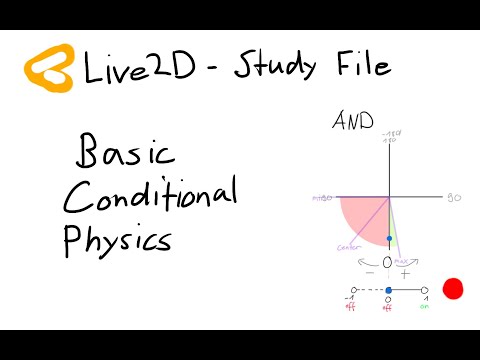
Basic Conditional Physics
I see many Live2D riggers want to get into Conditional Physics, so I decided to make a simple Study File containing the basic ideas used in almost every mechanism
KoFi link below
#Live2Dyoutu.be/qzaUOBEbRjA
the winking star looks simple, but is the most complex of the three
- 3 conditions: R. eye open, L. eye closed, L. eye closing
- make the resulting impulse be one-way
- prevent impulse from flickering
- use impulse so animation doesn't break midway
- consider pendulum jump
Live2D Pendulums have some special properties that can only be discovered by testing around, but those also allow for very cool mechanisms
Drawing a plan for mechanisms beforehand saves headaches in the implementation process
1. Delay trigger
- toggles after delay once condition met (looking upwards)
2. Staged trigger
- plays sequence of animations when condition met (not moving), with variable delay
3. Non-breaking trigger
- plays animation fully on condition (wink), even if condition breaks