ふくD(FukuD)@engines_D
ちょっと昔の開発話「開発機材」
本題に入る前に少しお詫びです。
前回のパレットに関する投稿でいくつかご指摘をいただき、実際に当時キャラを描いていたデザイナーとも話をしました。
その中で、自分が勘違いしていた事や、すっかり忘れていた事を思い出せたので、整理してから訂正版を改めてアップします。
前回は、まさかここまで反響があるとは思っておらず、うろ覚えの情報を書いてしまい申し訳ありませんでした。
もう30年以上前の話なので、今後も記憶違いなどが出てくるかもしれません。その際は、ぜひやさしく指摘してもらえると助かります。
ということで、今回は開発機材の話です。
主にデザイナーが使っていた機材になります。
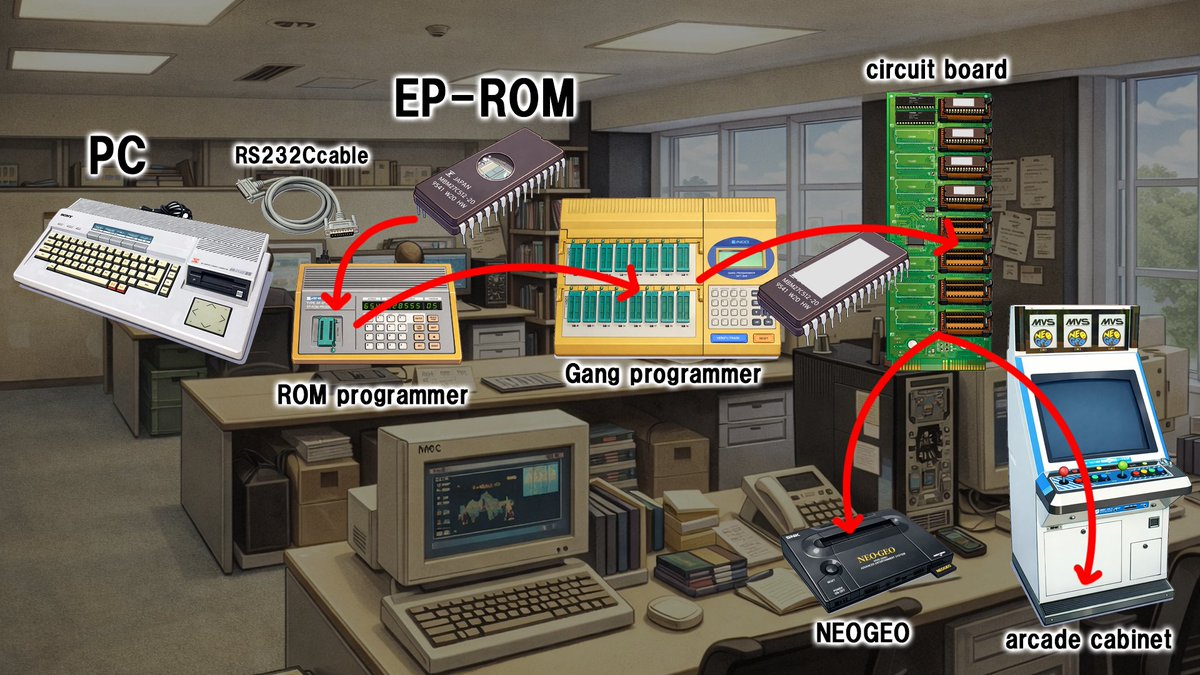
①:SONY SMC-777
マシンの細かいスペックは専門外なので省きます。
これはSNK以外でも、当時多くの開発会社で使われていました。(SNKが機種を変えた後も、中古で探している会社さんがありました)
このPCの良いところは、機材の右側に付いていたカーソルパッド(四角い板)ではないかと思います。
十字パッドと呼んでいた気もします。
このパッドでカーソルを動かし、ドットを打っていくので、開発部屋には常に
「カタタタ、タン!」
という音が鳴り響いていました。
PCにはデータ用の記憶装置が内蔵されておらず、3.5インチのフロッピーディスクを差し込んで保存していました。
②:14インチ アナログモニター
今ではほとんど見かけなくなった、ブラウン管のアナログモニターです。
モニターごとに色の出方が違うので、「標準モニター」を決め、目で確認しながら背面のツマミを回して色味を調整していました。
③:3.5インチ フロッピーディスク
容量は1.44MB。
1つのプロジェクトで使う枚数は、結構な数になります。
しかも、データはよく壊れるのでバックアップは必須。
たまに開発部屋から悲鳴が上がっていました。
自分も何度かやられましたね……1日分の仕事が消えるんです。
ディスクには判別用にラベルを書くのですが、各デザイナーさんが個性的な絵を描いていて、それを見るのも楽しかったです。
入社して数年後にハードディスクというものが登場しましたが、当時は
「1MB=1万円」
という時代。
100MBのハードディスクは100万円。
「絶対に落とすな」と言われるレベルの超貴重品でした。
今のペンタブレットからは想像もつかない描き方ですが、
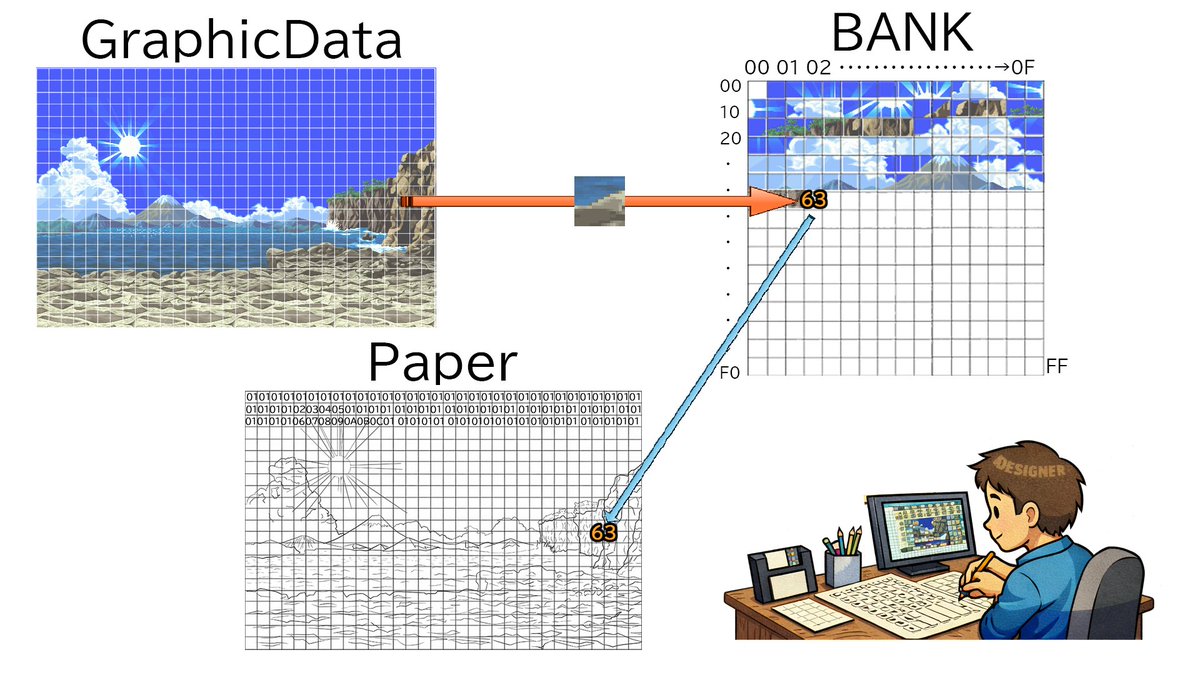
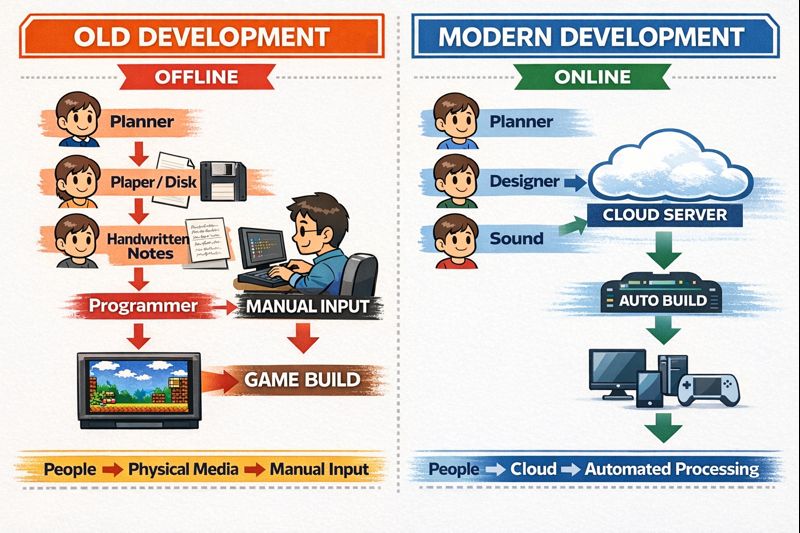
自分が入社する前は、方眼紙に描いたものをエンジニアが入力して絵を出力していたそうです。
そう考えると、当時の環境でも十分“魔法”みたいな存在でしたね。
A Development Story from a While Back: “Development Equipment”
Before getting into the main topic, a brief apology.
After my previous post about color palettes, I received several comments and had a chance to talk with the designer who actually drew the characters at the time.
That conversation helped me realize a few things I had misunderstood, as well as details I had completely forgotten. After reviewing and organizing my memories, I’m posting a corrected version.
That helped me realize a few things I had misunderstood and also reminded me of details I had completely forgotten, so I’d like to post a corrected version.
When I made the previous post, I honestly didn’t expect it to get this much attention, and I ended up writing some information based on vague memories. I’m sorry about that.
These events were more than 30 years ago, so there may be more mistakes or memory gaps in future posts as well. If that happens, I’d appreciate gentle corrections.
With that said, this time I’d like to talk about development equipment—specifically, the tools mainly used by designers.
1) SONY SMC-777
I’ll skip the detailed specifications, since I’m not a hardware expert.
This machine wasn’t used only at SNK—many development studios at the time used it as well. Even after SNK moved on to different systems, some companies were still hunting for used units.
One of its best features was the cursor pad—a square pad mounted on the right side of the machine. I think we called it a “D-pad” back then.
Designers moved the cursor with this pad and placed pixels one by one, so the development room was always filled with sounds like:
“katatata, tan!”
The PC itself had no internal storage. All data was saved using 3.5-inch floppy disks.
2) 14-inch analog monitor
These were CRT analog monitors—something you almost never see today.
Color reproduction differed from monitor to monitor, so we designated a “standard monitor” and adjusted the color by eye, turning the knobs on the back of the unit.
3) 3.5-inch floppy disks
Each disk held 1.44 MB.
For a single project, you’d end up using quite a lot of them.
On top of that, data corruption was common, so backups were absolutely essential.
Sometimes you’d hear screams coming from the development room. I experienced it myself a few times—losing an entire day’s worth of work was not unusual.
To identify each disk, we wrote labels on them, and many designers drew their own unique illustrations. Looking at those labels was surprisingly fun.
A few years after I joined the company, hard disks finally appeared.
At the time, storage cost about 10,000 yen per megabyte.
A 100 MB hard drive cost around 1 million yen, and we were told very clearly: “Never drop it.”
It was treated as an extremely valuable piece of equipment.
Compared to today’s pen tablets, the way we worked back then is almost unimaginable.
But before I joined, designers would draw on graph paper, and engineers would manually input the data to output the graphics.
Seen from that perspective, even our environment back then felt almost magical.