Exeldro 🔜 TwitchCon Rotterdam

915 posts
Exeldro 🔜 TwitchCon Rotterdam banner
Exeldro 🔜 TwitchCon Rotterdam

Exeldro 🔜 TwitchCon Rotterdam

@exeldro

OBS Studio plugin developer https://t.co/S4Q7dGxgij

Netherlands Katılım Mart 2009
63 Takip Edilen6K Takipçiler
Footie Social Club
Footie Social Club@footie_socialx·
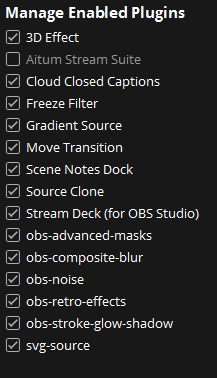
@exeldro @AitumTV I get this issue when switching scenes using the Aitum Stream Suite and Source Copy plugin. All other plugins have been individually loaded without issue Can you help please 🙏
Footie Social Club tweet media
English
1
0
1
56
Exeldro 🔜 TwitchCon Rotterdam retweetledi
Aitum
Aitum@AitumTV·
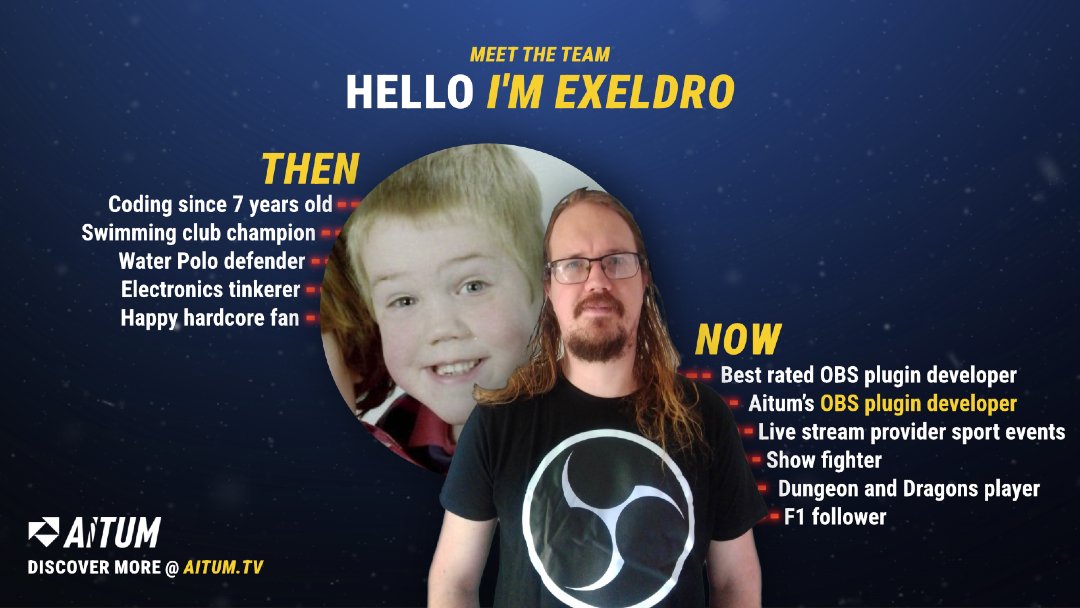
Lets meet another team member - Say hi to @exeldro ! 👋  He may have started off mostly in the swimming pool, but nowadays has risen on land to wield real swords and write incredible code, and is responsible for a bunch of the best plugins you can have for your OBS. We suspect he may be a Wizard😅
Aitum tweet media
English
7
3
46
3.3K
Exeldro 🔜 TwitchCon Rotterdam
@totmacherx @Mrgregles @AitumTV In your OBS log file there is this exact log line from the Multiple RTMP outputs plugin: #L383" target="_blank" rel="nofollow noopener">github.com/sorayuki/obs-m… For support on the Aitum plugins please provide the full OBS log file, preferably in support channel of the Aitum discord.
English
1
0
0
150
Akuma No Tsubasa
Akuma No Tsubasa@totmacherx·
@exeldro @Mrgregles @AitumTV I was on the latest aitum version it got updated a few days ago. And as said there is no multi rtmp plugin. I never used it on this current windows installation. But it will be on sunday, because I need another multistream plugin to stream to youtube
Akuma No Tsubasa tweet media
English
1
0
0
101
Akuma No Tsubasa
Akuma No Tsubasa@totmacherx·
Hey @AitumTV no idea if you will see or even care about this but you have damn giant security problem! wtf is wrong with your multistream addon? Not only that this crap tool secretly, without notice, created a fucking vertical canvas that doubled the GPU usage out of nowhere and I thought my hardware is broken just to find this absolutely at random when desperately clicking through all my obs to find the source why for a few weeks now my OBS almost melts my whole PC just to find out that in the multi stream settings there is suddenly a god damn vertical canvas that eventhough I have NOT set it up and NOT used it still renders all the time and thus taking ressources of hell... What did I have to see? Today I stopped multistreaming to kick because I have not have had one single real human on that platform, only bots, scam, phishing and spam. So I kicked that platform from your multistreamer. Then later in the stream today I got a follow on kick and was wondering why and since your tool already fucked up once I thought "They didn't..." and what do I have to see...? Eventhough I kicked that platform you still friggn connect me to kick, eventhough I have no connection to it, no more saved settings of it, nothing. And yet I got connected to kick and before you try anything "did you try" or "do you" no I don't. I never (on this current pc setup) went live on kick outside of YOUR multi-streaming plugin. You better have a proper explanation for this. This is a MASSIVE security risk. I just imagine I wanted to stream something on maybe only youtube because Twitch for example doesn't allow a game and you still connect me to it and I get banned from that platform. This is unacceptable. There are no excuses. Fix your plugin, I will never ever touch anything from you ever again.
Akuma No Tsubasa tweet media
English
6
0
1
2.5K
Akuma No Tsubasa
Akuma No Tsubasa@totmacherx·
Hey, thanks for the reply! I have had that thought too when I saw the log files and was what confused me because, i did not have any other plugin then Aitum and some filters that ran viral for a while to test if I can implement that in my streams. To check for exactly that I ran a "forfiles /s /m * /c "cmd /c echo @relpath" | findstr /v "^\.$" > folders.txt" in my obs folder on programdata and program files to check for the "obs-multi-rtmp.dll" plugin or its "obs-multi-rtmp.pdb" file but all I files with the word "multi" in them are C:\Program Files\obs-studio\files_with_multi.txt C:\Program Files\obs-studio\data\libobs\premultiplied_alpha.effect C:\Program Files\obs-studio\data\obs-plugins\aitum-multistream C:\ProgramData\obs-studio\files_with_multi.txt The file that should pop up for THAT plugin would have been "obs-multi-rtmp.dll" no ? But I didn't use that plugin in the current windows installation. I did use it last year but after a fresh windows cleanup I tried alternatives and landed on aitum for a while. Aitum was the only multi stream plugin I have used in this installation at all and after kicking out aitum out of my obs (I kept it on disk to keep track of it) it did not connect to kick anymore, that gave me the confirmation that it was aitums fault. Aitum loaded -> connection to kick Aitum no loaded -> no connection to kick And yes I did not backup my old OBS settings, so it can come from there. I would record the ordeal but after being that shocked and angered and not finding any clue, I nuked it from my system because I didn't want to risk anything that could further harm my system. Now with Aitum uninstalled I am back to OBS usage from 80% down to 15 to 35% of my GPU and no more connections to kick. As I can't recheck things now because I already killed it from my system I honestly don't know what to believe as the test with active plugin and deactivated plugin clearly showed that this only happened while Aitum was active.
English
1
0
0
92
Akuma No Tsubasa
Akuma No Tsubasa@totmacherx·
I instantly nuked your plugin from my system after the stream. I checked the logfiles instantly for myself and after finding out that your tool took it for granted to permanently send me live to kick even when I didn't start kick at all (I jus checked my Kick Vod Archive and even bandwidth tests have been streamed to kick). And since all your message is doing is playing the victim while you set streamers at risk of involuntary sending data to ingests that are DELETED and accepting that you create canvases (is that even a name?) without consent of the user and render these without consent of the user and all you do is play victim... This is the most disgusting thing I have seen in the last few weeks and shows me even more how much streamers should stay away from Aitum. I am normally someone that tries to spread positivity, help people and be as supportive and helpful as can be but this sidelined "sorry" as a tiny word in a long "Hey we are the victims here"-Text is just the cherry on the top. A massive problem and bug like the forced sending data to a service I deleted should alone be prompted with the first sentence containing a sorry instead of already being victim in the god damn first sentence. You could have even just normally ASK if I could send you some logs to an emailadress or anything alike, maybe ask about the problem or at least using any words that ackknowledge of anything of all of this. I am far beyong mad. The only log I will give is after the text. It's the only log part that even mentions the word kick ever. After knowing you don't care about the users of your software, I am not willing to help you any further than that, not after you playing the victim like that when it's your team having a massive fuck up on this. Bugs can happen, sure. But STAND for your work, apologize properly when something like this happens and show that you are willing to help and better but not this AI Slop Premade text you send someone from a support channel that cries that their account wasn't logging in for 5 seconds or another absolutely un-problem. Logcut: 16:03:17.454: Settings changed (stream 1) 16:03:17.454: ------------------------------------------------ 16:03:17.487: [Aitum Stream Suite] Saved configuration file 16:03:17.487: save_or_load_event_callback 1, -324272001 16:03:17.487: obs save event 16:03:18.323: [obs-multi-rtmp] Load audio encoder config failed for Kick. Could not determine additional tracks. 16:03:18.355: [obs-nvenc: 'advanced_video_stream'] settings: 16:03:18.355: codec: H264 16:03:18.355: rate_control: CBR 16:03:18.355: bitrate: 6000 16:03:18.355: keyint: 120 16:03:18.355: preset: p5 16:03:18.355: tuning: ll 16:03:18.355: multipass: qres 16:03:18.355: profile: main 16:03:18.355: width: 1920 16:03:18.355: height: 1080 16:03:18.355: b-frames: 2 16:03:18.355: b-ref-mode: 0 16:03:18.355: lookahead: false (0 frames) 16:03:18.355: aq: false 16:03:18.355: 16:03:18.417: --------------------------------- 16:03:18.418: [FFmpeg aac encoder: 'adv_stream_audio'] bitrate: 160, channels: 2, channel_layout: stereo, track: 1 16:03:18.418: 16:03:18.422: [rtmp stream: 'multi-output'] Connecting to RTMP URL rtmps://xxxx.global-contribute.live-video.net... 16:03:18.422: [rtmp stream: 'adv_stream'] Connecting to RTMP URL rtmp://ingest.global-contribute.live-video.net/app... 16:03:18.428: No application or playpath in URL! No log of when I setup kick, no log of me deleting kick, just suddenly appearing logs of kick being connected.
English
2
0
0
431
ely
ely@elymentalW·
obs plugin that lets a source's position change relative to the properties of another (e.g. detect the position of the right most edge of a source's box, then move another source to it's position as it changes) and my life is yours
English
1
0
1
171
xisumavoid
xisumavoid@xisumavoid·
@exeldro I'm having crashing issues with your source capture plugin. Can I send you a crash log to look at? If so, where should I send it too? Cheers.
English
1
0
198
21.6K
Exeldro 🔜 TwitchCon Rotterdam
@KardinalZyn Exporting with Scene Collection Manager puts the scene collection and its resources in a folder. Use Scene collection manager to import the scene collection and it will fix all the resource paths. If you want only a part of the scene collection you can use the Source Copy plugin.
English
0
0
1
37
Kardinal Zyn
Kardinal Zyn@KardinalZyn·
Exeldro - you are the OBS plugin God so I have to ask... Is there any way to export all scenes/sources/filters with all settings included- easily? I have literally hundreds of sources/scenes and many with 10+ filters to create unique effects, but every time I have to reinstall windows I cry a little on the inside worrying about how long it will take to restore all of it. Thanks in advance for the advice and in general for all you do for the streaming scene! Your hard work is greatly appreciated! 😃
English
1
0
0
81
Exeldro 🔜 TwitchCon Rotterdam
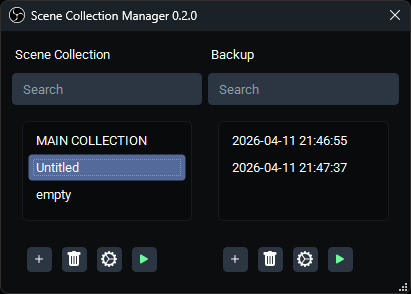
Scene Collection Manager plugin for #OBS Studio updated to version 0.2.0 improving conversion to mac and fixing crashes importing and switching scene collections.
Exeldro 🔜 TwitchCon Rotterdam tweet media
English
2
3
30
2.7K
Exeldro 🔜 TwitchCon Rotterdam
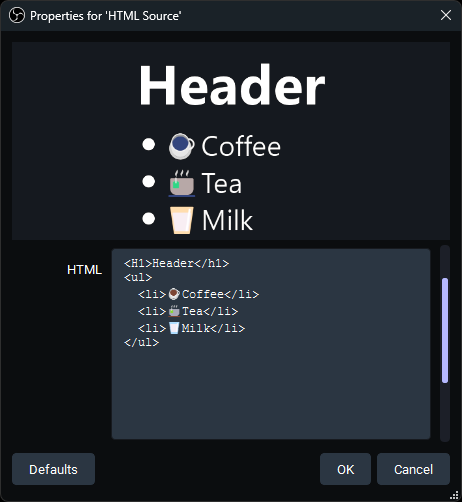
New HTML Source plugin for #OBS Studio allowing you to have static HTML pages as source in OBS without using a browser source
Exeldro 🔜 TwitchCon Rotterdam tweet media
English
9
17
151
7.2K
NooRotic
NooRotic@NooRotic·
@exeldro So effectively a big upgrade to display markdown style and without another browser source! So many ways i can use this one. I'm assuming no script tags, inline js? Appreciate it!
English
1
0
1
217
Shelton
Shelton@CBTwizard·
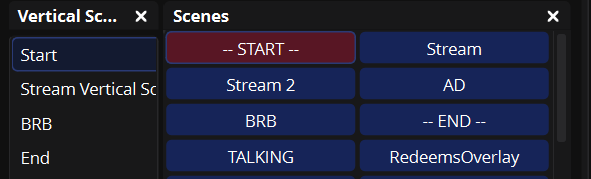
@AitumTV would be cool if we could map the vertical scenes to the main canvas scenes buttons so it is just one button press / one hotkey for both main and vertical canvas scenes I sometimes forget to switch from start to stream on vertical
Shelton tweet media
English
1
0
1
71
Exeldro 🔜 TwitchCon Rotterdam
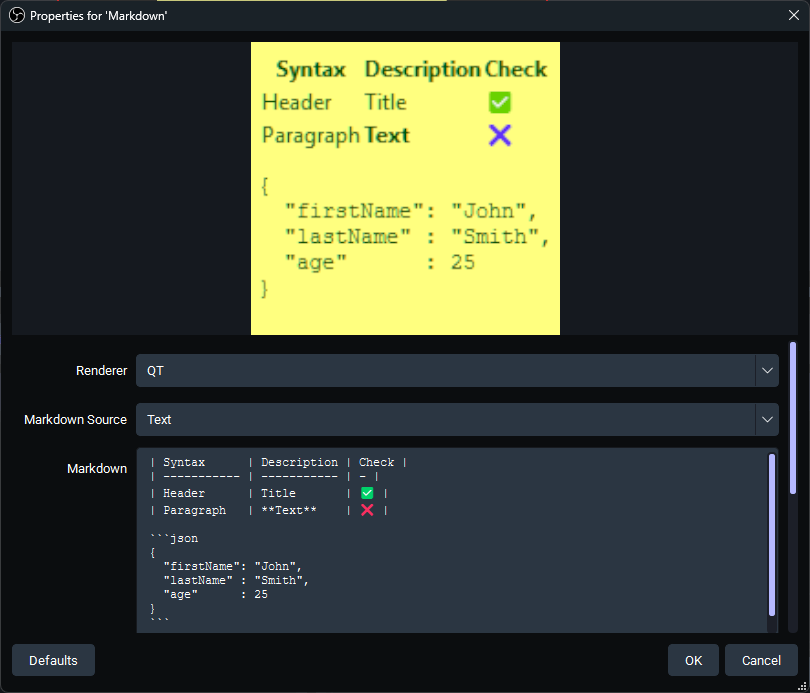
Markdown Source plugin for #OBS Studio updated to version 0.3.0 adding a QT renderer option that auto resizes to the contents
Exeldro 🔜 TwitchCon Rotterdam tweet media
English
1
4
57
9.9K
Mayor Strider Stone
Mayor Strider Stone@StriderStone·
hey @exeldro is "Closed Captioning via Google Speech Recognition 0.0.8" still the only/best option that we have for closed caption? It definitely has its fair share of miss-listens lol
English
1
0
0
337
Exeldro 🔜 TwitchCon Rotterdam
Source Record plugin for #OBS Studio updated to version 0.4.8 fixing a freeze on unload and increasing maximum time for replay buffer
English
2
3
22
1.3K