@feedly I'm trying to add RSS Feeds from YouTube channels but popping the URL now just gives me search results for whatever I've entered instead of letting me ad the RSS Feed of the actual channel like it used to. Any help?
@feedly – YouTube embeds have been broken for a couple of weeks, on all devices. Error 153 is what I get. I reported this issue some days ago to your “pro@” email address, and it seems it’s not getting fixed.
A tiny TIL: if you get "Error 153: Video player configuration error" on YouTube videos embedded on your site a likely culprit is sending the "Referrer-Policy: same-origin" HTTP header
Switching to "strict-origin-when-cross-origin" fixed it for me: simonwillison.net/2025/Dec/1/you…
@feedly I have been using your service for years and now I am getting this error code. Is this something on your end you can fix?
Too Many Requests (HAP429).
Dear @feedly team, your web app is becoming worse by the day: 1/not all entries are shown when they exceed a certain number, unless I click/open one -> then all are shown, 2/"mark all as read" confirms success, but none are marked as read. Pity, I used to love @feedly
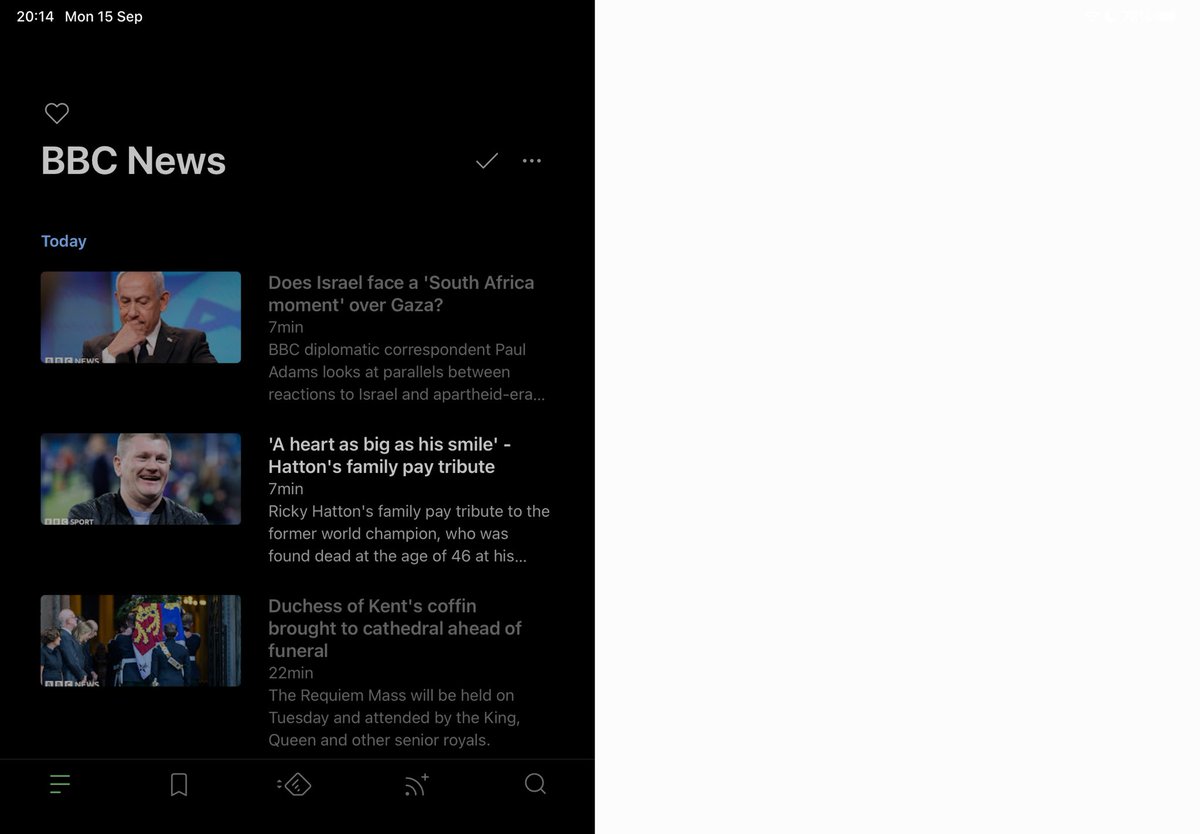
iPad版のFeedlyアプリの起動後にフィード一覧の表示の比率がおかしくなるバグが先月から発生しているのに、いまだに修正されないので公式に報告した😡
I want the company to improve its system where they don't properly verify functionality after updates.
#feedly@feedly@feedly_support
@aerolito@feedly Hi! Could you try performing this action in a Private or Incognito window with no plugins running and let me know if this is still happening there?. If it doesn't work, email us at care+mobile@feedly.com
@feedly_support@feedly Something has changed in the behavior when clicking on a folder containing feeds. The information isn't updated unless you click on another folder and return to the same one. Is this correct?
@feedly, for the second time in three weeks I lost almost all unread feeds, which I wanted to read later. Not marked as "read later" or anything, just left unred.
Disaster!
@feedly – The web app is still a mess. "Mark as read on scroll" sometimes works and sometimes doesn't. Scrolling down with the mouse is disjointed vs. using keyboard shortcuts like "j". Why is this not getting fixed?
@iwbjp@feedly Click-to-refresh broke during our routing rebuild. The team decided not to restore it since the 'r' keyboard shortcut works as an alternative. I understand it disrupts your workflow - documenting this feedback for the product team.Retry
@feedly – I have had the "Auto-Mark As Read On Scroll" setting enabled for years. This feature stopped working days ago. Why does the site keep breaking?
@feedly Looks like keyboard shortcuts are broken on the desktop view again, namely moving forward articles with "J". Is this a known issue, and if so any ETA on a fix? Thanks!
Feedlyで「J」のショートカットキーで次の記事が表示されないバグが発生している。まともにテストをしないならアップデートしないでほしい😡
There's a bug in Feedly where the “J” shortcut key doesn't display the next article.
#Feedly@feedly@feedly_support
@feedly Hi, After installing #iOS26 on my iPad I'm experiencing an issue when opening an article in my default browser (Brave). When you switch back to Feedly the display is glitched. Force closing the app resets it.