

Hal Sclater
494 posts

Hal Sclater
@hsclater
Microsoft 365 Consultant.
East Sussex, Ditchling Katılım Nisan 2009
152 Takip Edilen75 Takipçiler
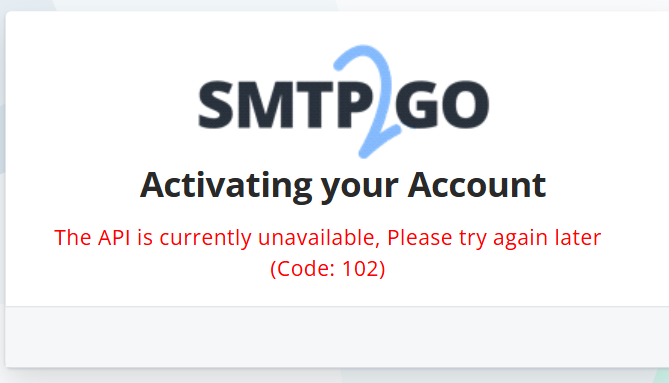
@colhountech smtp2go. @sendgrid send me multiple emails saying I get a discount if I upgrade, there is no discount available. I guess sendgrid don't want their free customers any more.
English

English
It's 2024, we just moved 70TB of files to Azure NetApp, the #1 issue is due to windows file path limitations, an issue that's existed since Windows 95. Why can't @microsoft fix this in file explorer?
English

@WordPress @wp_acf This is absolutely insane. We’ll be moving our clients to a new platform.
English

@wp_acf This has happened several times before, and in line with the guidelines you agreed to by being in the directory: github.com/wordpress/wpor…
Best of luck with your version. We're looking forward to making ours amazing for our users, using the best GPL code available.
English

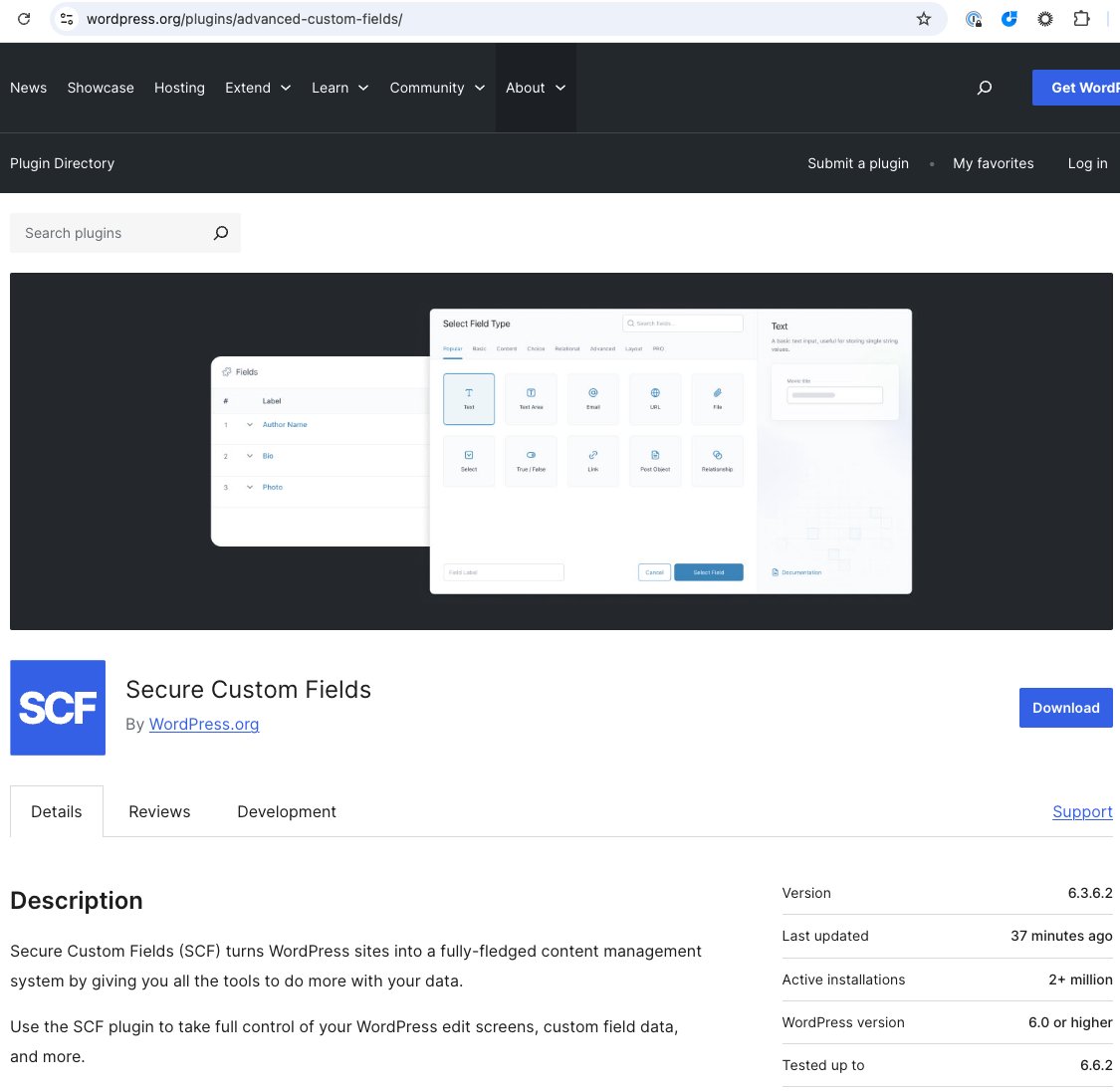
We have been made aware that the Advanced Custom Fields plugin on the WordPress directory has been taken over by WordPress dot org.
A plugin under active development has never been unilaterally and forcibly taken away from its creator without consent in the 21 year history of WordPress.
English
@azuread Also all the documentation is out of date e.g. learn.microsoft.com/en-us/entra/fu…
English
The removal of M365 license management in @azuread needs a serious rethink.
- No Reprocessing in the UI
- You can't manage service plans
- You can't see license assignment errors
- In various places in admin you are told to go back to Azure AD.
English
Hal Sclater retweetledi

Please share this far and wide. As far and wide as you can. NIST Password Guidelines for 2024 are in the process of being updated.
This is a HUGE pet-peeve of mine (when vendors in particular are still operating like its 2017 and keep changing passwords every 60 days, STOP DOING THIS, it's outdated and has been shown to put you MORE at risk than less -- NIST explains why it does in this document, meticulously outlining user behavior**) so I'm sharing this in the hopes all of you will pass it along to your bosses.
The Special Publication series governing passwords is SP 800-63 "Digital Identity Guidelines".
The 2024 version is 800-63-4.
Here: pages.nist.gov/800-63-4/
The companion docs are also on that link. They are 800-63A, 800-63B and 800-63C. These are different documents for different scenarios in play at your org.
The previous update was in2020.
The changes in the 2020 version from the 2017 version were numerous but one of them was that the password verification method should NO LONGER require passwords be changed at specific intervals (i.e. every 60 days) but in the following circumstances instead:
1. After a breach/compromise
2. User request
2024 repeats this and adds a bunch more guidlines but here is a screenshot of page 13 of the new 800-63-4 (note the # 4 after it) which outlines how your systems should now and moving forward, be handling passwords.
This goes for Active Directory, too. All your systems which have passwords should align with these guidelines provided there isn't another standard or framework you must adhere to which overrules this.
Most frameworks, however, have moved away from arbitrary password resets and complexity rules.
**We cybersec researchers and hackers use wordlists from breaches in a variety of different ways. Hackers use them in tooling to crack passwords whereas researchers use breach dumps to see the kinds of passwords users are creating and the psychology behind them.
Using complexity rules gets you the user psychology of:
Password1
Password2
and so on
Use phrasing instead and allow for spaces, which is important. Humans type phrases with spaces. They also mention phish-resistant methods and most vendors are on-board with MS going to be turning off all Legacy Auth next month, across all free accounts and tenancies.
I'm so excited for the new changes!
Ok I'm off my soapbox.
Share the love! Thank you!

English
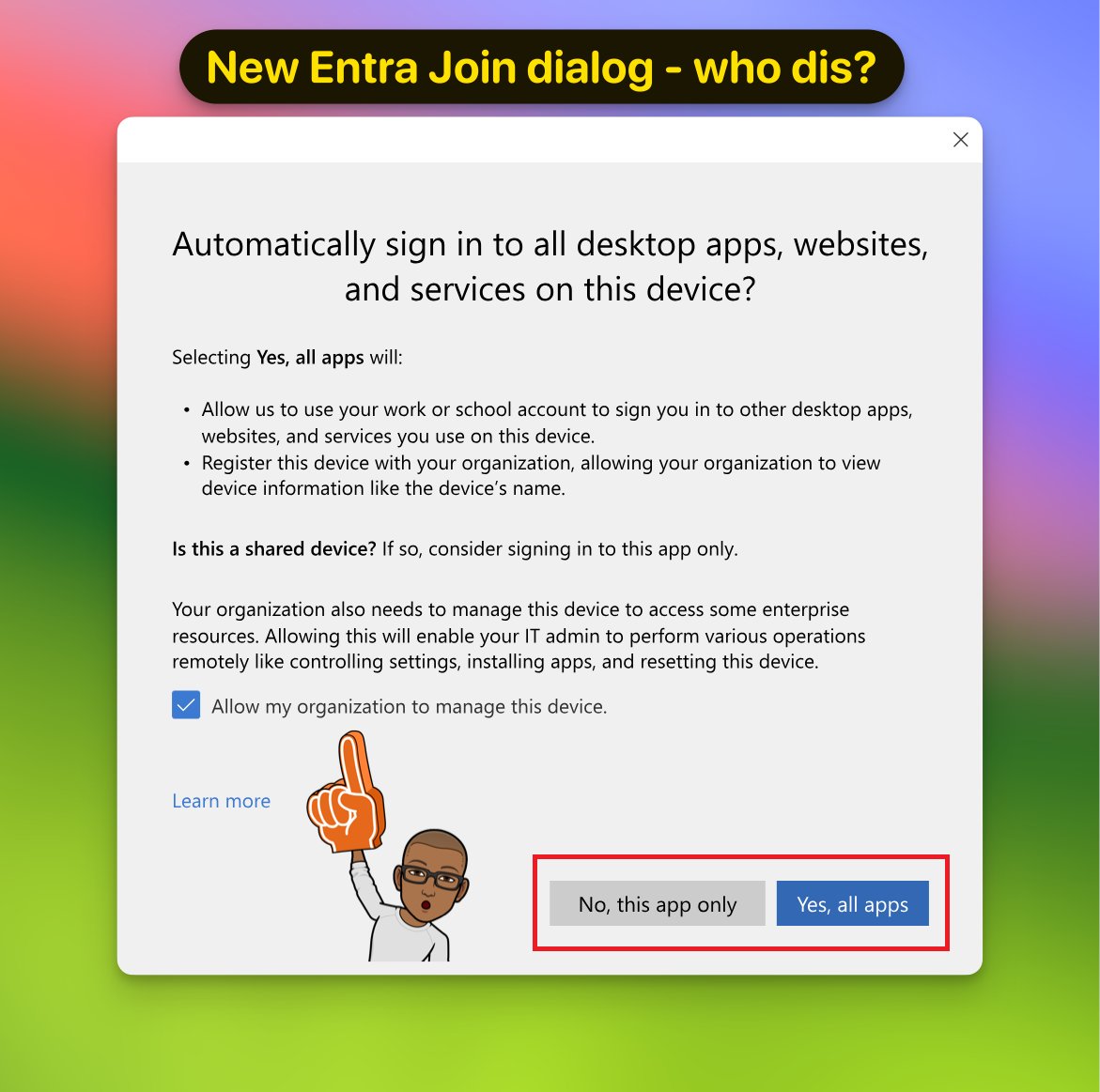
@merill @12Knocksinna @DanielatOCN @fabian_bader @inversecos @janbakker_ @NVISO_Labs @rootsecdev This dialog always confuses people because there are so many combinations just with the one tick box and 2 buttons. This doesn’t really change it much.
English

Learn about the new Entra Join / SSO dialog, which will start rolling out in October, in the latest edition of entra.news 👇
This week we feature posts from
@12Knocksinna, @DanielatOCN, @fabian_bader, @inversecos, @janbakker_, @NVISO_Labs, @rootsecdev, @WelkasWorld, @stianstrysse, @m0bilej0n and more!
cc @ARGOS_Cloud
English

Microsoft's update to "Enterprise Data Protection" for its Copilot formerly known as Bing Chat Enterprise is happening today. Here's what this means: directionsonmicrosoft.com/blog/microsoft…
English
Hal Sclater retweetledi
Microsoft's virtual M365 Copilot Wave 2 event is coming up at 11 a.m. ET/8 a.m. PT today with @satyanadella and @jared_spataro. Link to watch live:
news.microsoft.com/m365-copilot-S…
English

@bt_uk someone left this comms cabinet open on sumner st and now there’s a banana in it. Can you get someone to come and lock it? Been like this for weeks.
English
@JoanneCKlein With guest accounts it even worse as often guests will have no way of contacting IT of the other company, and they get locked out, shouldn’t really require guests to use MFA.
English

Sanity check... i use the Microsoft authenticator app on my phone and I got a new phone. I've successfully backed up/restored all my accounts onto the new phone/app. I am a guest on ~15 other tenants. Do I need those tenant admins to 'require re-register MFA' for my guest acct?
English
@JoanneCKlein I must have over 30 work accounts and have to register them all. Do this before wiping the old phone makes it much easier.
English
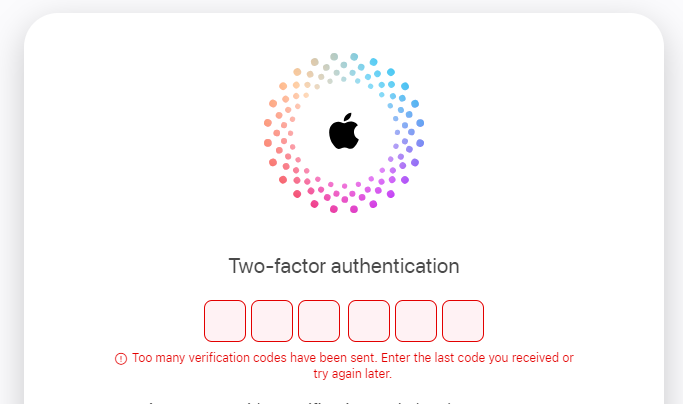
Added MFA to an corporate apple id...it completely locked it out, been like this for days. Apple support can't help, yes Apple's MFA sucks.
English
@12Knocksinna @Office365 If admins are not already using MFA for everyone including themselsves then they shouldn’t be admins
English

.@Office365 I am bemused by how many people are uptight about Microsoft imposing an MFA requirement for access to Azure admin tools. 1. It's only for tools like admin centers and PowerShell. 2. It's for admins, who should be protected by MFA anyway.
office365itpros.com/2024/08/19/azu…
English
@merill We use Yubico Security Key C NFC, cheap and work well. Up to 25 FIDO2 keys, supports their auth app for key management.
English
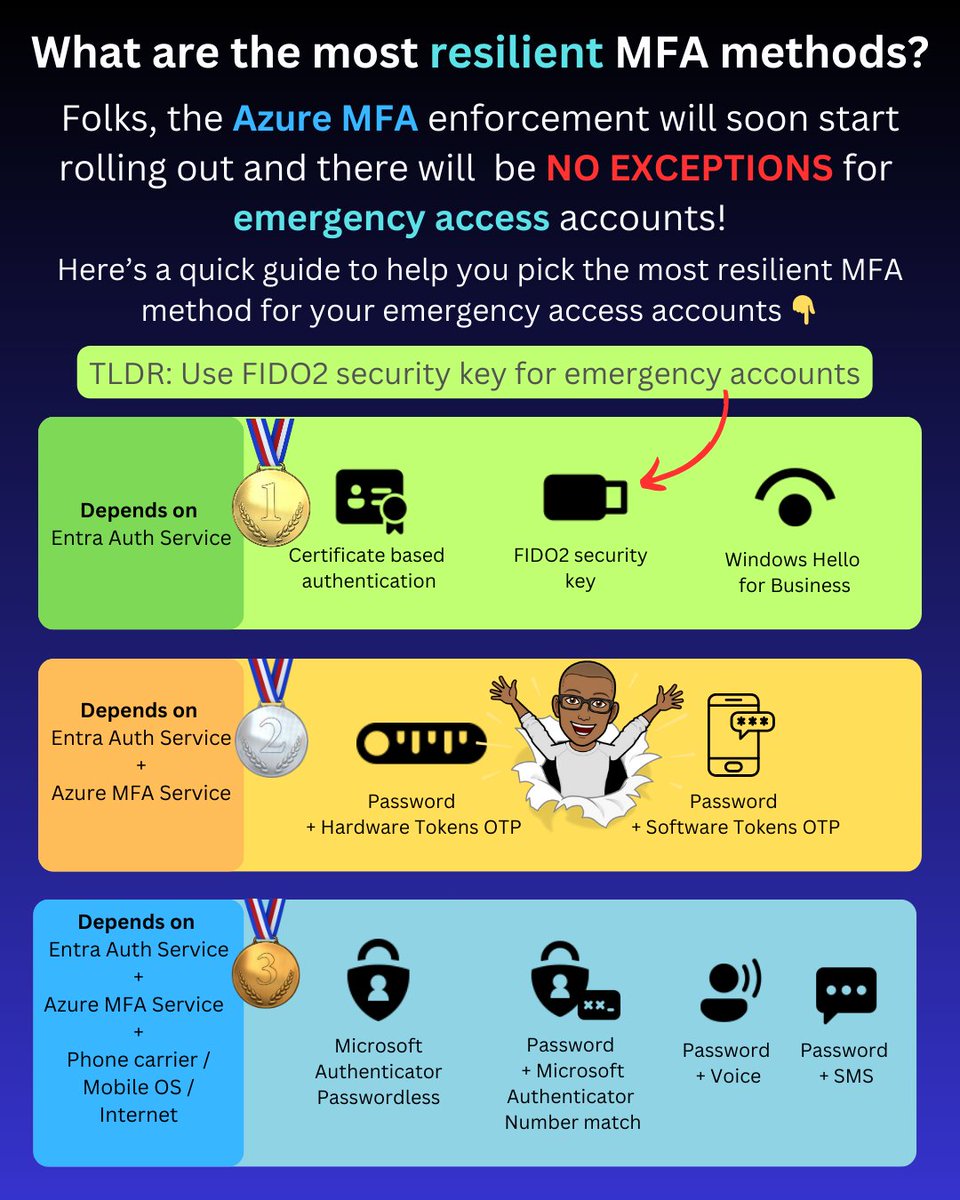
As part of the Azure MFA enforcement rollout, emergency accounts will now need to be registered for MFA.
You should typically avoid using MFA methods that have dependencies on other services, such as the Azure MFA service or your mobile carrier.
This leaves the following as the three most resilient MFA options:
✅ Certificate-based authentication
✅ Windows Hello for Business
✅ FIDO2 security keys
These three methods' only dependency is the core Entra authentication service, which is the same as password authentication that relies on the Entra auth service.
Now, when it comes to your emergency access account, the most likely option is to use FIDO2 security keys.
Here's why.
Windows Hello for Business (WHfB) for emergency access
Windows Hello for Business is not a viable option for emergency access accounts. It requires a device that must be frequently updated, constantly connected to the internet for the PRT to be renewed, and there are also the costs and operational overhead associated with the device.
Certificate-based authentication for emergency access
If you haven't deployed certificate-based authentication, you'll need to set it up and ensure that you use self-signed keys to avoid dependencies on external PKI/CRL infrastructure. Not to mention a smart card and card reader or some other hardware for storing the certificates.
FIDO2 security keys for emergency access
This essentially leaves FIDO2 security keys, which are simple to enable in Entra ID, require very low or no maintenance, take up little space, can be stored securely, and can be purchased for $25 retail.
PS: I've intentionally not included device-bound passkeys in Authenticator as they are currently in public preview, and you most likely don’t want to use them for your emergency access account yet.
-------------
Liked this post? Bookmark this and feel free to follow me for more tips on Microsoft Security and Microsoft Entra.
Remember to click the bell icon on my Twitter profile. This way Twitter will show you all my posts in your feed so you don't miss anything.
Please like, repost to share with others. Thanks!
English
Hal Sclater retweetledi

I would also recommend FIDO2 keys for break-glass emergency axccounts.
However, if you are looking into CBA, do know that most FIDO keys also have PIV slots to store certificates..
docs.yubico.com/yesdk/users-ma…
Merill Fernando@merill
As part of the Azure MFA enforcement rollout, emergency accounts will now need to be registered for MFA. You should typically avoid using MFA methods that have dependencies on other services, such as the Azure MFA service or your mobile carrier. This leaves the following as the three most resilient MFA options: ✅ Certificate-based authentication ✅ Windows Hello for Business ✅ FIDO2 security keys These three methods' only dependency is the core Entra authentication service, which is the same as password authentication that relies on the Entra auth service. Now, when it comes to your emergency access account, the most likely option is to use FIDO2 security keys. Here's why. Windows Hello for Business (WHfB) for emergency access Windows Hello for Business is not a viable option for emergency access accounts. It requires a device that must be frequently updated, constantly connected to the internet for the PRT to be renewed, and there are also the costs and operational overhead associated with the device. Certificate-based authentication for emergency access If you haven't deployed certificate-based authentication, you'll need to set it up and ensure that you use self-signed keys to avoid dependencies on external PKI/CRL infrastructure. Not to mention a smart card and card reader or some other hardware for storing the certificates. FIDO2 security keys for emergency access This essentially leaves FIDO2 security keys, which are simple to enable in Entra ID, require very low or no maintenance, take up little space, can be stored securely, and can be purchased for $25 retail. PS: I've intentionally not included device-bound passkeys in Authenticator as they are currently in public preview, and you most likely don’t want to use them for your emergency access account yet. ------------- Liked this post? Bookmark this and feel free to follow me for more tips on Microsoft Security and Microsoft Entra. Remember to click the bell icon on my Twitter profile. This way Twitter will show you all my posts in your feed so you don't miss anything. Please like, repost to share with others. Thanks!
English
Test your prompt injection skills! Made it to level 7...gandalf.lakera.ai/intro
English