Coach Sam

2.4K posts

Coach Sam

Coach Sam

@juubitosam

Gaming coach

Lagos, Nigeria Katılım Haziran 2024
419 Takip Edilen155 Takipçiler
Coach Sam
Coach Sam@juubitosam·
@HushOfLife Is this real? And if yes, what VPN or Proxy you are using??
English
0
0
0
63
HushOfLife
HushOfLife@HushOfLife·
Guysssss 😢😭 My life hasn't been going so well since the start of 2026 💔 I lost my major source of income in January, owed lots of money to friends and family. many job applications and non responded. Woke up this morning, picked up my phone as usual to do my daily routine, and i decided to check the website and then boom, I saw this After 3 weeks of training AI, with sleepless night. I can't thank this platform well enough. They finally paid. 4 figs secured. Jsyk Outlier is not the only paying platform out there.
HushOfLife tweet mediaHushOfLife tweet media
HushOfLife@HushOfLife

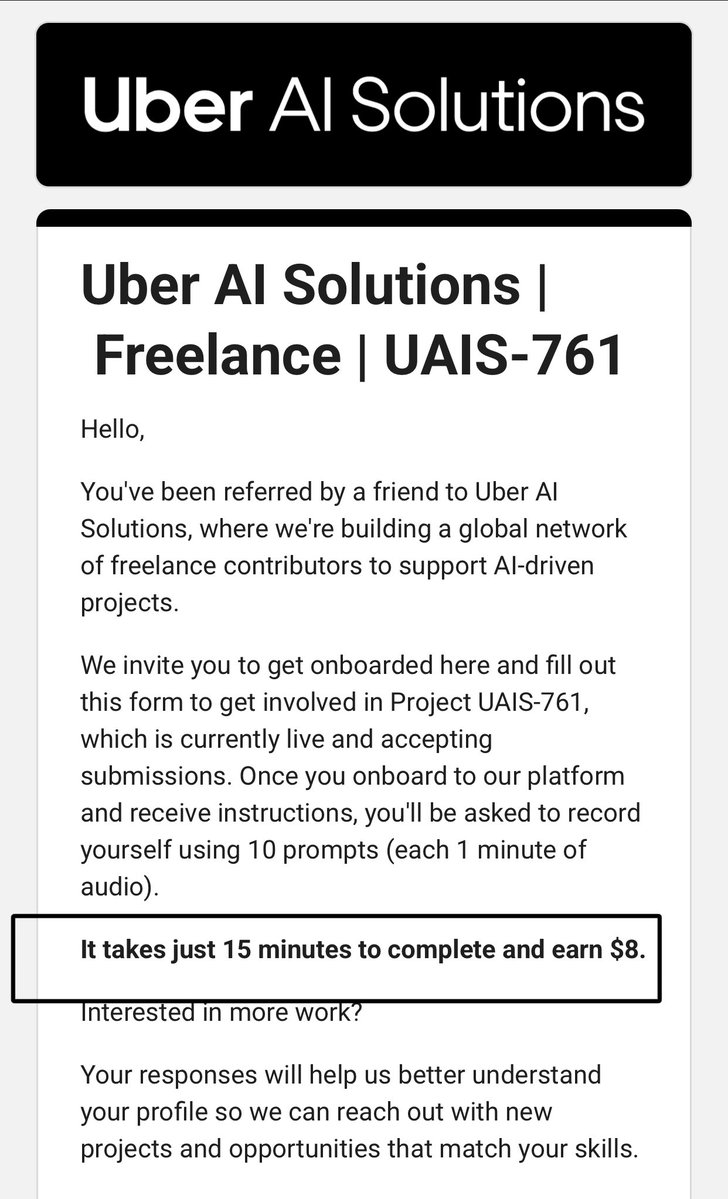
The first task is live on my dashboard. I'm hoping I finished up in time and bag more gigs from here. Leave outlier and pivot to uberAI. How does $20/hour sound to you?

English
262
58
1.3K
393.5K
FK
FK@NamedFarouk·
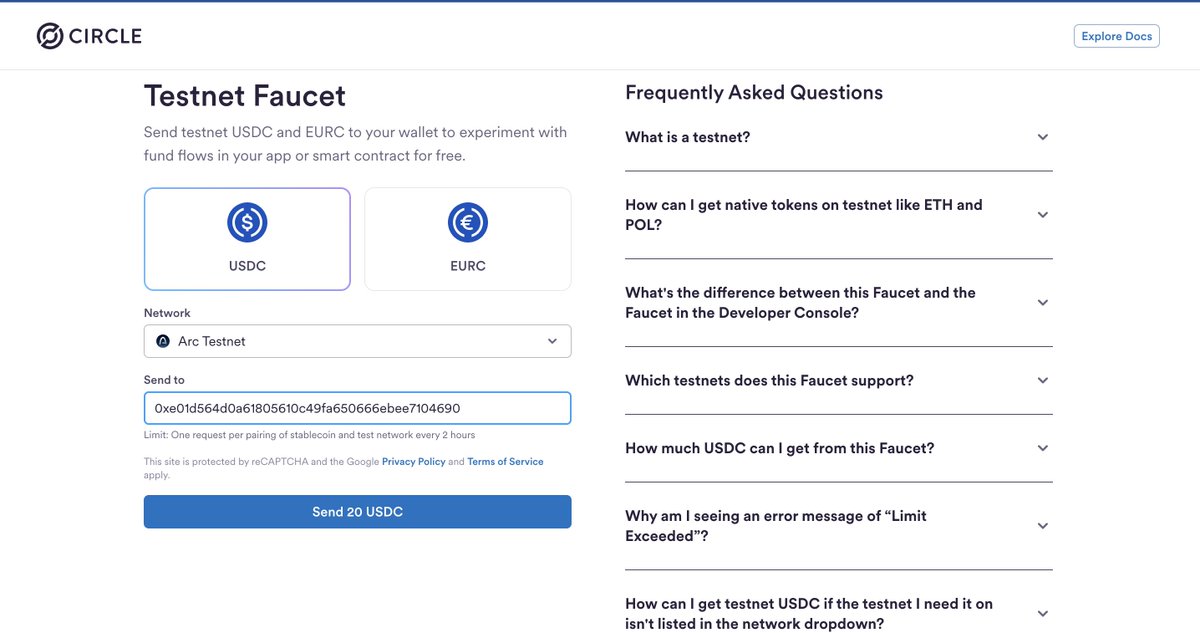
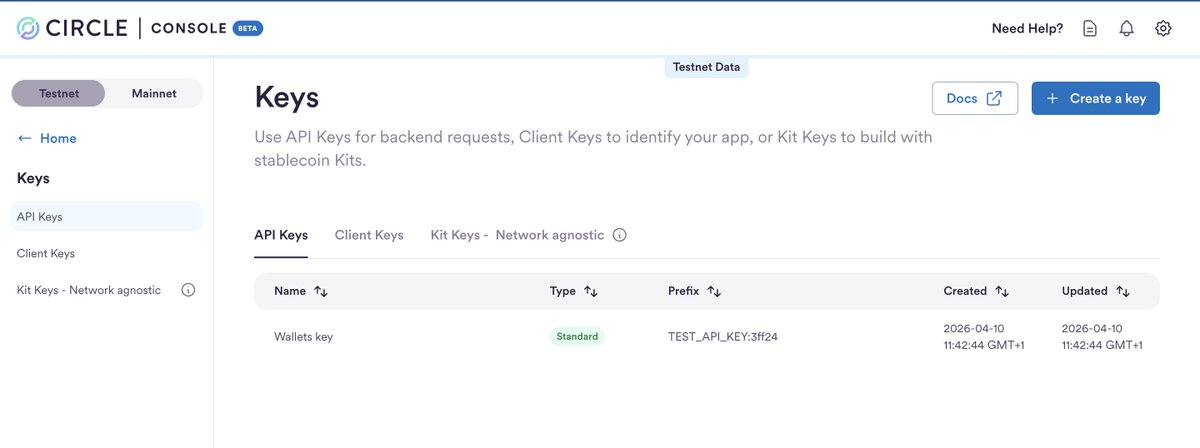
This @Arc guide shows you how to control wallets programmatically from your backend. No frontend or metamask, you control everything with code. 1/ What you're building: Two wallets that interact with each other, fully from the backend. You move USDC between them using nothing but a script. 2/ What you need before starting: - A code editor. Download VSCode here: code.visualstudio.com/download - Node.js 22+. Download here: nodejs.org - A Circle developer account. Sign up here: console.circle.com Once signed up on Circle: - Click "Keys" on the left sidebar - Click "Create a key" → "API Key" → "Standard Key" - Give it a name and click "Create key" - Copy the key and keep it somewhere safe 3/ Set up your project: Open VSCode, then open the terminal (View → Terminal) and run these one by one: mkdir dev-controlled-wallets cd dev-controlled-wallets npm init -y npm pkg set type=module npm install @circle-fin/developer-controlled-wallets typescript tsx npm install --save-dev @types/node Now create a file called .env in the folder and add this line: CIRCLE_API_KEY=your_api_key_here Replace your_api_key_here with the key you copied from Circle. 4/ Create the script: In the same folder, create a new file called create-wallet.ts Paste this code into it: import crypto from "node:crypto"; import fs from "node:fs"; import path from "node:path"; import readline from "node:readline"; import { fileURLToPath } from "node:url"; import { registerEntitySecretCiphertext, initiateDeveloperControlledWalletsClient, } from "@circle-fin/developer-controlled-wallets"; const __dirname = path.dirname(fileURLToPath(import.meta.url)); const OUTPUT_DIR = path.join(__dirname, "output"); async function main() { const apiKey = process.env.CIRCLE_API_KEY; if (!apiKey) throw new Error("CIRCLE_API_KEY is required"); fs.mkdirSync(OUTPUT_DIR, { recursive: true }); const entitySecret = crypto.randomBytes(32).toString("hex"); await registerEntitySecretCiphertext({ apiKey, entitySecret, recoveryFileDownloadPath: OUTPUT_DIR, }); const envPath = path.join(__dirname, ".env"); fs.appendFileSync(envPath, `\nCIRCLE_ENTITY_SECRET=${entitySecret}\n`); console.log("Entity Secret registered."); const client = initiateDeveloperControlledWalletsClient({ apiKey, entitySecret }); const walletSet = (await client.createWalletSet({ name: "My Wallet Set" })).data?.walletSet; if (!walletSet?.id) throw new Error("Wallet Set creation failed"); const wallet = (await client.createWallets({ walletSetId: walletSet.id, blockchains: ["ARC-TESTNET"], count: 1, accountType: "EOA", })).data?.wallets?.[0]; if (!wallet) throw new Error("Wallet creation failed"); console.log("Wallet A address:", wallet.address); fs.appendFileSync(envPath, `CIRCLE_WALLET_ADDRESS=${wallet.address}\n`); fs.writeFileSync(path.join(OUTPUT_DIR, "wallet-info.json"), JSON.stringify(wallet, null, 2)); console.log("\nFund your wallet at faucet.circle.com (select Arc Testnet)"); const rl = readline.createInterface({ input: process.stdin, output: process.stdout }); await new Promise((resolve) => rl.question("Press Enter once funded...", () => { rl.close(); resolve(null); })); const secondWallet = (await client.createWallets({ walletSetId: walletSet.id, blockchains: ["ARC-TESTNET"], count: 1, accountType: "EOA", })).data?.wallets?.[0]; if (!secondWallet) throw new Error("Second wallet creation failed"); console.log("Wallet B address:", secondWallet.address); const ARC_TESTNET_USDC = "0x3600000000000000000000000000000000000000"; const tx = await client.createTransaction({ blockchain: wallet.blockchain, walletAddress: wallet.address, destinationAddress: secondWallet.address, amount: ["5"], tokenAddress: ARC_TESTNET_USDC, fee: { type: "level", config: { feeLevel: "MEDIUM" } }, }); console.log("Transaction ID:", tx.data/?.id); const terminal = new Set(["COMPLETE", "FAILED", "CANCELLED", "DENIED"]); let state = tx.data/?.state; while (!state || !terminal.has(state)) { await new Promise((r) => setTimeout(r, 3000)); const poll = await client.getTransaction({ id: tx.data!.id }); state = poll.data/?.transaction?…; console.log("State:", state); if (state === "COMPLETE") console.log("Explorer: testnet.arcscan.app/tx/" + poll.data/?.transaction?…); } } main().catch((err) => { console.error(err.message); process.exit(1); }); Save the file with Ctrl+S (or Cmd+S on Mac). 5/ Run the script: In your terminal, run: node --env-file=.env --import=tsx create-wallet.ts The terminal will print Wallet A's address and pause. Don't close it. 6/ Fund Wallet A: While the terminal is waiting: - Go to faucet.circle.com - Select "Arc Testnet" as the network - Paste Wallet A's address (printed in your terminal) - Click "Send USDC" Once done, go back to your terminal and press Enter. The script will now create Wallet B, send 5 USDC to it, and print "State: COMPLETE" along with a transaction link when it's done. 7/ Verify your transaction: Copy the tx hash printed in your terminal. - Go to testnet.arcscan.app - Paste the hash in the search bar - You'll see Wallet A and Wallet B with their updated balances NOTE: Never commit your .env or output/ folder to GitHub. Your Entity Secret lives there - treat it like a private key. Arc uses USDC as gas. Sub-second finality. Circle's full stack baked in. This is what building payments infrastructure actually looks like. More Arc content dropping.
FK tweet mediaFK tweet mediaFK tweet media
FK@NamedFarouk

x.com/i/article/2033…

English
14
11
77
5.6K
Coach Sam
Coach Sam@juubitosam·
Been building on @arc testnet today using foundry Deployed: HelloArchitect(greeting contract) Custom ERC721 NFT contract- Minted onchain ERC20 token with 1,000,000 ART supply Transferred Tokens to another wallet All verified on testnet.arcscan.app
English
0
0
0
18
FK
FK@NamedFarouk·
@juubitosam @arc yes bro, save all your wallets. tweet about your interactions also.
English
1
0
1
66
Kobi
Kobi@kobixyzHQ·
Comprehensive guide on everything I’ve covered on @arc by @circle 🎯 I’ve earned a total of 550 lifetime points for my contribution to the arc community hub Here are the things I’ve covered - Joining Arc Community Hub - Deploying Smart Contract on arc - Joining Arc Discord (it’s different from Circle discord) - Interacting with a DEX on Arc Here is how you can join the arc community hub and earn points x.com/kobixyzHQ/stat… 🎯 This is the most important for me as I believe less people are interacting with it Here is how you can deploy smart contract on Arc x.com/kobixyzHQ/stat… Join Circle Discord https://discord[.]gg/buildonarc 🎯 You will be banned from Arc discord if you send low quality message If you’re accepted on arc community hub, use this x.com/kobixyzHQ/stat… Here is how you can interact with ArcFlowFinance DEX x.com/kobixyzHQ/stat… That will be all for now, I will keep you updated, keep tab
Kobi tweet media
Kobi@kobixyzHQ

If you applied for the @arc Community hub by @circle check to see if you got the acceptance mail 🎯 Remember Arc is an L1 and token is mandatory upon mainnet - Navigate to your mail “Arc Community” - Click on “Get started now” - You will get a second mail from Arc - Click on the second mail in other to get access to your account and login - Once you’re logged in, click on “Complete Profile” - Proceed to set up your profile 🎯 If you’re yet to apply for the Arc Community hub, use the quoted tweet below That will be all for now, I will drop an update soon on how to maximize your points and badge earning

English
8
6
54
4.3K
Degen
Degen@whatalife598·
Can you guys put me on this LLC update?
English
10
0
35
5.8K
FK
FK@NamedFarouk·
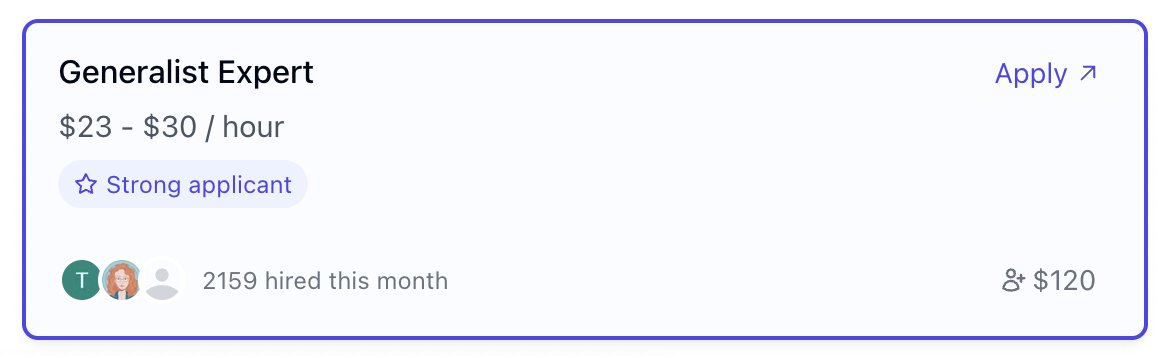
Earn $23-$30/hr on mercor as a data annotator good luck with your application t.mercor.com/Zq6Qn
FK tweet media
English
20
18
299
40.1K
Amity Tobi
Amity Tobi@TobiAmity·
what do you call someone who grows communities, builds ecosystems, and is also learning to code? apparently… open to work 😄 🌿amitytobi.netlify.app
English
18
29
40
268
THEOREM
THEOREM@TheoremNFT·
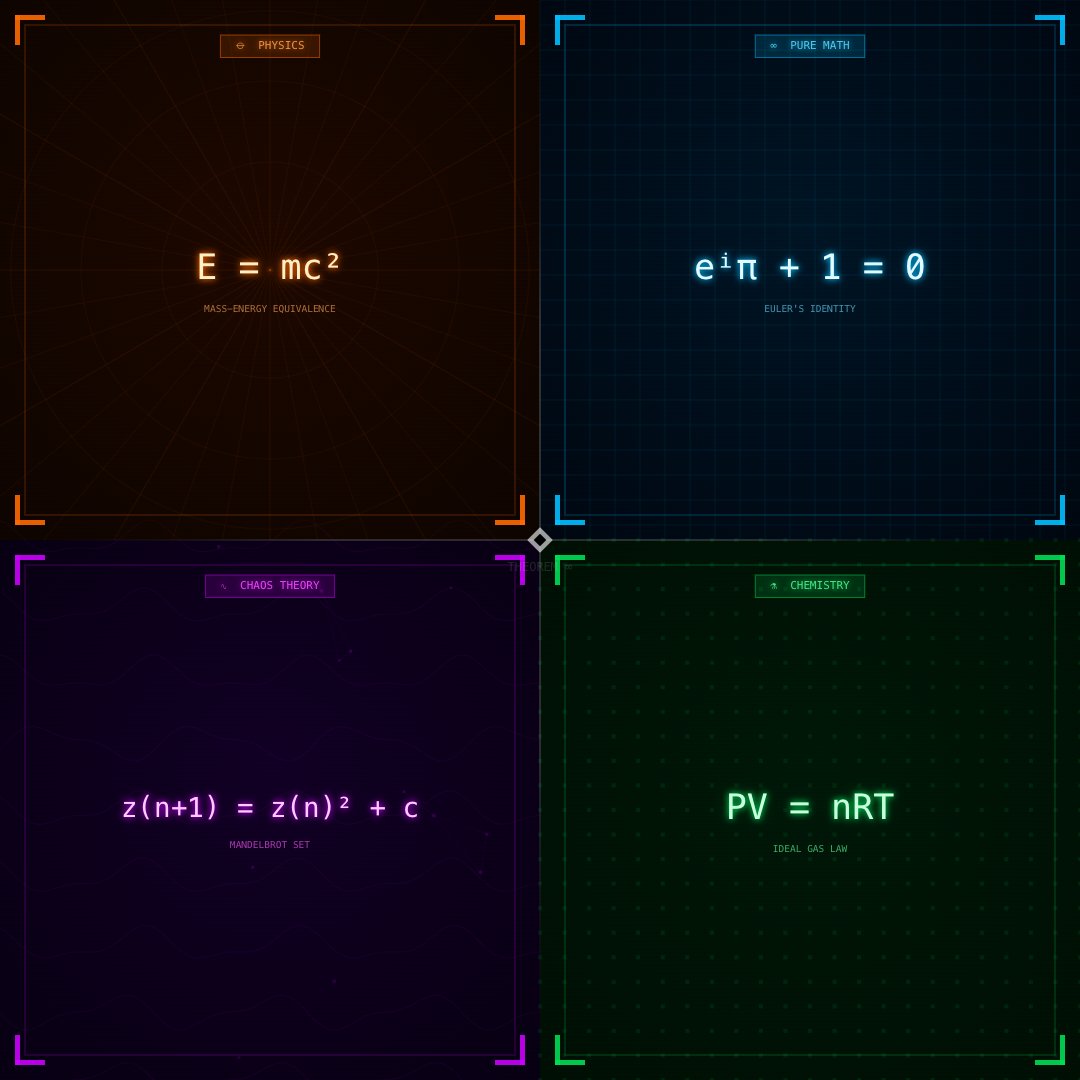
WHICH DOMAIN ARE YOU MINTING? ∞ ⚛ PHYSICS (AMBER) ∞ PURE MATH (CYAN) ∿ CHAOS THEORY (VIOLET) ⚗ CHEMISTRY (JADE)
THEOREM tweet media
English
138
17
196
8.7K
Coach Sam
Coach Sam@juubitosam·
I REALLY NEED THIS WIN LORD!!!
English
0
0
0
9