Karthi Durai

18.1K posts

Karthi Durai banner
Karthi Durai

Karthi Durai

@kdthecomic

Shitposting Acc | Adhula onnum ila.. keezha potru

Chennai, India Katılım Mart 2019
2.6K Takip Edilen5.7K Takipçiler
Sabitlenmiş Tweet
Karthi Durai
Karthi Durai@kdthecomic·
We spend most of our lives searching for what we want, not realising that at times, we could just give it to ourselves.
English
0
0
7
1.1K
Karthi Durai retweetledi
Harshil Tomar
Harshil Tomar@Hartdrawss·
Banger article for every Vibe Coder ! Covers 1/ Ready-Made Auth 2/ shadcn-ui 3/ Zustand and Server Components 4/ tRPC and Server Actions 5/ Prisma and Managed Postgres 6/ Zod and React Hook Form 7/ Sentry or Error Tracking and much more ! Def a bookmark !
Harshil Tomar@Hartdrawss

x.com/i/article/2025…

English
9
43
619
127.4K
Gul
Gul@gulchandna·
asked a candidate to show me the home page screen again during a portfolio round interview. they heard “home” and started showing me their room and I was so confused for a second 😭
English
16
2
202
9.2K
Karthi Durai
Karthi Durai@kdthecomic·
Onnu bittu id ah varuthu, ila AI vanthu ellarum nadu theruvuku vara porom nu varuthu...where is the fun twitter 😪😪
Eesti
2
0
11
591
Karthi Durai retweetledi
Ashish
Ashish@Ash_uxi·
spent 2 hours digging through the @framer marketplace so you don't have to found 10 code components that make sites look custom-built in minutes the kind people assume took weeks 🧵
Ashish tweet media
English
7
2
95
7.6K
Karthi Durai
Karthi Durai@kdthecomic·
Macbook air m2 bezel went off, best local place to repair in chennai? No prob in display. How much will it cost?
Karthi Durai tweet media
English
1
2
2
1.5K
Karthi Durai retweetledi
llmcontrols
llmcontrols@LLMControls_ai·
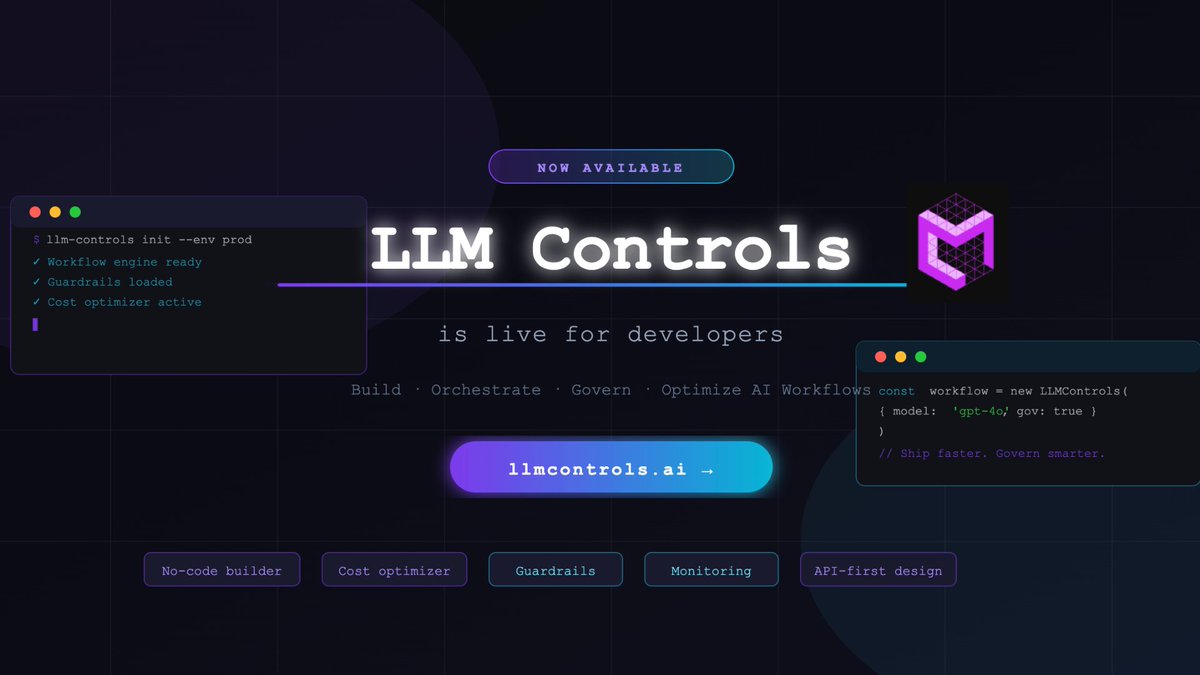
Today we launch the developer version of LLM Controls LLM Controls is the control plane for production AI workflows - we make your AI workflows predictable with: • Orchestration • Optimization • Reliability & guardrails We built this for teams tired of duct-taping AI systems together. You get free access to the whole platform with dozens of templates to quickly build and launch your applications. You also get access to a variety of models, a high performance vector database and other services - Including a set of free tokens for our early adopters! All with no-code to full-code capability. Get your free access here: llmcontrols.ai/pricing Or reply "DEMO" to book a live walkthrough.
llmcontrols tweet media
English
1
2
1
3.5K
Karthi Durai retweetledi
Adham Dannaway
Adham Dannaway@AdhamDannaway·
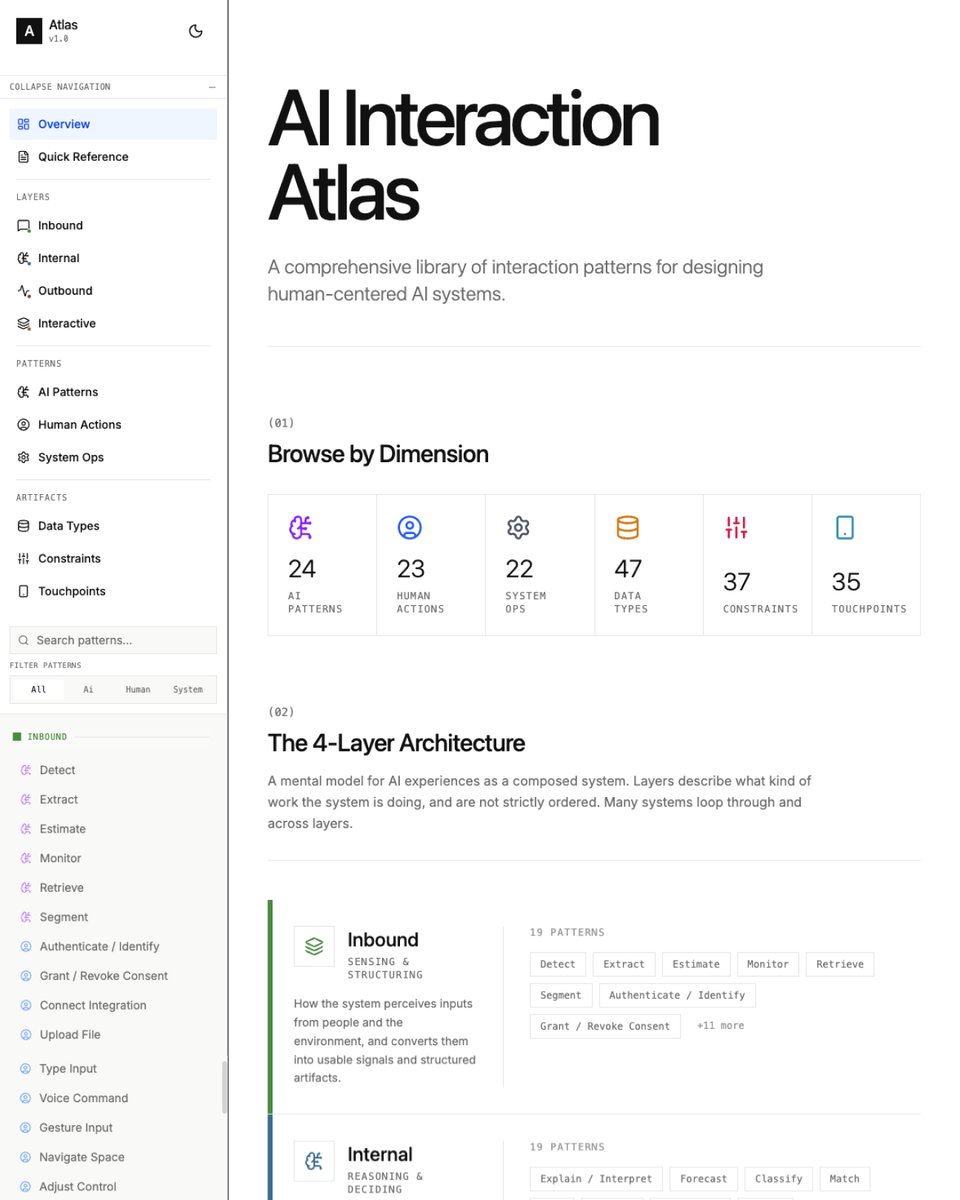
🌎 AI Interaction Atlas A comprehensive library of interaction patterns for designing human-centred AI systems. → ai-interaction.com
Adham Dannaway tweet media
English
3
56
584
41.5K
Karthi Durai retweetledi
Steve Lauda
Steve Lauda@stevelauda_·
After reading through this article by @tomjohndesign , I tried to follow somewhat the same approach. I used it to build my web app video game builder Overall what I am doing is: 1. Plan out what I am going to do, just like talking to a seasoned product owner/manager/you name it with the plan mode (ask mode in Cursor) 2. Brainstorm with AI on how to approach things, up to the granular level, defining the edge cases, etc. 3. Keep circling back to AI to update the md file for the whole context and history of the planning, and, keep reminding the AI to make sure when the md file is at risk to be somewhat large and give a risk to be hallucinating, and then breakdown the md file into a systemic md files that can connected to each other 4. Build up the end to end work process, and ask AI to divide the development process into several small chunks of phase that will be auto-save to the md file once that phase is done and by the end of the phase to evaluate if everything is truly DONE, if yes, run a test, save the result in the md file 5. Once all the codebase structure is ready based on what I've discussed with the AI agent, only by then I started to ask the AI agent to build up several options for each key screen of the app, one screen at a time in pencil. dev 6. Once all the rough wireframes are done, I asked Claude Code to stitch them altogether into a lightweight protoype that I can test out to make sure the functionality at least align with my expectations 7. If something is off, I will circle back to plan mode, explain what I feel off and consult to AI how I should tackle the issue that I am facing and ask AI to walk with me in small steps to fix the "issue" and request that AI situated themselves as a consultant, so they keep asking me and provide me options of how things should be 8. Once functionality is 100% satisfying, and then I will start to upgrade the look and feel to the granular level by designing in Figma and then copy paste it to Pencil 9. If I need some special visual treatment that is impossible to build in Figma, I will do it in Paper, and then export it as React file, and then put it into the project repo 10. I will ask the AI agent to apply what I have in Paper to the screen I made in Pencil, and remind them, if it's not something Pencil can render on the preview, just build it as a React file in the local repo and then I can preview it on browser. 11. I will manually refine the small details in Pencil until I am satisfied and then save the pen file, and ask to merge the changes to the React file in main branch. Not sure if this is the best approach, but so far I feel this is much faster compared to manually ideating by myself and designing on the fly in Figma.
Tom Johnson@tomjohndesign

x.com/i/article/2018…

English
8
16
286
45.5K
Karthi Durai retweetledi
Hardik Pandya
Hardik Pandya@hvpandya·
🚩Brought error-rate in large vibe prototypes down from ~30% to < 5% with a few changes: → Define all components separately: Left nav, chat sidebar, site-wide header, content panels → 'Compose' each screen by combining all the components into a view → Guide the LLM with how you want your 'layout' to be structured – what components must live in the same container with width splits versus what components must share the height split – think of it like creating auto-layouts to keep things fluid → Build an icons.md skill that takes randomly sized, inconsistently drawn icon assets and standardizes them into a set of fixed icons with fixed containers so that they never mess up your layout – VERY important → Store assets separately into each component's own folder, common assets in a global folder → Every behavior i.e. hover, animation, dropdown must be defined as a 'standard' in a .md file for reuse later → Terminology + content must be placed in a terminology.md file to standardize across the prototype + add date & time standards too → Create and continuously update architecture.md file that maintains a 'complete picture' of your prototype to be able to make contained changes There's a lot more to this, but that'll be for a detailed essay.
English
7
3
98
6.2K
Karthi Durai retweetledi
Adham Dannaway
Adham Dannaway@AdhamDannaway·
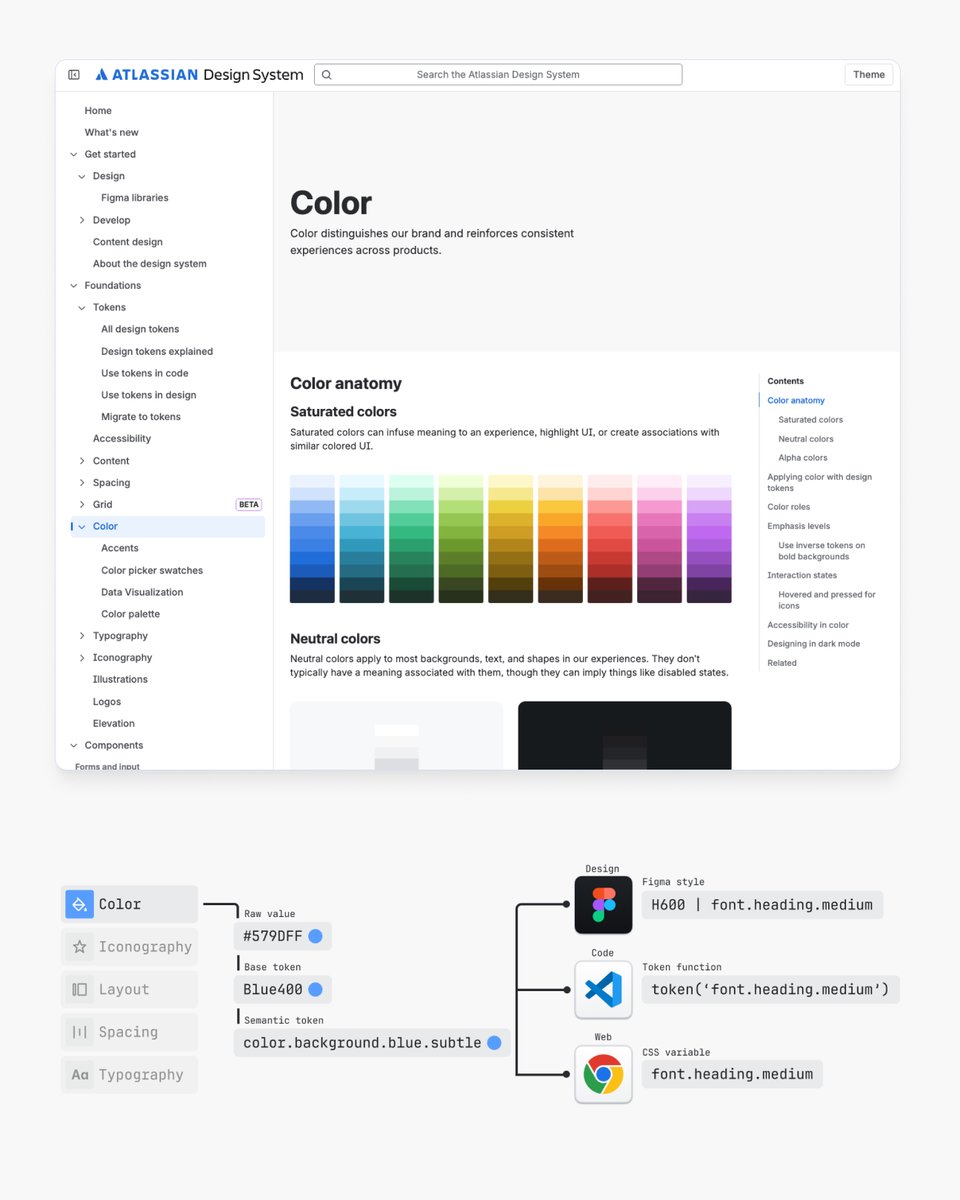
📌 I've studied hundreds of design systems over the years and here's what I learned from the top ones including: • Google’s Material Design System • Shopify’s Polaris Design System • GitHub’s Primer Design System • Apple’s Human Interface • Guidelines • Gov UK Design System • Microsoft’s Fluent 2 Design System • GitLab Pajamas Design System • Twilio’s Paste Design System • Salesforce’s Lightning Design System • Vercel’s Geist Design System • BBC’s GEL Design System • Mozilla’s Protocol Design System Learnings 👇 adhamdannaway.com/blog/design-sy…
Adham Dannaway tweet media
English
11
125
980
62.3K
Karthi Durai retweetledi
Adham Dannaway
Adham Dannaway@AdhamDannaway·
📖 User Interface Wiki A growing collection of articles, patterns, and best practices for designing and building great interfaces. userinterface.wiki By Raphael Salaja
Adham Dannaway tweet media
English
2
16
182
9K