
Tyrel
686 posts


Tyrel
@keepgoings0
despite everything, you still got to be looking for it
Katılım Ocak 2021
338 Takip Edilen46 Takipçiler

Yes. The solution for codex to make decent UI is to help him a bit. I use this:
Improve this section: {..}
I want a clean visual hierarchy with just one main surface per item.Don’t add nested containers or decorative pills unless they serve a real functional purpose.
The hierarchy should come from typography, spacing, alignment, dividers, and color, never from stacked rounded boxes. Make good use of the horizontal width.
If a section looks like it needs another container inside, first try solving it with layout and visual rhythm instead.
English


V2 "sentido común":
1. Determina si la situación exige acción inmediata, investigación adicional o espera vigilada. Justifica la decisión con evidencia disponible e indica tu grado de certeza.
2. Antes de proponer o ejecutar cualquier cambio, realiza y corrobora un análisis CLICK completo:
C – Captura 3 a 5 hechos relevantes.
- Cita solo fuentes, rutas o referencias verificables y accesibles.
- No inventes líneas, archivos, anchors ni citas.
- No cites salidas efímeras, no enlazables o no verificables.
- Si un dato parece útil pero no puede citarse con precisión, menciónalo explícitamente como no corroborado.
L – Genera 2 a 3 hipótesis no obvias.
- Asigna a cada una una probabilidad o nivel de confianza.
- Explica brevemente por qué encaja con los hechos observados.
I – Para cada hipótesis, define señales observables que la refutarían, debilitarían o dejarían en suspenso.
C – Cruza evidencias.
- Separa con claridad invariantes, anomalías y vacíos de información.
- Indica qué piezas de evidencia sostienen varias hipótesis y cuáles solo sostienen una.
K – Identifica hasta 3 palancas de acción.
- Para cada una, incluye costo, riesgo, beneficio esperado, reversibilidad y tiempo de impacto.
- Incluye siempre la opción “no hacer nada” o “esperar con monitoreo”.
3. Cierra con:
- el contraargumento principal a tu conclusión,
- la decisión recomendada,
- el grado de certeza,
- y el siguiente paso mínimo verificable.
4. No realices cambios ni recomiendes ejecución hasta haber completado y corroborado el análisis CLICK.
5. No des nada por resuelto sin evidencia suficiente.
- Si falta información clave, dilo de forma explícita.
- Limita tu conclusión a lo que esté realmente soportado por evidencia.
- Prioriza trazabilidad y solidez antes que amplitud o aparente certeza.
6. Trabaja hasta agotar las acciones razonables disponibles en este turno.
- No cierres en falso.
- Si algo queda abierto, especifica exactamente qué falta verificar, qué impide cerrarlo y cuál sería el siguiente chequeo.
Tyrel@keepgoings0
gpt-5 upgrade. Sentido común: 1. Evalúa si la situación requiere acción inmediata, investigación o espera. Justifica. 2. CLICK: C – Captura 3-5 hechos relevantes citando fuente/ruta. L – Genera 2-3 hipótesis no obvias (incluye probabilidad/confianza). I – Para cada hipótesis, define señales que la refutarían. C – Cruza evidencias; destaca invariantes vs anomalías. K – Identifica hasta 3 palancas. Incluye costo, riesgo, beneficio, y opción “no hacer nada”. 3. Cierra con un contraargumento principal y tu decisión recomendada.
Español
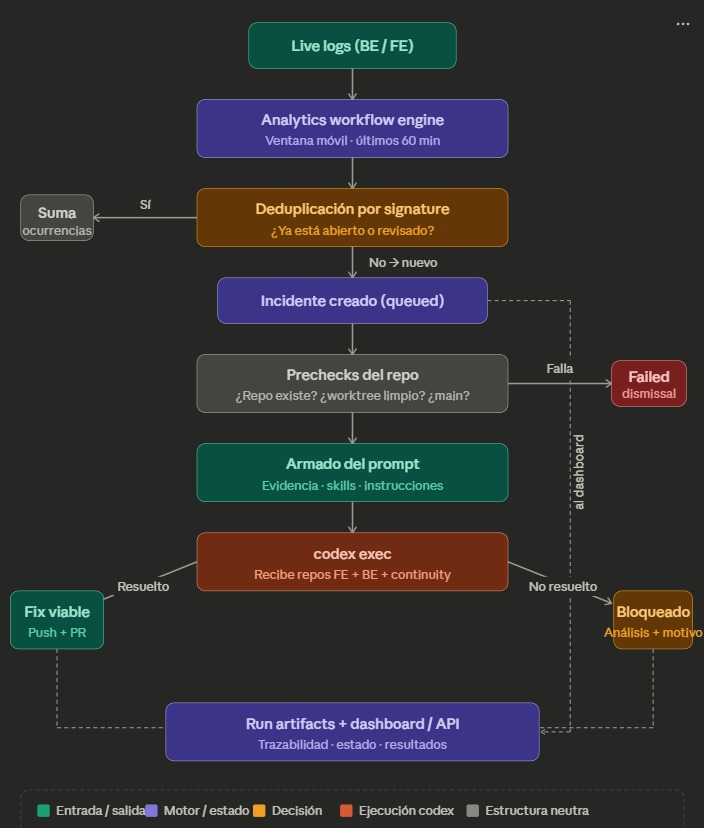
Recibo un error en tiempo real de Cloudwatch logs, automaticamente se envia un comando desde la terminal a Codex que ya tiene acceso completo a los repositorios de frontend y backend, más todo el contexto y las skills que necesita.
Codex analiza el problema, genera la solución y abre el pull request.
Yo lo reviso, lo pruebo para asegurarme de que nada se rompa y, si está todo bien, lo apruebo. Automáticamente pasa por la revisión de seguridad (Codex Security) y, si pasa, va directo a producción.
Mientras tanto, cuando crea el PR me llega una notificación por Telegram para que vaya a revisarlo.
Solo falta una IA que automatice mi testeo en la web y yo ya desaparezco del flujo.
Español
@Lukeedesigner only 1 prompt. Some improvements to make it as good as yours, but it's decent for one prompt

English


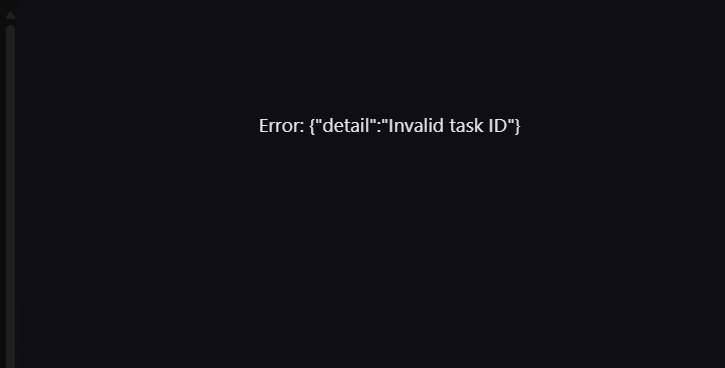
@thsottiaux sometimes when an automation ends, the chat disappears from the sidebar and if I click on the notification that pops up saying that the automation was finished, this shows up
English
@Marcus_J_W this sounds very good. and also, might work perfect because you guys read the real CoT so you know what the model is actually thinking not just what it does
English

Today, that monitor is GPT-5.4 Thinking. It reviews the full conversation context, including everything the agent saw, tool calls and CoT. Higher severity cases are sent for human review within 30 minutes. It has strongly outperformed human employee escalations.
English
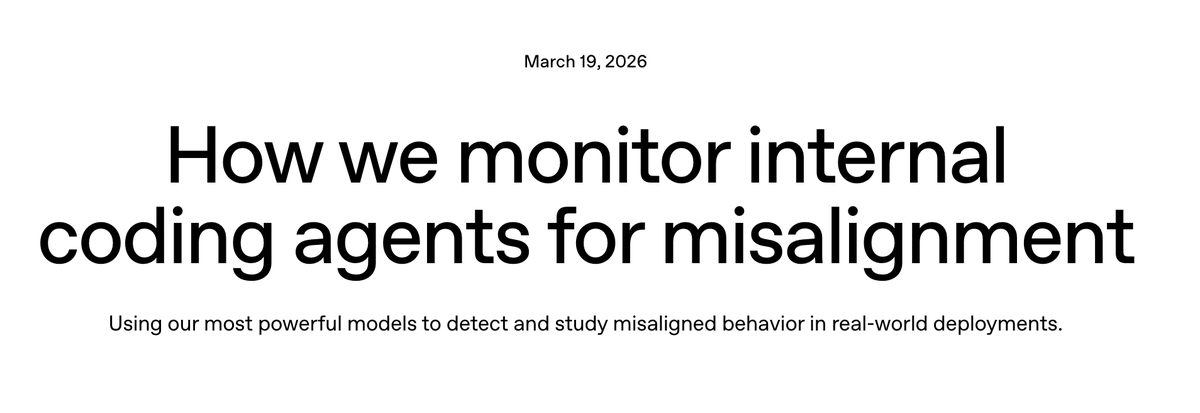
Sharing some of the work I’ve been doing at OpenAI: we now monitor 99.9% of internal coding traffic for misalignment using our most powerful models, reviewing full trajectories to catch suspicious behavior, escalate serious cases quickly, and strengthen our safeguards over time.
English
@thsottiaux @RyanWolo part of this is true. Im having the same issue, if I change the reasoning effort this does not get fixed. Only solution is to wait some minutes for it to start outputting text again or just create a new thread
English

Hey @thsottiaux , I'm getting a lot of "reconnecting" and "thinking" delays today. Sat for 10 minutes reconnecting before continuing the thread in the Codex app.
Time for the daily reset?
English

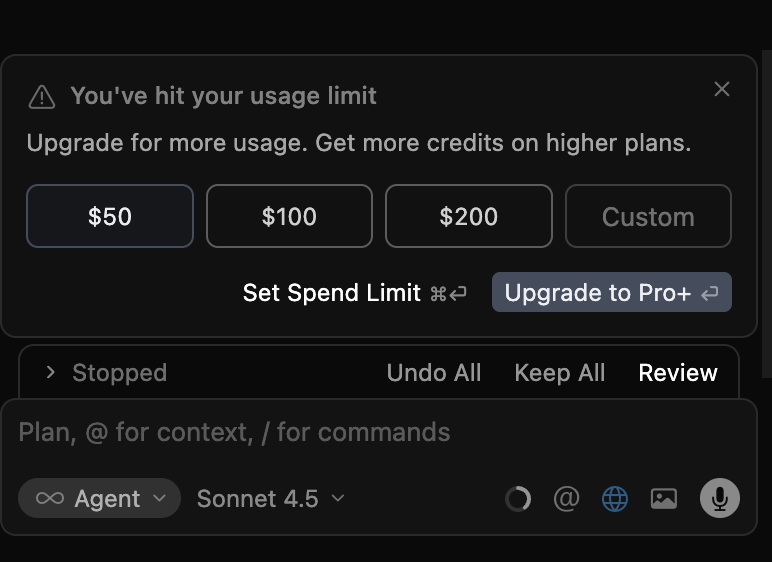
this is the real problem
i already paid $20 and i just started using it, it's not even 4-5 hours and i'm already getting this.
seriously? @cursor_ai
English
@ianbrelinsky Quite a few, but a really nice find was an S2S HMAC bug where valid signed requests could be reused across tenant contexts since path and portal headers weren't part of the signature.
Thanks for the product Ian, it works really well
English

@thsottiaux @0thernet hi tibo! Im getting a 502 while trying to create a PR for a codex security finding. Its happening across every repository. It was working 30 minutes ago and then suddenly started failing

English


@rohanvarma It would be great if we could set the model and reasoning level for Automations
English

If you have tried the Codex App, but don't use it as a daily driver yet:
What needs to improve to make it the primary place you work with coding agents?
English

Codex Security—our application security agent—is now in research preview.
openai.com/index/codex-se…
English
@ajambrosino It would be great if we could set the reasoning level for automations
English

If you love it, let us know!
If you don’t, file feedback here: openai.com/careers/full-s…
English
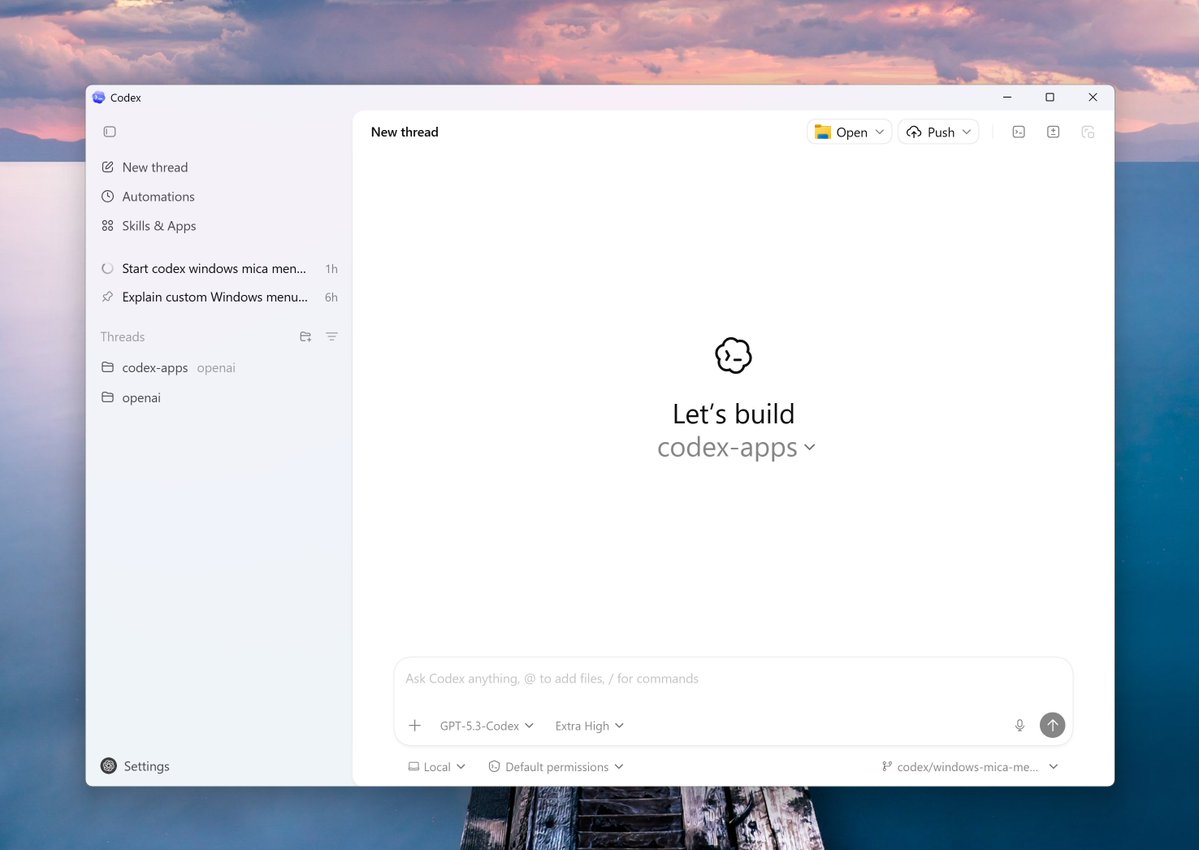
The Codex app is now live on Windows.
The app runs both natively and in WSL, with integrated terminals for PowerShell, Command Prompt, Git Bash, or WSL.
We also built the first Windows-native agent sandbox — using OS-level controls to block filesystem writes outside your working folder and prevent outbound network access unless you explicitly approve it.
Plus: 7 new “Open in …” apps and 2 new Windows skills (WinUI + ASP.NET).
Try it and tell us what you think.
English

We caught an issue that was causing the 2X promotional increase in limits to not be applied to an estimated 9% of plus and pro users for Codex.
We have now fixed this issue and are reseting the rate limit for all plus and pro users to compensate. Apologies and thank you for the bug reports over the last couple of days.
English

We have a special thing launching to Codex users on the Pro plan later today. It sparks joy for me. I think you are going to love it...
English