Sabitlenmiş Tweet
Koli
46 posts


Koli
@koli_designs
Designer • Thinker • Artist
Toronto, Ontario Katılım Nisan 2021
55 Takip Edilen2 Takipçiler

Koli retweetledi

Imagine every pixel on your screen, streamed live directly from a model. No HTML, no layout engine, no code. Just exactly what you want to see.
@eddiejiao_obj, @drewocarr and I built a prototype to see how this could actually work, and set out to make it real. We're calling it Flipbook. (1/5)
English

I've created a full guide on how to design anything with Claude Design
You also get exact copy-paste prompts for interactive immersive websites, animated pitch decks, app mockups, social banners, infographics, and pricing pages
Grab it FREE
Like + Comment "CLAUDE DESIGN" and I'll DM you the full guide
No opt-in, no BS

English
Koli retweetledi

How to set up Claude so it never forgets you:
Prompts → Projects → Skills (explained in 3 mins)
Prompts = telling a stranger your job every morning.
Projects = giving a new hire a binder on day one.
Skills = training an employee once. For forever.
Step 1: Start with a Prompt (but don't stay there)
✦ Open Claude. Type your task. Get an answer.
✦ It works. But tomorrow? Claude forgot everything.
✦ You re-explain. Again. Every. Single. Chat.
✦ That's Level 1. Most people never leave it.
Step 2: Move to a Project
✦ Go to Claude .ai → Create a Project.
✦ Upload your voice file. Upload your instructions.
✦ Now every chat inside that Project knows you.
✦ Your context, style, and tone stick.
But you still have to open the right Project.
You still have to say "read my file first."
Step 3: Graduate to Skills
✦ Open Claude Cowork.
✦ Select Opus 4.7 + Extended Thinking.
✦ Prompt: "Use the skill-creator to help me build a skill for [your most repeated task]."
Claude interviews you. Answer extensively.
"I write reports" is useless.
"I write weekly reports that start with the headline metric, 3 sections max, next steps as bullets" is a Skill.
The specificity is the skill.
Step 4: Install and test
✦ Save the Skill folder.
✦ Go to Settings → Capabilities → Skills → Upload.
✦ Open a new chat. Type your task normally.
✦ The Skill fires on its own. No slash command.
✦ Claude just knows.
I just wrote my full Claude Skills breakdown. It covers setup, the skill-creator walkthrough, and the 7 hacks I found buried in Anthropic's docs.
Read it here: claude-skills.free
To download all of my Claude infographics:
Step 1. Go to how-to-ai.guide.
Step 2. Subscribe for free. Don't pay anything.
Step 3. Open my welcome email (most skip this).
Step 4. Hit the automatic reply button inside.
Step 5. Download my infographics from my Notion.
♻️ Repost this to help someone on your team stop re-explaining themselves to Claude every morning.

Ruben Hassid@rubenhassid
English
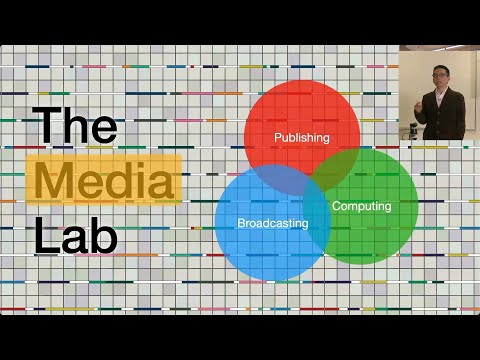
John Maeda says that design is the “body language” of your product.
youtu.be/F2BebeKtWMw?si…
It’s the unspoken communication of your product through aesthetics and form.
YouTube
English


@clintdesigns This is really cool Clint 🔥
Love the typography and colours
English

I’ve always felt like there isn’t one place to experience Ghanaian culture across time.
It wasn’t just music. It was the TV, the shows everyone talked about, how we experienced it.
So I started building something.
Akwaaba Archive 🇬🇭
Starting with TV.
English

Koli retweetledi

Koli retweetledi


Koli retweetledi

Koli retweetledi