Shi Liu

56 posts

Shi Liu

Shi Liu

@liushiv

a software developer

Katılım Ekim 2012
93 Takip Edilen33 Takipçiler
Shi Liu
Shi Liu@liushiv·
@123BOOSTCOM Hi, thank you for advising! File dates is on the road map. An update with better search status indication will come soon.
English
0
0
0
0
123BOOST.COM
123BOOST.COM@123BOOSTCOM·
@liushiv Hi just bought your fantastic software :) suggestion : being able to set custom seachs (as finder, file name contains ..., files size, files dates) also would be great to get date and size in the results list.
English
1
0
1
0
Shi Liu
Shi Liu@liushiv·
@SwimmingAnalyt1 Hi dear! Did you use another Apple ID or a family member's when purchasing the app? If that's the case, you can add yourself to that ID's "family". After that, you can re-download the app from the App Store. Or just login macOS App Store with the ID used when purchasing.
English
0
0
0
0
SwimmingAnalytics
SwimmingAnalytics@SwimmingAnalyt1·
@liushiv Hi Shi Liu, I have problems with your App during the upgrade procedure in the AppStore, the feedback message tell me that the App has been reimbursed or purchased with other Apple ID. How can I reinstall to solve these issues ?
English
1
0
0
0
Shi Liu
Shi Liu@liushiv·
@TimReppert2 Sorry for the late reply. Is that the case for all the listed items? That shouldn't be the case. Could you provide me more information such as the system language, one example of a problematic file location. Thank you!
English
0
0
0
0
Tim Reppert
Tim Reppert@TimReppert2·
@liushiv D @liushiv ... but when I search for a file the Containing Folder column doesn't show the location. Is there a way to fix this?
English
2
0
0
0
Shi Liu
Shi Liu@liushiv·
@TimReppert2 Hi, did you add the DVD to the sidebar? You may add it by dragging it's Finder's title bar icon into the sidebar, or by using the "+" button. If two DVDs share the same label(the title text burnt), you need to change the mount point or use a symbolic link.
English
0
0
0
0
Shi Liu
Shi Liu@liushiv·
@wtmaruk Hello WT, thank you for your message! Currently the dark mode is using the default OS setting, so the contrast is identical to that in Finder. The text should be nearly white in dark mode, is it like that in your setting?
English
0
0
0
0
Will
Will@wtmaruk·
@liushiv I just found this feature, but it is hard for me to read in dark mode because it is dark grey. More contrast would be nice. Thanks.
English
1
0
0
0
Shi Liu
Shi Liu@liushiv·
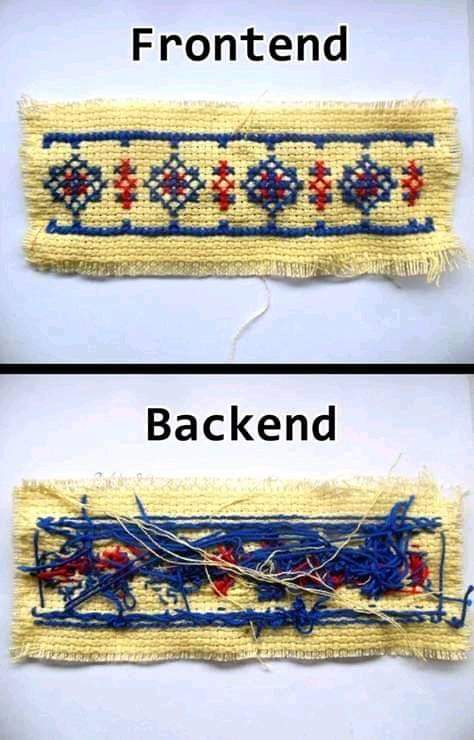
@richardqr In the field of PC Building, we call this lack of cable management.
English
0
0
0
0
Shi Liu
Shi Liu@liushiv·
@verge Because their computers & phones are WALLED by The Wall built by themselves...
English
0
0
1
0
Shi Liu
Shi Liu@liushiv·
Merry Christmas🥳! I'm coding for the new version.
English
0
0
1
0
Shi Liu
Shi Liu@liushiv·
@mundie1010 Hi, David! If the app the app is running on macOS Mojave, it will respect the dark/light mode setting in the system Preferences -> General. PS Thank you a lot for purchasing the app!
English
0
0
0
0
Shi Liu
Shi Liu@liushiv·
@mundie1010 Hi, the data is stored at ~/Containers⁩/⁨com.liushi.DiskShot.HQ⁩/Data⁩ /Library⁩/Application Support⁩ Just in case, you may access this folder by using Finder's menu "Go" -> "Go to Folder". If dark mode is on in macOS Mojave's Preferences, the app will be dark. Thank you:)
English
0
0
0
0