MangaSector

1.1K posts

MangaSector banner
MangaSector

MangaSector

@mangasector

Hey welcome to my Twitter page! l'm freelance illustrator. My main focus is anime/manga.Tools i use to do my illustrations are: ipad pro 4th gen(ibis paint)

Katılım Şubat 2018
125 Takip Edilen4 Takipçiler
Sabitlenmiş Tweet
MangaSector
MangaSector@mangasector·
hey there MangaSector here! I'm available for commission on artistree, etsy and kofi! my drawing style in anime/manga themed and i offer FulBodied color w simple BG $5 FullBodied color w complex BG $10 What Youll Get A4(3508x2480) 300dpi PNG or JPEG files here are some of my
MangaSector tweet media
English
1
1
2
765
MangaSector
MangaSector@mangasector·
Then we could have the smart bone interpolate between the different symbol pov's without having to swap out each part and keep same pose.
English
0
0
0
6
MangaSector
MangaSector@mangasector·
@toonsquid hey there I had a question about bones rigging. I was wondering if you ever plan to add smart bones so you could make a character turnaround that if you make different symbols of the different views front, back, left n right, etc.
English
1
0
0
36
MangaSector
MangaSector@mangasector·
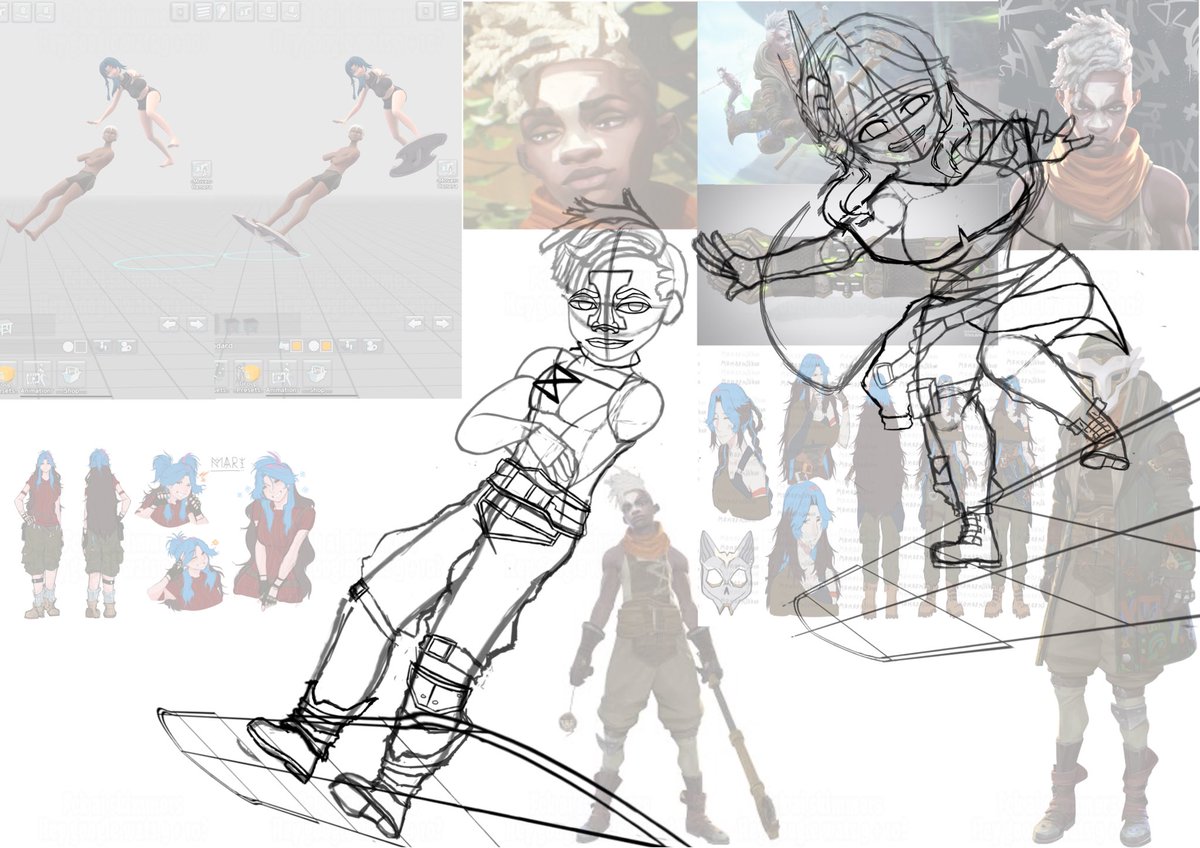
Just a heads up I'm still working on this but trying something especially with lineart n other stuff. So taking time on lineart now! Mainly ekkos dreadhawk(think that's wat Google said it was I'm not into fashion/hairstyles that much😅)so yeah suffering right now on his hair😭
English
0
0
0
22
MangaSector
MangaSector@mangasector·
Started working on this felt like drawing something again been in abit of an art block n didn’t really feel like drawing something. recently looked at my illustrations n remembered about this so started it up again. Had abit trouble with the lips not my strong point lol #WIP
MangaSector tweet media
English
1
0
1
41
MangaSector
MangaSector@mangasector·
Already new wat was gonna be next and already came up with the posing in easyposer! So here’s the next #Wip art thread! Don’t wana give out too much info yet so look forward to it! #digitalart #drawinyourstyle #ibispaint
MangaSector tweet media
English
2
0
2
200
MangaSector
MangaSector@mangasector·
@Blender any news on blender on iPads? Think you mentioned it was still in funding stage and needed more supports seen a few recently joined. Really looking forward to it!
English
1
0
0
27
MangaSector
MangaSector@mangasector·
@toonsquid Wanted to show the bits n pieces so srry for long vid!
English
0
0
0
16
MangaSector
MangaSector@mangasector·
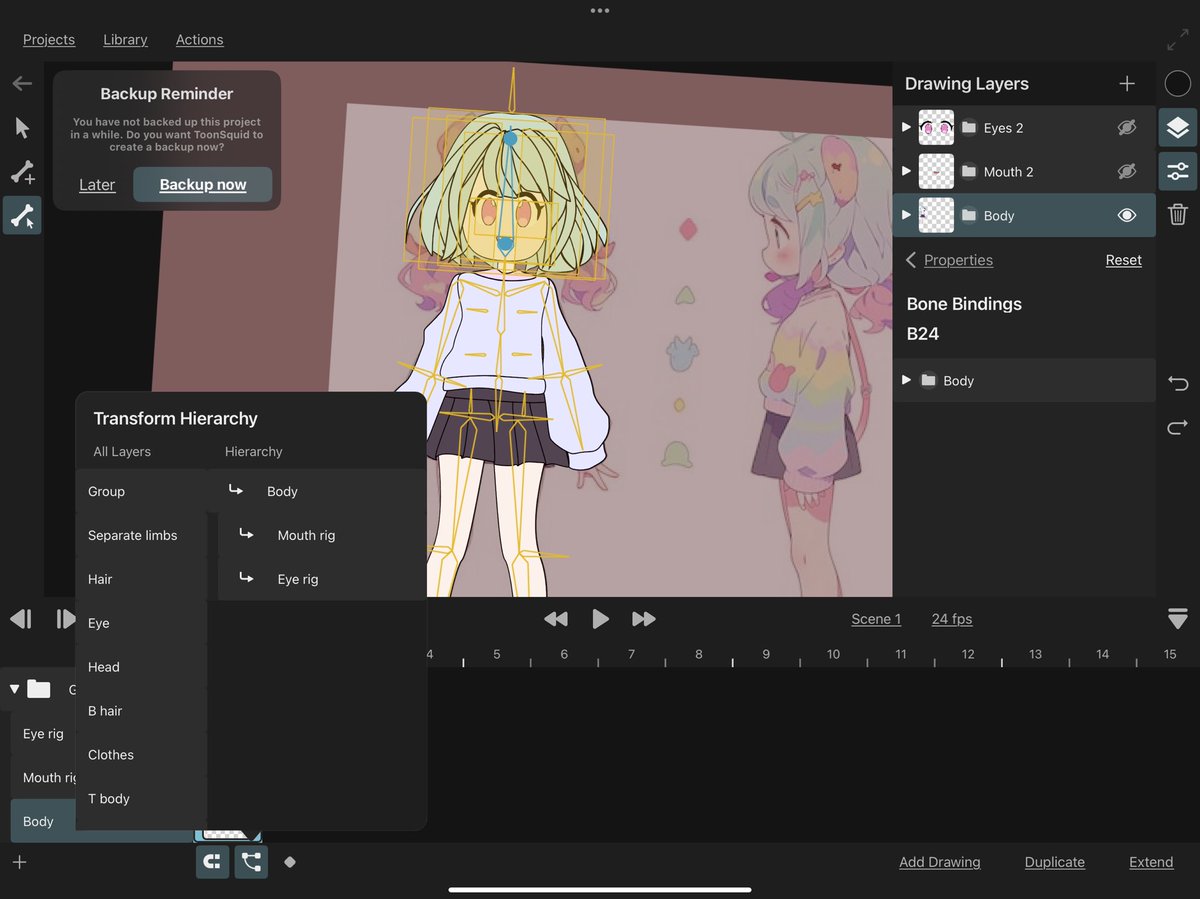
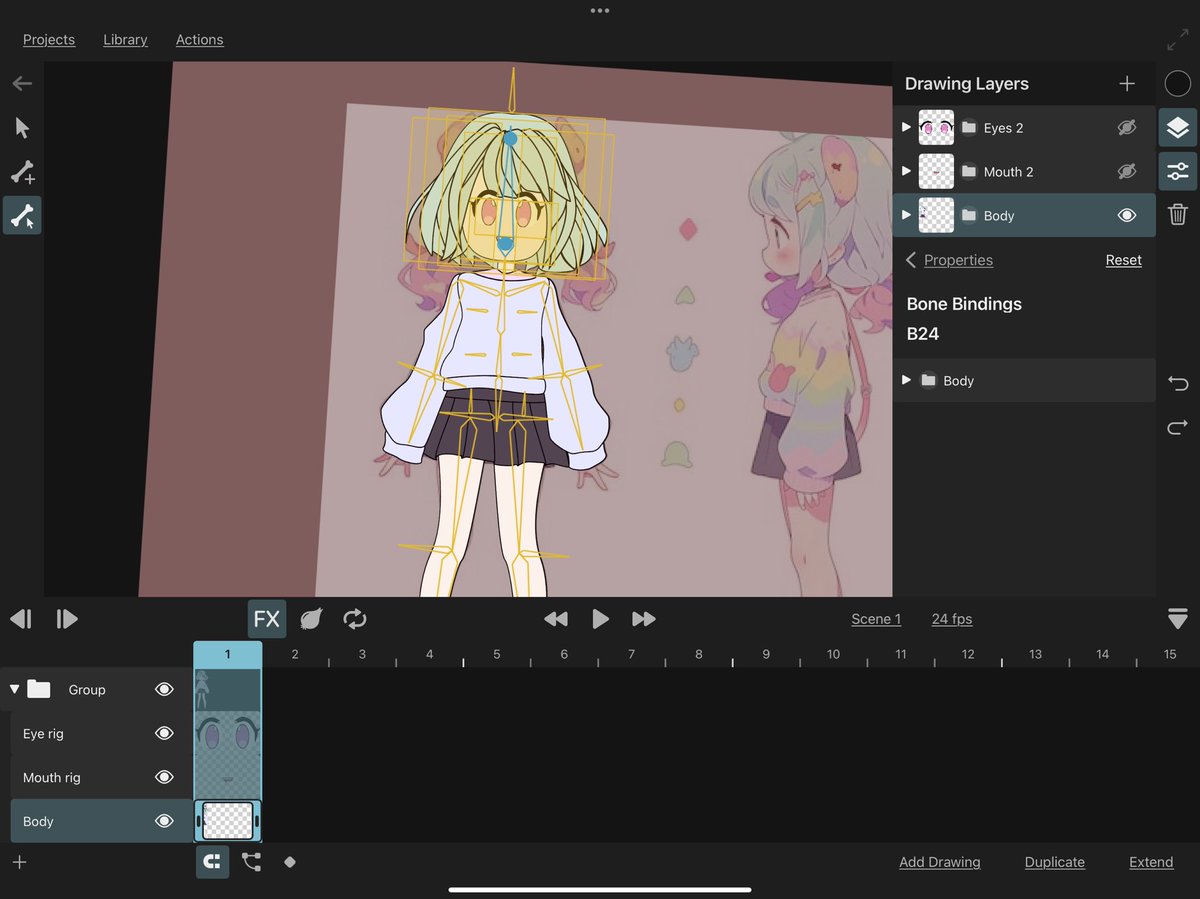
Sheesh finally got a decent working bone rig. I couldn't manage to get the head to move with the body but managed a sudo setup with the timeline hiarcary so it's pretty much only thing I gotta move separately but would still be linked up kinda. Good thing is I can still use both eye rigs and mouth without issues! If I tried to make the head move with the body I'd have to put it all with the b + h group and bind everything together a 2nd time which would cause the eyes n mouth to act up. Ugh took a lot of messing around with layers, bones, etc to get this but works pretty well now! Will see if it's possible to make symbols so I can possibly swap from front view to side view while everything is rigged up........ T-T Well heres the recent #wip with #toonsquid!
English
1
0
0
23
MangaSector
MangaSector@mangasector·
@toonsquid sooo I tried to separate the mouth and eye from the main group layer like you mentioned it half works sure the rigs are properly aligned when moved but now I’d have to move them individually due to you not being able to bind bones outside the groups can’t see mouth 2 and eye 2 in the bind options of the body group to have everything move together. I also tried to make the body, eye rig, mouth rig in a different frame on the timeline and added the hierarchy so hopefully it can move together which again half worked sure I can move them all together with the move tool but it doesn’t work with rigs even though the body rig is supposed to be the top of the hierarchy so was hoping the eye n mouth rig would also move along with the rigs properly moving along for easy movement unlike how it was when everything was on the same main group layer causing it to glitch like you mentioned………
MangaSector tweet mediaMangaSector tweet media
English
1
0
0
78
MangaSector
MangaSector@mangasector·
@toonsquid hey there I’ve been working on bones with ToonSquid testing stuff out. So I tried to separate the limbs, etc and connect them together with bones. Before I ran into a problem where for each limb I’ve separated since the have a stroke to em they each have a lineart
English
1
0
0
246
MangaSector
MangaSector@mangasector·
@toonsquid I could do it with my current set up but issue was with rigs not moving for others like you mentioned
English
1
0
0
76
MangaSector
MangaSector@mangasector·
Okay gotcha I'll try that out when I get home at work right now. But question if there in there own separate group layer instead of how I got it now with a main group and sub groups. Is it still possible to move parts together like for ex head, eyes, mouth, etc together with bone rig binding, or would I have to do something else?
English
1
0
0
63
MangaSector
MangaSector@mangasector·
Slowly getting this ready for a full rig setup to use as an ex for future projects! Recently tried moving the rigs into the main group from the test rigs on mouth, n eyes. Which I was able to do and re linked each part to the rig. But for some reason only the body rig was able to move not the others? So I put the rigs into there respective layer groups like eyes, mouth, hair sections, etc in sub groups of the main one. Which worked supposedly due to me being able to move the individual rigs. well at least till I recently started posing I noticed that the rigs didn't move when I moved the body rig. I made sure to link each parts when binding but for some reason the rigs itself won't move only the parts....... Always something Is this a bug @toonsquid Anyway almost got this thing working after working through different issues, n many many defeat breaks 😂. Slowly but surely getting there! #toonsquid #wip #animation
English
1
0
0
102
MangaSector
MangaSector@mangasector·
Mouth pretty much done rig wise can close n open the mouth, deform it, reposition tounge, n teeth, along with interior of mouth, plus lineart!! So here's the next #wip for my #toonsquid rig tests n builds!
English
1
0
0
69
MangaSector
MangaSector@mangasector·
@toonsquid Thanks for the reply would really appreciate it if this was added!
English
0
0
0
28
ToonSquid
ToonSquid@toonsquid·
@mangasector Thanks for the feedback! I have noted this down and will consider it for future updates.
English
1
0
0
44
MangaSector
MangaSector@mangasector·
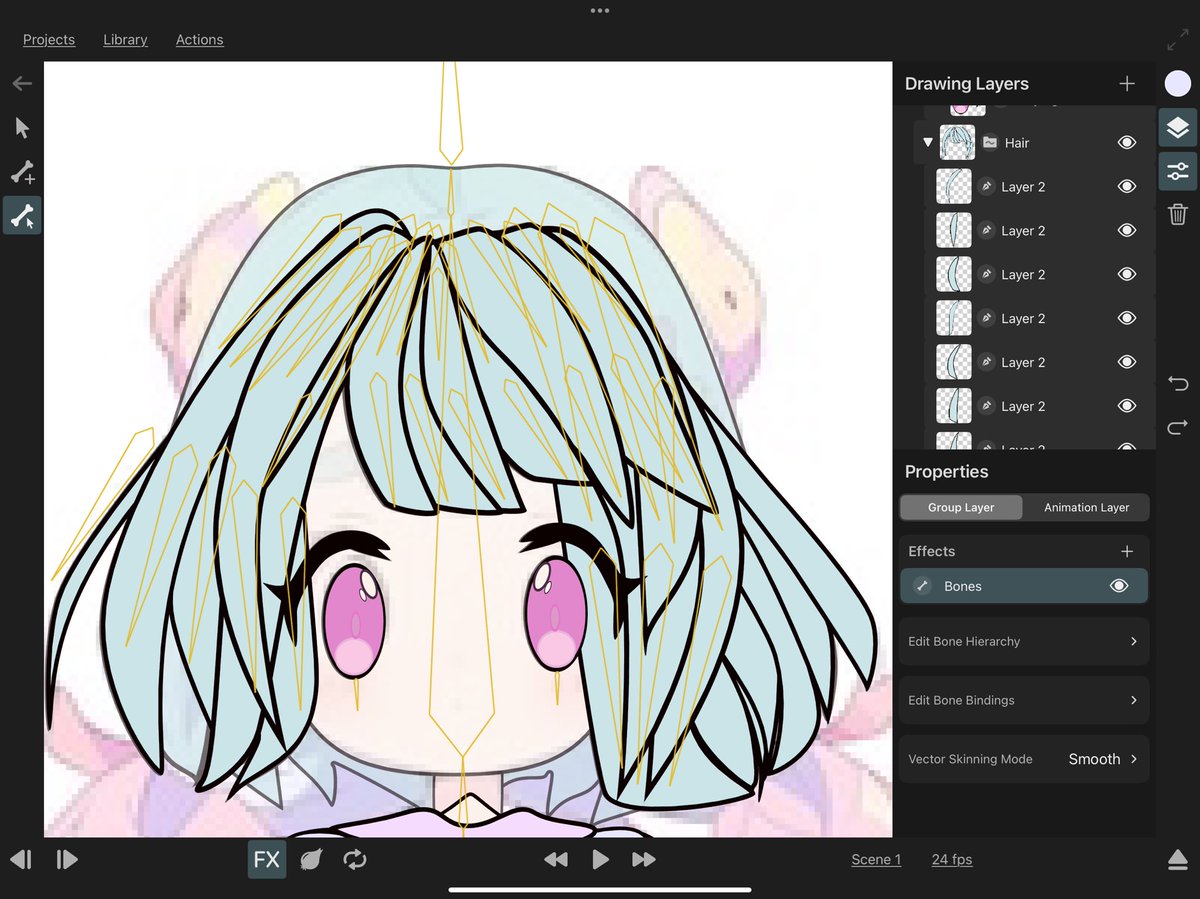
@toonsquid hey there I had a feature request I was hoping to be added if possible which is to create a section on the side panel dedicated to bone layers where you can hide and show the different bone groups for easier control I’ve been messing around with hair rigs and if you have multiple bones grouped together it’ll make it hard to select them. I pretty much have 2 bones per hair strand to be able to bend them
MangaSector tweet media
English
1
0
0
101