Many Tricks

2.9K posts

Many Tricks

Many Tricks

@manytricks

Finest Mac Utilities

Our apps, on your Mac! Katılım Aralık 2008
3 Takip Edilen1.9K Takipçiler
Many Tricks
Many Tricks@manytricks·
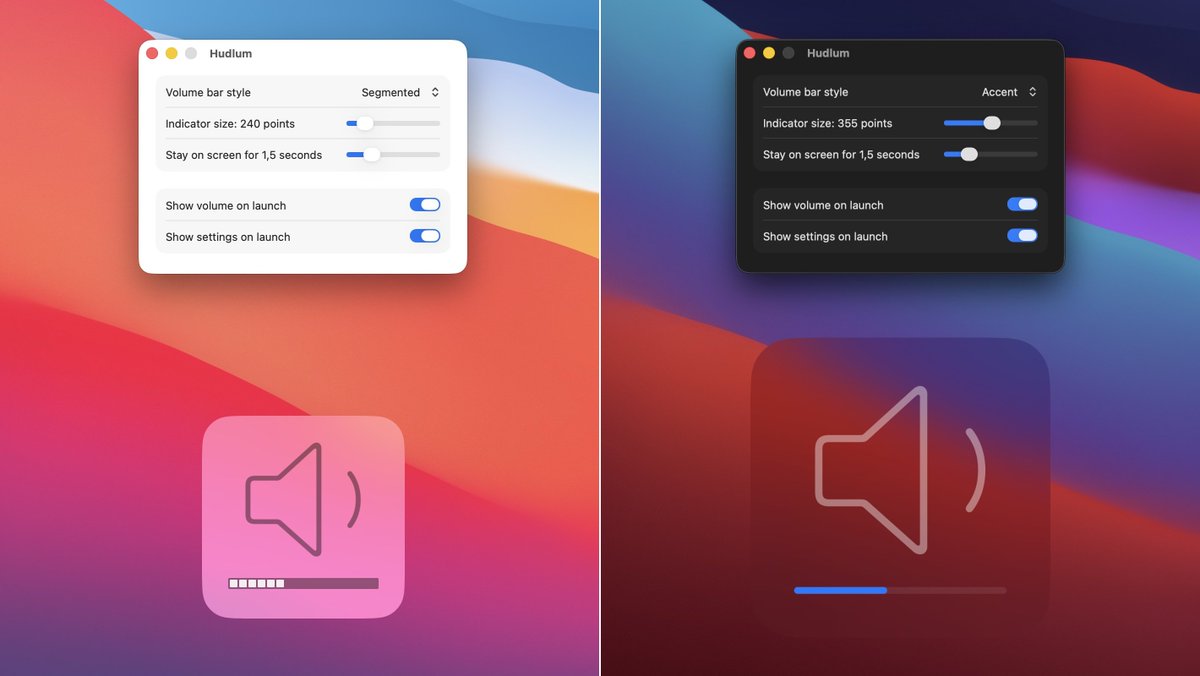
Do you miss the old-style macOS volume changing indicator, located at lower-center on your display? So do we, so we added it back. Introducing Hudlum. Choose between two line styles and a number of sizes for the indicator. Then just change your volume… manytricks.com/hudlum/
Many Tricks tweet media
English
0
0
1
151
Many Tricks
Many Tricks@manytricks·
@ChrisMaki Aug 2024 was our final major upgrade, and the first release under our (announced in 2021) business model, which includes 12 months of updates with a purchase. But it's *not* a subscription, as the app keeps working. You decide if our work merits another $8.
English
0
0
0
29
🇨🇦 Chris Maki
🇨🇦 Chris Maki@ChrisMaki·
@manytricks $8 upgrade last November, new $8 upgrade this year. Moom has obviously become a subscription, why not just offer it that way?
English
1
0
0
13
Many Tricks
Many Tricks@manytricks·
Moom 4.3 is out with some new features, bug fixes, and workarounds for a number of apps. One new feature: Use the Move to Edge or Corner action to either move to an edge without centering (the old behavior) or move to an edge while centering. manytricks.com/blog/?p=6589
English
0
0
1
236
Many Tricks
Many Tricks@manytricks·
Moom 4.2 adds app launching to saved layouts. Combine that with macOS' ability to restore windows, and it's one click from a blank screen to organized windows in multiple apps. There are some other nice changes, too… manytricks.com/blog/?p=6574
English
0
0
5
474
Many Tricks
Many Tricks@manytricks·
We released updates to Desktop Curtain and Time Sink today–the first updates in many years. Not because they were abandoned, but because they just kept on working. Biggest news is rewritten in-app help, now online as well. manytricks.com/blog/?p=6545
English
0
0
1
206
APSGO
APSGO@apsgoteam·
@manytricks 🥰 Do you have any new plans to add Reseller now?
English
1
0
0
16
Many Tricks
Many Tricks@manytricks·
If you use our Witch window switching app and Chrome, there are two issues with recent Chrome releases: Tabs are only listed when Chrome is in the foreground, and if you use custom-named windows, those names won’t show in the switcher. More details here: manytricks.com/blog/?p=6520
English
0
0
1
280
Many Tricks
Many Tricks@manytricks·
Moom 4.1.3 is out with a number of small bug fixes and one improved dialog. Update in app or by downloading a fresh copy of the app from our site. manytricks.com/blog/?p=6507
English
0
0
2
290
Many Tricks
Many Tricks@manytricks·
@dotjex If I understand the question right, then yes, you can do this with Chains: #_chain" target="_blank" rel="nofollow noopener">manytricks.com/moom/help/cust…
English
0
0
0
58
dotjex
dotjex@dotjex·
Hi @manytricks, is it possible for a keyboard shortcut to cycle between positions and sizes?
English
1
0
0
44
Many Tricks
Many Tricks@manytricks·
@matthewjlowe I'm not sure what you're commenting about, as the link isn't to anything related to licenses?
English
0
0
0
9
Matthew Lowe
Matthew Lowe@matthewjlowe·
@manytricks Honestly, the most complicated way I can possibly imagine of transferring a license. “Select the License entry in the app’s name menu (I.e the Name Mangler manu in Name Mangler)”. What on earth does that mean? How about a screenshot? Is Name Mangler part of this…whatever it is?
English
1
0
0
17
Many Tricks
Many Tricks@manytricks·
Moom 4.1.1 is out and it's “Sequoia aware,” and will disable macOS’ related built-in snap features when the corresponding Moom feature is active. We also improved a bunch of other little things… manytricks.com/blog/?p=6487
English
1
0
3
454
Many Tricks
Many Tricks@manytricks·
The Moom 4 launch sale ends at 11:59:59pm east coast USA time on Wed, Sept 4th. If you’ve been on the fence about upgrading (or purchasing), now’s the time to act. Normal pricing is $8 for upgrades ($6 on sale), and $15 for the full app ($10 on sale). manytricks.com/moom
English
0
1
4
406
Many Tricks
Many Tricks@manytricks·
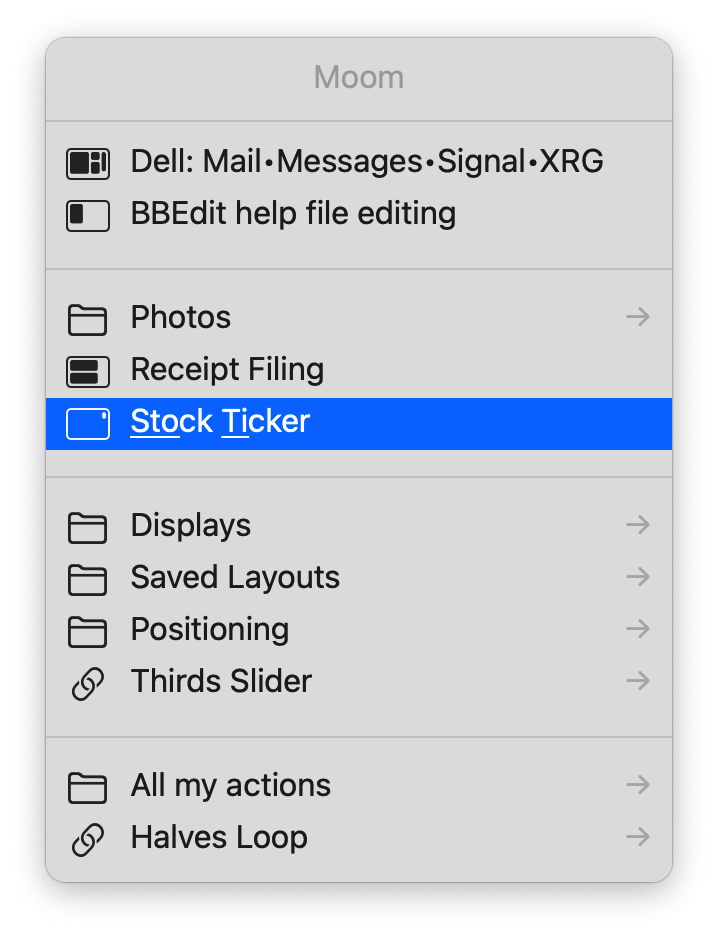
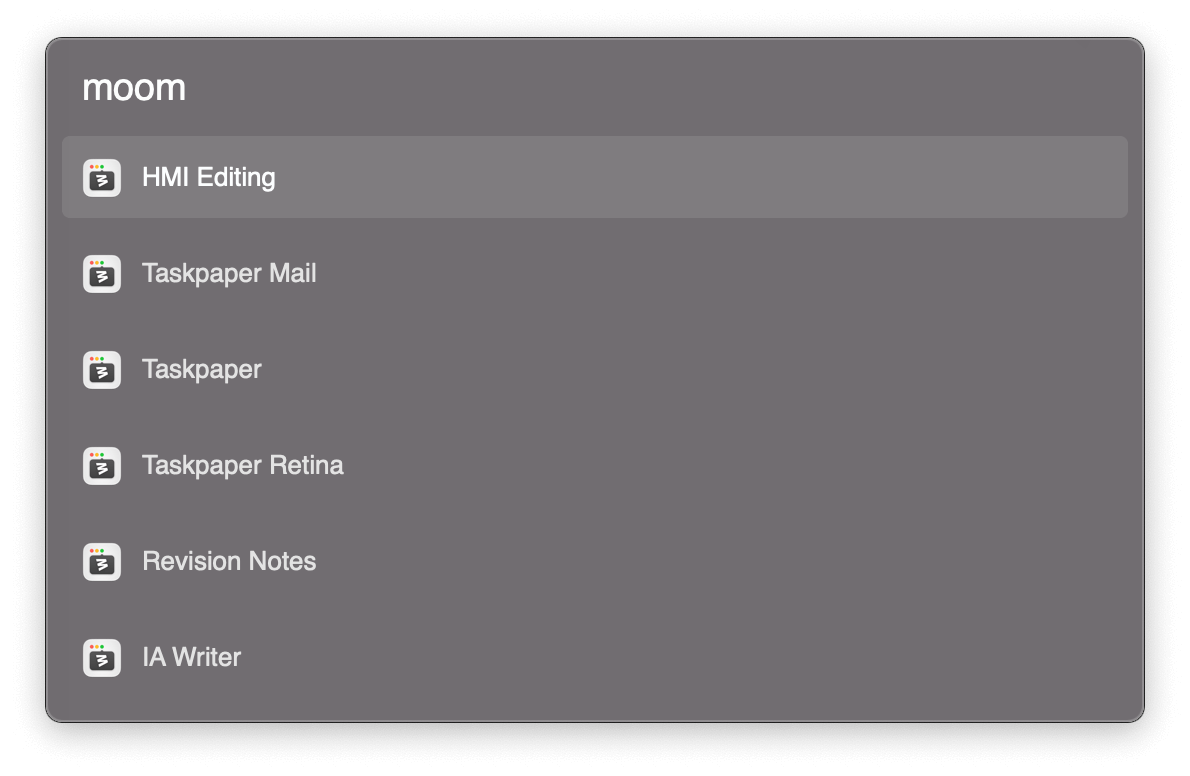
Keyboard aficionados: Learn how to access Moom’s custom actions via a pop-up window. You can get to all of you custom actions via a built-in feature, or access saved layouts using Alfred, Keyboard Maestro, or macOS Shortcuts. manytricks.com/blog/?p=6456
Many Tricks tweet mediaMany Tricks tweet mediaMany Tricks tweet media
English
0
0
2
430
Many Tricks
Many Tricks@manytricks·
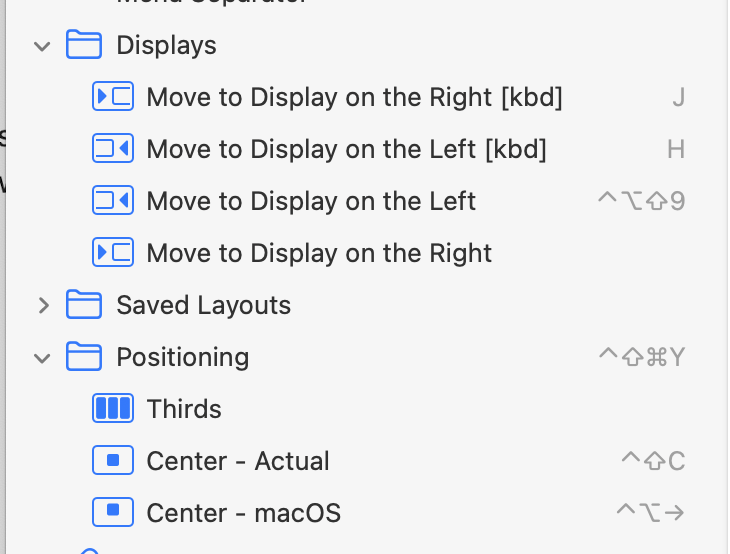
Moom 4.1 is out, with two oft-requested new features: Your assigned keyboard shortcuts now show up in Settings’ sidebar, and drop zones can be activated by dragging a window while holding down a modifier key. We also squashed a few bugs. manytricks.com/blog/?p=6448
Many Tricks tweet mediaMany Tricks tweet media
English
0
1
6
332
Many Tricks
Many Tricks@manytricks·
@ConfusedVorlon @research_ia No, we weren't banned; we just aren't allowed in because we can't sandbox Moom, which is a basic requirement for the Mac App Store. Moom 3 had the same issue but was grandfathered in, as long as we didn't add new features. The blog post has all the details.
English
0
0
0
45
Many Tricks
Many Tricks@manytricks·
Today: Moom 4 is out! In addition to what you've seen here the last few days, layouts can be applied to any open windows, you can navigate all custom actions via an onscreen menu, new help (which is online, too!), and oh so much more. manytricks.com/blog/?p=6385
English
1
2
7
534
Many Tricks
Many Tricks@manytricks·
Moom 4.0.1 is out, with three minor fixes. Update in-app or by downloading a new copy from Moom's web page (you won't lose your settings). manytricks.com/blog/?p=6440
English
0
0
2
203
Many Tricks
Many Tricks@manytricks·
@AngryDingo I welcome suggestions on how to make it more obvious—it's colored text, like the other link above it, and the cursor changes on hover. What would you do to have it stand out more, given the available space?
English
1
0
0
14
David
David@AngryDingo·
@manytricks It's not really obvious that the "Upgrade for $6" is clickable and the only way to apply the upgrade coupon.
English
1
0
0
29