Plastic Software

462 posts

Plastic Software banner
Plastic Software

Plastic Software

@plastics_en

An indie app developer. Booklover (PDF/CBZ/CBR reader for iOS) / Haste (Search utility for macOS).

Japan Katılım Ocak 2015
0 Takip Edilen80 Takipçiler
Plastic Software
Plastic Software@plastics_en·
📚 Booklover v3.7.1 is out. Editing selected books now preserves the selection, letting you jump straight into another action. This update also fixes rendering issues on full-screen PDF pages with scaled-down images, along with other minor improvements.
English
2
2
1
334
Plastic Software
Plastic Software@plastics_en·
This issue seemed resolved in iPadOS 26.1, but it looks like it resurfaced in 26.3. Since there is currently no known fix on the app side, please use the workaround mentioned in our FAQ for now. (We expect a future OS update will likely fix it again.)
Plastic Software@plastics_en

📚 #Booklover_App [FAQ Update] On iPadOS 26, when switching back from another app while Booklover is in full-screen mode, the top toolbar may overlap with the status bar. We’ve added a temporary workaround and detailed explanation to the FAQ. #ipados-26-toolbar-overlap" target="_blank" rel="nofollow noopener">plastic-software.com/booklover/faq.…
English
0
1
1
465
Plastic Software
Plastic Software@plastics_en·
📚(5) Starting with this version, “Give My Regards to Black Jack” is no longer provided within the Booklover app. Availability for existing users will also be discontinued in a future release. Please download it from Shuho Sato’s official website: densho810.com/free/
English
1
0
0
30
Plastic Software
Plastic Software@plastics_en·
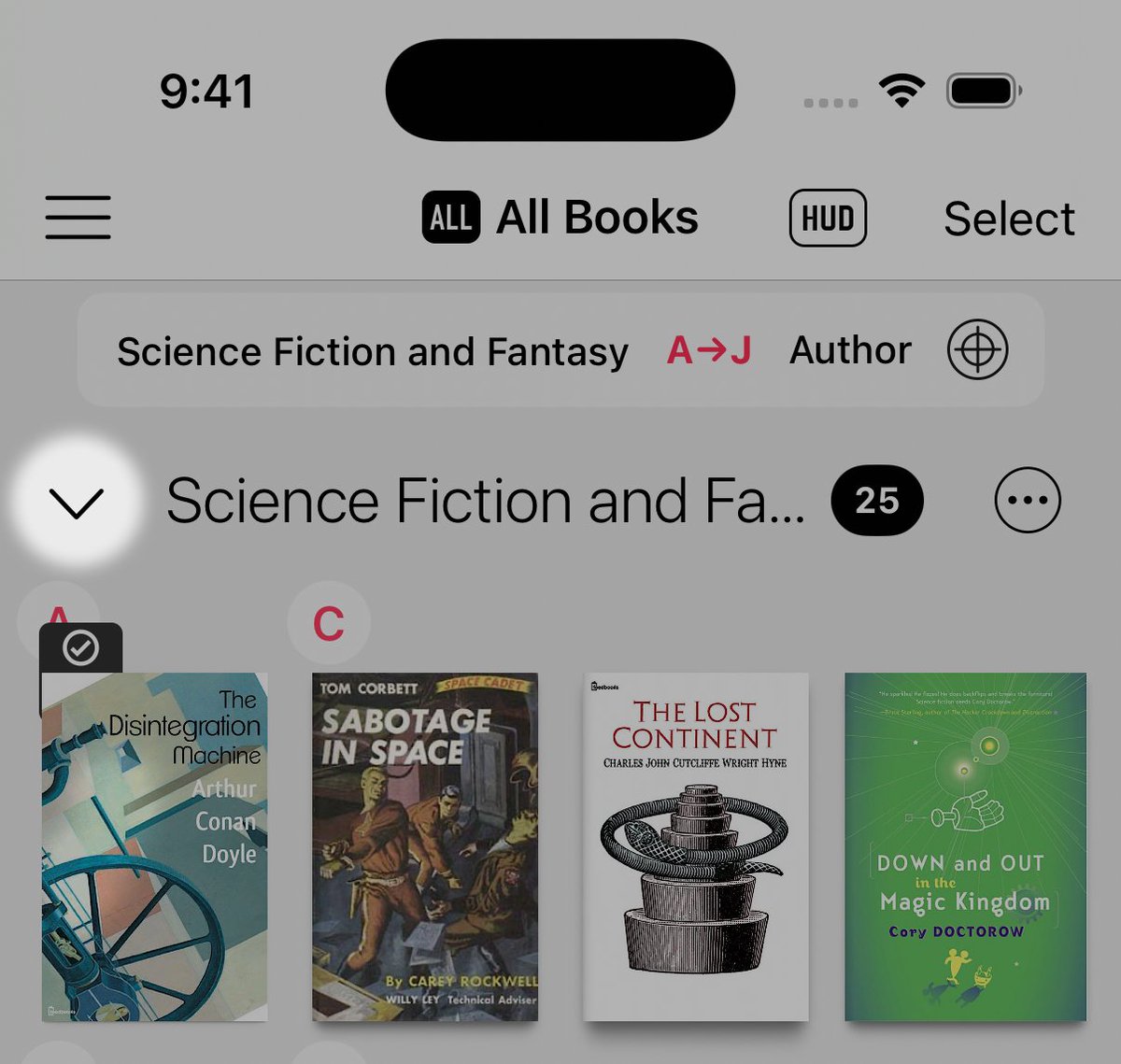
📚 Booklover v3.7.0 is out. (1) Genre sections in the Library can now be collapsed and expanded. Tap the chevron on the left of a genre header to collapse or expand that genre. You can also long-press the chevron to open a menu and collapse or expand all genre sections. (Cont.)
Plastic Software tweet media
English
1
1
1
124
Plastic Software
Plastic Software@plastics_en·
We’ve just released Booklover 3.6.1 to fix the issue with the “Show Next/Prev Book Navigation” setting noted in the previous post.
English
0
1
0
250
Plastic Software
Plastic Software@plastics_en·
However, after releasing v3.6.0, we found that it still appears when you tap past the first or last page, even if the setting is OFF (“Do not show the navigation”). This was a mistake and will be fixed in the next update. Sorry for the inconvenience.
English
1
1
0
328
Plastic Software
Plastic Software@plastics_en·
📚 #Booklover_App v3.6.0 is out. You can now move to the next or previous book in the Reader View with a three-finger swipe (can be turned on or off). On iPad, you can also move between books using toolbar buttons or keyboard shortcuts (Command + ← / →).
Plastic Software tweet media
English
1
1
1
178
Plastic Software
Plastic Software@plastics_en·
This issue appears to have been resolved in iOS 26.1, which was released recently. Apparently, Apple has addressed the problem on the system side.
English
0
0
0
53
Plastic Software
Plastic Software@plastics_en·
📚 #Booklover_App [FAQ Update] On iPadOS 26, when switching back from another app while Booklover is in full-screen mode, the top toolbar may overlap with the status bar. We’ve added a temporary workaround and detailed explanation to the FAQ. #ipados-26-toolbar-overlap" target="_blank" rel="nofollow noopener">plastic-software.com/booklover/faq.…
Plastic Software tweet media
English
1
1
2
786
Plastic Software
Plastic Software@plastics_en·
📚 #Booklover_App v3.5.8 is out. We’ve fixed issues on iOS 26 with the buttons for adding titles and notes to bookmarks, as well as problems importing files via Safari’s “Share” option.
English
1
1
0
186
Plastic Software
Plastic Software@plastics_en·
📚 #Booklover_App v3.5.7 is out. We’ve made minor adjustments for iOS/iPadOS 26 along with performance improvements. It also fixes an issue on iOS 17 where the Import icon in the Library was not displayed. (This is expected to be the final release supporting iOS/iPadOS 17.)
English
1
1
1
188