SignalR works great with one server.
Then you add a second instance behind a load balancer, and notifications start disappearing.
The code can be perfectly fine.
The problem is the connection map.
Each SignalR server only knows about the clients connected to that specific process.
So if an API request lands on Server 1, but the user is connected to Server 2, Server 1 has no idea that connection exists.
The message goes nowhere.
This is where a Redis backplane helps.
Every server publishes outgoing SignalR messages to Redis.
Every server subscribes to the same channel.
When a message comes in, each instance checks whether it has the target connection locally.
From your application code, `Clients.User(...)` still works the same.
But now it works across instances.
The setup is almost too simple:
builder. Services.AddSignalR().AddStackExchangeRedis(connectionString);
But there are two important things to remember:
1. You still need sticky sessions
2. SignalR does not buffer messages if Redis is down
The Redis backplane solves routing.
It does not make SignalR durable.
For order updates, live dashboards, and most real-time UI notifications, that’s usually fine.
For critical events, you need a reconciliation strategy or a durable queue alongside it.
I wrote a full breakdown of how SignalR scale-out works, how Redis fixes the routing problem, and what can still go wrong: milanjovanovic.tech/blog/scaling-s…
Retry worked technically. User experience was terrible.
Solved it with:
-idempotency
-Redis dedupe keys
-cooldown windows
-sending notifications only after successful persistence
Retries alone are not reliability. Retry-safe side effects matter just as much.
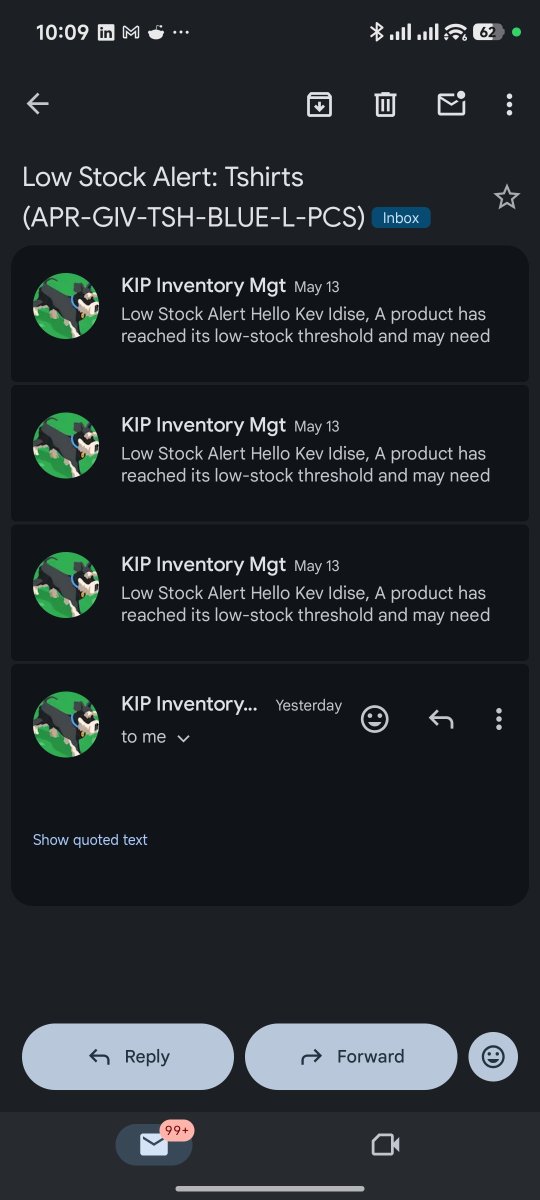
Problem: email gets sent successfully
-> transient failure happens later
-> Hangfire retries
-> same user gets duplicate notifications for the same event.
Background job retries can save your system and still hurt your users if side effects are not retry-safe.
Recently hit this in an inventory job using Hangfire.
Flow was:
detect low stock
auto-create reorder draft
send notification
#dotnet#backend#hangfire#systemdesign
Inventory operations like transfers, purchase orders, stock adjustments move to a queue for admin approval.
Approvals can be filtered according to different status such as pending, approved and cancelled.
#inventorymanagement#ERP#backend
All inventory operations are created as a draft which can be edited later. After submission, the operation is moved to the approval queue.
#enterprise#inventorymanagement#backend
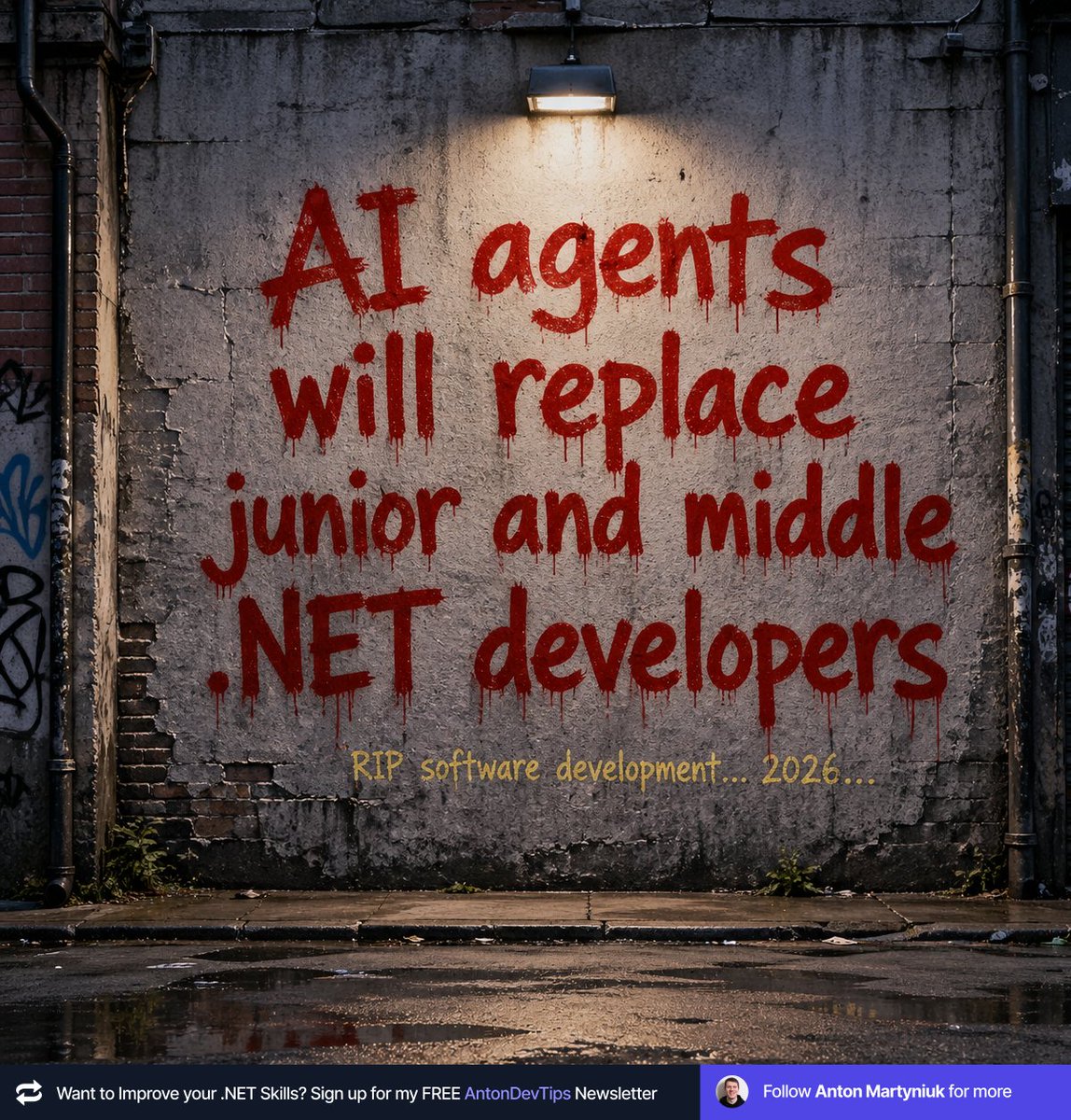
𝗔𝗜 𝗮𝗴𝗲𝗻𝘁𝘀 𝘄𝗶𝗹𝗹 𝗿𝗲𝗽𝗹𝗮𝗰𝗲 𝗷𝘂𝗻𝗶𝗼𝗿 𝗮𝗻𝗱 𝗺𝗶𝗱𝗱𝗹𝗲 .𝗡𝗘𝗧 𝗱𝗲𝘃𝗲𝗹𝗼𝗽𝗲𝗿𝘀
Read this to survive 👇
Junior and mid-level devs often skip the fundamentals and take shortcuts on every path with AI.
AI amplifies what you already know.
If your fundamentals are weak, you can't tell when Claude or Copilot generates code that's subtly wrong.
And it will be wrong.
Often enough to matter in production.
The stronger your fundamentals, the better your judgment on what to keep, what to fix, and what to throw away.
Here are 5 fundamentals that will help you survive in the age of AI:
𝟭. 𝗛𝗧𝗧𝗣
→ Junior: ships the AI-generated controller.
→ Senior: catches the missing idempotency on POST, the wrong status codes, the leaked stack trace in error responses.
𝟮. 𝗖𝗼𝗻𝗰𝘂𝗿𝗿𝗲𝗻𝗰𝘆
→ Junior: ships the async method.
→ Senior: catches the missing CancellationToken passed through the call chain, and the .Result call that will deadlock under load.
𝟯. 𝗘𝗙 𝗖𝗼𝗿𝗲 𝗮𝗻𝗱 𝗱𝗮𝘁𝗮𝗯𝗮𝘀𝗲𝘀
→ Junior: sees code that compiles.
→ Senior: catches the N+1 query, the missing AsNoTracking, the IQueryable that materializes a million rows in memory.
𝟰. 𝗔𝗿𝗰𝗵𝗶𝘁𝗲𝗰𝘁𝘂𝗿𝗲 𝘁𝗿𝗮𝗱𝗲-𝗼𝗳𝗳𝘀
→ Junior: accepts Microservices because Claude suggested it.
→ Senior: asks "why not start with a Modular Monolith and extract later if needed?"
𝟱. 𝗩𝗮𝗹𝗶𝗱𝗮𝘁𝗶𝗼𝗻 𝗮𝗻𝗱 𝗲𝗿𝗿𝗼𝗿 𝗵𝗮𝗻𝗱𝗹𝗶𝗻𝗴
→ Junior: keeps try/catch inside the endpoint.
→ Senior: knows Result beats exceptions for business flow, and FluentValidation beats inline if-else.
The AI didn't generate worse code in any of these cases.
The senior just knew what to look for.
That's the gap. And it's growing.
Developers who treat AI as an assistant they guide through structured decisions will ship production software.
Tomorrow, I'm sending my complete 10-step workflow to 𝟮𝟱,𝟬𝟬𝟬+ .NET developers:
✅ The CLAUDE[.]md template I use for every .NET project (the single most impactful technique)
✅ The 4 specification documents that turn AI into a Principal Developer
✅ The 3-pass code review prompt that catches N+1, missing auth, and leaked secrets
✅ The file reference trick that makes Claude follow your patterns instead of inventing new ones
This is the workflow I use to ship well-architected, production-ready .NET software with AI, without sacrificing quality. And you can too.
📌 Subscribe to my weekly .NET newsletter so you don't miss the issue:
↳ antondevtips.com/?utm_source=tw…
——
♻️ Repost to help other .NET developers survive in the AI era
➕ Follow me ( @AntonMartyniuk ) to improve your .NET and Architecture Skills
Built a full-stack student accommodation & services platform with secure auth, listings, real-time chat, and KYC.
Used signed URLs for secure media streaming, added admin dashboard, optimized chat with polling + REST fallback. Check it out 👇
campusbridgeapp.netlify.app
***How to Remove Sensitive Files from Git History (Even After .gitignore)***
The Problem:
You accidentally committed appsettings.json or .env with sensitive data (API keys, passwords, etc.) to a public GitHub repo. You quickly add it to .gitignore and push again... but the damage is done.
❌ .gitignore only prevents future commits
❌ Your sensitive data is still in commit history
❌ Anyone can view old commits and see your secrets
The Solution: Rewrite Git History
-Step 1: Remove Files from ALL Commits
-Step 2: Clean Up Git References
-Step 3: Force Push (Overwrites Remote History)
⚠️ Important Notes
-Force push rewrites history - Collaborators will need to re-clone
-Rotate compromised secrets immediately - Assume they're compromised
-For templates: Users need appsettings files with placeholder values (not gitignored)
-Prevention: Add sensitive files to .gitignore BEFORE first commit
#WebDevelopment#BackendDevelopment#Dotnet
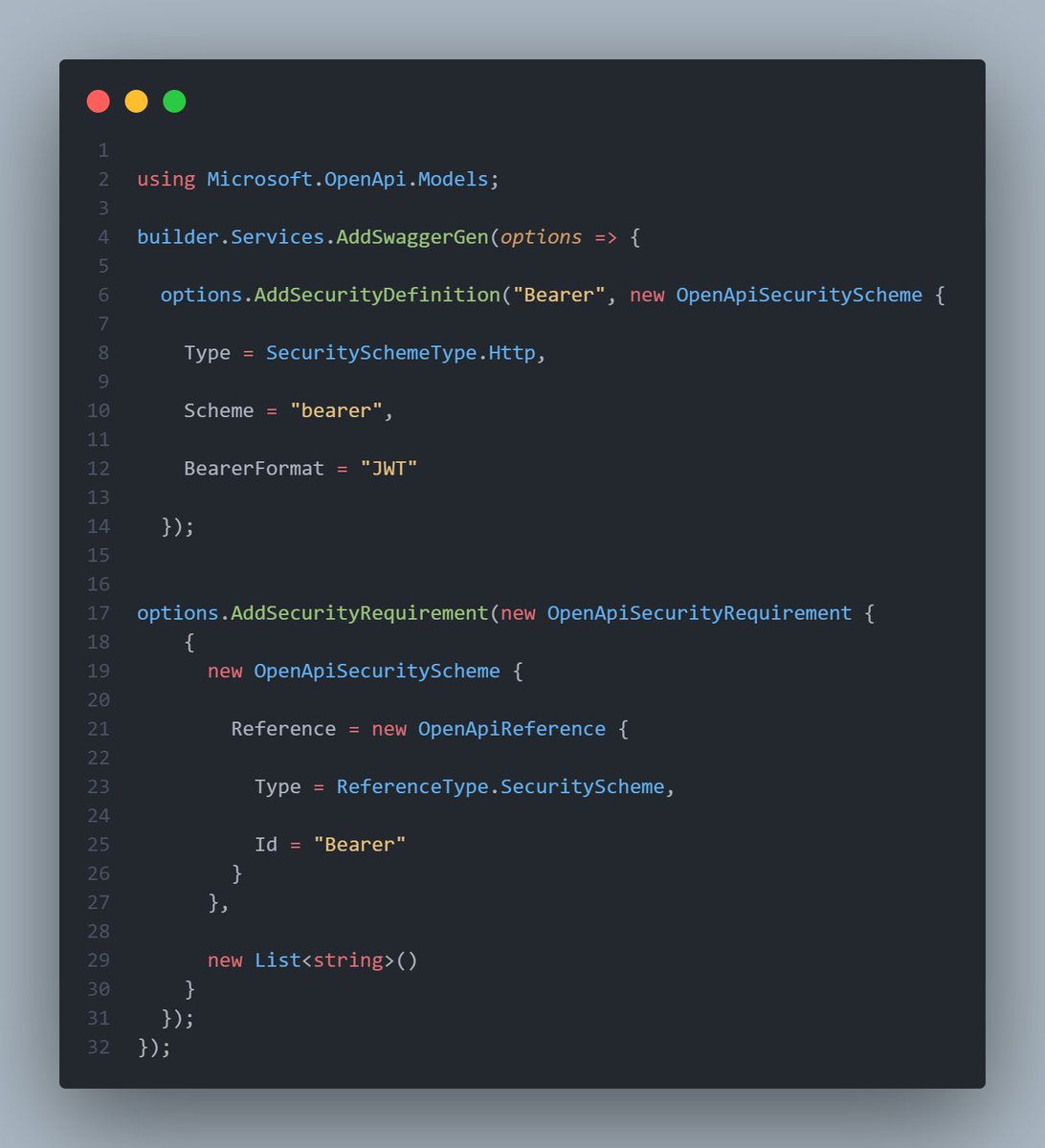
.NET 10 + Swagger/Swashbuckle Compatibility Issue
If you're upgrading to .NET 10 and suddenly your Swagger security definitions break, here's what's happening:
THE PROBLEM:
❌ Missing padlock icons in Swagger UI
❌ CS0234: 'Models' namespace not found in Microsoft.OpenApi
❌ CS0117: OpenApiSecurityScheme doesn't contain 'Reference'
ROOT CAUSE:
Swashbuckle.AspNetCore 10.x depends on OpenAPI.NET 2.x, which introduced breaking changes:
• Removed the Reference property from OpenApiSecurityScheme
• Changed how references are handled
• Moved types around in the namespace structure
THE SOLUTION:
✅ Use Swashbuckle.AspNetCore 9.0.6 (not 10.x) with .NET 10
✅ Don't explicitly add Microsoft.OpenApi package - let Swashbuckle manage it
✅ Don't mix Microsoft.AspNetCore.OpenApi with Swashbuckle - choose one
In Directory.Packages.props:
ALTERNATIVE:
If you want .NET 10's built-in OpenAPI support, remove Swashbuckle entirely and use:
• Microsoft.AspNetCore.OpenApi
• AddOpenApi() / MapOpenApi()
• Scalar or NSwag for the UI
But note: You'll need to rewrite your security configuration for OpenAPI.NET 2.x.
Hope this saves someone hours of debugging 🙏
Claude is funny
You tell it to write some code
You ask it to review that code
Claude finds bugs for the code it just wrote
Claude fixes it
You ask again to review the code
Claude finds more bugs
Claude fixes it
You ask again to review the code
Claude finds more bugs...
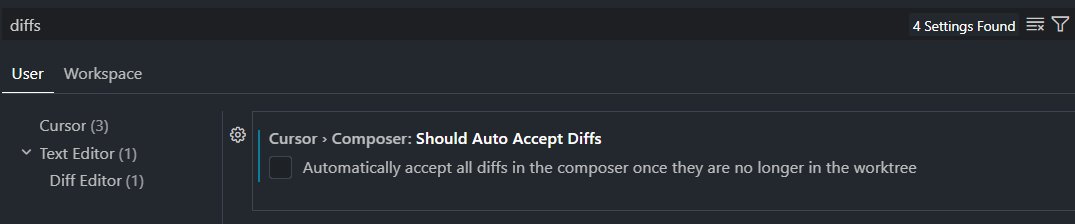
Apparently, there is a bug on Cursor that prevents you from turning off "auto accept diffs"
The latest version automatically applies agent changes and prevents you from turning it off because the setting is missing.
The only fix rn is to downgrade to v2.4.x turn off that setting and turn off automatic updates
Default ASP.NET Core auth returns empty 401/403 responses.
This is not ideal for APIs. So I implemented a custom IAuthorizationMiddlewareResultHandler that:
-Return structured JSON
-Differentiate 401 vs 403 properly
-Keep error responses consistent
Small improvement. Big DX impact.
#WebDevelopment#BackendDevelopment#Dotnet