Discover your favorite Midjourney SREF codes — copy our prompts to recreate the look. updated daily with video previews and prompt: https://t.co/CwIIdhR0Yn
This SREF feels like Blade Runner collided with a dark ritual.
Try: --sref 1521522625 --v 6.1 --sv4
Teal neon haze, orange-gold highlights, gothic sci-fi shadows, and that eerie retrofuturistic energy that instantly makes an image feel cinematic.
Perfect for:
sci-fi game key art
electronic album covers
futuristic nightclub promos
movie posters
cyberpunk character scenes
horror sci-fi concepts
If you want stronger results, add:
volumetric lighting
retrofuturistic
holographic details
I dropped the full prompt in the comments.
Use it to recreate this style fast for your next Midjourney project.
#midjourney#sref
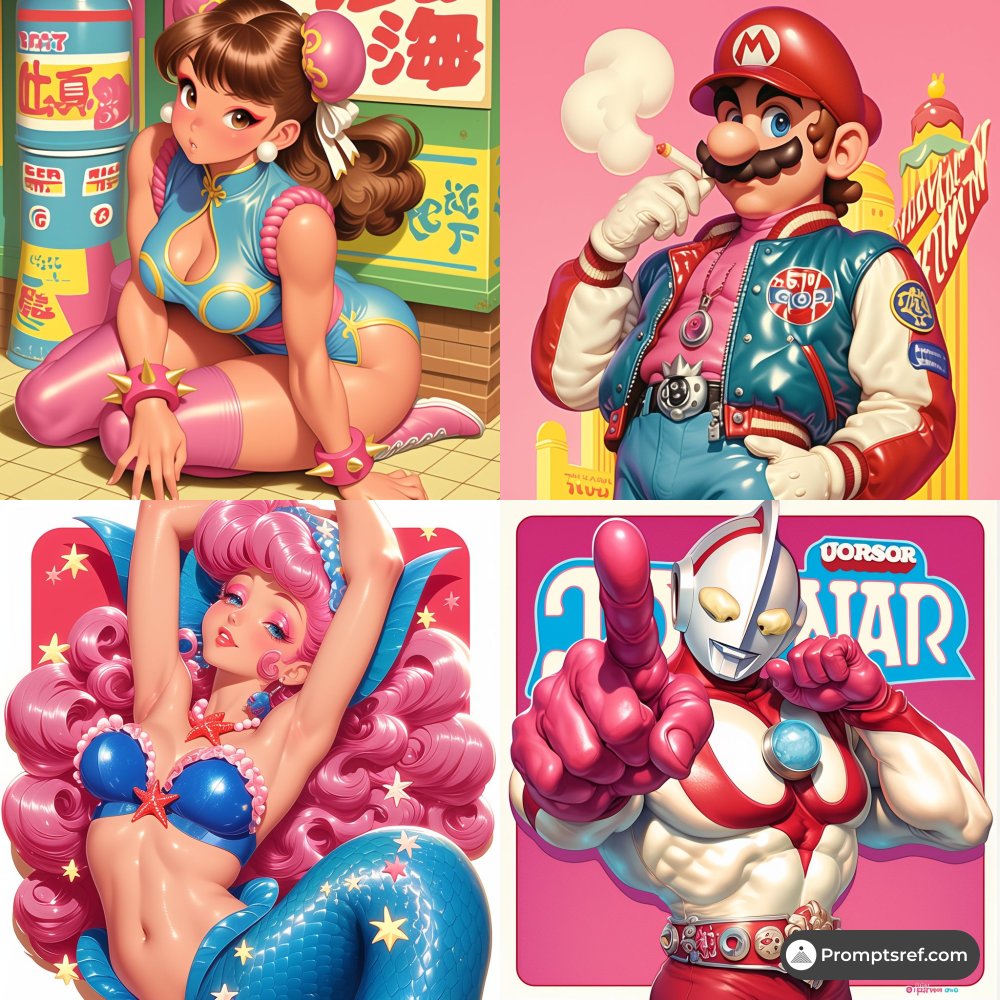
This Midjourney style looks like Pop Art and anime had a neon-soaked vaporwave baby.
Daily share:
[Try your prompt] --sref 2908649403 --niji 6
Think:
hyper-saturated pinks, electric blues, glossy plastic shine, bold anime expressions, and that retro-futuristic energy that instantly makes the image feel scroll-stopping.
Why this style works:
It mixes Pop Art color blocking, Vaporwave nostalgia, and Japanese anime linework into one synthetic visual language that feels both playful and commercial. Loud, polished, dramatic.
Best use cases:
album covers
fashion campaigns
anime/game merch
festival posters
youth-focused social content
retro-futuristic brand visuals
If you want stronger results, try combining it with:
neon lighting effects
glossy plastic texture
retro pop poster
anime surrealism
I’ve put the full prompt link in the comments so you can copy it and recreate this exact style fast.
#midjourney#sref
May 3, 2026 - Most popular sref on PromptSref.com:
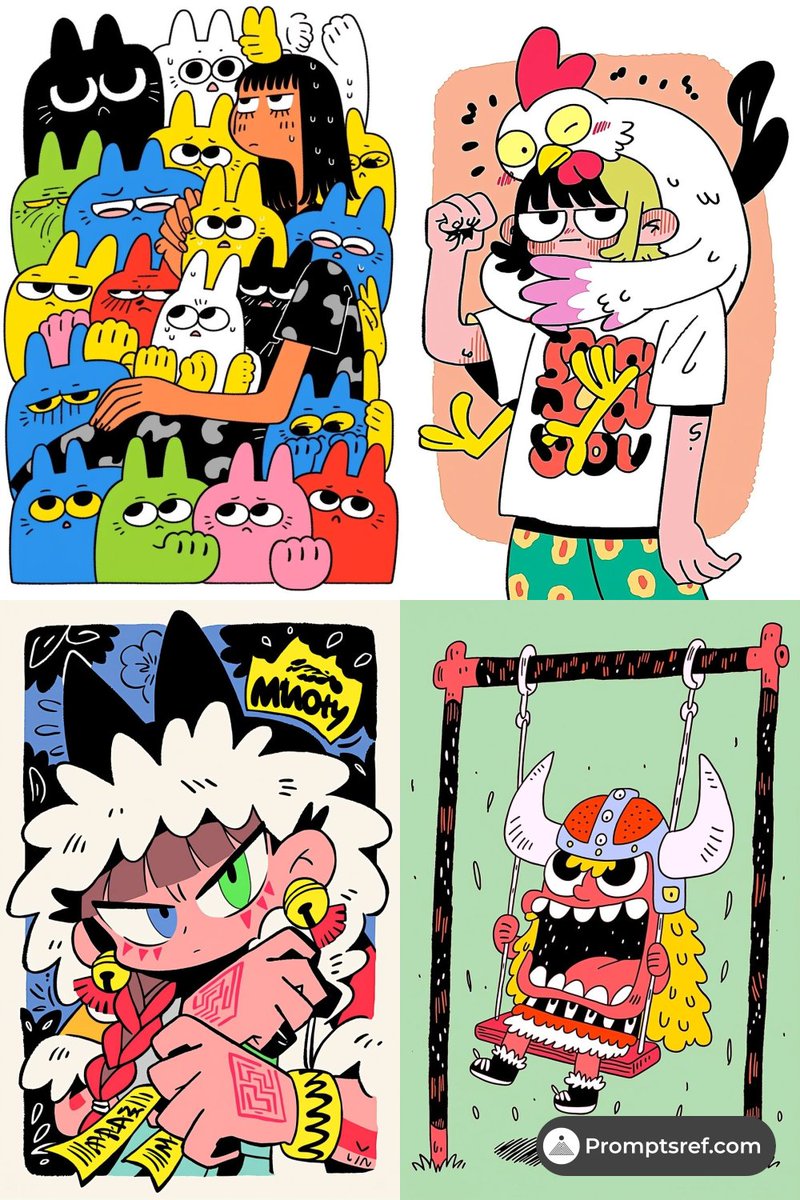
🏆 Top 1 Sref: --sref 1033751374 --niji 7 --sv 6
❤️ Likes number: 5
✨ ## sref Style Characteristics Analysis
This SREF style presents strong **modern cartoon and pop illustration** features, blending the color sense of Pop Art with the exaggerated expressiveness of modern comics. The colors are vibrant and saturated, the lines are simple and rhythmic, and the character designs emphasize exaggerated expressions and movements, making the image full of vitality and humor. At the same time, the elements in the image have highly abstract and symbolic characteristics, making the overall style both cute and slightly ironic. The reason this style is so impressive is that it quickly captures the viewer's attention through an exaggerated, bright visual language, while being both fun and highly recognizable.
## What is Modern Cartoon Illustration Style
Modern cartoon illustration style is a visual style that combines elements of traditional comics, animation, and contemporary graphic design. It typically uses bright color blocks, exaggerated expressions, and dynamic poses to convey emotions and stories, while borrowing color and graphic processing techniques from Pop Art and street art. Compared to traditional cartoons, this style is more design-oriented and visually striking, making it suitable for use across a variety of digital and print media.
## Modern Cartoon Illustration Style Use Cases
This style is particularly suitable for the following scenarios:
- **Social Media Illustration**: Able to attract users' attention in a short time and improve content virality.
- **Game Art**: Especially for character design, avatars, and emoji creation, where exaggerated expressiveness enhances interactive fun.
- **Posters and Promotional Materials**: Conveys themes through vibrant colors and strong visual impact.
- **Brand Merchandise and Creative Products**: Such as stickers, planners, and clothing prints, enhancing a youthful and trendy feel.
## Modern Cartoon Illustration Style Prompt Inspiration
- "vibrant cartoon character, bold lines, playful expressions, flat color, pop art influence"
- "dynamic exaggerated poses, colorful illustration, comic style, fun and whimsical"
- "cute yet edgy character, simplified shapes, high contrast colors, modern pop cartoon"
Upgrade to a website member to unlock all the prompt on the website.
🎨 Want to know how I use this sref? Check out the specific prompts on our website!
💎 website: promptsref.com
📩 Weekly newsletter: underwoodxie.substack.com
🔊 Join our Discord: discord.com/invite/AMTn64F…#midjourney#sref
This Midjourney style feels like Chinese ink wash painting got a cinematic next-gen upgrade.
Soft blue-gray landscapes.
Warm glowing light.
Floating mist.
Ancient architecture.
And that quiet, poetic tension that makes every frame feel like a fantasy film still.
Perfect if you want to create:
Wuxia scenes
Fantasy game concept art
Art-house posters
Zen visuals
Book covers
Luxury brand mood imagery
Try adding:
cinematic lighting
ethereal mist
ancient architecture
SREF: 2485306165
We dropped the full prompt in the comments if you want to recreate this exact look. Go grab it before this style gets overused.
#midjourney#sref
If you want your Midjourney images to feel quiet, poetic, and instantly memorable, try this SREF:
sref 3950365390 --niji 6
It creates a beautiful mix of watercolor softness, Japanese picture book vibes, and subtle manga energy — all wrapped in a dreamy monochrome blue palette.
What makes this style stand out:
• soft ink-wash textures
• delicate minimal linework
• lots of negative space
• calm, emotional, almost cinematic atmosphere
Perfect for:
storybook scenes
poetry visuals
atmospheric game art
indie film posters
wellness or meditation app visuals
If you want to push this look further, add ideas like:
ink diffusion
paper texture
light and shadow contrast
I dropped the full prompt + how to recreate this exact style in the comments.
If you want to copy the look instead of guessing, check the link.
#midjourney#sref
This style feels like a Renaissance painting wandered into a dream.
Daily style drop:
sref 1368292275 --v 7 --sv 4
Think warm gold light, deep browns, dramatic shadows, oil-paint textures, and surreal compositions that look cinematic, elegant, and slightly uncanny.
Why it stands out:
It blends classical painting depth with fantasy visuals that instantly make an image feel premium, mysterious, and story-rich.
Best use cases in Midjourney:
luxury product ads
fantasy book covers
concept art
indie game visuals
album covers
cinematic poster design
If you want images that look expensive, timeless, and impossible to ignore, this one is worth trying.
We’re dropping the full prompt in the comments so you can copy it and recreate the style yourself.
#midjourney#sref
May 2, 2026 - Most popular sref on PromptSref.com:
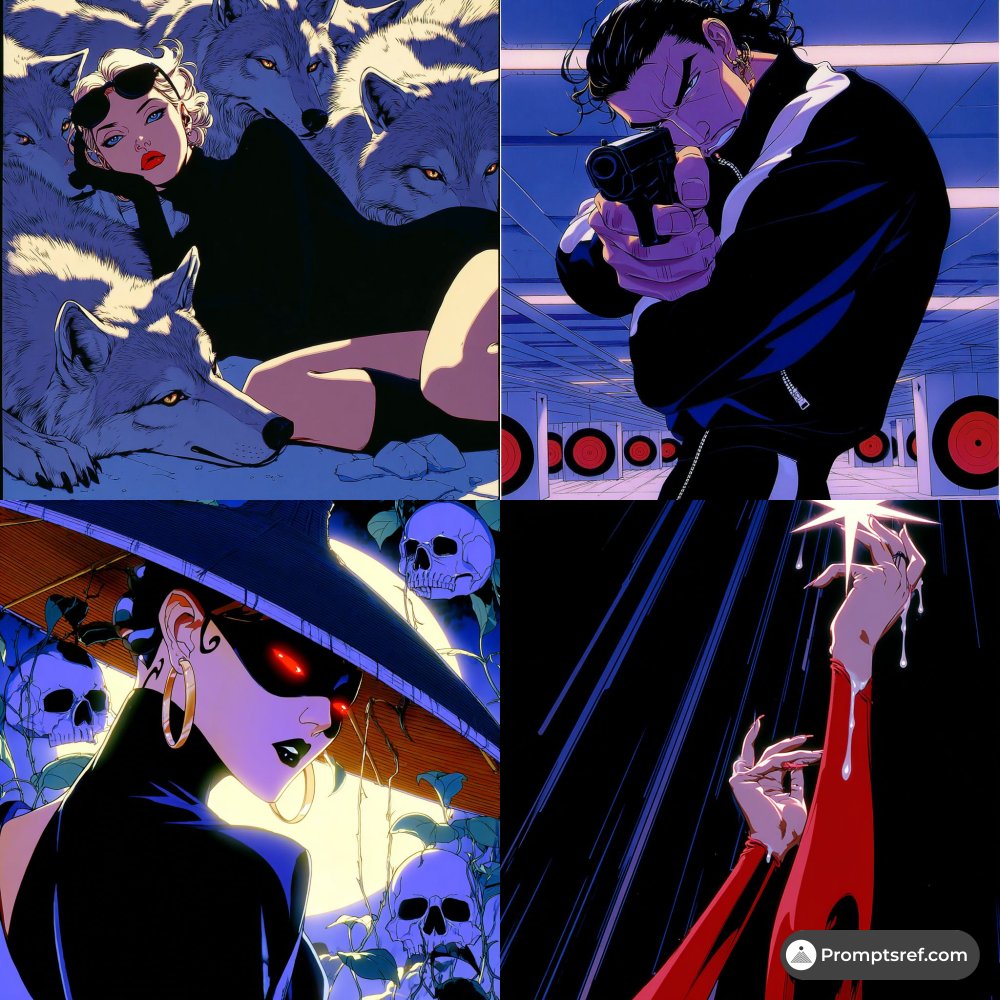
🏆 Top 1 Sref: --sref 802244360 --v 7 --sv 6
❤️ Likes number: 3
✨ ## sref Style Characteristics Analysis
This SREF overall presents a fusion style of **Cyber Noir + Anime + Film Noir**. The reasons it belongs to these style categories are mainly reflected in the following aspects:
First, from the perspective of visual language, this set of images clearly inherits the expression methods of **Japanese animation (especially the mature works of the 90s)**: clean and sharp outlines, highly summarized character structures, while enhancing emotional tension through highly designed composition. This treatment makes the picture both narrative and highly graphically aesthetic.
Secondly, the overall use of light and shadow and color carries obvious **Film Noir** influences—high-contrast lighting, intense warm-cold clashes, and local highlights to emphasize key visual points. This technique is typically used to create a tense, dangerous, and mysterious atmosphere, allowing the viewer to feel an emotional impact at first glance.
Furthermore, the color scheme extensively uses **cool blue-purple tones + high-saturation accent colors (like red)**, which is the exact typical **Cyberpunk visual language**. This color combination not only enhances the futuristic and urban feel but also makes the image visually "glow," possessing extremely strong appeal.
The core reason it leaves a deep impression is:
👉 It integrates "narrative tension + fashion sense + graphic design sense"
👉 It balances commercial visual impact with depth of artistic expression simultaneously
This style is both "good-looking" and "has attitude."
---
## What is Cyber Noir Anime Style
**Cyber Noir Anime** style can be understood as:
👉 A combination of "Cyberpunk worldview + Film Noir atmosphere + Japanese Anime expression format"
Its core characteristics include:
- **Intense emotional lighting**: Extensive use of local light sources, backlighting, and silhouette effects
- **High contrast colors**: Dominated by cool colors + highly saturated accent colors (red/purple/neon)
- **Minimalist yet precise lines**: Emphasizing outlines rather than detail stacking
- **Cinematic composition**: Similar to camera language, emphasizing angles, tension, and narrative pacing
- **Coexistence of fashion and danger**: Characters often possess strong personalities and visual symbols
This style is popular because it combines **visual impact and story-implying ability**, making the image not just a "picture," but more like "a snapshot of a movie scene."
---
## Usage Scenarios for Cyber Noir Anime Style
This style is very suitable for the following creative fields:
### 1. Game Art
- Action, Cyberpunk-themed games
- Character portraits and promotional KV
- High-end visual style indie games
### 2. Posters and Visual Communication
- Movie posters (especially suspense, crime, futuristic themes)
- Music album covers (Electronic, Synthwave, Hip-hop)
- Fashion brand visual Campaigns
### 3. Illustration and IP Design
- Strong character concept illustrations
- Worldview visual development
- Trend culture and street art
### 4. Animation and Storyboard Design
- Animation keyframe design
- Storyboard mood sketches
- Dynamic visual pre-visualization
👉 Simply put: As long as you need "cool + storytelling + stylized," this direction is highly appropriate.
---
## Cyber Noir Anime Style prompt Inspiration
Here are some MidJourney prompt directions that can be used directly or combined:
- cyber noir anime style, dramatic lighting, high contrast shadows
- neon rim light, blue and purple palette, cinematic composition
- 90s anime aesthetic, sharp linework, minimal shading
- dark futuristic atmosphere, glowing highlights, moody tone
- film noir lighting, strong silhouette, stylish character design
- cyberpunk color scheme, red accent, graphic composition
- fashion editorial style, anime character, bold shadows
Combination example:
> cyber noir anime, cinematic lighting, neon blue and red accents, 90s anime style, high contrast shadows, fashion editorial composition
👉 Tip: Adding "cinematic", "dramatic lighting", and "high contrast" will significantly improve the texture
👉 Upgrade to become a website member to unlock all prompt on the website
---
🎨 Want to know how I use this sref? Check out the specific prompts on our website!
💎 website: promptsref.com
📩 Weekly newsletter: underwoodxie.substack.com
🔊 Join our Discord: discord.com/invite/AMTn64F…#midjourney#sref
This Midjourney style feels like a dream painted by hand.
sref 4089868573 blends Impressionism + soft realism into something warm, delicate, and instantly scroll-stopping:
• miniature painting detail
• fabric-like texture
• soft glowing light
• vivid colors without looking harsh
The result? Images that feel dreamy, tactile, and premium at the same time.
Perfect for:
children’s book illustrations
packaging for boutique products
gift cards
nature-inspired wall art
emotional brand visuals
custom gift concepts
If you want visuals that look soft, artistic, and full of story, this is one to save.
We’re dropping the full prompt in the comments so you can copy it and recreate this style yourself.
Daily share · Try your prompt:
--sref 4089868573 --v 6.1 --sv 4
#midjourney#sref#aiart#promptshare
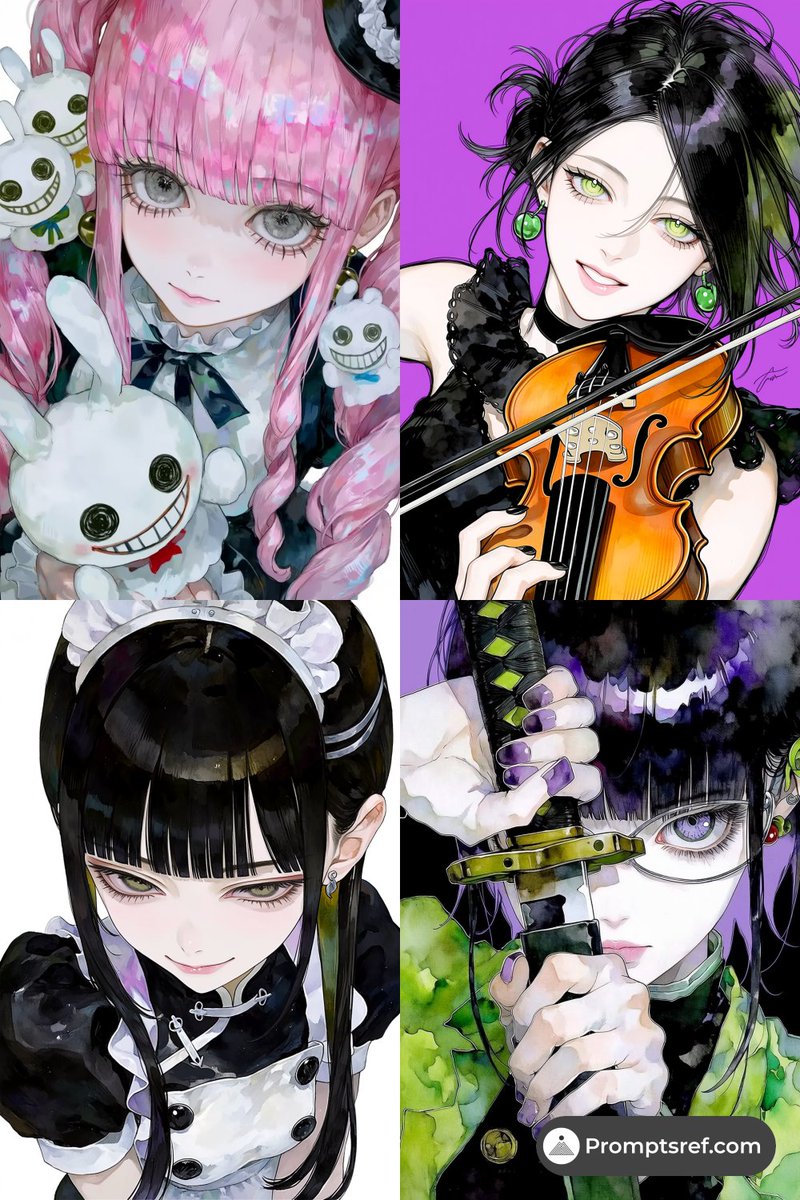
This SREF feels like fashion editorial meets watercolor manga—and it’s seriously gorgeous.
sref 1461896404 3130362434 | niji 7 | sv6
What makes it stand out:
• ultra-expressive anime eyes with glossy, gem-like pupils
• clean manga linework mixed with soft watercolor bleeding
• bold colors like pink, emerald, purple—but still airy because of the white space
• strong gothic/fashion energy with that hand-painted artbook feel
It doesn’t look like basic flat anime art.
It feels like a premium illustrated cover.
Perfect for:
• manga or light novel covers
• anime game character splash art
• fashion concept visuals
• standout PFPs and personal branding
• music cover art for pop, rock, lo-fi, virtual artists
If you want this look in Midjourney, think:
watercolor texture + ink splashes + detailed lashes + emotional gaze + high-fashion attitude
We’ve put the full prompt in the comments so you can copy it and recreate the style fast.
If you want more precision-ready prompts like this, check the link and unlock the full library.
#midjourney#sref
This Midjourney style feels like a lost memory from the future.
sref 3332013844 gives you that rare mix of retrofuturism + vaporwave + dreamcore:
neon pinks, electric blues, hazy glow, film grain, and that surreal “I’ve seen this before in a dream” feeling.
Perfect if you want to create:
album covers for synth/electronic music
sci-fi posters
retro game visuals
fashion campaigns with a futuristic edge
scroll-stopping social content
What makes this one special is the mood:
it doesn’t just look good — it feels nostalgic, cinematic, and strangely futuristic at the same time.
If you want to push the style further, try themes like:
vintage film
neon dream
temporal displacement
I’ll drop the full prompt in the comments so you can copy it and recreate the look yourself.
Try your prompt:
--sref 3332013844 --v 7 --sv6
#midjourney#sref
May 1, 2026 - Most popular sref on PromptSref.com:
🏆 Top 1 Sref: --sref 1502059545 4011022703 --v 7 --sv 6
❤️ Likes number: 2
✨ ## sref Style Characteristics Analysis
This SREF style clearly integrates the visual languages of **children's illustration (Children’s book) + primitive hand-drawing (Naïve Art) + light pop art (Pop Art)**. The overall presentation shows a design logic that is "seemingly casual but highly unified."
First, its lines have an obvious "unpolished feel"—like being directly outlined with a marker or fine pen, with uneven thickness and a slight jitter, which are typical features of **Naïve Art**. This style emphasizes the directness of expression rather than realism or refinement, thus giving a relaxed, humorous, and even slightly childlike feeling.
Secondly, the use of color is very bold and pure, with large areas of high-saturation flat color blocks, without gradients or complex lighting and shadows. This method is highly consistent with the color logic emphasizing visual impact in **Pop Art**. At the same time, strong contrast is formed between the background and the main subject, making the picture highly recognizable.
Furthermore, the composition is extremely simplified, without complex perspective or spatial depth, leaning more towards the narrative single-subject display found in **Children’s Illustration**—the subject is prominent, and the information is straightforward, which is very suitable for quick reading and visual memory.
The reason this style is impressive is that through "deliberate imperfection" and "highly unified simplified expression," it creates a visual experience that is both approachable and well-designed, making it look very unique in today's environment that pursues refined rendering.
---
## What is the Childlike Hand-drawn Pop Style
The "Childlike Hand-drawn Pop Style" can be understood as a hybrid style combining the **free expression of children's drawings + the strong visual language of Pop Art**.
Its core features include:
- **Strong hand-drawn feel**: Lines do not pursue precision, retaining the trace of being "drawn"
- **Simplified or exaggerated shapes**: Focuses more on character personality rather than correct proportions
- **High-contrast color palette**: Often uses pure color blocks for direct visual impact
- **De-detailed expression**: Reduces shadows, textures, and complex structures
In art history, this style can be compared to some "anti-academic" creative concepts, such as evoking artists with a raw urge for expression like Jean-Michel Basquiat (though rougher, the spirit is connected), as well as the popular "anti-refined design" in modern illustration.
---
## Use Cases for Childlike Hand-drawn Pop Style
This style is widely applied in practice, especially suitable for the following scenarios:
- **Brand visual & IP design**: Easy to create memory points, suitable for trendy or youth-oriented brands
- **Social media content**: High recognition, suitable for cover images, memes, and short-form content illustrations
- **Children-related products**: Picture books, educational products, toy packaging, etc.
- **Poster & visual communication design**: Particularly suitable for relaxed atmosphere scenarios like music festivals and art exhibitions
- **Cultural and creative merchandise**: Stickers, T-shirts, canvas bags, etc.
Its advantage lies in its relatively low production barrier but extremely high style recognition, making it perfectly suited for rapid production and creating serialized visuals.
---
## Childlike Hand-drawn Pop Style prompt Inspiration
Here are some prompt directions suitable for MidJourney:
- naive hand-drawn illustration, bold outline, flat bright colors, playful style
- childlike doodle art, imperfect lines, minimal shading, pop color palette
- quirky cartoon style, simple shapes, high contrast background
- hand sketch illustration, marker drawing, funny character design
- naive pop art style, flat composition, vibrant colors, minimal detail
You can add theme elements as needed, such as characters, animals, or professional settings.
👉 Tip: By adding keywords like "rough lines", "imperfect drawing", and "flat color block", you can generate this style more stably. Upgrade to a website member to unlock all prompt options on the site.
---
🎨 Want to know how I use this sref? Check out the specific prompts on our website!
💎 website: promptsref.com
📩 Weekly newsletter: underwoodxie.substack.com
🔊 Join our Discord: discord.com/invite/AMTn64F…#midjourney#sref