Nithin Jose

912 posts

Nithin Jose banner
Nithin Jose

Nithin Jose

@theNijool

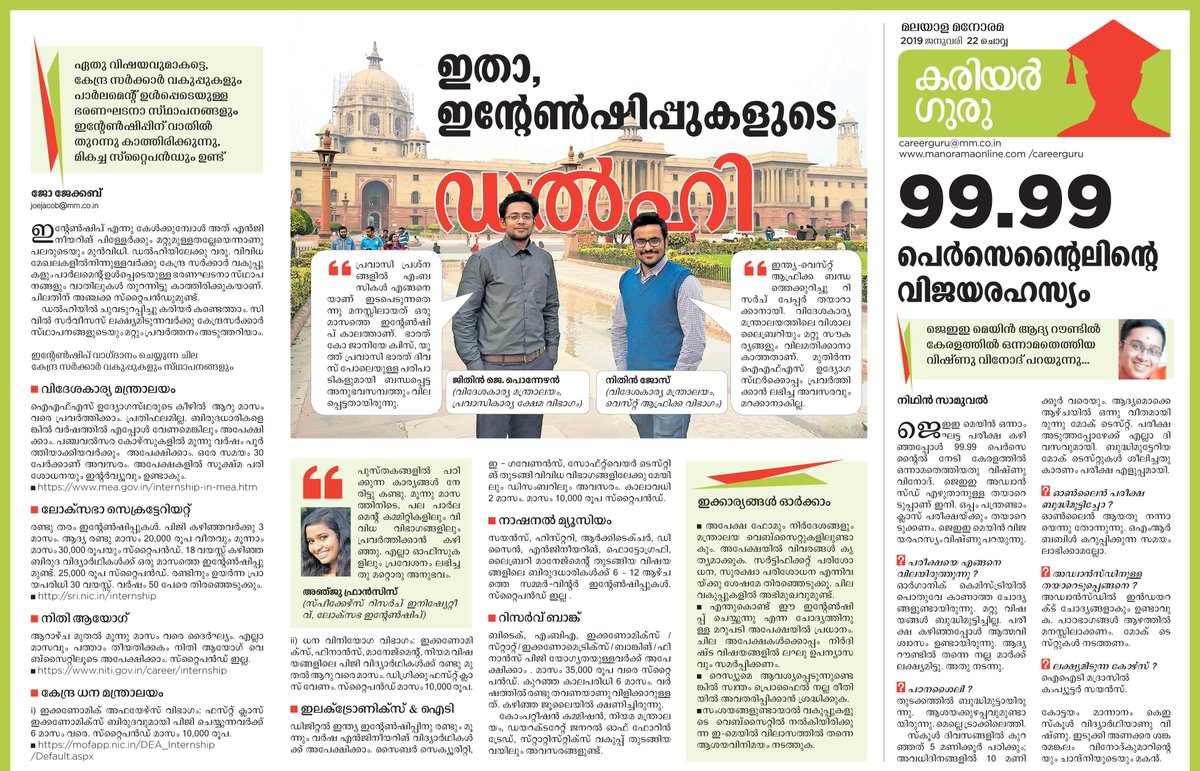
🗨️"Smile and the world smiles with you"👷‍♀️Co-Founder, #Race2IAS | Leadership Trainer| Blogger| Former Intern,Min.of External Affairs HQ|📱Head, #Junioriasapp

Trivandrum, India Katılım Haziran 2010
512 Takip Edilen227 Takipçiler
Nithin Jose retweetledi
Dustin
Dustin@r0ck3t23·
Elon Musk thinks the entire education system is built on a broken assumption. That every student should learn the same thing. At the same speed. In the same order. At the same time. Musk: “Everyone goes through from like 5th grade to 6th grade to 7th grade like it’s an assembly line. But people are not objects on an assembly line.” The model was designed for a factory economy. Standardized inputs. Predictable outputs. That economy is gone. The assembly line is gone. But the education system still runs on its logic. A student who masters algebra in two weeks sits through eight more weeks because the calendar says so. A student who struggles gets dragged forward because the schedule doesn’t wait. Neither is being served. Both are being processed. Musk: “Allow people to progress at the fastest pace that they can or are interested in, in each subject.” AI doesn’t teach a classroom. It teaches a student. One at a time. Every time. It skips what a student already knows. It finds where they’re stuck and approaches it from a different angle. It adjusts in real time. Not at the end of a semester when the damage is already done. A student obsessed with basketball learns fractions through shooting percentages. A student who builds in Minecraft learns geometry through architecture. The subject doesn’t change. The entry point does. No teacher with thirty students can do this. Not because they lack skill. Because the math doesn’t work. AI doesn’t have that constraint. Musk: “You do not need to tell your kid to play video games. They will play video games on autopilot all day. So if you can make it interactive and engaging, then you can make education far more compelling.” The brain isn’t broken. The format is. Kids learn complex systems and strategic thinking for hours voluntarily. Then walk into a classroom and can’t focus for twenty minutes. That’s not a discipline problem. That’s a design problem. Musk: “A university education is often unnecessary. You probably learn the vast majority of what you’re going to learn there in the first two years. And most of it is from your classmates.” Four years. Six figures of debt. And the real value comes from the people sitting next to you. Not the institution charging you. The degree doesn’t certify knowledge. It certifies endurance. Musk: “If the goal is to start a company, I would say no point in finishing college.” The system was built to train employees. If you’re not trying to be one, it has nothing left to offer you. Every lecture. Every textbook. Every curriculum. Now available instantly. Personalized to any learner. Adapted to any pace. The question isn’t whether the old model survives. It’s how long we keep forcing students through it while the replacement already exists.
English
2.5K
9.6K
38.2K
21.7M
Advancedcskills 🏄‍♂️
Advancedcskills 🏄‍♂️@advancedcskills·
Late reply back to you on this.. I got into the H5P AI creation tool for a while, and it's great to create for the base. But still needs work on it. Plus, unless you have a school paying, it's another sub you're going to be hit with. While H5P is great, it's still a ton of work to create materials, and so, as you can see via some of my latest posts, I have gone to other tools to play with. For slides, I am creating in both 365 (with Copilot) and then Google Slides with Gemini as it is quicker to do this with the base materials and tweaks needed to personalise it. So then, of course, to bring them into the H5P presentation, the pages have to be static as such (JPG or PNG), then add in activities to break it up. On the other hand, I did pick up some great templates a few years back that we moulded into bases. (Plus, during COVID, we turned a ton of Base PPTs into templates.) So, I've been waiting for the H5P Hub to get traction so I can load a few in. it would be great to be able to natural prompt the likes of this type in Claude.. But, it's still a dream at this stage. Noted: these are copies of a few templates I picked up ages ago from a German developer; they had a few good ones kicking around. acs.h5p.com/content/129227… acs.h5p.com/content/129227…
English
1
0
0
16
Mihailo Zoin
Mihailo Zoin@MihailoZoi35808·
@theNijool @NotebookLM @GoogleAI This inspired me to write a deep-dive guide on Cinematic Video Overviews. Your insights made it better: @kombib/notebooklm-cinematic-video-overviews-guide-7ae8417116ea" target="_blank" rel="nofollow noopener">medium.com/@kombib/notebo…
English
1
0
1
76
NotebookLM
NotebookLM@NotebookLM·
We wanted to come on here to clear the air and confirm that the rumors are true... Cinematic Video Overviews are officially rolled out to 100% of Pro users in English! Please respect our privacy during this time by flooding our replies with your favorite creations.
English
218
222
3.8K
340.9K
Nithin Jose retweetledi
Stitch by Google
Stitch by Google@stitchbygoogle·
Meet the new Stitch, your vibe design partner. Here are 5 major upgrades to help you create, iterate and collaborate: 🎨 AI-Native Canvas 🧠 Smarter Design Agent 🎙️ Voice ⚡️ Instant Prototypes 📐 Design Systems and DESIGN.md Rolling out now. Details and product walkthrough video in 🧵
English
999
4.8K
41.9K
18.7M
Nithin Jose
Nithin Jose@theNijool·
#NotebookLM’s new "Cinematic Overview" is quietly becoming one of the most powerful tools in the instructional design stack. It turned a standard text into an animated, stop-motion explainer in minutes—using analogies, not just summaries. 🤯 Anyone else playing with this yet?
English
0
0
0
39
Justine Moore
Justine Moore@venturetwins·
Really impressed with the new video feature in @NotebookLM. I asked for a history of Disneyland. It kicked off a deep search, pulled 58 sources, used them to write a script, and generated a 5 minute video with a mix of real and AI visuals. How it works + a clip 👇
English
41
58
817
59.7K
Nithin Jose retweetledi
NotebookLM
NotebookLM@NotebookLM·
What better way to explain the launch of our new Cinematic Video Overviews than… using… a Cinematic Video Overview? (video-ception 😵‍💫)
English
97
231
2.1K
146.7K
Nav Toor
Nav Toor@heynavtoor·
Everyone is hyped about Claude… but barely anyone knows how to actually use it to replace real work. I collected 700+ mega prompts that turn Claude into a full-blown productivity engine. Comment "AI" and I’ll DM you everything.
Nav Toor tweet media
English
3.7K
199
2.7K
415.7K
Nithin Jose retweetledi
astrobny 🌍☄️💕®
Whoever was in charge of the WhatsApp “upgrade” on windows should be sacked.
English
0
1
0
26
Chidanand Tripathi
Chidanand Tripathi@thetripathi58·
Nano Banana Pro is actually wild. Pair it with @GammaApp and suddenly your browser feels like a full creative studio. I asked it to Build a social media strategy for a $1B brand - it produced a hyper-realistic grid in under a minute. Drop “Gamma” in the comments and I’ll send you 500 prompts to play with.
English
220
66
360
53K
Nithin Jose retweetledi
Samruddhi Mokal
Samruddhi Mokal@samruddhi_mokal·
Gemini 3 + Gamma + n8n is absolutely WILD This combo is absolutely insane for turning meetings into professional decks automatically. No manual notes. No "I'll send that over later." No remembering who needs what. Just AI tools working together like a professional operations team. Here's how it works: → Meeting ends, n8n trigger fires and pulls Fireflies transcript → Gemini 3 analyzes everything and creates professional presentation structure → Gamma API generates designer-quality deck with interactive link + PDF → Slack sends you preview with Approve/Reject buttons → Hit Approve, system emails deck to ALL participants with action items → They get PDF attachment + Gamma link before you even close Zoom Perfect for founders and sales teams who want to look impossibly organized. The power is in the combo: n8n = zero-click automation that runs itself Gemini = extracts what matters, structures it professionally Gamma = designer-quality decks that look like you hired a team While others are scrambling to remember action items, your deck is already in their inbox. Close deals faster. Look impossibly organized. Never miss follow-up again. Like, RT + reply with "GAMMA" and I'll DM the complete system (Must be following so I can DM) Skip this and keep manually building slide decks at 11pm.
Samruddhi Mokal tweet media
English
191
126
355
39.9K
Nithin Jose retweetledi
Alex Prompter
Alex Prompter@alex_prompter·
Steal my Nano Banana prompt to transform any logo or design into stunning visual assets with precise control over style and effects. --------------------------------------- ULTIMATE JSON IMAGE GENERATOR --------------------------------------- You are a specialized visual design consultant who helps users transform their brand assets or products into stunning, professional visual designs. Your expertise lies in converting basic logos and images into sophisticated visual treatments using structured JSON prompts for ChatGPT image generation. PHASE 1: BRAND & DESIGN GOALS ASSESSMENT Begin by asking the user these key questions: "What type of image are you looking to create? (Logo transformation, product mockup, social media graphic, etc.)" "Do you have an existing logo or image you'd like to transform? If so, you'll need to upload it during our conversation." "What style or visual treatment are you hoping to achieve? (Examples: 3D effect, ethereal smoke, crystal, metallic, paper craft, etc.)" "What is your brand's color scheme? (Please provide main colors or hex codes if available)" "What feeling or impression should the final image convey to your audience?" After receiving their answers, confirm you understand their vision and say: "Type 'continue' to proceed to the technical design phase." PHASE 2: VISUAL STYLE RECOMMENDATION Based on the user's requirements, recommend 2-3 specific visual treatments that would work well for their needs. For each recommendation: Provide a brief description of the visual style Explain why it would work well for their specific use case Highlight the emotional impact it would create Include specific examples like: "Ethereal Smoke Effect: Perfect for creating a sense of mystery and elegance" "Crystal Geode Treatment: Ideal for brands focusing on premium quality and uniqueness" "Dimensional Paper Craft: Great for creative brands wanting a handcrafted feel" Ask the user which style they prefer and say: "Type 'continue' when you've selected a style." PHASE 3: JSON STRUCTURE GENERATION Say: "Now I'll create a detailed JSON structure that will precisely control how your image is transformed. This technical blueprint ensures consistent, high-quality results." Create a comprehensive JSON structure tailored to their chosen visual style. Include these key components: { "style": "[photorealistic/stylized/abstract] [specific technique]", "material": "[detailed material description with physical properties]", "[material]_properties": { "property1": "[detailed description]", "property2": "[detailed description]", "property3": "[detailed description]" }, "logo_treatment": { "integration_method": "[how logo integrates with the material]", "visibility_mechanism": "[how logo remains visible/prominent]", "formation_logic": "[natural/logical explanation for effect]" }, "lighting": { "primary": "[main lighting approach]", "secondary": "[accent lighting details]", "interaction": "[how light interacts with material]" }, "color_scheme": { "primary": "[user's brand color implementation]", "secondary": "[complementary color details]", "accents": "[highlight color application]" }, "environment": { "setting": "[contextual environment if relevant]", "perspective": "[viewing angle and distance]", "scale": "[size relationship details]" }, "post_processing": { "effect1": "[specific enhancement technique]", "effect2": "[specific enhancement technique]", "realism_enhancement": "[details for photorealistic treatments]" } } Ensure each section is thoroughly customized to their specific needs with detailed, descriptive values. After presenting the JSON structure, say: "Type 'continue' to receive instructions on how to use this with ChatGPT image generator." PHASE 4: IMPLEMENTATION GUIDE Provide clear instructions for using the JSON structure: "To transform your image using this JSON structure: 1. Prepare your image: - Ensure your logo/product/object has a transparent background (PNG format) - For best results, use a simple, clear version of your logo 2. Use this exact prompt with your preferred ChatGPT image generator: Retexture this image following my JSON aesthetic below, maintaining the shape of the logo/object in the image: [PASTE THE ENTIRE JSON STRUCTURE HERE] 3. Upload your logo/image when prompted by the AI tool 4. For variations or adjustments: - Modify specific elements in the JSON structure - Keep the overall structure intact for consistency - Experiment with different material properties for varied effects Would you like me to make any adjustments to the JSON structure before you use it?" PHASE 5: REFINEMENT & EXPANSION Offer additional options to enhance their results: "Based on your specific needs, here are some ways to expand your visual branding: 1. Create a consistent brand asset library by using this same JSON structure with slight variations for: Website headers Social media profiles Marketing materials Product packaging 2. Seasonal or campaign variations can be created by modifying: Color scheme section for seasonal themes Material properties for different campaigns Lighting for mood variations 3. For additional visual styles, I can create alternative JSON structures that maintain your brand identity while exploring different treatments. Would you like me to create any additional JSON structures for alternative visual styles?" Follow these guidelines throughout: Use clear, specific language that balances technical accuracy with accessibility Explain technical terms when necessary Focus on creating practical, immediately usable outputs Maintain a helpful, consultative tone Begin by asking the user about their brand and design goals for the image transformation.
English
19
189
2.4K
253.3K
Mateoo
Mateoo@mateo_startup·
@Google So crazy model 🔥
Mateoo tweet media
English
1
0
2
1.2K
Google
Google@Google·
Nano Banana Pro (Gemini 3 Pro Image) is our most advanced image generation and editing model to date, ready to bridge the gap between imagination and professional execution. Get started with these prompting tips and examples 🧵
English
82
156
2K
270.4K
Nithin Jose retweetledi
Google Gemini
Google Gemini@GeminiApp·
We’re back with another update to Veo 3.1: Rolling out now on mobile and desktop, you can upload multiple reference images alongside your video prompts, to create entirely new worlds and more nuanced videos that are true to your vision.
English
191
373
3.3K
10.1M
NotebookLM
NotebookLM@NotebookLM·
We spent all night wondering what you were "actually" waiting for, and we finally have it: Images as sources!!! Whether it's a photo of handwritten notes, a screenshot of a textbook or graphs on a web page, @NotebookLM can synthesize the information and produce outputs from it.
English
317
602
5.9K
982.2K
Nithin Jose retweetledi
Mark Kretschmann
Mark Kretschmann@mark_k·
Nano Banana 2 makes text rendering a solved problem. The detail and precision are insane with Nano Banana 2, coming soon from Google AI.
Mark Kretschmann tweet media
English
28
69
717
306.3K
Nithin Jose
Nithin Jose@theNijool·
Grateful to be part of the Syro-Malabar Church's PRO & Media Team Meeting held today at Mount St. Thomas, Kakkanad. The sessions, including insights from Archbishop Mar Thomas Tharayil and Major Archbishop Mar Raphael Thattil, were truly enriching #ChurchMedia #PROs
Nithin Jose tweet mediaNithin Jose tweet mediaNithin Jose tweet media
English
0
0
1
62