

tinodin
4 posts

tinodin
@tinodin10
Owner / Lead Developer - AutoOS https://t.co/YwvKeSv0GF
Germany Katılım Ağustos 2020
84 Takip Edilen28 Takipçiler

The recommended prefetcher settings are:
"L1 Stream HW Prefetcher" = Enable, Enabled
"L2 Stream HW Prefetcher" = Disable, Disabled
"L1 Stride Prefetcher" = Enable, Enabled
"L1 Region Prefetcher" = Enable, Enabled
"L1 Burst Prefetch Mode" = Disable, Disabled
"L2 Up/Down Prefetcher" = Disable, Disabled
Don't trust other tweakers in this scene. 99% of them have no clue what they are talking about.
x.com/Legend_Tweaks/…
Legend Tweaks@Legend_Tweaks
nice tool u got there 😼
English


People fight about this constantly so here is the actual breakdown.
Windows 11 25H2 is the best for most people on modern hardware right now. If that causes issues 23H2 is solid. And if you are on older hardware or playing games that just feel wrong on Windows 11 stick with Windows 10. Performance is virtually identical on most setups.
Obsessing about the version is not ideal as you need to look at the entire configuration of your PC.

English


@Jurnin @ParagonTweaks @TheTulantro @cubiqq @undefinedniko @Keytonnbtw Wow. You still haven’t heard of added delay when using external fps cap.
English

🚨UPDATED Fortnite Rendering Mode Comparison🚨
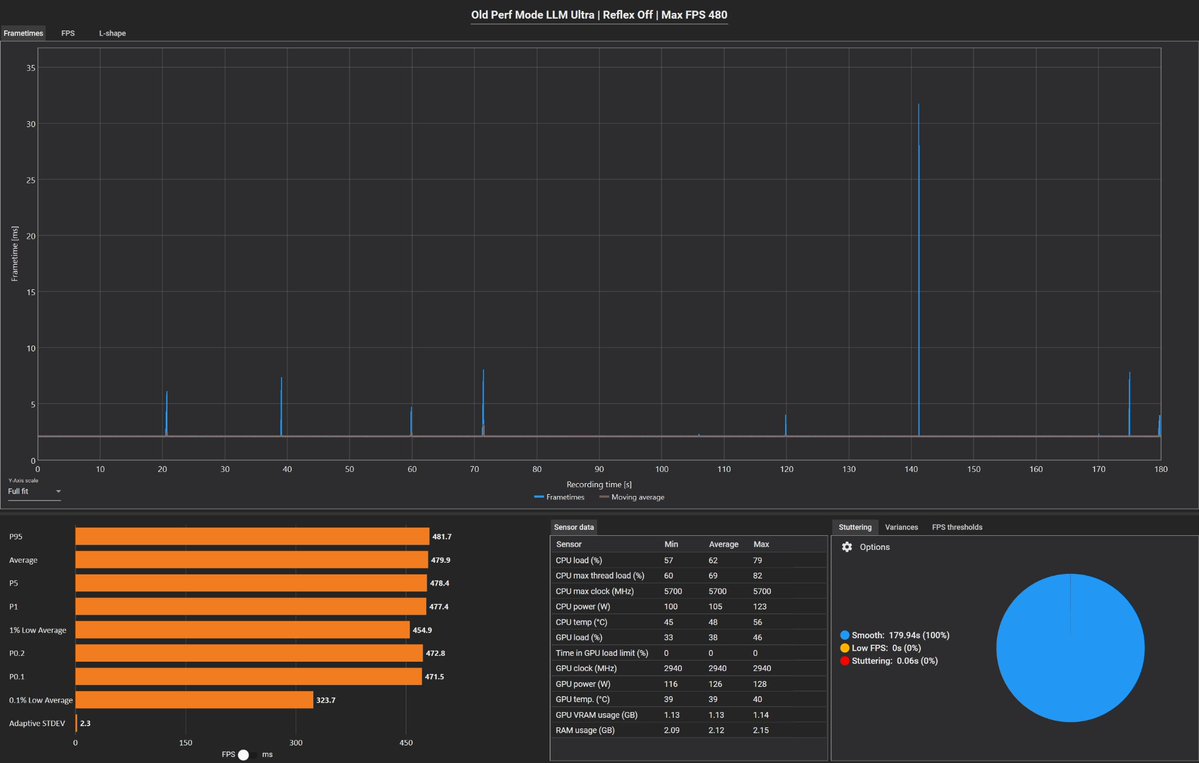
Tested common setups: Reflex, LLM, and FPS cap methods -- under both Old vs New Performance Mode (DX12).
📊Findings:
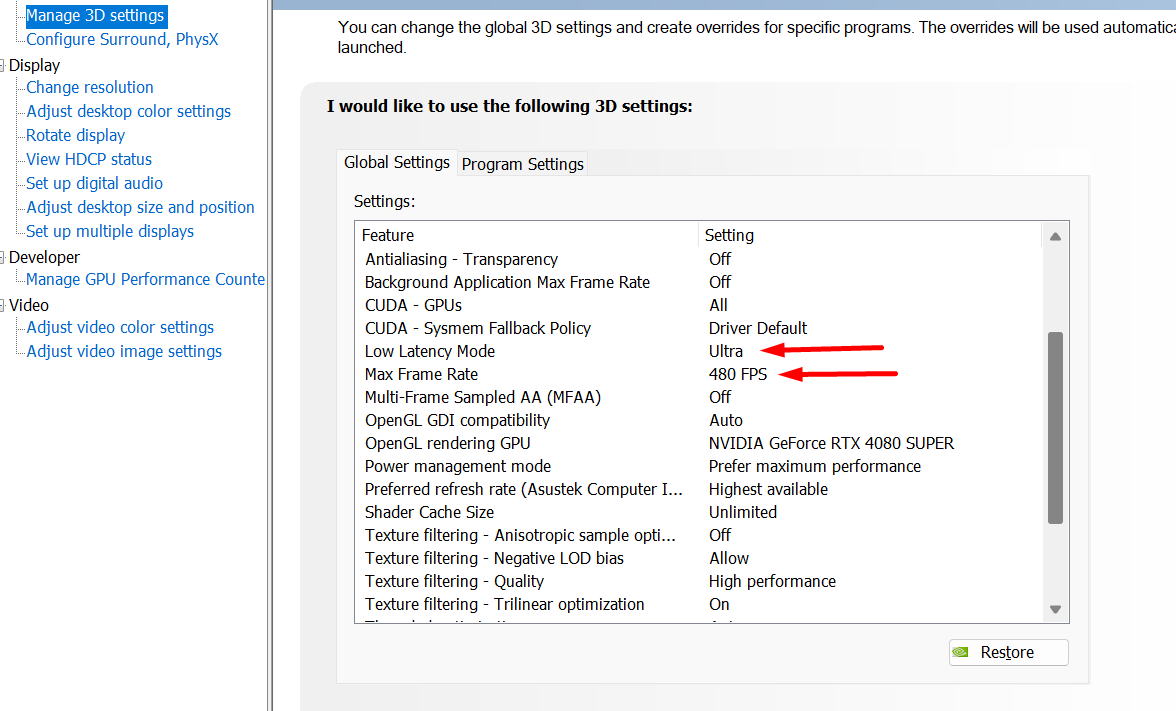
• 🥇 Old Perf Mode + LLM Ultra (Reflex Off) + NVCP FPS cap = BEST results
• New Perf Mode adds spikes & worse lows on Nvidia
• In-game FPS cap still tanks consistency
⚙️ Set in-game FPS to Unlimited and cap only through NVCP at your Monitor's Hz.
📌 For NVIDIA GPUs, Legacy Performance Mode is still the better choice for smoother pacing and input response.
❤️ Like + ♻️ RT to spread awareness


English