ABOUT ME
Hey!
My name is Leon, I'm 16 and based in Munich, Germany.
I'm into AI, Vibecoding, Design and Entrepreneurship.
I love sharing my workflows, builds, tips and prompts here on X!
Currently building learn2vibecode.dev
- Private beta will hopefully open in about a month (lots to do to make it perfect!)
I share my skills here:
github.com/Leonxlnx/taste…
Side Project
yourascii.vercel.app - image/video to ASCII
DM me for inquiries or if you wanna talk :)
---
❗I DON'T develop or promote any meme coins created in my name or my product's
❗Please don't use AI to write your replies ;)
---
~
Are you into vibe coding? ✨✨
We have great news for you!!
We created a series of GSAP Skills that you can use with your agent of choice 🤖🤖 (@cursor_ai, @claudeai, Codex, @windsurf , Copilot, 40+ agents).
Grab them here and start using them 🦾🦾
github.com/greensock/gsap…
" and
SVG_CODE must contain "animation-delay" and
SVG_CODE must contain "cubic-bezier" and
SVG_CODE must contain "filter" and
SVG_CODE must contain "transform" and
SVG_CODE must not contain "javascript:" and
PHASES(SVG_CODE) == 11
Subject: Build a Robust Interactive Isometric SVG Icon Generator (Single HTML File)
Goal:
Create a single self-contained HTML file (inline CSS/JS) that allows users to:
- Upload an SVG (single-path icons)
- Generate a 3D isometric extrusion
- Adjust depth in real time
- Rotate viewing direction (Up, Left, Right)
- Toggle between solid and wireframe modes
- Customize colors with automatic shading
- Export the result as a clean SVG
---
Core Architecture:
1. SVG Parsing
- Use DOMParser to extract the first element.
- If multiple paths exist, ignore others.
- If parsing fails, show a visible error message.
IMPORTANT:
Do NOT rely solely on getPathData().
Instead:
- Use getTotalLength() + getPointAtLength()
- Sample the path evenly (~1 point every 2–4px of length)
---
2. Geometry Pipeline (STRICT ORDER)
A. Sample Path → array of [x, y]
B. Convert to 3D coordinates:
- x → right axis
- y → left axis
- z → height (extrusion)
C. Apply rotation (direction control):
- Up: 0°
- Left: +120°
- Right: -120°
- Rotate around Y-axis using a standard rotation matrix
D. Apply isometric projection:
screenX = (x - y) * cos(30°)
screenY = (x + y) * sin(30°) - z
---
3. Extrusion
For each point:
- Top face: z = 0
- Bottom face: z = depth
Generate:
- Top face polygon
- Bottom face polygon
- Side faces (quads between consecutive points)
---
4. Depth Sorting (REQUIRED)
Before rendering:
- Compute average Y (screen space) per face
- Sort faces back-to-front (painter’s algorithm)
---
5. Rendering
- Render faces as elements inside a single SVG
- Keep geometry separate from styling (important for mode switching)
---
6. Auto Layout
After projection:
- Compute bounding box of ALL points
- Automatically:
- Center geometry
- Scale to fit SVG viewBox
- Prevent clipping
---
7. Interactivity
Controls:
- File input
- Depth slider (0–100)
- Direction buttons (Up / Left / Right)
- Rendering mode toggle (Solid / Wireframe)
- Color picker (input type="color")
- Download button
Behavior:
- Recompute geometry only when needed (file, depth, direction)
- Re-render styles instantly (color, mode)
- Keep updates smooth (debounce slider if needed)
---
8. Visual Modes & Color System
A. Solid Mode (default)
- Faces are filled
- Top face uses base color
- Side faces use shaded variations
B. Wireframe Mode (See-through)
- All faces: fill="none"
- Only strokes are rendered
- Stroke color = selected base color
- Stroke width ~1–1.5px
- Keep all faces visible as outlines
Switching modes should NOT recompute geometry—only update styles.
---
9. Automatic Shading (Solid Mode)
- Use the selected base color
- Convert to HSL
- Keep saturation constant
Adjust lightness:
- Top face → base lightness (L)
- Light-facing side → L + 10%
- Dark-facing side → L - 10%
This creates a consistent 3D shading effect.
---
10. Stroke Handling
- In Solid Mode:
- Optional subtle stroke (slightly darker than fill)
- In Wireframe Mode:
- Stroke only
- No fills at all
---
11. Export
- Serialize the current SVG
- Download as `.svg`
- Ensure:
- Proper viewBox
- Standalone structure
- No missing styles
---
Constraints & Assumptions:
- SVG contains a single closed path
- No holes or complex boolean shapes
- Curves approximated via sampling
- Works in modern browsers (Chrome, Edge, Firefox)
- If SVG uses stroke only, notify the user
---
Optional Enhancement:
- Add opacity control (0.1–1.0) for Solid Mode to allow semi-transparent rendering
---
Deliverable:
A complete working HTML file with clear comments explaining:
- Path sampling
- 3D transformation
- Rotation
- Projection
- Face generation
- Depth sorting
- Rendering modes
✅ Papercut fixed: Gemini won’t cut you off if you pause while talking on Android anymore. (iOS in a few weeks!)
So next time you hit the mic icon, feel free to pause, take a breath, or ramble. No more anxiety to speak it all out before @GeminiApp jumps in prematurely.
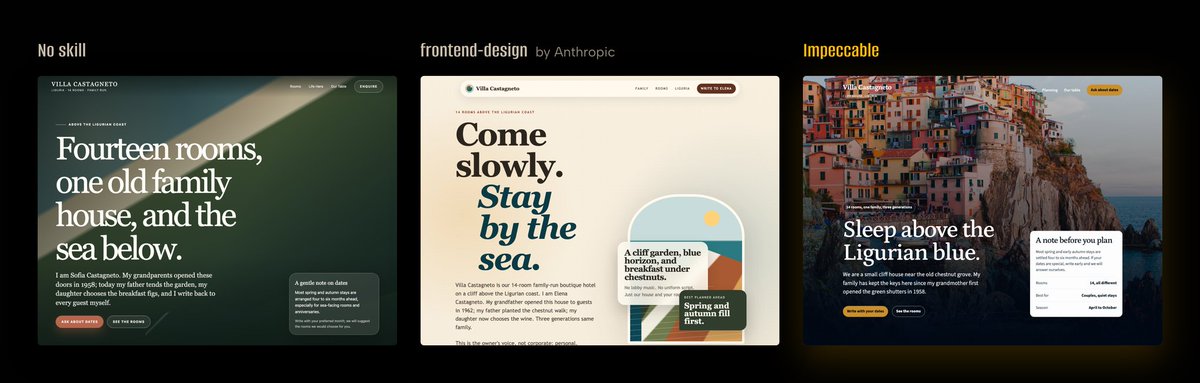
I'm still overwhelmed by the support for taste-skill over the last few weeks. Reaching 50k views in 2weeks is something I honestly didn't expect.
Thank you to everyone for the feedback and for sharing the project!
For those who asked how to support my work further, I’ve just set up my github sponsors page :) github.com/sponsors/Leonx…