HTML doesn't have to be scary!
Basic HTML knowledge transforms your email marketing-fix issues instantly, customize designs freely, launch campaigns faster. You don't need a coding degree, just enough understanding to stay independent.
#HTMLTips#Multiplatsystems
🔶 HTML Tags You Should Know
<h1> — Main title
<p> — Paragraph
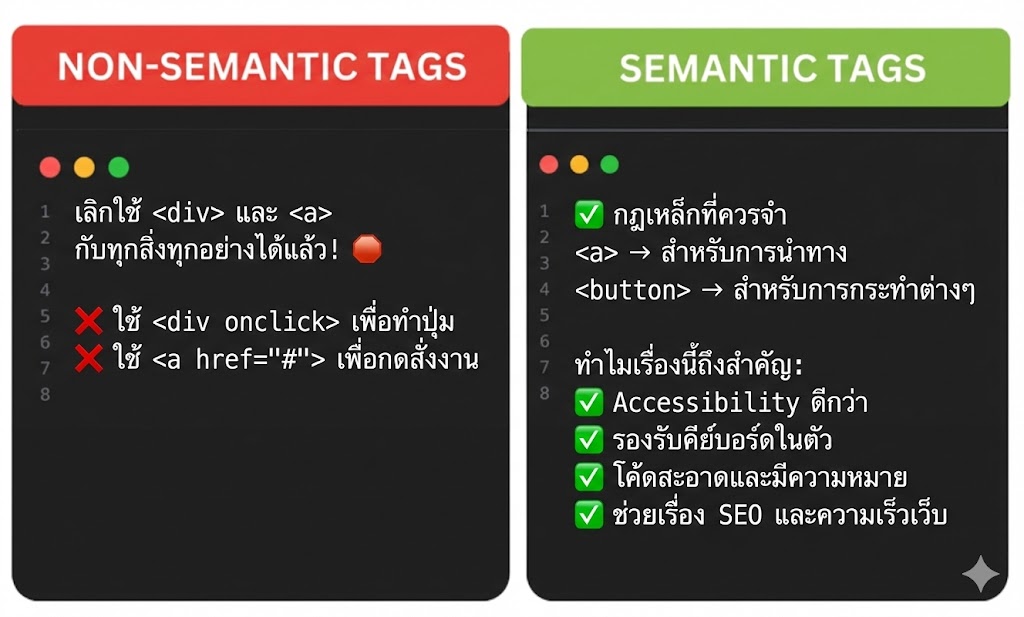
<a> — Link
<img> — Image
<div> — Layout container
Master the basics. Build anything.
#HTMLTips#Web3Community
🎨 Spice up your HTML with background images! Use the style attribute with background-image to transform any element, even a paragraph, into a visual masterpiece. Add personality and depth to your webpage! 💻✨ #HTMLTips#WebDesign#CreativeCoding#TechTips#CodingLife
📸 The <img> Tag adds images to your webpage.
It’s a self-closing tag (no </img> needed).
Basic syntax 👇
<img src="food.jpg" alt="Delicious food">
✅ src → the image file path
✅ alt → description (for accessibility)
#HTMLTips#FrontendDev
⚙️ Basic Link Syntax
<a href="URL">Visible Text</a>
💡 Always use href — it tells the browser where to go!
Example:
<a href="about.html">About Us</a>
#HTMLTips#WebDesign
What are Attributes?
Attributes give extra info about an element and go inside the opening tag 👇
<img src="food.jpg" alt="Delicious food">
✅ src → image location
✅ alt → text shown if the image fails
#HTMLTips#FrontendDev
🔥 Some popular HTML elements you’ll use all the time:
<h1>Main Heading</h1>
<p>Some paragraph text</p>
<a href="#">Click me</a>
Headings, paragraphs & links — the foundation of every page! 🧱
#FrontendDev#HTMLTips