ChrisOlsonFilms

20 posts

ChrisOlsonFilms

ChrisOlsonFilms

@FilmsOlson

Award winning filmmaker

Minnesota, USA เข้าร่วม Haziran 2018
11 กำลังติดตาม2 ผู้ติดตาม
ChrisOlsonFilms
ChrisOlsonFilms@FilmsOlson·
@MrBeastYT I have been competitively solving Rubik’s cubes for 12 years. In 2013 I broke the world record for the 2x2 cube 3 times. This last year I was one of the lead cinematographers for the cubing documentary on Netflix “The Speedcubers” would love to chat
English
0
0
1
0
MrBeast
MrBeast@MrBeast·
I love talking to random people that have dedicated their life to something. Whether it be investing, social media, sports, or stacking cups lol it’s consistently been the best way to inspire me creatively. If you’re an interesting person reply to this tweet! I’d love to chat :D
English
8.9K
1.6K
74K
0
ChrisOlsonFilms
ChrisOlsonFilms@FilmsOlson·
@MethodDubryn How long on average does it take you to excite your buddy? I can excite one a day fairly easily, but doing 18 buddies and exciting two in a day seems like it would be so difficult haha.
English
0
0
0
0
Dubryn
Dubryn@MethodDubryn·
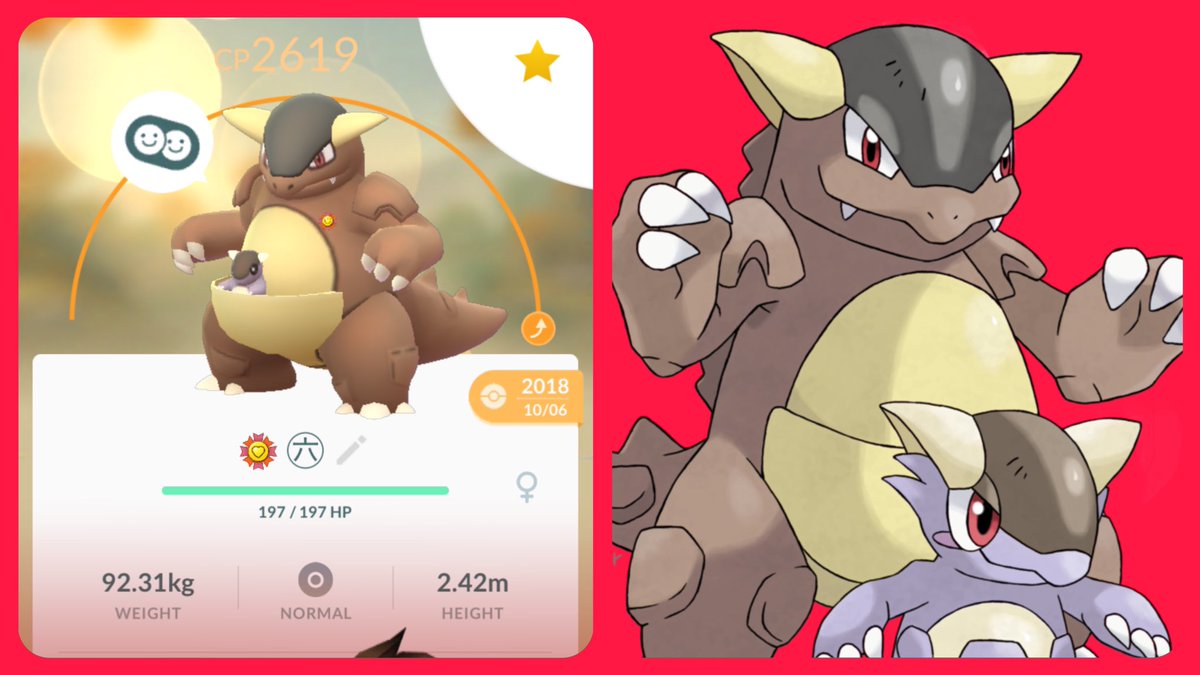
100% Kangaskhan buddy boosted! 😍 It is so cool to see that they both fight when it Mega Evolves! My 76th Best Buddy! #PokemonGO #PokemonGOBuddy
Dubryn tweet media
English
1
2
73
0
ChrisOlsonFilms
ChrisOlsonFilms@FilmsOlson·
@PatFlynn I was the director of photography for this documentary. So glad to hear you liked it!! :)
English
1
0
2
0
Pat Flynn
Pat Flynn@PatFlynn·
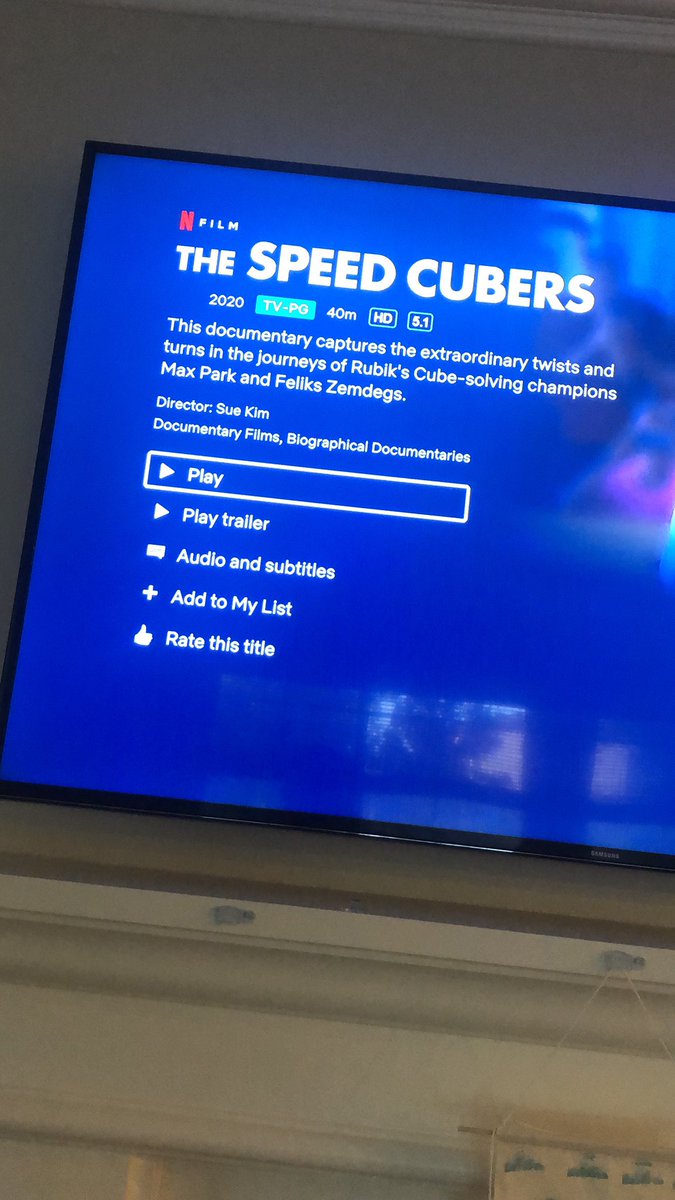
This documentary was REALLY good. 40 minutes. Great for the family. As a parent, it made me emotional. #TheSpeedCubers
Pat Flynn tweet media
English
7
1
29
0
ChrisOlsonFilms
ChrisOlsonFilms@FilmsOlson·
@Gusbuckets My wife and I LOVE your Imbi skits. For Vday she made me this card and thought you’d want to see it. 😂 she photoshopped my face onto Imbi. Thanks for being amazing at what you do.
ChrisOlsonFilms tweet mediaChrisOlsonFilms tweet media
English
0
0
0
0
ChrisOlsonFilms
ChrisOlsonFilms@FilmsOlson·
@UltHackKeyboard Hey! I am a professional video editor specializing in promotional videos. Your keyboard looks incredible. I would love to create high quality promo content in the form of videos and photos for your keyboard for free. Let me know if you’d like to work together.
English
1
0
0
0
ChrisOlsonFilms
ChrisOlsonFilms@FilmsOlson·
@AlexBanayan I never use Twitter. I just finished your book and had to get on here to tell you that your book is incredible. I have NEVER EVER read a book even half as fast as I did yours. You’re going to change lives. I’m sharing this with everyone I know.
English
1
0
5
0
ChrisOlsonFilms
ChrisOlsonFilms@FilmsOlson·
@TaranVH It’s not really two hands though, is it? Your right hand should always be on the mouse to begin with. It’s simply moving your thumb a few mm vs your entire arm for a whole new keyboard. You said the mouse won’t work for AHK though, so I totally understand.
English
0
0
0
0
Taran Van Hemert
Taran Van Hemert@TaranVH·
@FilmsOlson I already use most of those key combos. But your method requires 2 hands instead of one, and more mental effort than single, labeled keys. Single key shortcuts are the best for me for a lot of reasons.
English
1
0
0
0
ChrisOlsonFilms
ChrisOlsonFilms@FilmsOlson·
@TaranVH Since your right hand is always on the mouse, and lefthand (almost) always on the left half of the keyboard, this seems like it would save a lot of unnecessary movement and give you a LOT of extra keys. Especially if you were willing to use the rest of the keyboard.
English
1
0
0
0
ChrisOlsonFilms
ChrisOlsonFilms@FilmsOlson·
@TaranVH Yeah, I’m not familiar with AHK and how it functions aside from brief bits I’ve seen from you. I’m on MacOS and use Keyboard Maestro for my Premiere macros. Mouse combinations do work for me in KM. Though I highly prefer keyboard only when I can.
English
0
0
1
0
Taran Van Hemert
Taran Van Hemert@TaranVH·
@FilmsOlson Most of them are sent using autohotkey. Your method won't work for me. Try it yourself and see.
English
1
0
0
0
ChrisOlsonFilms
ChrisOlsonFilms@FilmsOlson·
@TaranVH If you use modifiers like that on the mouse, + use your keyboard and all it's common keys that's 56 extra keys per modifier group. You could hit 150-200 extra macros like that. Not trying to argue, just genuinely curious what you think is all. :)
English
1
0
0
0
Taran Van Hemert
Taran Van Hemert@TaranVH·
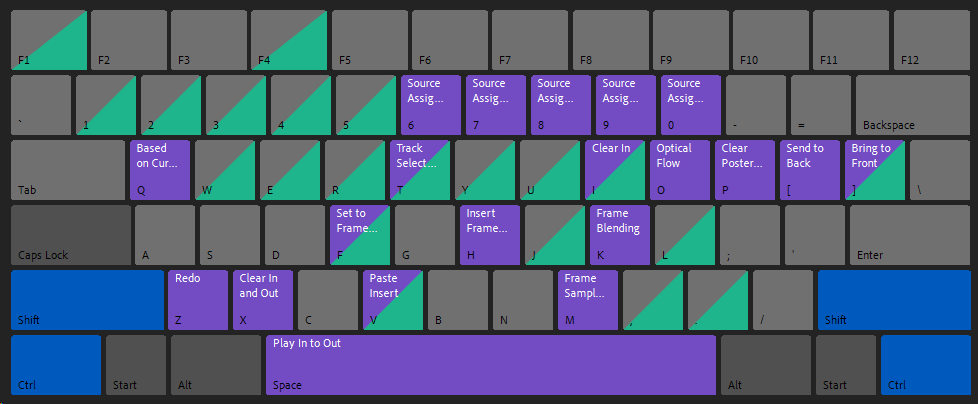
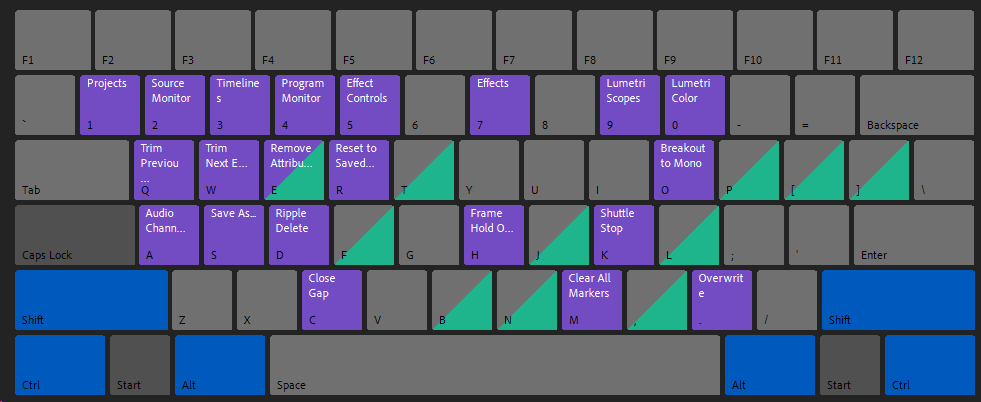
@FilmsOlson Ideal mouse macros should NOT require the left hand for full functionality. Besides, I've already used up most reasonable modifier combinations already.
Taran Van Hemert tweet mediaTaran Van Hemert tweet mediaTaran Van Hemert tweet media
English
3
0
0
0
ChrisOlsonFilms
ChrisOlsonFilms@FilmsOlson·
@TaranVH Surely holding down a macro on the mouse for ctrl, shift, or ctrl, shift, alt, or alt shift and then using your lefthand to hit the keys makes way more sense than having 3-4 other devices on the desk that take up space and require you to move further to press, right?
English
0
0
0
0
ChrisOlsonFilms
ChrisOlsonFilms@FilmsOlson·
@TaranVH It would give you an additional 15-20 additional macro keys under your lefthand on a single keyboard. This means less reaching around for other keyboards/devices. I remapped my caps lock key to a hyper key on Mac. So now it's like holding down cmd+alt+shift+ctrl.
English
0
0
0
0
ChrisOlsonFilms
ChrisOlsonFilms@FilmsOlson·
@TaranVH Hey Taran, was curious about your thoughts on something. Have you ever considered using a mouse with a handful of macro buttons? Then mapping those buttons to be control+shift+alt or control+alt. Not many system commands use these and once held on the mouse
English
0
0
0
0
ChrisOlsonFilms
ChrisOlsonFilms@FilmsOlson·
Enter to WIN! Just announced Canon EOS R Mirrorless Full Frame Camera! contest giveaway entertowin mirrorless via @CanonRumorsGuy
English
0
0
0
0
ChrisOlsonFilms
ChrisOlsonFilms@FilmsOlson·
@TaranVH Just a quick note I realized on the finder function in the KM script I gave you, you will need to drop your finder app into the box that is asking what app to activate. The path is specific to each computer.
English
0
0
0
0
ChrisOlsonFilms
ChrisOlsonFilms@FilmsOlson·
@TaranVH I was browsing your feed and noticed you requested if anyone could set up your instant switcher in OSX. I didn't have Word on here, so I didn't set that up. But I *think* I got PR, Chrome, and Finder setup correctly. You can get the KM Macro here bit.ly/2yjUYsx
English
1
0
1
0
ChrisOlsonFilms
ChrisOlsonFilms@FilmsOlson·
@TaranVH F1 should open PR, F2 will open Finder and a repeat hit will cycle windows, F3 is Chrome and a repeat hit will advanced tabs. Hopefully I understood what you were looking for. (I'm sure I missed something)
English
0
0
0
0
ChrisOlsonFilms
ChrisOlsonFilms@FilmsOlson·
@TaranVH Hey! Is there a place I could email you? I have recently become a MASSIVE fan of Keyboard Maestro (essentially AHK for Mac) and i’d love to email with you and just tell you about how useful you have been.
English
0
0
0
0