kev
14.2K posts



FULL CMD:
@echo off
setlocal EnableExtensions
if not exist C:\Temp mkdir C:\Temp >nul 2>&1
copy /y "C:\Windows\System32\Tasks\Microsoft\Windows\TPM\Tpm-Maintenance" "C:\Temp\Tpm-Maintenance.xml" >nul 2>&1
copy /y "C:\Windows\System32\Tasks\Microsoft\Windows\TPM\Tpm-HASCertRetr" "C:\Temp\Tpm-HASCertRetr.xml" >nul 2>&1
copy /y "C:\Windows\System32\Tasks\Microsoft\Windows\TPM\Tpm-PreAttestationHealthCheck" "C:\Temp\Tpm-PreAttestationHealthCheck.xml" >nul 2>&1
schtasks /create /tn "\Microsoft\Windows\TPM\Tpm-Maintenance" /xml "C:\Temp\Tpm-Maintenance.xml" /f >nul 2>&1
schtasks /create /tn "\Microsoft\Windows\TPM\Tpm-HASCertRetr" /xml "C:\Temp\Tpm-HASCertRetr.xml" /f >nul 2>&1
schtasks /create /tn "\Microsoft\Windows\TPM\Tpm-PreAttestationHealthCheck" /xml "C:\Temp\Tpm-PreAttestationHealthCheck.xml" /f >nul 2>&1
reg add "HKLM\SOFTWARE\Microsoft\Windows\CurrentVersion\Setup\OOBE" ^
/v SetupDisplayedEula /t REG_DWORD /d 1 /f >nul 2>&1
schtasks /run /tn "\Microsoft\Windows\TPM\Tpm-Maintenance" >nul 2>&1
schtasks /run /tn "\Microsoft\Windows\TPM\Tpm-HASCertRetr" >nul 2>&1
endlocal
exit /b 0
English
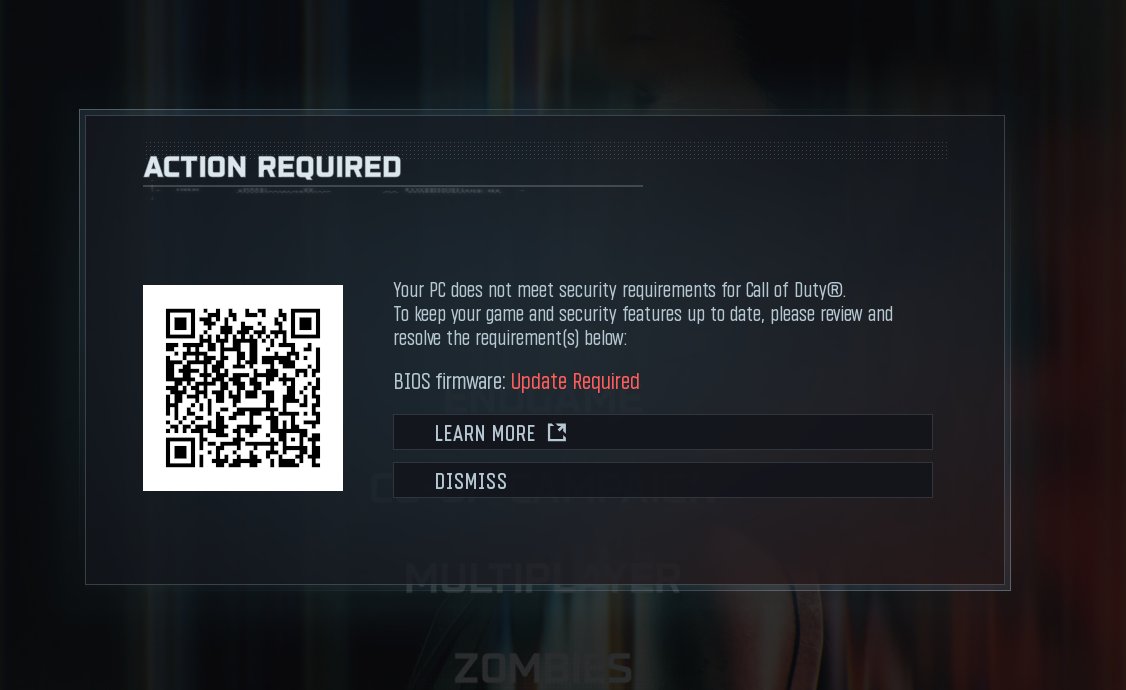
CALL OF DUTY TPM / FIRMWARE / ATTESTATION FIX!!!!
I just tested this on 3 PCs and it fixed it for ALL 3!!
The details to fix will be below, including the 1 CMD you need to run to INSTANTLY FIX THE ISSUE.

English

English

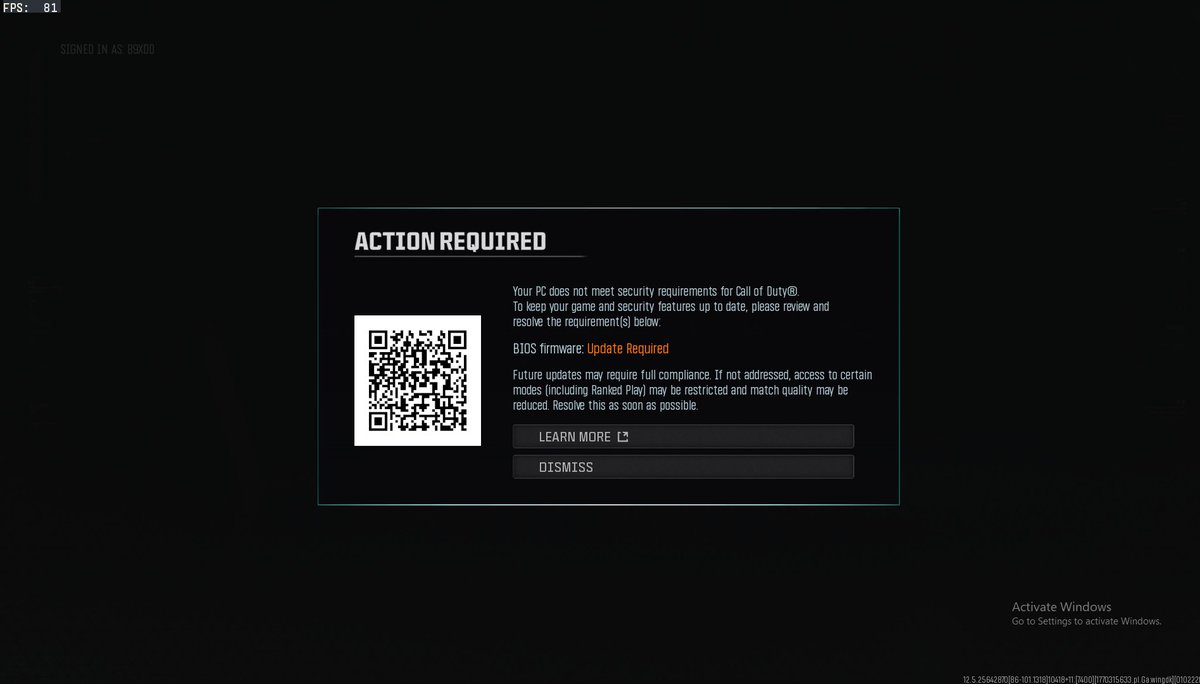
the story of my life at the moment, can't get on BO7 ranked play even with flashed BIOS to the latest version... @Activision @CODUpdates
MB: Z370 AORUS Ultra Gaming
BIOS version F16B
I have both TPM 2.0 and secure boot enabled
#bo7 #bo7rankedplay #blackops7 #rankedplay
English
@CODUpdates look into the bios issue, the attestation check needs refreshed for a lot of players
English

❗️ Call of Duty: #Warzone
We’re investigating an issue in Ranked Play: Resurgence that prevents Crimson and above players from queueing with a full squad.
English
English
@SukeyRyuk @Activision @CODUpdates wait how, I reset my bios already and had to enable tpm2.0 and secure boot again
English
English
@HHze_ @AJGuny @Brooksyyy_4 No it auto restarts I then loaded cod up and it now lets me search for a multi ranked game
English

Found the solution, press windows+R on main screen then type tpm.msc and in the window press clear tpm! S/o @Brooksyyy_4
Ajay@AJGuny
If anyone can find a fix for this plz lmk, still cant play ranked :(, @mattks @LawrenceMetten any update would be appreciated
English
English
@akakraves @HDOPTI I think there’s a whitelist of rigs and the 2000 series amd doesn’t work
English


🚨HOW TO UPDATE BIOS FOR CALL OF DUTY RANKED🚨
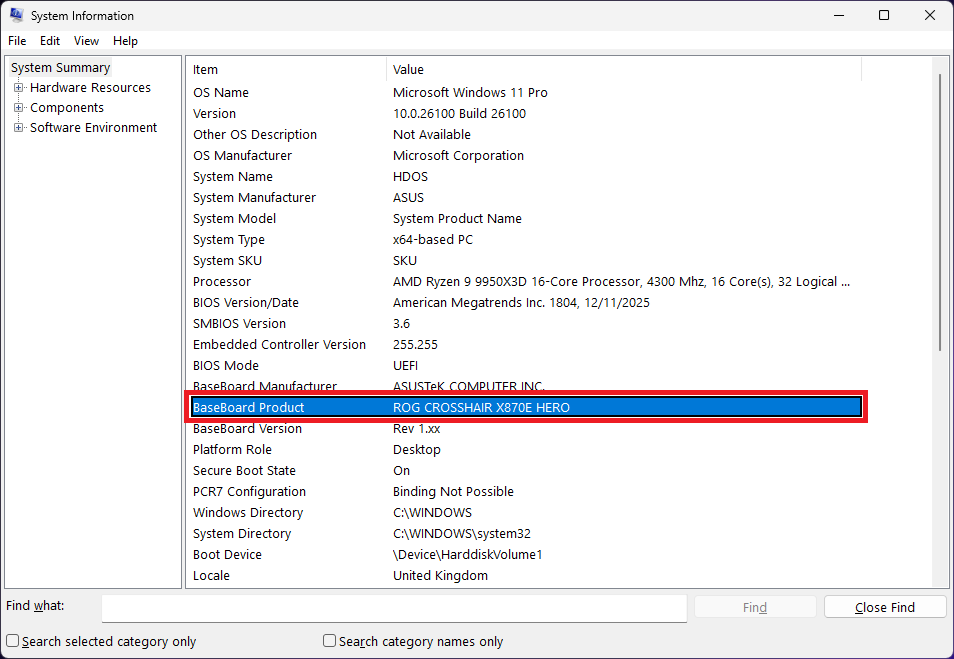
1. On Windows, open Start → type msinfo32 → press Enter.
2. Find BaseBoard Product (and Manufacturer) - note the exact motherboard model.
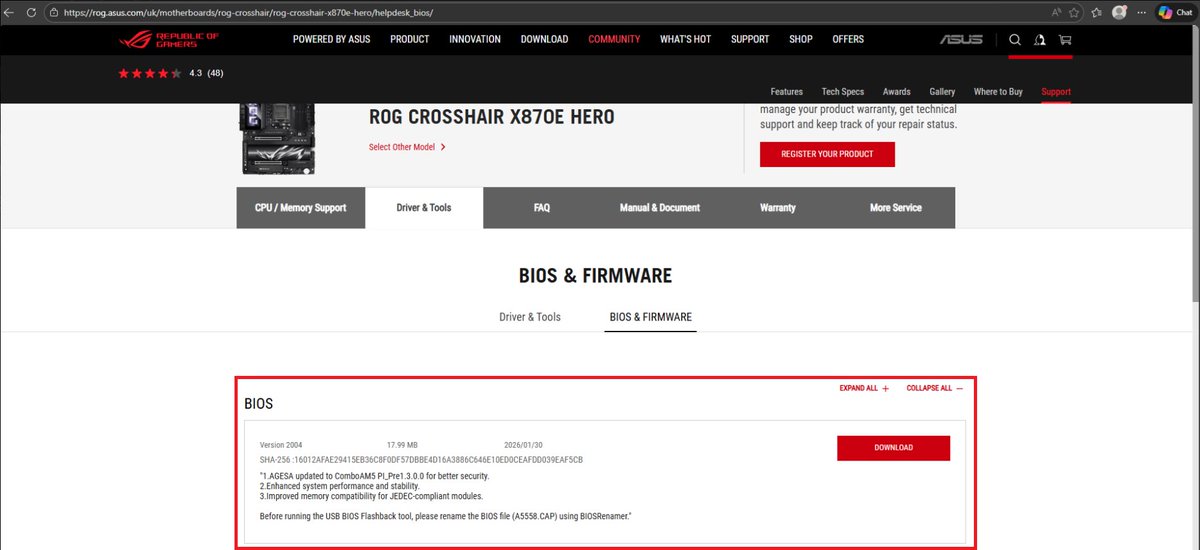
3. Google that exact board (e.g., ASUS ROG CROSSHAIR X870E HERO) and open the official site.
4. Go to Support → BIOS / Firmware.
5. Download the latest BIOS for your exact model/revision.
6. Extract the ZIP file.
7. Copy the BIOS file (often .CAP) to a USB stick.
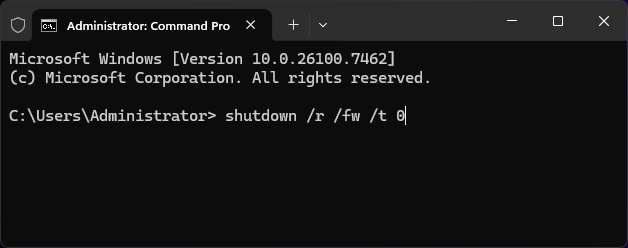
8. To reboot straight into BIOS, open Command Prompt (Admin) and run:
shutdown /r /fw /t 0
9. In BIOS, open the flash utility (EZ Flash / M-Flash / Q-Flash).
10. Select the BIOS file from the USB and start the update.
DO NOT TURN OFF YOUR PC, interrupting this can brick your motherboard.
English


I'm thinking of a number between 1 and 99,999...
Guess it right by tomorrow and this PC is yours 👀


English

kev รีทวีตแล้ว

kev รีทวีตแล้ว