

麻吉-𝕏™
484 posts

麻吉-𝕏™
@MatchHar_X
男人注定作牛馬,只為柴米油鹽醬醋茶,不唱歌喝酒 還有什麼方法,可以快刀斬亂麻。
เข้าร่วม Şubat 2024
935 กำลังติดตาม138 ผู้ติดตาม


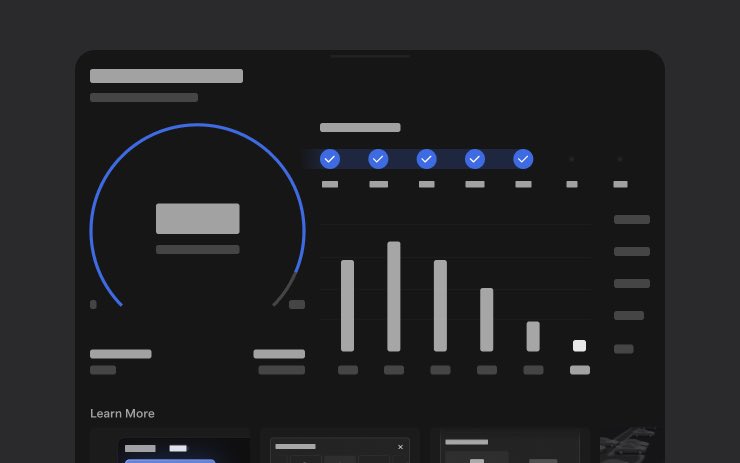
🔥🚀 Tesla Spring Update 2026.14.1 is now rolling out to the 2nd batch of vehicles (reaching ~1% of the fleet)!
✅ Self-Driving App [AI4]
With the new Self-Driving app, subscribe with a single tap, learn how to activate and use the feature, and view ongoing stats.
To open, go to App Launcher > Self-Driving.
✅ "Hey Grok"
Launch Grok by saying "Hey Grok." Go to Grok > Settings to enable. You can also set location based reminders, like "remind me to pick up milk when I'm near home." Say "goodbye" to dismiss.
✅ Pet Mode
Choose and name your pet by going to Controls > Display > Customize Pet Mode.
✅ Visual Updates [New Model 3/Y]
The center display now features higher quality images of your Tesla, and an enhanced park scene environment.
✅ Trips
Trips are now in the Energy app, where you can create and manage multiple trips to track energy usage across different drives, routes, or conditions. Go to App Launcher > Energy > Trips. For quick access to the Trips Card, swipe left on the Media Card.
✅ Sketchpad
Unleash your inner artist with the enhanced Sketchpad, now supporting stickers and emojis. Save your sketches to access them in the Mobile App and share. Requires Mobile App 4.55.6 or later.
✅ Custom Wraps and License Plates [S/X]
Model S & X owners can now personalize their Tesla avatar with window tints, custom wraps & license plates.
✅ Blind Spot Warning Accent Lights
Accent lights now turn red when an object is in your blind spot and your turn signal is engaged, or when an approaching object is detected while parked. To disable, go to Controls > Lights > Blind Spot Warning Accent Lights.
✅ Immersive Sound Upgrade [New Model 3 & Y w/ premium audio]
Premium Immersive Sound uses advanced sound extraction to place the listener in front of a detailed soundstage within an Immersive space. This enhancement works with all streaming sources.
Go to Settings > Audio > Tone > Immersive Sound to adjust.
✅ Music App Queuing
Swipe right on tracks in Apple Music or Spotify to add them to the queue. In Apple Music, tap and hold on a track to add or remove from Favorites. In Spotify, swipe left to add or remove from Liked Songs.
✅ Automatic Software Updates
Your Tesla can now automatically install downloaded software updates overnight. When enabled, updates will install while your Tesla is parked and not in use, ensuring you always have the latest features and improvements.
To enable, go to Controls > Software > Automatically Install Updates.
✅ Dashcam Viewer Updates
Recent Dashcam footage can now extend up to 24 hours, and you can save any clip for permanent storage on your Tesla or on your phone by going to App Launcher > Dashcam Viewer.
Clips downloaded to your phone now include details such as speed, steering wheel angle, and Self-Driving state. Downloads require Premium Connectivity and Mobile App 4.55.6 or later.
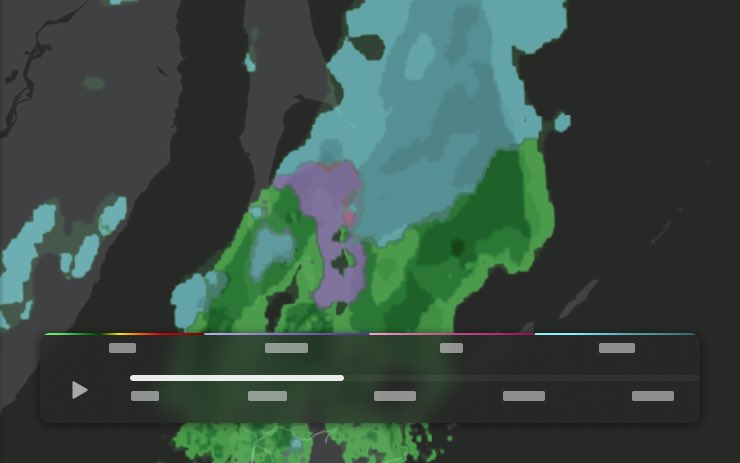
✅ Weather Maps Improvements
Weather maps now show snow and rain with improved colors that make it easier to distinguish between precipitation types. You can also view the past hour of weather data to see how conditions have been changing along your route. This feature requires Premium Connectivity. To view, tap the weather icon on the map.
✅ Supercharger Pricing Filter
You can now choose to route only to Superchargers with Tesla pricing. When enabled, Trip Planner will avoid locations where Tesla does not set charging prices or accept Free Supercharging credits.
✅ Keyboard
Your selected keyboard language will also select the language used for dictation. Tap the international keyboard button to change keyboard and dictation language, without changing voice command language. Tap the mic icon in the keyboard to dictate.
✅ Rear Display
Passengers in rear seats can now view and interact with maps on the rear display while your Tesla navigates a route. Tap the maps icon from the rear display to follow along.
✅ Security Improvements
✅ Larger icons on the bottom bar [undocumented]


The Tesla Newswire@TeslaNewswire
🔥🔥🚀 Tesla Spring Update 2026.14.1 has been detected and is now rolling out to the 1st batch of vehicles (<1% of the fleet)! ✅ Self-Driving App [AI4] With the new Self-Driving app, subscribe with a single tap, learn how to activate and use the feature, and view ongoing stats. To open, go to App Launcher > Self-Driving. ✅ "Hey Grok" Launch Grok by saying "Hey Grok." Go to Grok > Settings to enable. You can also set location based reminders, like "remind me to pick up milk when I'm near home." Say "goodbye" to dismiss. ✅ Pet Mode Choose and name your pet by going to Controls > Display > Customize Pet Mode. ✅ Visual Updates [New Model 3/Y] The center display now features higher quality images of your Tesla, and an enhanced park scene environment. ✅ Trips Trips are now in the Energy app, where you can create and manage multiple trips to track energy usage across different drives, routes, or conditions. Go to App Launcher > Energy > Trips. For quick access to the Trips Card, swipe left on the Media Card. ✅ Sketchpad Unleash your inner artist with the enhanced Sketchpad, now supporting stickers and emojis. Save your sketches to access them in the Mobile App and share. Requires Mobile App 4.55.6 or later. ✅ Custom Wraps and License Plates [S/X] Model S & X owners can now personalize their Tesla avatar with window tints, custom wraps & license plates. ✅ Blind Spot Warning Accent Lights Accent lights now turn red when an object is in your blind spot and your turn signal is engaged, or when an approaching object is detected while parked. To disable, go to Controls > Lights > Blind Spot Warning Accent Lights. ✅ Immersive Sound Upgrade [New Model 3 & Y w/ premium audio] Premium Immersive Sound uses advanced sound extraction to place the listener in front of a detailed soundstage within an Immersive space. This enhancement works with all streaming sources. Go to Settings > Audio > Tone > Immersive Sound to adjust. ✅ Music App Queuing Swipe right on tracks in Apple Music or Spotify to add them to the queue. In Apple Music, tap and hold on a track to add or remove from Favorites. In Spotify, swipe left to add or remove from Liked Songs. ✅ Automatic Software Updates Your Tesla can now automatically install downloaded software updates overnight. When enabled, updates will install while your Tesla is parked and not in use, ensuring you always have the latest features and improvements. To enable, go to Controls > Software > Automatically Install Updates. ✅ Dashcam Viewer Updates Recent Dashcam footage can now extend up to 24 hours, and you can save any clip for permanent storage on your Tesla or on your phone by going to App Launcher > Dashcam Viewer. Clips downloaded to your phone now include details such as speed, steering wheel angle, and Self-Driving state. Downloads require Premium Connectivity and Mobile App 4.55.6 or later. ✅ Weather Maps Improvements Weather maps now show snow and rain with improved colors that make it easier to distinguish between precipitation types. You can also view the past hour of weather data to see how conditions have been changing along your route. This feature requires Premium Connectivity. To view, tap the weather icon on the map. ✅ Supercharger Pricing Filter You can now choose to route only to Superchargers with Tesla pricing. When enabled, Trip Planner will avoid locations where Tesla does not set charging prices or accept Free Supercharging credits. Requires connectivity with Online Routing enabled. ✅ Keyboard Your selected keyboard language will also select the language used for dictation. Tap the international keyboard button to change keyboard and dictation language, without changing voice command language. Tap the mic icon in the keyboard to dictate. ✅ Rear Display Passengers in rear seats can now view and interact with maps on the rear display while your Tesla navigates a route. Tap the maps icon from the rear display to follow along. ✅ Security Improvements
English
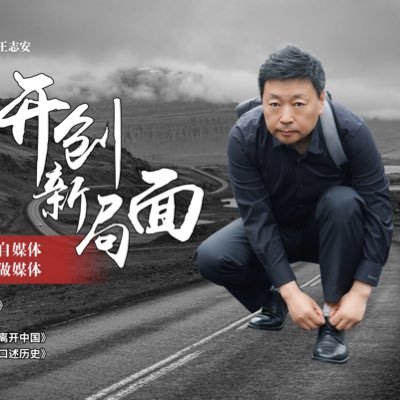


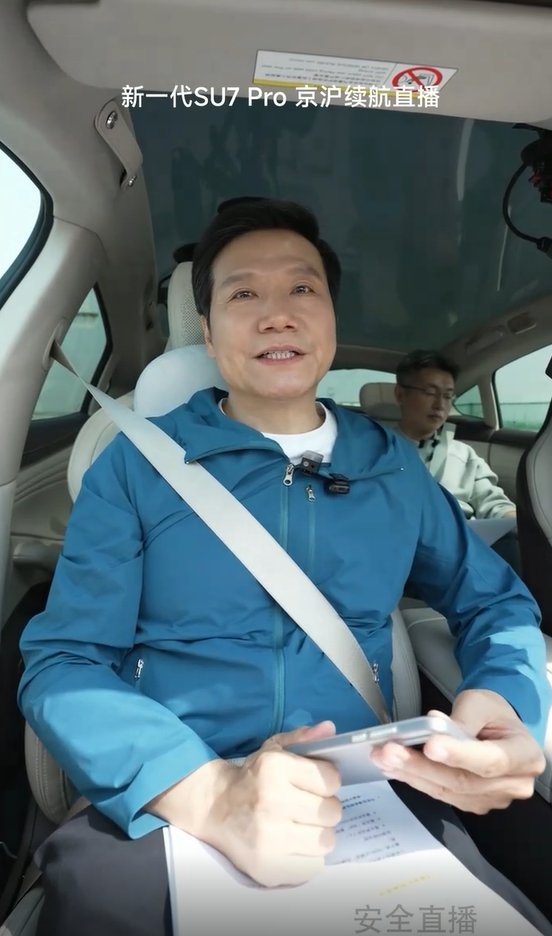
想想去年雷总说了一句‘只充一次电’,遭遇了太多质疑,断章取义,大面积的攻击。以至于导致雷军去年很长一段时间,都不想直播、不想参加任何活动,长时间的负面舆情,还影响很多用户对小米汽车的印象,甚至有人去攻击小米车主。
现在雷总也是明白了,越往后退,这些人就越嚣张。反而你强势了,不在乎这些人的看法,这些人也就消失了。
雷总说:“我知道这样做一样会有人黑我、一样会有人说这是营销,但他们爱怎么说怎么说去吧,无所谓。我这样做不是要说服那些黑我们的人,而是让不太了解我们的人更了解小米。”
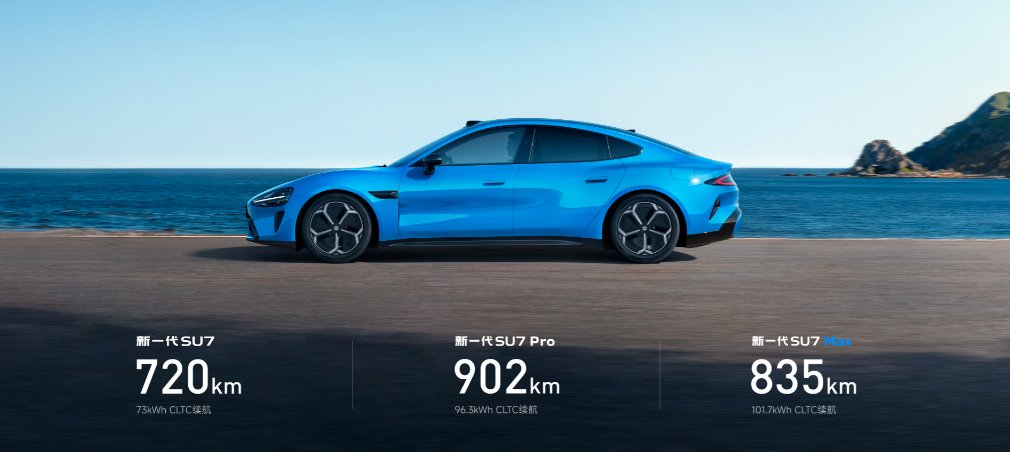
对于今天新一代小米SU7从北京到上海,中间只充一次电的直播,雷总早上4:45起床,5点出门,6点到的超级工厂 吃了星巴克的早餐,6:36正式开始直播,这个拼劲,不得不服。
中文



在泰国的餐饮店,加拿大的餐饮店,中国的餐饮店,对比一下生存难度,中国的餐饮业属于地狱难度。
泰国人和加拿大人不挑,不见异思迁。
比如一家餐馆就这点菜式,一个咖啡馆的咖啡种类也不像国内咖啡馆一样门类繁多,泰国人和加拿大人就这么年复一年的吃下去了。
我在泰国十年,年复一年,四年前开的店铺还在,六年前开的也在,十年前的也在。
到多伦多小城,前年来的店铺生意那样,去年来的也是那样,今年看到也是那样。
店主都很从容淡定。
回国三年,除了一直去的一家面馆还在,其他店铺已经换了老板或整条街倒闭,不见人影。
国内的餐饮店老板不仅仅要天天跟风时尚,削减成本,上各种很活,进各种平台,还得与各路人马殴斗,死亡率太高了。
一查数据,一年倒闭三百万家,新开三百万家。
这是玩啥呢?
逃房租和供应商货款吗?
中文

我决定了,还是不移民加拿大了,否则长居估计活不到66.7岁。
王海滨的财经闲谈@wangwatchworld
加拿大的这个冷还是受不了,一个是头吹的疼,二是鼻子过敏。 而老年人的心脑血管实际上受不了冷风吹。
中文


@XieJackie 我多次因為fsd無法避讓路上的坑洞,一壓過專後fsd被不自不覺的取消了,無任何警報,還沒平時那樣不踩電門會慢下來,昨天都無意識開往邊道,開始以為是fsd自動走邊道,直到衝向路肩我也把方向拉了回來
中文
🔥特斯拉FSD荷兰完美过复杂巨型环岛!
精准打灯、流畅进出
速度非常稳
荷兰语导航语音全程提示
🚨欧洲粉丝在下面刷屏:“FSD终于来欧洲了!”“这才是解决复杂路况的终极方案!”“太顺滑了!”
Sander Smit@Sandersmit83
Complex 🇳🇱 roundabout 💯
中文

我看还是别骑摩托车了(还带个人),国内司机对交通规则的遵守(特别是2-3线以下城市)一言难尽啊,这下后面那位来个空翻转体2周半🤣
中文


#蓝V互关 今天继续!
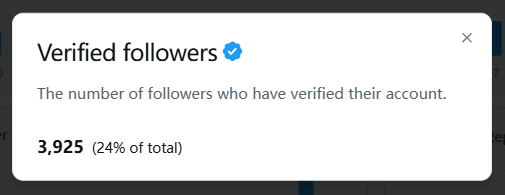
今天先定个小目标,突破4000个蓝V。
漏了没回关的评论区提醒我一下!
为了马斯克的工资,冲就完了。
空空 | Gate13周年@btcoindown
看到推上全是晒 X 创作者收入的真的流口水了 我也想加入,先来一波 #蓝V互关 漏了的评论区提醒一下
中文