Smallpixel Robo Car
562 posts

Smallpixel Robo Car
@SmallpixelCar
Building autonomous racing robocar

San Francisco Bay Area เข้าร่วม Ağustos 2018
218 กำลังติดตาม1.5K ผู้ติดตาม

I'm in London now kicking this off with partners such as @ARIA_research and @encode_pillarvc. Hit me up if you want to talk AI+Science in the UK!
Renaissance Philanthropy@RenPhilanthropy
Thrilled to announce @chr1sa is joining us as Senior Advisor, focusing on bridging AI x science at this critical moment. From computational physics at Los Alamos, to WIRED EIC and founding 3D Robotics, Chris brings unmatched perspective for this work. Welcome, Chris!

English

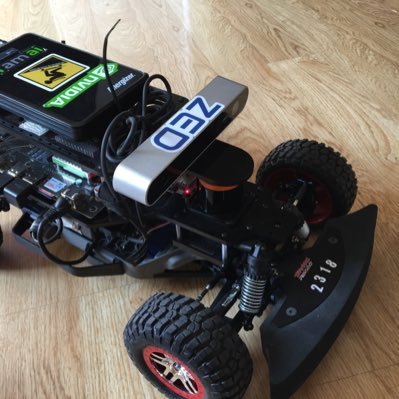
@SmallpixelCar @a1k0n Oh what are you using now? I thought you had a LiDAR?
English

@DanielChiaJH @a1k0n I need to convert my car to Lidar based, the black wall gives me a lot of problem.
English

@sterlingcrispin Have you tried to use it outdoor? I am interested in building some traffic/driving AR apps. Can vision pro localize itself outdoor?
English

Vision Pro mega-thread part 5/5, Startups and Businesses:
There’s obviously a ton of potential business use cases for Vision Pro and spatial computing in general. Everything from the Product Design section of this thread heavily applies and I would read that first. Start with real problems that real people have and try to solve those. Resist the urge to imagine something fantastical people might eventually want in the far future.
Strengths of Spatial Computing:
Spatial computing in general is great for teaching people spatial things. It would be much easier to learn how to assemble Ikea furniture in VR than using the paper instructions. To that point, the aircraft manufacturer Airbus got rid of all their paper instructions for assembly and does everything on tablet computers. And they’ve used the Hololens to help speed up the process of installing hundreds of miles of wiring in airplanes during manufacturing.
Likewise, it’s great for viewing things at scale and relating to them with your body. Amazon’s mobile app already has a ‘View In Your Room’ feature for lots of products so you can see a couch in your room with AR and understand it in context. You can imagine how much better things like that might be in a headset.
The range of user inputs is going to be great for expressive applications. You could imagine an audio production app that simulates a ton of music equipment in a more tactile way, turning your desk into drum pads and keyboards.
And it’s obviously great for immersive media.
Overall there’s likely going to be a bunch of general uses that are 5% better because you can surround yourself with virtual screens. But I would try to focus on focused transformative moments and real problems real people have.
Weaknesses of Spatial Computing:
It’s not great for anything you need to move quickly while doing. A spatial computing golf swing trainer that records your motion and plays back the best swings might sound fun. But wearing a headset while you’re doing that is probably going to give you motion sickness, the computer vision that tracks your body will likely fail, and the headset might go flying off your head and break.
An idea like that might work if you put an iPhone on a tripod and filmed the person using ARKit’s body tracking API. But even then, fast motion will likely break it.
VR and AR headsets are generally not great for long term use. I think I read that the average PSVR user spends 50 minutes in an experience, which is already a long time. I don’t have anything to say about the Vision Pro on this topic. But in general head mounted displays have historically been best for short duration uses.
Fail Fast and Pivot:
People say “Fail Fast” but may not practice that mindset. This talk by @ericries is basically a condensed version of his Lean Startup book and extremely relevant to product development for spatial computing youtu.be/fEvKo90qBns . Build something fast that mocks up your idea and get user feedback, and pivot away from things that aren’t working. You can ‘wizard of oz’ some features and fake them just to get user feedback quickly.
For Existing Products:
You should ship as much of your existing app as you can to the Vision Pro. But try to identify specific moments that would benefit from spatial computing and make those the highlight of your app. Again, check out ShapesXR on the Quest and use it to make crude mockups in VR and have people try them to get feedback. Resist making things overly spatial and spreading out content everywhere just because you can, it’s easy to make a mess out of an experience.
Again, I’m not an Apple representative. This is my personal opinion and does not contain non-public information.
If you have any specific questions that I didn’t cover here let me know.

YouTube
English

Vision Pro mega-thread 1/5:
My advice for designing and developing products for Vision Pro. This thread includes a basic overview of the platform, tools, porting apps, general product design, prototyping, perceptual design, business advice and more.
Disclaimer: I’m not an Apple representative. This is my personal opinion and does not contain non-public information.
Overview:
Apps on visionOS are organized into “scenes”, which are Windows, Volumes, and Spaces.
Windows are a spatial version of what you’d see on a normal computer. They’re bounded rectangles of content that users surround themselves with. These may be windows from different apps or multiple windows from one app.
Volumes are things like 3D objects, or small interactive scenes. Like a 3D map, or small game that’s not immersive.
Spaces are fully immersive experiences where only one app is visible. That could be full of many Windows and Volumes from your app. Or like VR games where the system goes away and it's all custom content. You can think of visionOS itself like a Shared Space where apps coexist together and you have less control. Whereas Full Spaces give you the most control and immersiveness, but don’t coexist with other apps. Spaces have immersion styles: mixed, progressive, and full. Which defines how much or little of the real world you want the user to see.
User Input:
Users can look at the UI and pinch like the demo videos show. But you can also reach out and tap on windows directly, sort of like it’s actually a floating iPad. Or use a bluetooth trackpad or video game controller. You can also look and speak in search bars, but that’s disabled by default for some reason on existing iPad and iOS apps running on Vision Pro. There’s also a Dwell Control for eyes-only input, but that’s really an accessibility feature. For a simple dev approach, your app can just use events like a TapGesture. In this case, you won't need to worry about where these events originate from.
Spatial Audio:
Vision Pro has an advanced spatial audio system that makes sounds seem like they’re really in the room by considering the size and materials in your room. Using subtle sounds for UI interaction and taking advantage of sound design for immersive experiences is going to be really important. Make sure to take this topic seriously.
Development:
If you want to build something that works between Vision Pro, iPad, and iOS, you'll be operating within the Apple dev ecosystem, using tools like XCode and SwiftUI. However, if your goal is to create a fully immersive VR experience for Vision Pro that also works on other headsets like Meta's Quest or PlayStation VR, you have to use Unity.
Apple Tools:
For Apple’s ecosystem, you’ll use SwiftUI to create the UI the user sees and the overall content of your app. RealityKit is the 3D rendering engine that handles materials, 3D objects, and light simulations. You’ll use ARKit for advanced scene understanding. Like if you want someone to throw virtual darts and have them collide with their real wall, or do advanced things with hand tracking. But those rich AR features are only available in Full Spaces. There’s also Reality Composer Pro which is a 3D content editor that lets you drag things around a 3D scene and make media rich Spaces or Volumes. It’s like Diet-Unity that’s built specifically for this development stack.
One cool thing with Reality Composer is that it’s already full of assets, materials, and animations. That helps developers who aren’t artists build something quickly and should help to create a more unified look and feel to everything built with the tool. Pros and cons to that product decision, but overall it should be helpful.
Existing iOS Apps:
If you're bringing an iPad or iOS app over, it will probably work unmodified as a Window in the Shared Space. If your app supports both iPad and iPhone, it’ll look like the iPad version.
You can use the Ornament API to make little floating islands of UI in front of, or besides your app, to make it feel more spatial. But that’s not something all existing apps get automatically. Ironically, if your app is using a lot of ARKit features, you’ll likely need to ‘reimagine’ it significantly as ARKit has been upgraded a lot.
If you’re excited about building something new for Vision Pro, my personal opinion is that you should prioritize how your app will provide value across iPad and iOS too. Otherwise you're losing out on hundreds of millions of users.
Unity:
You can build to Vision Pro with the Unity game engine, which is a massive topic. Again, you need to use Unity if you’re building to Vision Pro as well as a Meta headset like the Quest or PSVR.
Unity supports building Bounded Volumes for the Shared Space which exist alongside native Vision Pro content. And Unbounded Volumes, for immersive content that may leverage advanced AR features. Finally you can also build more VR-like apps which give you more control over rendering but seem to lack support for AR Kit scene understanding like plane detection. The Volume approach gives RealityKit more control over rendering, so you have to use Unity’s PolySpatial tool to convert materials, shaders, and other features.
Unity support for Vision Pro allows for tons of interactions you’d expect to see in VR, like teleporting to a new location or picking up and throwing virtual objects.

English

Welcome to @ieee_ras_icra! Practice day is underway in the competition hall till 8 pm. We’re also live at twitch.tv/f1tenth!

English

@DWalmroth Did you see the difference on indoor (carpet) or outdoor?
English

@SmallpixelCar I use these Pro-Line Avengers on my LCG chassis Slash for street, then I change shocks and go to Pro-Line Badlands for off-road. Since Avengers are technically 1/8 scale I also got the adapters to modify mounting and larger nut.
horizonhobby.com/product/1-8-av…
English

@DWalmroth It would be great to have a body, but I have not figured out how to mount the camera. Could you send me link of the tires?
English

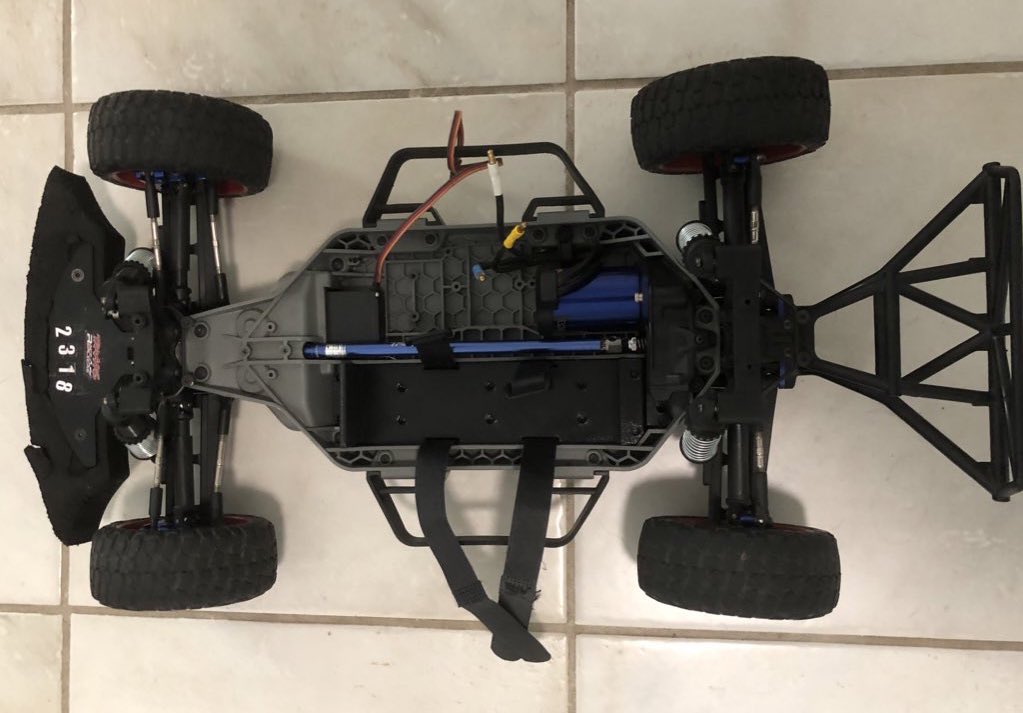
@SmallpixelCar Very nice clean build George! Do you ever run a shroud/body on the car for extra protection or does it interfere with GPS if you have it covered? Also, icoi, I couldn’t believe the difference when I upgraded Pro-Line Racing asphalt tires, might be worth checking out.😉🤷♂️

English

My cars race @diyrobocars at UCSD. Thanks @EdwardM26321707 for the video. Thanks Dr .Jack Silberman and @chr1sa for hosting this great event.
English

Points for style. @donkeycar racing in @diyrobocars at @UCSDJacobs thanks @chr1sa for taking the video.
English