TechNick Digital

128 posts

TechNick Digital banner
TechNick Digital

TechNick Digital

@TechNickDigital

Helping you avoid costly Tech decisions | Computers | OS Installs | Performance Mistakes | Uganda | WhatsApp: 0772150910

Kampala เข้าร่วม Aralık 2025
12 กำลังติดตาม12 ผู้ติดตาม
TechNick Digital
TechNick Digital@TechNickDigital·
SOFTWARE UPDATES AREN’T JUST NEW FEATURES • Fix hidden security vulnerabilities • Patch bugs you never notice • Improve stability and performance • Protect against new threats • Outdated software = easy target Skipping updates leaves doors open.
English
0
1
1
13
TechNick Digital
TechNick Digital@TechNickDigital·
CPU thinks, GPU processes, TPU trains, and NPU runs. The ultimate cheat sheet for modern processor architectures.
TechNick Digital tweet media
English
0
1
1
28
TechNick Digital
TechNick Digital@TechNickDigital·
NOT ALL SSDs ARE EQUAL Buying the wrong drive is the fastest way to throttle a powerful PC.
TechNick Digital tweet media
English
0
1
1
17
TechNick Digital
TechNick Digital@TechNickDigital·
THE "REFURBISHED" LAPTOP CHECKLIST • Check battery health cycles • Test every single keyboard key • Look for "dead pixels" on the screen • Verify the SSD health with CrystalDiskInfo A deal is only a deal if it actually works.
English
0
1
1
67
TechNick Digital
TechNick Digital@TechNickDigital·
Your phone is spying more than you think. Install these FREE privacy apps: • Brave (blocks ads & trackers) • Signal (private chats) • Proton Mail (secure email) • Bitwarden (password manager) • DuckDuckGo (private search) Privacy isn’t paranoia. It’s protection.
English
0
0
1
199
TechNick Digital
TechNick Digital@TechNickDigital·
COMMON WINDOWS MYTHS • “Windows slows down by itself” • “Antivirus makes PCs slow” • “More cores always mean faster” • “Resetting fixes everything” Most slow PCs suffer from bad setup, not bad OS.
English
0
0
0
30
TechNick Digital
TechNick Digital@TechNickDigital·
COMMON LAPTOP BUYING MISTAKES Avoid these: • HDD instead of SSD • 4GB RAM in 2026 • Low-resolution screens • Weak CPUs disguised as “i7” Specs matter more than brand.
English
0
0
0
37
TechNick Digital
TechNick Digital@TechNickDigital·
MAKE YOUR SSD LAST LONGER (2026) SSDs are fast ,but not immortal. Do this to keep yours healthy: •Keep 20% free space •Disable unnecessary startup apps • Make sure TRIM is enabled •Avoid constant large file rewrites A healthy SSD = faster Windows.
English
0
1
1
61
TechNick Digital
TechNick Digital@TechNickDigital·
ESSENTIAL WINDOWS TOOLS (2026) Windows is powerful, but these free tools make it way better: • Everything – Instant file search • PowerToys – Advanced Windows features • 7-Zip – Lightweight file compression • ShareX – Screenshots & screen recording.
English
0
1
1
100
TechNick Digital
TechNick Digital@TechNickDigital·
2026 IDEAL MINIMUM SPECIFICATIONS If you’re looking to buy laptop today, for regular average use, aim for at least: • Intel i5 of 8th Gen (or AMD Ryzen 5 2000 series) • 256GB SSD • 8GB RAM • 1080p Screen Resolution Balanced specs that won’t frustrate you in use or cost!
English
0
1
2
61
TechNick Digital
TechNick Digital@TechNickDigital·
FILE EXPLORER TABS - Windows 11 If you don’t have a lot of RAM, say, 8GB or less,you can benefit from using File Explorer tabs, as opposed to running it in separate windows.
English
0
0
1
37
TechNick Digital
TechNick Digital@TechNickDigital·
SEARCHING ON WINDOWS The native search indexing on Windows sucks, that’s why some Good Samaritans built for us other tools, like Everything! Smooth indexing that gets you anything you want in seconds!
English
0
1
1
39
TechNick Digital
TechNick Digital@TechNickDigital·
If your laptop is running slow, don’t worry. Most of the time it’s not broken , it is just outdated. Upgrading to an SSD and adding more RAM can make a night and day difference. It’s often much more cost-effective than purchasing a new device entirely.
English
0
0
0
36
TechNick Digital
TechNick Digital@TechNickDigital·
MY TRUSTED SOURCES! I have posted a list of links that I use to download Softwares for both macOS and Windows and more! You can check them out on my WhatsApp Channel using this link! whatsapp.com/channel/0029Vb…
English
0
1
2
63
TechNick Digital
TechNick Digital@TechNickDigital·
@ollipEUW Fully uninstall Vanguard from Control Panel, restart your computer, delete the Riot Vanguard folder from Program Files, then reinstall League. Update Windows.
English
0
0
0
119
ollip
ollip@ollipEUW·
@TechNick_Ltd After installing league again this crash keeps happening. It’s definitely something with vanguard
English
1
0
3
206
TechNick Digital
TechNick Digital@TechNickDigital·
EXTERNAL HARD DISK FORMATS! If you are strictly on Windows, use NTFS! On macOS, use APFS. If you use either or both, use exFAT!
English
0
1
2
51
TechNick Digital
TechNick Digital@TechNickDigital·
DESKTOP AESTHETICS Winaero Tweaker, does so much, but I only use it for one thing at the moment: To remove shortcut arrows from desktop icons! I tried it once and I have never looked back! Icons with shortcut arrows look ugly to me!
TechNick Digital tweet mediaTechNick Digital tweet media
English
0
1
2
75
TechNick Digital
TechNick Digital@TechNickDigital·
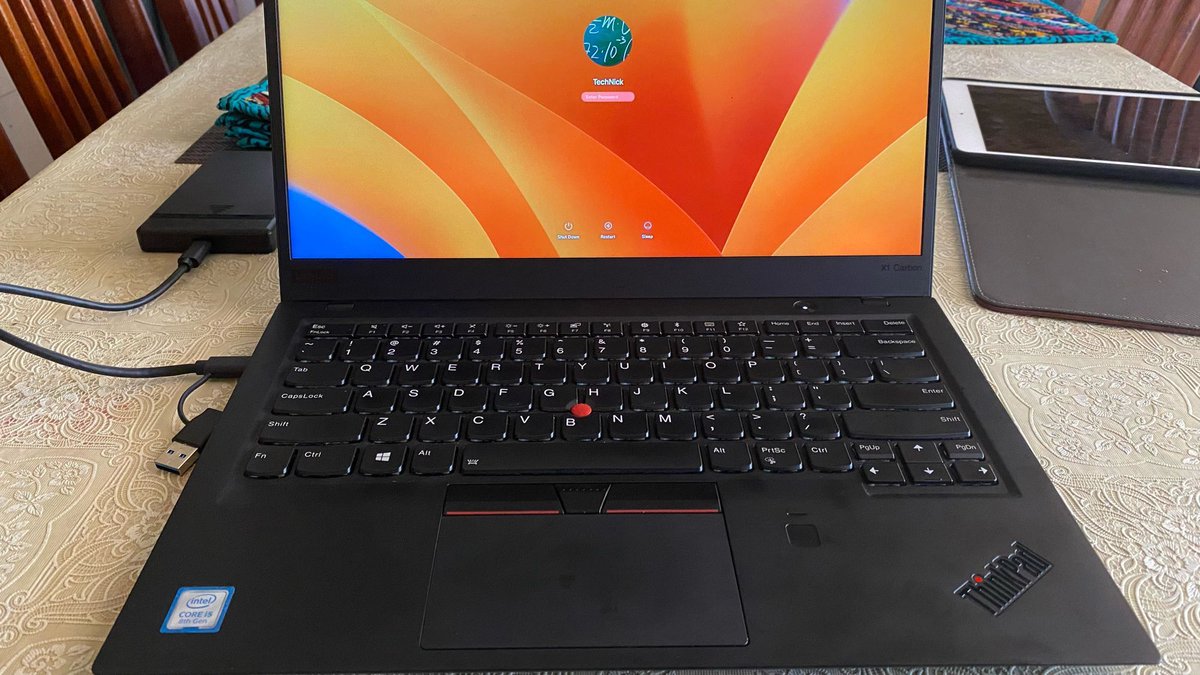
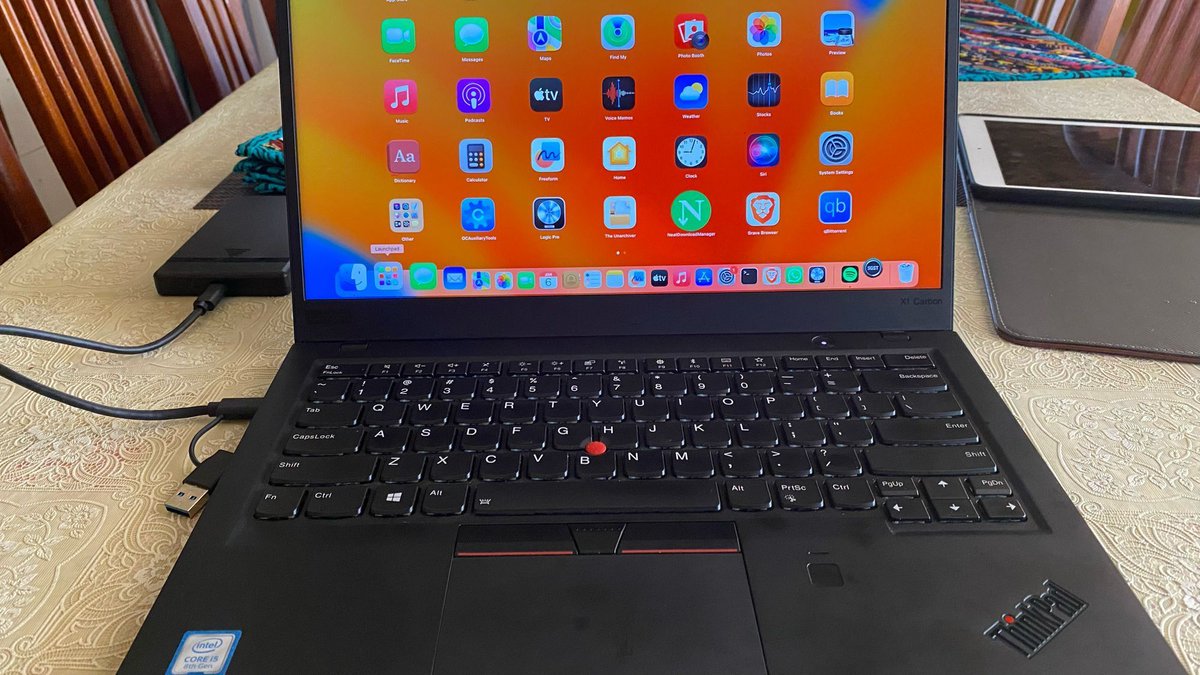
HACKINTOSH (macOS on non-Apple Computers) It is now easier than ever! If you want to Run macOS in your HP, DELL, Lenovo, you can now do it yourself! I have done it on my ThinkPad and everything works, Wi-Fi, Bluetooth, AirDrop, Everything works like a MacBook would!
TechNick Digital tweet mediaTechNick Digital tweet media
English
0
1
4
400