Bookmarker รีทวีตแล้ว

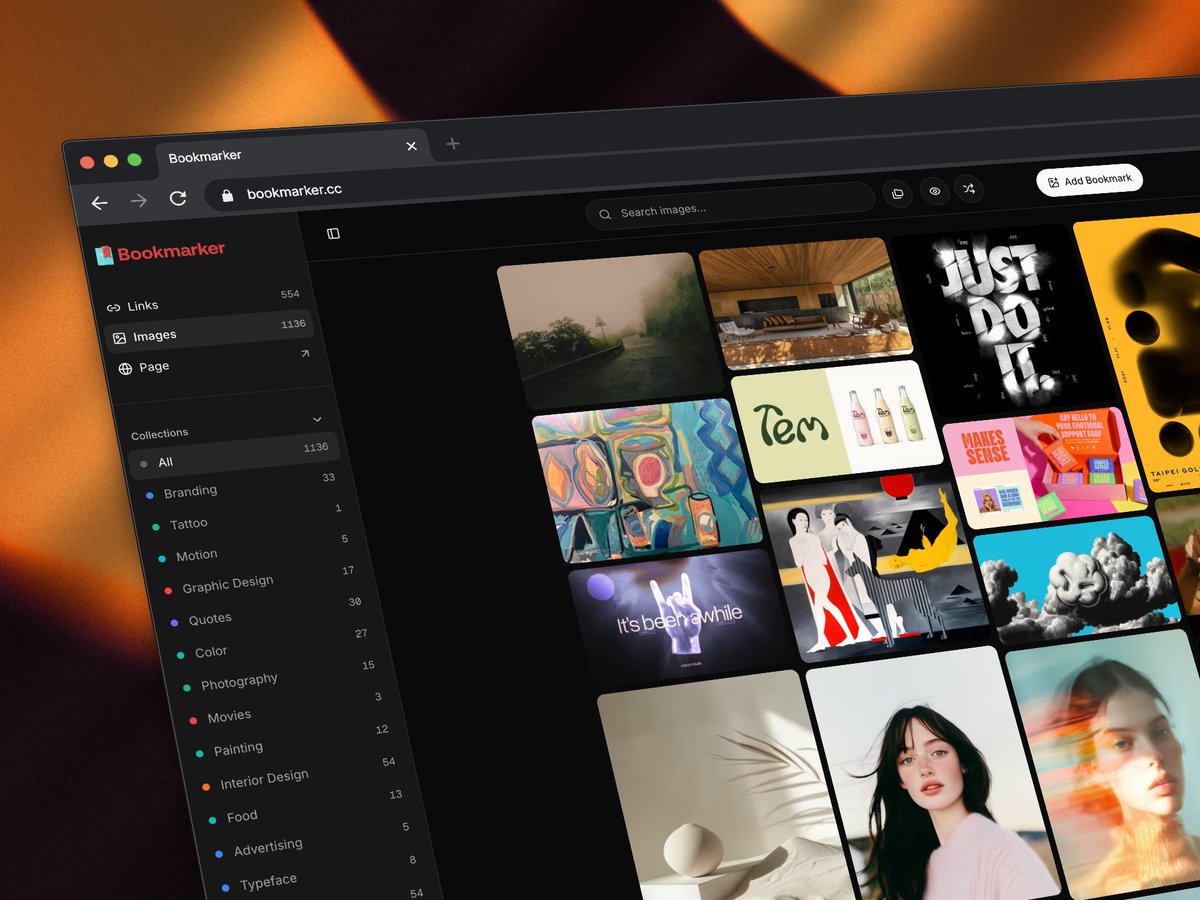
● Bookmarker got a lot smarter.
Auto-tagging, semantic search, and smart collections that update automatically as you save. The system reads what you're bookmarking and organizes it without you having to think about it, though you can always edit manually. Machines handle the heavy lifting, you stay in control.
The reading experience got a big upgrade. One click, keyboard navigation, clean article view with an AI summary waiting for you. No ads, no clutter, no distractions. Bookmarker figures out what kind of content you saved, an article, a product page, a tool, a website, and serves the right view accordingly. It's my favorite thing we've shipped.
The AI Assistant now lets you actually talk to your library. Ask for a weekly digest, browse by tag or color, or just ask it to surprise you with something random. It's a different way to rediscover what you've saved.
Sources is new. Browse thousands of artworks from the Metropolitan Museum of Art and the Rijksmuseum. European paintings, medieval art, photographs, drawings, prints. Save anything to your library with one click, and the system generates a title, description, tags, and a full color palette with hex codes. NASA and Smithsonian are coming next.
You can share your collections publicly. Your own page, easy to update, no ads, no noise. A quiet place to share inspiration with your network or just keep a public list of things you love.
→ Explore my page: bookmarker.cc/bora
Performance is up over 90%. Navigating the app feels noticeably faster.
I use @bookmarkercc every day. The browser extension makes saving effortless, and the system handles the rest. Private by default, but built to share when you want to. The goal has always been collect, organize, consume, share, and this is the closest it's felt to that.
More to come. Would love to hear what you think.
GIF
English