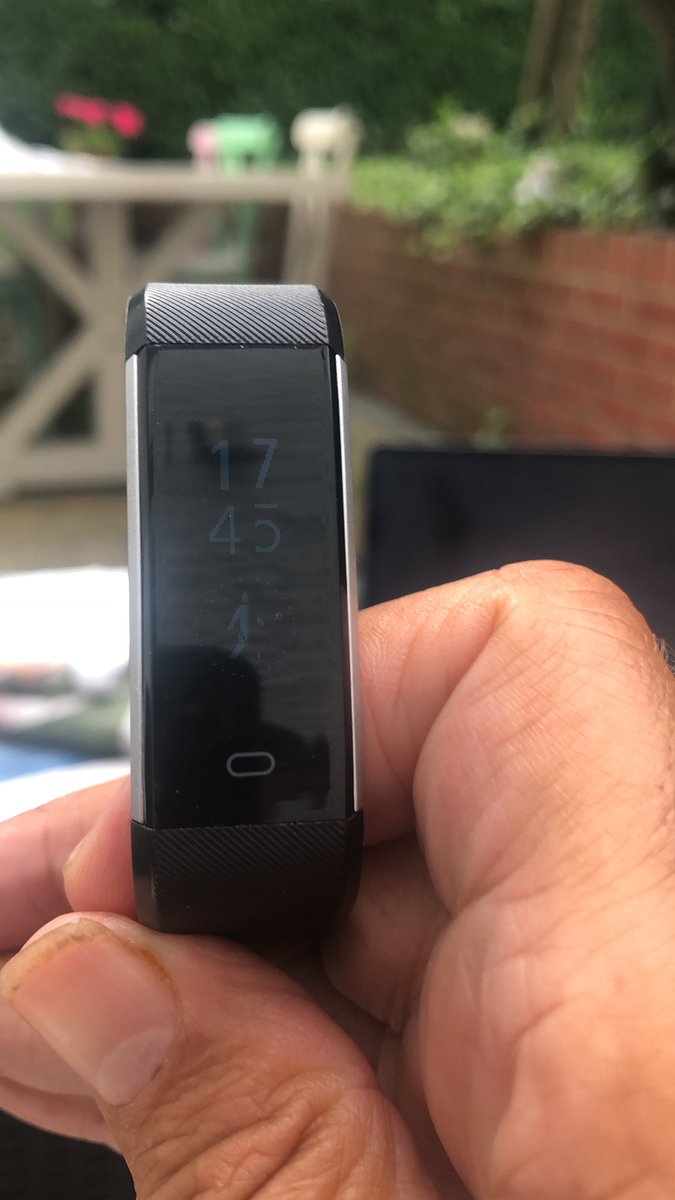
@delvfire my wife and I both have your trackers. Really pleased with the data they supply. The only down side is that the straps are really difficult to remove for recharging. Any tips?
@malcolmgreen outside in bright conditions the display will not appear as bright as if you were to view it indoors. Unfortunately, there is no option to make it any brighter as this would greatly affect the battery life between charges.
@delvfire just bought and set up your Pulse tracker. The display is nowhere near as bright as in your photographs. How do I increase the brightness so it matches your sample images?
@MFortet Thanks for reaching out to us. Please can you email help@delvfire.com along with your Amazon order number and our team will be able to assist you further.
@karatechop16 Thanks for reaching out to us. Yes, the following straps are perfectly compatible with your tracker: amazon.com/dp/B073Y97WM5/… Let me know if you need any further assistance. Thanks, Mark
@ChrisJohnRiley Thanks for reaching out to us. Currently the only way do this would be to disable alarms/alerts or sedentary alerts in the app before going to the cinema. However, I will forward your comments to the developers for consideration. Many thanks!
@delvfire Just picked up one of your Pulse devices. Is there no way to mute/shutdown the device if you need it not to buzz while you're at the cinema etc… seems like a basic feature gap
@keenan22_peter Thanks for reaching out to us. Please can you email help@delvfire.com along with your Amazon order so they can assist with this. Thanks.
@PeteWhiteheadUK Thanks for reaching out to us. Please can you email help@delvfire.com along with your Amazon order number so that our support team can assist you further.
@MFortet Hi Michelle, if it continues to be an issue even after rebooting please could you email help@delvfire.com so our support team can assist you further.
@delvfire just bought my daughter one of yr pulse motorsport activity trackers. It is all synched up with her phone. Everything works fine except the sleep tracker which isn't working at all. Any ideas??
@MFortet You need to open the VeryFitPro app and swipe down on the main page to start a sync. If you trying to see sleep data straight after waking up you may need to wait a while for the sleep tracking to finish completely. If you still don't see sleep quality data after this...
@TheFrenchPT_ Please can you contact our support team directly via our website or my emailing help@delvfire.com and they will be able to assist you further. Please also send them your Amazon order number. Thanks!